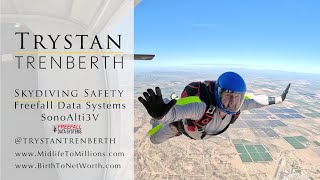
Trystan Trenberth shows how to connect a Freefall Data Systems SonoAlti 3V altimeter to a computer and set up its web interface. You configure vocal announcements for ascent and descent, altitude alerts, pin-check reminders, break-off and pull thresholds, and canopy cues like downwind and final approach. The system lets you choose imperial units, set announcement intervals every 1,000 feet on the way up and 500 feet down, and adjust loudness for use with ear protection.
Chapters
Hey guys, I just got my hands on the Freefall Data Systems Sono Alti 3V. The V means that it vocally tells you the altitude. This device is amazing, and I'm going to introduce you to the web interface for configuration. It's actually got 3 user profiles, but check out the following video. Preparing to connect the unit. First, we need to press and hold the USB button. Tells us it's ready to connect. We just need to use the red data cable that comes with it. There is a— where is it— USB port on the side, so we need to slide that one in there. We got it upside down. Second time's a charm. And now we get the light that comes on to tell us we're connected. I've just followed the instructions to connect the altimeter to the computer. I've used the red cable, as you've seen. I pressed and held the USB button, it's given me an announcement. Um, I've then plugged in the cable and then I've clicked on connect here. So now I'm connected. So we have 3 user presets in here. I'm not sure yet how to switch between them. I'm only one jumper using this unit, so I would possibly set one up for hop and pops, one for full altitude, and when I do other things with C&D license later, I'm sure there'll be other settings that I'll use. But are we looking at currently preset and battery status? That's good to know the thing's operating. Do we want post-jump info like exit altitude, free fall time? Canopy time, you can see the options on here. I'm just going to say yes. I'm not using metric, I'm using imperial. So let's come down to User 1 preset. So my landing area is 0 feet above or lower than the takeoff altitude. So if your runway and landing area are different altitudes, you really want to look at setting this at the different— differential to make your landing as safe as possible. Do I want it to abbreviate 1-8 for 1,800, or 10 instead of 10,000? I don't want abbreviations for now. I'm going to ask for announcements every 1,000 feet. I want to be more altitude aware on the ascent. Um, I guess I could be less aware on the way up, so let's set 2,000. What should be announced? Climb rate and altitude. So let's, let's announce that. Gives you an idea of how long we're going to be at the altitude we're going to jump. In what altitude range on the way up should I be looking for these announcements? Well, I'm going to say 1,000 and above. I'm not going to 30,000 feet, but I don't see any harm in that. I should know where I am in the sky on the way up. How loud? You'll hear from 1 to be very quiet, to very loud. I'm using the Big Ears ear protection, so I want it as loud as possible. In here I can do X altitude, so if we're doing preset 1, we're doing full altitude. I want to know that we're approaching altitude, which I'm sure I would be with everyone in the, in the plane, but I'm just going to set that one to say that we're approaching X altitude. Pin check. Let's do a pin check. I'm just going to reset those so you can hear this. So it'll tell you, pin check. And I would probably set that one at 9,500 feet. I'll reach behind me and check the pin. So seat belts, 1,500 on the way up, 9,500. Let's check the pins one more time. Handle checks at 10,500 approaching exit. I think that's good for the ascent. Now let's look at freefall. What should the threshold be for speed? Default is 80. I'm going to leave that there. Do we want to abbreviate readings on the way down? No, I'm going to have it read fully. I'm going to have it read at every 1,000 feet. I'm only going to worry about altitude. I'm not really worried about freefall speed. I'm not a speed demon looking for that. And in what range should I have the announcements? Yeah, I want all the way down. So again, the loudest I can, the loudest I can have. I'm going to do a break-off at 5 and a pull reminder at 4. And I can put, you know, my own alarms in here— campfire, break-off, whatever it is that I'm doing, um, go and head down, hard deck, handle checks. Um, all of these are options. There's, there's some more out of the view here. Um, but I think break off and exit are going to be good for freefall. Um, canopy settings. So do I want abbreviation? Yeah, I can do abbreviations. I'm at 2,500. I can say no if I want to hear— I'm going to have every 500 feet for announcements. I don't worry about descent rate. In what range? Again, 0 to whatever altitude I am. And I'm going to have an alarm for decision altitude, downwind leg 1,000, base leg at 55 to make sure I'm on final approach. I probably want to change those a little bit so that I'm at, uh, downwind leg. So I've already got downwind leg, I want my base leg, so let's say that at 700 50 feet. We'll insert that one and we will do final approach. Final approach. And we'll do that at 600. Again, these are sort of the last-ditch kind of reminders so that if you're not paying attention, these are going to get you on board. So that's User 1. I can go into User 2 if I did wingsuiting and hop and pops, I could probably go and do one of these for that, which would be pretty useful. But those are the settings for the basics there. So let's leave that there. Pick up your Sono Alti 3V today. Go and grab it through your local drop zone if you can. If you've got a local store like Square 2 in Eloy, they're amazing, they support the community really well, they always give out great advice. If you can support them, great. If you don't have one nearby, give, give freefalldatasystems.com a shout and pick yours up there.