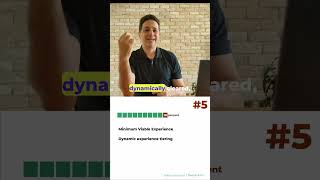
In this solo presentation, Tsahi Levent‑Levi, owner of BlogGeek.me and WebRTC Courses, outlines the fifth of five action items for optimizing WebRTC CPU usage on devices. He emphasizes that roughly 10 % of users will be on low‑end devices or networks and therefore require a deliberately reduced experience. He advises defining a minimal viable experience—dropping video resolution to 360p or even 180p and lowering frame rates to 10‑15 fps—to ensure the call remains usable. He stresses the need for dynamic tiering, allowing the application to shift between high‑end and low‑end quality levels within a session based on CPU or network conditions (e.g., antivirus scans, OS updates). Finally, he recommends implementing a graceful failover to audio‑only when video cannot be sustained, informing users of the change while preserving the call. The talk concludes with a call to action to contact him for further assistance.
Chapters
Hi, my name is Tsahi Levent-Levi. I'm the owner of BlogGeek.me and WebRTC Courses, and I'm here to break down real-time communications so you don't have to. This time we're going to look at 5 different action items for WebRTC CPU optimization on the device. Last but not least, the 5th suggestion that I have is think about the 10% of the users. You've got a lot of users in your system. 10% of them are going to be on low-end devices or low-end networks, low-end capabilities. You need to think about them as well. What does that mean? The first thing is that you need to stop thinking about 4K at 60 FPS. That's your high-end. Your 10% of the low-end would need the minimal viable experience. What would be the worst experience that you want to give users and still say you can still use the system? What does that mean to you? Okay. Does that mean that the video goes down to 360p or even 180p in terms of the resolutions? You reduce frame rates to 15 frames per second to 10, maybe less, just to make sure the video works. You need to define that. Minimal viable experience in order to be able to implement towards that as well. Go for the high end, but be able to go down to the low level. Now, these experiences that you have from the top high end to the low end, they need to be dynamically tiered, which means that I can move from one experience to another dynamically within the session. Because someone started using the CPU, someone used the network. and I need to understand that and change my behavior accordingly. If the antivirus decided to run and do something, or there is, you know, an OS update, I need to be able to work with that and reduce the needs and requirements of the call that I'm in. Another thing to think about is to do some graceful failover toward audio-only solutions. Okay, can't do video, not enough CPU for that, we're going to do voice. I'm going to alert the users that this is the case, and we're going to do voice in order to maintain the connection and the call itself. So we actually have a meeting without video because we can't really have video. It won't be a good enough experience for us. Okay, so we talked about the CPU, the fact that we actually need to optimize for the CPU and not only the network. If you want to 10x the speed of rate in which you do these things and run these optimizations for your WebRTC application, I'm here. Reach out to me below, above, wherever you find the way to find me. Go and follow me at blogic.me. Thank you.