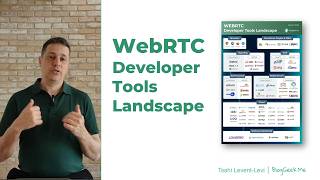
In this instructional presentation, Tsahi Levent‑Levi (owner of Blogic.me and WebRTC Courses) walks developers through the entire WebRTC ecosystem and the tooling choices available for building real‑time communication applications. He first outlines the core components of a WebRTC system – client devices (browsers or native apps), application logic, signaling, NAT‑traversal (STUN/TURN), and optional media servers (SFU/MCU, gateways). He then maps out development strategies, contrasting managed services (CPaaS, piecemeal low‑code/no‑code solutions) with on‑premise approaches (IaaS, bare‑metal) and the possibility of outsourcing. The bulk of the talk catalogs concrete tools across several categories: browsers, client‑side SDKs/plugins, signaling solutions (open‑source vs hosted), NAT‑traversal providers, media server platforms (open‑source vs commercial), SIP/VoIP stacks, and testing/monitoring utilities. Throughout, he highlights vendor examples, notes compatibility considerations (e.g., browser API support), and stresses the importance of picking tools that match scale, language preferences, and operational model. The session concludes with a brief plug for his consulting, courses, and a custom monitoring project, inviting viewers to reach out for assistance.
Chapters
Hi, my name is Tsahi Levent-Levi, and I'm the owner of Blogic.me and WebRTC Courses. I'm here to break down real-time communications so you don't have to. This time I want to talk to you about WebRTC developer tools landscape. This is where we've got the tools that we use as developers to build WebRTC applications. We're not building these in a vacuum. We're doing it with an ecosystem that is thriving and rich with different types of alternatives. I'm going to go through the alternatives, or at least some of them, today, but I want to start by explaining again the components in WebRTC. That's going to help us once we start talking about the tools. So let's start. If you are building a WebRTC application, the first thing you're going to have is the user device itself. That might be a browser. WebRTC runs first and foremost on browsers, but it can also be a native application on mobile devices, on PCs, embedded, or wherever. The second part that we need to look at are the servers, the WebRTC infrastructure that we're building. A lot of the effort that we're going to put when we develop things are going to be on that domain. There, the first thing that we have is, well, the application itself. That has less to do with WebRTC and more to do with the logic that you have for your application. It includes the databases, the performance logic, users, or whatever else that you need. Next to it, we've got the signaling servers. These are servers that deal with signaling, where signaling is, well, I want to connect to you over a meeting. I'm going to need to send you something to start that conversation, and you need to be able to negotiate back to me the details about that. This is the signaling part of WebRTC, is how I reach the service and other users or bots that I want to communicate with. Usually application and signaling are looked at as a single bulk. They can be implemented together or separately. This is up to you. As a developer to decide how to do that. Then we've got the NAT traversal servers. These are STUN and TURN servers used to traverse through firewalls and NATs, Network Address Translation devices. We need that because WebRTC sometimes runs peer-to-peer and also uses UDP, which means that it might be blocked over different network types. On top of that, optionally, we're going to have media servers. These are SFUs, MCUs, gateways, and other types of devices that are going to process media on the server for our needs. These are used for large group calls, for example, broadcasting, recording, and other types of communications or processing that we need. Looking at these servers, the application server is mandatory. Signaling server is mandatory because we need to somehow communicate. NAT traversal is almost always going to be mandatory, though there are use cases where you are not going to need them. And media servers are optional, but in many of the production-ready or commercial-grade services that you're going to build, media servers are going to be part of the whole infrastructure. Now that we've seen which servers we're using, let's think about how we're going to develop things with WebRTC. For that, I decided to build this, you know, this kind of a table for you. There are two options. You can either start by developing everything on your own or outsourcing bits and pieces of the development or even all of it. Some entrepreneurs and even large companies go for the outsourcing front where they decide to give someone else to build this thing for them. This means going to someone that is experienced with development and with WebRTC to build the application that you need. Then there's what are the developer tools that you are going to use for that? We've got in general two ways to look at that. It's either going to a managed service where someone else is going to run the infrastructure for you and maintain it for you. On the WebRTC domain, that means signaling, media, and NAT traversal servers, okay? Or you can do it on-prem. On-premise means that I'm going to run my own servers or manage them and maintain them. Now, in each of these categories, we're going to go and split them a bit even further. For the managed service, we have 3 different ways to go. The first one is to integrate with a managed service, build your own application on top of it, and use something that is rather low level here for a certain piece of what you need. That can be connectivity to PSTN to do voice calls. It can be just the NAT traversal servers. This is quite popular. I'm going to use third-party TURN servers and everything else I'm going to do on my own. I can get the media servers, for example, to be managed without the TURN servers. I can also have signaling as something that is managed for me, but then do the media stuff on my own or the TURN servers on my own. And I can pick and choose these from different vendors. So I can decide to do something as a managed service, for example, turn servers, and the rest develop on my own. We've got different kinds of bits and pieces for that where we can do that. And again, we can either do the development on top of that solution ourselves or outsourcing the work. We can use a CPaaS vendor. A CPaaS vendor is going to bring everything to us. Everything that we need for the communication piece and for WebRTC. So if you want to build a video conferencing call, they would give you the signaling, the media servers to do the group calls, and then they would also provide you the NAT traversal servers and an SDK for the client side. So you won't even need to think how to build WebRTC on that side. You'll have higher level, level abstraction APIs provided by these services. And then you'll only need to build your own application on top. And again, in many cases, I see vendors that go and use outsourcing vendors to build the application on top of SAP vendor. There's another option, which is the piecemeal approach. Here, what we're going to do is to have an actual application that has already been built for us. It includes everything in WebRTC, but also the UI and logic, and we'll have, you know, a bunch of things to build on top of that. These are pre-built low-code, no-code solutions that are available, and they might be suitable for your needs. So check to see if there are anything that fits exactly what you're looking for. That brings us to the other part of this table, the on-premise part. Here we've got two alternatives almost. One is go to IaaS, Infrastructure as a Service. Think about it as AWS, DigitalOcean, GCP, Azure. We've got Cloudflare as well. What we're going to do is to develop on the low-level infrastructure that they offer us. Networking, compute, and storage. We get that from them and then we develop our own application there. Even then, we're probably not going to build the media server on our own. We're going to use a third-party open source that does that for us. Bare metal means that we're going to actually go and install everything on our own machines or in data centers that are not, not as good as hyperscalers in the IaaS front. All depends on what it is that you need. So you've got a rich gamut of alternatives when we try to build something with WebRTC. What I want to go now is to look at the developer landscape itself. I'm going to split that into the small components of it. This has been recorded on March 2026. Things might have changed since then. The chart might be different. Just look above or somewhere around this page to understand exactly what are the current details. Also, the infographic has less vendors than the details because some of them are too small to add into the graphics. So it's up to you to decide which one to use. Let's start, and we'll start with the browser. On the browser's front, all browsers today support WebRTC. Chrome is the best one supporting it, then you've got Edge, which is based on Chromium, and then Firefox and Safari, usually a bit behind in terms of the APIs that they support and the capabilities that they have, specifically when it comes to WebRTC. That poses some headaches to developers But today it's a lot better than it used to be years ago. Next, we've got the standalone plugins and SDKs. These are mostly client-side, but also sometimes server-side SDKs that implement WebRTC and are not the implementation that comes from Google. Google's implementation is known as libwebrtc. This is the implementation that we've got in Chrome, and many developers use also libwebrtc directly. Import it on their own environments. Other than that, we've got AIoRTC, GStreamer, Pyon, and Pipe, which are popular approaches, and there are others as well. Depending on the type of, uh, solution that you're going to build, the service, and the language that you are going to use, you're going to pick and choose different SDKs and plugins here. Some of these are part commercial, like Pipe, while the others are open source in nature. Then we have signaling. I decided to split signaling between the open source alternatives and the hosted ones. In the open source, we see today Matrix, Peer.js, and SimplePeer for a long period of time. All of them has their own advantages and some challenges, so check them out and see what fits best to your needs. Matrix is the full-fledged signaling solution. It also supports Samira today, and they have hosted solutions as well in the domain that is called Element. You can check them out. On the hosted side, I decided to look at those that offer pure signaling. If you want to build something that has pub-sub messaging to publish or subscribe, these are good ones. Ably, Firebase, PubNub, Pusher, and Stream. Check them out. In general, on the signaling side, we're going to look for something that would be suitable for our approach and our application. You need to take into consideration things like the global scale of these things and how do they deal with the type of solution that you have. For example, if you're going to do large broadcast with hundreds of thousands of users, you need to figure out if that signaling solution is supporting to that kind of an approach. Then there's NAT traversal. Two alternatives here. The on-premise ones, which are mostly open-source solutions. Cotor and Pyron and Stanner are such solutions that offer TURN and STUN implementations that you can go and install and run wherever you want. And then there are the hosted solutions, the managed ones. Cloudflare or Twilio, Sericis, and a few others offer that solution out of the box where you can take that and simply use as a third party. This is a very easy approach to deal with NAT traversal because there is no vendor lock-in or almost no vendor lock-in when it comes to NAT traversal. TURN and STUN services are easy to switch between one another. Let's look at another group, this time the media servers. And here again, I've split them between open source and commercial. In both cases, you're going to have things that run on-premise or cloud-based. The open-source ones, you build and develop and do whatever it is that you want. There you'll find Janus, Jitsi, LiveKit, Mediasoup, OpenVideo, and other Python-based solutions that offer media service. Again, you'll need to choose and pick the one that fits your application. It might be due to the programming language, the capabilities, or simply what your developers are comfortable using. On the commercial front, you'll see services that offer very specific or unique use cases, or ones that run hosted services besides being able to sell you a license for a server to run wherever you want. Here there's Ant Media, SeeBlue, Compunetix, Dolby IO, Woza, and Red 5 Pro. There are a few others, check the list. Then there are CPAS vendors. There are more here than I'm going to count, and it was hard to pick and choose which ones to put here, so I've simply put a lot of them. Think about it this way: SIPaaS vendors offer you full solutions for RTCs that you need to build when it comes to the WebRTC infrastructure. They are supposed to give you everything that you need. Different solutions here offer different types of capabilities, features, benefits, so you need to check each one of them and see which ones fit your needs. I've got a separate video API report that goes to many of these vendors to help you pick and choose the one that you are going to need and use at the end of the day. Specifically for Voice over IP, there are separate solutions that are good for them. JSEP and SIP.js are usually the client SDKs that you are going to use. They implement SIP over WebSocket inside a browser. Meaning that they use JavaScript for that. On the server side, we usually have Asterisk and FreeSwitch, which are open source and quite popular across the industry. Everyone uses them. Last but not least, testing and monitoring. When you're building a solution, you're going to be— need to test it and monitor it. For that, you've got Loadero, Puremetrics, RTCStats, and TestRTC. Here, I'm quite subjective, Today I'm running Operating RTC Stats with a few colleagues. This is by far the best solution on the market. Not because I said so, because I built it and that's what I feel and think about that. Go and check what you're going to need in that front and you can come to me and ask and I'll be able to assist you with anything that you need there. In general, if you want to 10x the speed at which you're going to implement things with WebRTC, I'm here to help. I've got consulting services and courses to help you out with that. So don't be shy and reach out to me and follow me at bloggeek.me. Thank you.