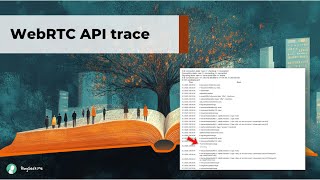
This is a short technical demo/discussion (YouTube) showing how to monitor WebRTC API activity using Chrome's WebRTC Internals and how to analyze a downloaded internals file with a dump-importer tool. Speakers explain that WebRTC Internals records API calls and callbacks (addTrack, createOffer, setLocalDescription, ICE candidates, connection state changes), why the Internals tab must be opened before a session to capture the full event flow, and how the dump importer can be used to view the same events offline.
Chapters
When we're talking about monitoring things around WebRTC, we need to also look at the events log inside WebRTC internals, which is essentially, for me at least, the list of all of the API calls and the callbacks that are inside WebRTC that gets magically collected into WebRTC internals. So what we're going to do now with Philip is to look at the WebRTC internal session of the this call that we're recording on streamyard and then see what happens to this when we open and close the WebRTC internals tab and also when we upload it into the dump importer.
Okay, so we had WebRTC internals open before the call, which is pretty important if you want the full event log here. We will come to that later. And what we see is basically every single API call that happened to the spirit connection that we're using when audio was added. We see this was done with an AdTrack call. We see video was added with AdTrack as well. Then the offer was created, set local description was called. And then we see is candidates being emitted. Set remote description. Then we see connection state goes to connecting and finally connected. And if anything goes wrong, this is a very easy session because it's not renegotiating at all. If anything goes wrong. Typically you can see where it goes wrong in this event block.
Yep. So this is like a flow of the things that happened from the beginning of the session, from the moment I called anything related to WebRTC even before I created a peer connection in a way or somewhat. And then the APIs around it.
Yes.
Create Offer would be an API call and negotiation needed would be a callback coming on the peer connection to the application.
Correct. So let's look at these. Create Offer. You see the options passed to Create Offer Offer Truth. The video is false. Voice activity detection is true. I should start as false. Then you can see the callback or the promise resolving. And that is going to give you ASTP as everything stp. It's going to be a big blob of text that you need to understand what webpage internals does. It allows you to fold the STP a bit to let you focus on what you're interested in. For example, if you're not interested in the session part, you can fold it away. If you're not interested in the audio part, same game. And this leaves us with the video part, which is a lot of lines still. Okay, you can follow it too.
Okay, so I've got this. I can use that to understand what happens, I can also from here follow the logic and see that it fits the application to have actually written on the browser side. Why did we say that we need to open this WebRTC internals tab before we start the session?
Because only then you get the full flow of events. Let me close this tab, I'll stop sharing, close the tab, open it anew and present again. The problem we have here is what we only get. Set local description, set remote description, and the current state of the connection. We don't see what happened before we open the tab anymore, so we have no visibility. Was a track added? What track was added? What ICE candidates were emitted? We no longer see that, what stages.
We went through to get there.
Yes, yes. And in particular, if you had an issue, then you won't see what call failed, because that has happened in the past.
Yeah, that's also true for the statistics themselves. Like, you know, the route, trip time, the packet loss, the jitter.
Yes. We can't just have this stuff collected in the background because at some point purpose internals did that and it turned out to be a big memory leak.
Okay, now, lucky for us, when what you did earlier was download the file from the WebRTC Internals tab, can you open the file that you downloaded inside the dump importer application?
Yes. So let's switch to the dump importer, open the file and we're not interested in the getuser media calls. We're not interested in the candidate grid. We are not. Oh, sorry, that was the wrong one. Candidate script can be followed here. We see here. This is basically the same we see in WordPress internals earlier. You have the transceiver added, same events we have create offer, like in WordPress interns. You can fold each thing here so it's very much the same set of features on both pages.
Okay, so what we did was the following. We looked at WebRTC internals this time and we tried to figure out from there how exactly to follow the API calls that we did in WebRTC. For that we've got the events log inside WebRTC internals and you can watch that live there in that Chrome tab. Or you can also use a dump importer after downloading the file and use it elsewhere. Okay, thank you.