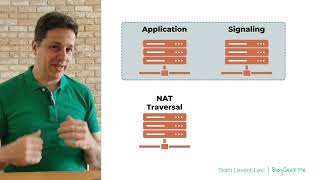
A short tutorial-style YouTube talk by Tsafila Van Clevi (published by Tsahi Levent-Levi) that explains the anatomy of a WebRTC application from the server perspective. It describes client types (browsers, native apps, mobile/embedded devices) and the main server roles: application servers (app logic and data), signaling servers (exchange of SDP and user discovery), NAT traversal servers (STUN for public address discovery and TURN for media relay), and media servers (group calling, recording, gatewaying). The speaker also notes deployment choices (self-hosted open-source, commercial, managed services) and offers consulting/contact information.
Chapters
Hi, my name is Tsafila Van Clevi and I'm here to break down real time communications so you don't have to this time. Let's focus on the anatomy of WebRTC application and I'm going to do that from the point of view of WebRTC servers. Let's see what we have. So in a WebRTC application, the first thing that we have is the client side. That client side can be a laptop, it can be a PC, a browser usually in there, but also a native application. It can also be a mobile device or any other embedded device that I want to embed WebRTC into. We're not limited in what it is that we can do. Now on the server side, we've got a bit more complexity there. Let's start. The first thing that we're going to have in the WebRTC application is the application server. The application server has nothing to do with WebRTC, at least not directly. This is where you store the logic of your application, what it is that you're going to do, the user base, the preference, everything else that you have within your application. Usually what we're going to have is also an additional signaling server. The signaling server is where we're going to find the users and negotiate with one another. We're going to send SDP messages, the session description protocol messages between the users using that signaling servers. It can be a single server, it can be a multiple server. At times we're going to even compound it within the application server and have them both coexist together. Remember that in WebRTC, signaling is also not something that is part of WebRTC, but something that you're going to decide. I've got videos about that. You can check them out. The next set of servers that we have are the NAT traversal servers. These are also known as iservers, and they are TURN and Stan. STAN allows us to know what our public IP address is and TURN allows us to relay media through that TURN server. We need these for some of our calls, not all of them. Last but not least is the media server. This is a category of servers that is not in existence within the standard itself, but but it is part of almost every application that I see that uses WebRTC. It's there to handle group calling, recording, gatewaying to other types of services that don't use WebRTC, and many other chores that you need to achieve with WebRTC. When you build a WebRTC application, you can decide which ones of these you're going to create on your own, use open source, use a commercial solution, or even go for a managed hosted service used by others. You can do it per type of media server per type of server, but also you can do that across everything by using a C vendor. If you want to 10x your development efforts and do that with an improvement in the media quality and connectivity of your application, reach out to me. I'm here to help. You can also follow me at Blogic Me.