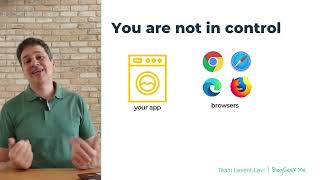
A short instructional video by Tsahi Levent-Levi that explains which components of a WebRTC deployment you can control and which you cannot. He identifies four actors—the application (which you control), browsers, networks, and users' devices/peripherals (which you mostly do not control)—and briefly describes how each affects real-time communications, QA, and deployment decisions.
Chapters
Hi, I'm Takhil Vent Levi, founder of Blogikme and WebRTC courses. I'm here to break down real time communications so you don't have to. You are not in control when it comes to WebRTC. There are four different actors in WebRTC. The first one is your application. You're building the application, you're making the decision there. It's yours. You control the application totally and fully. Then there are the browsers. The browsers, you don't control them. These come from Google, from Apple, from Microsoft, from Mozilla, and from other companies. All of these browsers are out of your control. Google can update Chrome without asking you. And it happens all the time on a monthly basis. Okay? Things change. The behavior of WebRTC implementations change and you need to keep track of that and be up to speed with these things. This is going to affect how you're going to do the qa, how you're going to deliver bug fixes, and how you're going to do all of the upgrades of your system. Then there's the networks. Users connect from whatever network they're on. WI fi, Ethernet, cellular, inside basements, elevators, their homes, hotels, hospitals, whatnot. You don't know what networks or users are using. In many use cases you don't control around the networks. In some very few you do. WebRTC has mechanisms to deal with different types of networks. Your application needs to be aware of that as well. Last but not least are the users devices and peripherals. What device are they using? Is it new or old? Is it a laptop or a smartphone or a tablet or an embedded device? What kind of camera and microphone do they have? What are the speakers or screen resolution, the cpu? These things are going to affect the user experience. You need to be aware of that. And again, in most cases, in most scenarios, you are not going to control these devices. You just need to be able to work with a variety of things that are going to come your way. If you want to learn more, you can follow me at Bloggeek Me. You can also check my courses@webrtccourse.com There are free courses there around WebRTC Basics and the WebRTC Code Lab that will take you hand in hand to build your first WebRTC application with an explanation of how to use the APIs. So see you there.