Day 4 BONUS VIDEO 2016Planathon.com
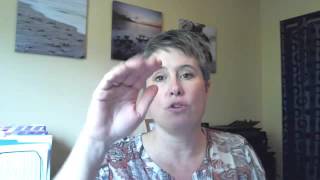
Kelly Christian, owner of Casey & Co. Aboriginal, walks through setting up money systems for small businesses. She covers financial tracking, scheduling regular money management time, and mixing digital and paper planning tools to match your style.
Hey, planethoners. I can't believe it's 2016 already. That is the 2015 is almost over, Christmas is almost here, and we're into the 2016 plan a thon. It's been a crazy year. I don't know about you, but my year has been a bit of a ride this year due in part to the boost I got at the Plan A Thon at the beginning of 2015. 2015. 2015. And it's just, it's been amazing. Huge growth, really, some great connections and lots of new and interesting challenges. For those of you who don't know me, I'm Kelly Christian and I'm the owner of Casey & Co. Aboriginal. I know, but it's a brick and mortar tax and bookkeeping business in B.C. canada. And I help online entrepreneurs and location independent people create their business money systems and keep them flowing and running and making sure that all the pieces of their puzzle go together. I love, love new and emerging businesses and seeing them grow and flourish and helping make sure that they've got the financial and money information to be able to make good choices and to help their businesses grow. So when Amber asked me if I would talk and do a quick video for you guys, I'm going to try and do quick. I'm not so great at quick, so we're going to. I'll do my best. But what I wanted to talk about was one of the biggest changes in my business was putting my systems in place this year and being able to allow my business to grow and change. Because before it was just me and to be able to take on assistance and to be able to allow other people to help me so I could have more time to be able to focus on the CEO part. I had to put systems in place. So I thought what I would share with you today is how to set up a basic money system. Because that's where a lot of people get caught. They could set up the other systems, but for some reason people have huge blocks around money and it just, it's so great when it's handled and it's so bad when it's not. We all know we've all done it right? So the money system I want to talk to you about today is there's going to be three things I want you to take a look at while you're doing the Plan A thon and you know, incorporate that in. I know Amber does a money section so, you know, work it into that time or do it another time. But the first thing I want you to look at is your personal style. So what kind of things do you like? Do you use a paper planner and you love paper. Do you not mind spreadsheets? Do you really love online software? And you love figuring out how to make the new softwares work and like having all the pieces go together and have your phone and have all this cool stuff on it. So you got to find where your sweet spot is of what you're going to be able to make work for you and what you're going to use. And that is the bottom line of that personal style choosing. It's got to be something that is specific for you and your business. It can't be what works great for your uncle or it's the free thing you can get from work. If it's not the right one, you won't use it and it's worthless. So make a choice, do some research, take an inventory of what's working now and what hasn't been working and sort of make some choices there and then do a little bit of research. Feel free to ask a trusted advisor, throw some questions out in the plan A thon group I'd be happy to answer. There's some other people in there too, I'm sure that would be able to give you some advice about working what's working for them. So number two, once you've decided on a system, get it set properly. If you don't feel comfortable setting it up, pay someone to set it up properly for you. Bottom line, if it's not right from the beginning, you're going to pay so much more money at the end trying to get someone else to clean it up. So spend a little bit of money. If you're good at doing a spreadsheet, get someone to set it up for you. Unless you're an Excel whiz, get someone to set it up for you. Pay someone on elance or somebody you know that's really good at that stuff to do it. Set it up properly. Make sure you've got drop downs in your expense category, right? So if you've got. Just a quick example, if you've got an entertainment expense rental restaurant, you would have the date, the name of the restaurant, the amount, and then you would have another column that just says expense category. And in there you can do a click and have a drop down that'll have entertainment expenses, car expenses, blah blah blah blah blah all the way down. You just have to click entertainment. That's it. There's no going through miles and miles of a spreadsheet to figure it out, right? And then that category and that information should total and feed onto another page and spreadsheet that gives you a nice clean one page of where you're at. So that kind of spreadsheet is what you're looking for if you're going to use it, because it's the one you will use. It's the easiest way and it's the cleanest way to use a spreadsheet. If you're going to have software, same deal, you need to get a chart of accounts, which is the list of all your accounts, what you have for sale. So if you want to break them out, you have them all broken into 1, 2, 3, you know, sale, ACB, sale C, and then all your expense categories. A trick to figuring out what those expense categories should be is take a look at your tax return. So you get your tax return back from your accountant or your tax planner and there should be a biz statement of business activities in it. And in there you'll see the breakdown of cash categories of the expenses that your business had or will had. And if you don't have one, let me know, I can pull one and you know, pop it in the Facebook group too. But that gives you an outline of what categories you should be tracking. It's super easy that way. Use them. Set it up in your accounting system. Set it up in your Excel, print a copy, put it inside your planner if you are doing a paper based system. But regardless, make sure that's set up first and stay consistent with it. And again, you can pay someone to do this. You know, it's not super expensive. Pay someone, get it done right and then move on. Number three is scheduling time every week. So that's really an important part. You can choose whatever day of the week works for a lot of people. Sunday, Monday, work really well. You're planning your week, you sit down, go through your money, set up your, you know, plan for your week, for your family life, for your business life and just get that paperwork handled and done and in and it's clean. Then you know, you restart your week where your money, your bank balances are, you know, bills need to be paid, or you do it on a Friday and it's the wrap up of your week. And the same thing you go through and see what you spent, where you're at, how much money you made and wrap that up at that point. So the three big things in a money system are find something that's going to work for you and set it up properly and pay someone if you have to, but get it set up properly, schedule time every week, you've got to make a money date. There's just, there's no way about it otherwise it gets so far ahead of you and you just never start it and you never finish it. So those are the three areas I wanted to talk to you about. But since it's the plan a thon we still need to talk of course about planners. So I'm going to quickly review what I do and it's pretty easy because I love asana. I use asana for everything. It runs my whole business and all my clients. Plus it's my brain dump for all my ideas and any information I find somewhere that I really want to keep, I put there. I use G Drive as well, Google Drive as well that links so it connects to my asana. But seriously, asana is my, you know, my second brain and everything is in there. So that's what I use. But that being said, I can't say I don't like paper. So what I got this year was the ARC system and with you know, the tabs and you can do your own punch system. So this is my baby, it's all my papers and you know, things from courses and information I wanted to save and it was everywhere in different piles and it was driving me insane. So I went out, just got this cheap thing from Staples, right. Much like Nikki, same thing. That was a deal. These ones, I don't know what they were in the sale bin, right. These little file dividers. For now, you know, of course I use my label maker and made little labels. It's not as pretty as some and it's just definitely in the works but it's, it's coming together. For my paper system I think what I'm going to do for my, for my planner is going to do a half size one and I don't want a planner in the traditional sense. I don't want your day to day timer part of it. That's not anything of interest to me as the daytimer. I want the, the planning pages I want have you know, your month spreads, your year spreads so I can plan out my year, have my goals, have my thoughts, have these spots to journal and put in all the new ideas and things that come up. So that's what I'm going to try to create. So I'll keep you posted on what that's going to end up looking like. But realistically 90, 95% digital with you know, still a hankering for some paper and some pretty pens. Sometimes. So I'm excited again to be here for the rest of the Klamathon. And I can't wait to see what the week holds for all of us. Thanks for listening. Bye.
More from Amber






Embracing the CEO Mindset with Amber McCue! Strategies for Time Freedom and Business Success