AJC ERP Implementation Technical Details of the Project
Andrea Jones walks through an eight-month ERP implementation: data migration, sandbox setup, configuration, testing phases, end-user training, and go-live. She stresses that customizations and integrations take longer than expected, and you need a dedicated project lead working 15-20 hours weekly to stay on track.
Chapters
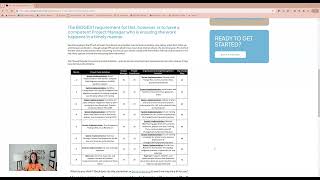
Hi, I'm Andrea Jones and today we're going to talk about the specific steps and timeline for your ERP implementation. So previously we've discussed selection, that was a while ago and we talked about negotiation and some other things. We talked about the first couple steps of implementation to bring together your team and make a plan. This plan that I'm showing you here on the screen probably will be in your charter. It's a milestone level plan and it's kind of generic. Here you can see I only have an eight month plan that is pretty fast for an ERP implementation. The steps will be the same, but depending on your complexity, your customizations or your integrations, it might be longer. Maybe the number of people that you have working on this as well, or that you have to deploy it to. So let's walk through it though. You can see here that the first thing you're doing, and by the way, this whole step that I'm talking about is how your project manager drives your technical implementation process. And so I want to talk about what's involved in all of those things, right? Not just getting ready and planning the team, but what are you doing once the team's together and you're kicked off. So that was kind of that first month. Often vendors will have you complete your data migration tables initially. They might do training initially or data migration tables. Sort of depends on the vendor, maybe both. But what they do is they'll give you over email, a bunch of spreadsheets typically that are blank templates, and they'll have fields for your suppliers, your customers, your inventory, your parts, your products that you're shipping, whatever it might be, and you need to fill these out. So that's data migration. You're pulling it out of the old stuff, putting it into the new. An analogy might be if you're moving from one house to another, you're taking things out of your, let's just say your drawers. And you know how stuff accumulates, right? Especially that junk drawer. Is it time to get rid of that ball of rubber bands or are you going to take that with you to the new house? Stuff like that. So that'll often happen in the beginning. And then the vendor and their IT team, as I talked about in the previous video about it, they're setting up your sandbox instance, they're getting your core team login information. They probably do have to do, if they haven't done a big training, at least some basic navigation on the site so that you can start working around in there. So that's all Happening initially. And now you are maybe moving a bit of data in to start configuration. So this will be okay. What does your general ledger look like? Are you going to use five digits or six in your built your ledger, numerology or nomenclature? How are you going to have things move from one place to another in the system? So you're configuring that. That's not the same as a customization. People have asked me that before. It's like going into maybe a furnished home and rearranging the furniture the way you like it versus a custom build from the ground up. So you're doing all of those things and as you go you do what I call point to point testing. So if you enter a new customer's information, does it automatically go into the purchase order? If that's what they're doing or they're making an order and then I do. We like to do exception testing as well. So if you enter in their information and you fat finger the zip code, is it going to say, hey, this isn't a zip code for Ohio or you know, whatever? So that's kind of the first round of testing. But then the big next round is the conference room pilot. So that's where you take those initial order to cash, procure, to pay, and even maybe the record to report to some degree, and you run it through the whole thing. So a customer calls you places, a brand new order, it gets scheduled in your system, all the materials are pulled, it gets produced and it gets shipped to them. And then you invoice for it and then you collect the cache all the way through. And here you want to have all the specific tests that you're testing, probably a compilation of your, your point to points, right? Because now it's moving from department to department all the way through the system. And you really want to do your exception testing. Here's a weird example of exception testing. So I, I went downtown the other week and I paid to park with a little meter, you know, and there's like the QR code and you can pay to park. Well, I came out from the building I was in, I paid for three hours and I had set an alarm so that, and at the minute that it was up, I could pay for a little bit more on my phone, you know, I could just enter in the spot, do it on the web, which is what I did. And it came out and I saw that I had a ticket and I'm like, what the heck, right? These guys did not do exception testing. They didn't want me to park in the same spot for three hours and then up it to another two. They wanted me to move my car out of the spot, but the system allowed me to input the new, the new amount of money and the new time with the same spot. And it didn't flag me. Now I have a ticket. And so I feel like they did not do exception testing. If there's a rule that you can't continuously park in the same spot, you shouldn't have allowed me to do that in the system. So that's an example of exception testing. If you don't want people to do things, make it so they can't do it in the system and test that. That works the way you want it to. Right. Some people forget to do that. Okay. After you've done this big huge round of conference room pilot, which by the way, often is, you know, people like to do it maybe a whole week. They pull people in. There's a lot of orchestration that goes into that so that nobody has to be last minute pulled in and that somebody's tracking all the responses. And of course project manager and maybe even a coordinator helping with that type of thing. And when you do that, there will be issues. In fact, anytime you test, there will be issues. The issues might be real issues in the system that have to be fixed with the vendor, the vendor's team, or they might just be misunderstanding of how it works or misconfiguration. But those need to be tracked and they all need to be resolved before you move on. And then as you're moving on now we're moving into, okay, let's say that, you know, we've gotten through all this testing, we fixed all those issues. By the way, we have this taking you all the way through the fourth month. It could be longer again, depending on the complexity and how many issues you have and how much testing you have to do and how available your people are to test. But now we're thinking about the end users and they all need to be trained to some level, prepared to do some sort of testing in the system. That means they need to know how to navigate in the system and have their login information. The system better be working pretty well when you take it to a wider use group or audience because they don't necessarily want to deal with a bunch of these issues. So you hopefully have found the issues, corrected them, tested that they've been corrected, and again, that could take longer than just a month. And so if you haven't done any change management or awareness building and desire Building with the end users at this point, it's also the time to really ramp that up. And we often recommend having a little champion team, usually supervisors, to work with their direct reports that are going to be in the system on the stuff they need to know. So those people need to be ramped up too. Okay. End user testing and training are often very similar. You might have testing by a subset of end users, but the training has to be for everybody. And so that is kind of taking you here through towards, I've got it through month six and even into seven. And then you do what's called a go live or cut over plan. So now you're saying, well, we put a bunch of data in the system way back at the very beginning, but we've had new customers and new suppliers and new orders and new fulfillment since then. You know, the money in the bank looks different than it did at that time. So you have to have a plan to do a final round of refresh, data pull and migration. So you basically would stop on a Friday, pull all that information and then input it into the system, make sure it's all latest and greatest, and go live on a Monday morning. Companies often like to do this at the end of a big period. So minimally the end of the month, but often the end of a quarter or even the end of a fiscal year. So that can be something that you really have to plan for and be ready for. And then you should have a backup plan. And I also recommend before you cut over and go live, that you have go no go with everybody in the core team and of course the steering committee who you're meeting with frequently throughout this entire process too. Once you go live though, that Monday morning, you know, 8:00am first thing, people come in, have some supervisors and champions ready to take their, their issues and escalate them immediately. So there's often something like a little war room, you know, and you might be on site, the project manager might come on site for this too, where you're saying, hey, we are in hyper care. We're caring for you extra in this time period. Because even if the system works really well, people forget their password, they forget how to click around and something, something happens that they don't expect, you know, so it might not be a real problem, but it might be just training wasn't done sufficiently. And it's not necessarily even that it wasn't done. It's just, you know, when you get live and things are different, it's like the first time driving on the freeway, you Know you know what you should be expecting, but it's different than what it really is. So be prepared for that and have people there able to answer questions. The vendor might also bring somebody in that's super user, hypercare type professional, maybe their analyst team that you've been working with to help with addressing anything, you know that might come up immediately. Usually we see about the first two weeks are the most concerns or issues and it sort of tapers off and then we drive the highest and most critical things to resolution quickly. Most of the medium things about a month and you only have a few mediums and some low issues hanging out. And that's typically when our team pulls back. Not to say that you're not going to keep going because now you have all of your phase two and the next round of improvements you want to make. We can talk about that in a different set of videos, but I hope this gives you a decent idea of what it takes to actually implement an erp. By the way, I glossed over this, but if you have any customizations, you know that's that ground up build of something that takes often longer and has to be tested more thoroughly and make sure it works with all the other components of the system with which it's supposed to integrate. And integrations too. If you have any other third party software, you have to put that in and you have to integrate it and test the heck out of that too, back and forth. So those things will end up making the system implementation take a bit longer than what I'm showing here on the screen. This is a pretty basic system for a pretty low complexity environment. But it's still a big undertaking. And if you don't have somebody who's keeping on the rails, it's so easy for it to delay. And this is where the pain becomes notorious. For erp, it delays, there's problems, people don't understand what's going on. Then the vendor starts charging more money because it's taken them longer to. And that's how they bill and everybody gets frustrated. So don't do that. Right? Know what to expect. Keep the project driving forward. Make sure issues are resolved timely so that they don't drag out. That's what project management is for. Whether you're doing it in house and you dedicated somebody. By the way, I've got a little test for that on this. If you have somebody who can. Let's see here. I said if they are able to be dedicating time 15 to 20 hours a week on this project. More during conference room pilot more during go live. They have experience leading this kind of, you know, cross functional. Like everybody's working together. It's not only accounting doing this and only it and only shipping. It's everybody and only customer service. You know, they're all doing this together. So so experience with a big project like that and they like to get things done and they aren't really worried about people liking them all the time because it's so easy to be a pushover if you're worried that people like you because it's gonna be hard and there are gonna be things to do and there's deadlines to keep. So you have to be able to do that with tact and grace and not be a pushover. So they don't have to worry about being liked all the time. They have to be worrying about the project. That's what you need to look for if you're gonna do it internally. Okay, I hope this is helpful. Thanks so much for watching.