Enterprise AI architecture on Snowflake | Amazon X AI Working Sessions
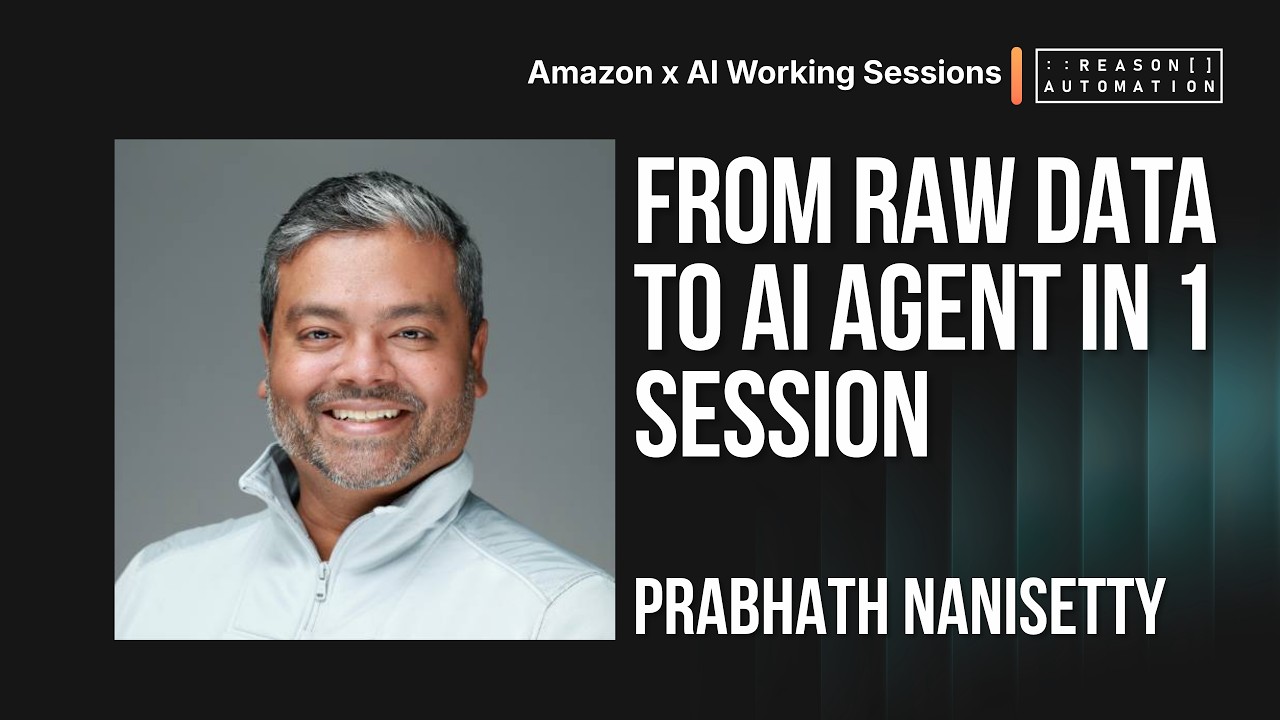
Andrew Hamada and Prabhat Nanasetty build an end-to-end AI solution on Snowflake using Amazon e-commerce data. They show how governance, open data formats, and semantic layers reduce AI token costs by up to 50%, then demo Snowflake's Cortex agents that generate SQL, classify data, and automate workflows.
Chapters
Andrew, I'm co-founder and CEO of Reason Automation, and this is the 4th day of our Amazon AI Working Sessions. Our goal, as always, is to give you a lot of very tangible, actionable things to take back to your team about how AI works and how you can move further with AI within the Amazon ecosystem. Up until now, we've covered a lot of operator perspectives, including, you know, really, really hands-on perspectives from Jack, from Nathan, from Brett. And then we've started to talk a little bit more about strategic data use through my presentation, et cetera. But I'm really excited to have Prabhat here from Snowflake. I'll let him introduce himself in a second, but Prabhat and I met, I think, wow, like 4 years ago at this point, back when there were no good solutions for getting Amazon data into the Snowflake ecosystem. And he struck me as one of the most, both intelligent and extremely good experience-based instincts about what makes sense in this space because of his own background, which I'll let him get into. Prabhat, do you want to do a quick intro?
Yeah, thanks. You're being too, too kind. Hi everyone, I'm Prabhat Nanasetty. I lead our industry here at Snowflake for technology and AI, but have spent most of my career on the retailer and consumer goods side. And like Andrew said, there's a lot that brands are doing when they're working with Amazon. There's a lot of data involved. And now with AI and all these other capabilities, I think the space has gotten a lot more complicated. So yeah, we, we started this journey 4 years ago and excited to share a little bit more today about how you can take it further.
That's awesome. Have at it, sir.
All right, fantastic. I will start taking you through what Enterprise AI looks like, and the way that I'm going to design this is I'm actually going to build with you. So this is going to be very raw. There's going to be issues and stuff that we'll work through, but I just want to show you what, what is involved in getting to an AI system here. So let me just share my screen and we will kick this off. Okay, so the journey here today is essentially 3 parts. First, I'm gonna show you how do you get our Amazon data, and that's really in collaboration with Reason Automation. They make it so much so easy to get access to your Amazon data, and then we've made it really easy to get that into your data platform. And obviously we'd love that to be Snowflake. Second, Once you have that data, obviously there's a lot of tables, there's a lot of columns. How do you make it AI ready though? What are the concepts we need to learn and what do we need to do to do that? And then lastly, how do we actually go solve problems and answer questions and maybe serve some of the needs of your team? And you're going to see a lot of just raw— like you're going to see some code, you're going to see some AI agents. It's going to be all over the place. And the purpose of this is actually If you're an operator sitting on an e-commerce team, if you're in marketing, or, you know, if you're even in a data team or more technical, I want to be able to create a bridge between all these functions. And I'll explain concepts, I'll kind of show you the work, and sometimes it might not make sense, but watch this recording again and it'll give you some of the language to expand your skill set and your, your knowledge of what it takes to get actionable data all the way to driving action. So we'll, we'll go there. So first, let's just talk about the challenges with data. Oftentimes when you're dealing with your business selling on Amazon or, you know, other e-commerce channels, you've got a lot of systems. You may be using Slack internally to track conversations. You might be using Salesforce or HubSpot. You might be using marketing and martech systems. And there's all this data that sits in there. But at the end of the day, you want to be able to summarize that data, you want to be able to look for insights, you want to be able to take actions, maybe back into those same systems. And so the industry sort of struggles with this because there are lots of different types of data. There is data that comes in tables and charts. There's data that comes in unstructured, like documents and all that stuff. There's fast data, there's slow data, and then we need to transform it. And that's where some of the code base starts to come in. Data engineering and data teams do that. And then we need to start to normalize and bring that data together to serve the, the outcomes, right? Whether that's an agent or a BI dashboard. So this is actually a complex problem and there's a lot of issues there. But as people are rushing to get into AI and starting to throw Claude code and other tools at their data, it's actually magnifying a lot of the flaws that probably should have been taken care of at the beginning with, with that. So we usually say, you know, success with AI starts with a successful data strategy. So what that really means is making sure that the way you're getting data, how you're governing that data— and I'll explain what I mean by governance, all that stuff— the way that we've been managing it today leads to a lot of brittleness. Things break, things don't look right, there's inconsistencies and metrics and other things, sometimes the costs start to grow because you have lots of different systems doing different things and you need to start bringing those together. And then because, you know, just managing a business on Amazon, there's a lot of ins and outs of that data. There's a lot of metrics, there's a lot of know-how. A lot of times the AI just doesn't seem to be answering the question you have. So how do you help it? How do you start to grow the skills of your AI? So we're going to talk about that. Ultimately, the outcome is that you have all these data and systems, and you want to be able to actually start to interact with that information in a way that maybe you can serve both more in the weeds, in kind of engine room type of use cases, but then also be able to answer the questions coming from executives about ROI and return and in your strategy. And so that's kind of the goal today. I'm going to walk you through it. So Starting with the end in mind, I'm going to show you what kind of the— what is one example of what you could build when you have all of this together. So I'm just going to flip over to my Snowflake here. Here we go. And what you're seeing here is just a dashboard. It's using an application framework called Streamlit. So when you have data and you want to quickly show charts and graphs and other things, you can kind of code this. With something called Streamlit. And this is an example of all of the data coming in from Reason Automation through data sharing. There's tons of, tons of data in terms of managing your, your revenue, your sell-through, your chargebacks and other pieces. And this is just an example of what, what can be created. And the way I created this was actually to use our coding agent. We call it Coco, and I can actually go develop applications, I can develop charts and other objects, and then actually go build experiences for other people at my company. So this is sort of the experience. Um, through that, there's also a lot of governance, and we'll talk a little bit about it, but I'll show you a little bit of what is in there. But this application has a bunch of different roles. So let's say somebody from your finance team is accessing it without having to like make different copies of the data or different views. All you do is basically give certain access to this person based on the, the data that you have. So this person has fairly decent access. They might get high-level information of the ad spend, but they don't need to see all the details of that. And so that's one way you can control what data people can see. You might have somebody working on a vendor operations. They can see all of the chargeback information, but they can't see any of the other sensitive data. And so what this allows, and we call this role-based access, but there's lots of different ways to do this. What this allows you to do is essentially have one set of data that's coming in, and you can design different experiences based on that. You can protect your data. And one way to protect that data is data masking. So let's just say you have it could be customer information or maybe a complex financial amount. When certain roles access it, they can see the, the actual numbers. Everyone else sees just kind of a token value or a star masking it. And so there's very simple ways that you can add data masking in there. And that's another way where you can again only manage one set of data and everyone's working off that same set of data, but the experience and what they're allowed to see can change. So these are very important concepts that we'll cover a little bit later.
Yeah, Prabha, just to interject really quickly there, that one we hear about a lot from our clients, particularly in the age of AI where, you know, you talked a few slides back about how AI really just exacerbated and accelerated a lot of known problems around data governance and control and put it on— made it really, really easy and fast to expose and then potentially exploit and get you're butt kicked by those things. But it also made it a lot more critical for this kind of role-based access, that kind of really detailed governance without adding to the maintenance matrix. And so what you're talking about here really speaks to my soul, and I'm almost talking as much for the recording as I am for the audience here because this is really important stuff.
Yeah. And one of the neat things about Snowflake, and again, I keep alluding to, we'll cover this, there's a whole section on this, is there's this whole area of governance that we manage through what we call the Horizon Catalog. It's a, it's a Snowflake term, but basically the idea is that you put all of the, the permissioning, the access, the governance, governance, the experiences that people should be able to see, right? Like, should they be able to see that column? Should they not be able to see that column? Could they see the column, or could they use the column to do some analytics, but they can't actually see the final data, but it at least can help with the analytics. That gets very important when you're working with like a data scientist that's trying to do some stuff there where you don't want them to have exact access, but you want them to be able to build models that take advantage of the raw data, but then doesn't surface up sensitive information in a final dashboard. So it could be like customer segmentation where you have a bunch of customers and a lot of PII data. You want those models to work at a low-level granularity, but at the end of the day, you want to create segments. And so you don't need the person building the model to necessarily see all of the PII. And so there's a lot of different ways that you can control that. But that is a very important concept within Snowflake and really most data platforms is bringing all of that work and governance as close to the data as possible. That way, when you bring AI into it, AI is a tool just like BI is a tool. And you know, you've got models and other things that can access the data, but they have to go through this governance layer. And that governance layer is not a probabilistic thing, right? Like, that's one of the challenges with AI is that you can ask AI maybe the same question in slightly different ways, and you'll get slightly different answers. And that's just part of how AI works. But we believe that governance and security has to be deterministic, meaning you have to know and control that. And we've got tools to make that easy and all of it. But The nice thing about the way that we think about Snowflake and enterprise architecture is you do that once and then no matter what the modality is, somebody's accessing it via an agent or looking at a BI dashboard, they get it, whatever it is, whether it's the agent or a human, they only get the access that they're allowed to see. And so that's the way we take control of that.
So that's so cool, man. Like my last point here, and then I promise I'll let you get back to it, is, you know, we've had a lot of folks on the call on our calls up until this point that have expressed like a lot of interest in trying the techniques that we're showing and have been frustrated because they're stuck at their companies, not able to even choose an AI platform. They're, for whatever structural reasons, they're stuck in legal and IT evaluating whether or not they even want to make the initial trust of those things. And like the point that I just cannot help but emphasize enough here is that whether it's Snowflake or another partner, like having somebody in your corner that is automagically managing governance at a high level and then also equipping you with the tools to manage it at your org-specific level is something that is scarce and also super, super important. It's a big part of how we run things internally here at Reason for folks like me to be able to help out with stuff without having unguarded access to all customer data.
Yeah, exactly. Yeah, make friends with your IT data engineering team, your security folks, And hopefully by the end of this hour, you'll be able to actually speak the language that they're speaking and you can start to bridge the gap in that. So we'll go through a lot of these. So going back to this, this dashboard, this is great. Dashboards are great, but they can also be a bit rigid, right? There's a lot of questions that come up. And one of the things that you can do with a lot of the capabilities that I'll show you is you can create an agent that's connected to the same data and you can give it a lot of the guidance. But then you can also embed these experiences into your dashboards because we expose all the tools where you can, you know, use this kind of dashboard. Maybe somebody's got a BI tool where you want to kind of bring in an AI agent in there. And we expose a lot of the tools so that you could take an agent that maybe you're interacting with and your team has built And you can actually add that to other experiences that you might be doing it. We do that through APIs, but there's a, is an easy way to do it. So within here, this is just a mock demo. This is just an idea of like I've built a small app where I've got a little agent that I can start to answer questions. So I'm not really sure. Let's just look at like what are the total chargebacks this quarter. I just put in a few different questions here. I can put this in, um, and you can kind of see that it'll go through and analyze our data. I'll show you a little bit later how you build this and sort of what it's doing under the hood and the reasoning steps. But this is just an experience that I've, uh, I've kind of created. So, um, yeah, so this is an experience. This starts to get into an area where I've got data, I've got some guidance of what maybe an executive dashboard looks like. But there's probably 80% of the questions that I'm— I can't go design into a dashboard, or really I don't want to spend the time. How do I create an experience where people can explore and understand, but do that in a way where I know that when it's calculating metrics, it's calculating it in the right way? And so that's the, uh, that's the idea. So that's the journey we're on today, um, and that's kind of the, uh, the, the end in mind. So we're going to start with The first step here is starting to break down silos by first kind of simplifying the data foundation. Some of these, you know, you'll be working with your data teams on, but this is again to bridge the language. So one of the most important things you want to do as you're starting to solve problems with AI is you start— want to start to bring data into a unified place. You may have data coming from your martech system and other systems. And it's important to bring those into one space so that you've— first, you have control over that data. Second, there's a lot of additional insights that you can start to activate and build out, say, an automation that automatically turns off a marketing campaign if you see your inventory starting to get lower, and you can start to build those types of automations and maybe even flag to your marketing leads that, hey, we've got some issues from an inventory standpoint, let's go make some changes on this campaign or this retail media execution. So you've got a lot of that capability, but it starts with bringing that data into one place. One of the things that we help our customers with is that they don't need to think about different systems for maybe structured kind of tabular data to data coming from like a web scraping system or documents that they might have, like sitting in PDFs and PowerPoints. You can bring all of those into Snowflake and you can process those as if they were all essentially the same types of data. The second one that we usually say is using open data formats. So back in the old days, when you got a data platform or a database, the way you ran it, you ran queries against it, but the data was sort of like within the database., and it could only be accessed by the tools that that database company gave you. And so over time, most of the industry has migrated to using open source formats. Like you'll hear this term Apache Iceberg. It's a format of detailing and structuring your data and providing all of the kind of the metadata, the tables, columns, the values that are in there in a way that you can start to bring different compute platforms. So you can kind of choose your best approach. You can bring in Snowflake, you can bring in other competitors of ours, but you can also bring in other platforms like if you're using SAP or other, other datasets, they can all connect to that data and be able to run it. And the important part of that is using a data catalog to kind of manage that, that data. So the data is yours, you own it, you can bring other platforms in, but you still have to manage who gets access, what type of access they get, and you need something to manage it. And that's what we call a data catalog. And so for Snowflake, we provide something called Horizon Catalog. And we also have an open source catalog that we've open sourced for Apache Iceberg called Apache Polaris. We've kind of donated that to the Apache Foundation where It's a catalog where you detail out your data. You can detail your access and who gets access, all that stuff. And then no matter what engine or compute or system that you bring to your data, it has to pass through this governance layer, which is very important. And that's how you enforce some of the things we talked about before. And lastly, explore connected data systems. There's a lot of marketplaces for data. With Snowflake, we have a Snowflake Marketplace, which Reason Automation is a part of. Part of. And so what that allows you to do is actually get access to data as if it was right on your own system. Like, in one click, you can then start to bring data to your system and start to access it. And I'll, I'll actually show you a little bit of a demo. And what's available in our ecosystem— we, we have thousands of data providers from all different industries, like healthcare companies to Dun Bradstreet and S&P type work. So you've got weather data, you've got lots of different things that you can start to bring in directly into your data. You can also connect a lot of your traditional SaaS providers. So HubSpot is a popular one for a lot of companies that you can connect that data directly to Snowflake and you can start to keep that data in sync with what you have. And then we have tons of connectors to a lot of different systems. To bring in other sets of data. So these are all available on the Marketplace and can be turned on. And so I'm just going to do a quick demo and we'll be— this is kind of the format of this. We'll be going back and forth in here. So this is a just a new Snowflake account. I just went to snowflake.com, said, hey, give me a free trial. And I just used a free trial just to kind of show you what this looks like. But over here is our Marketplace and you can go in here And let's just say I wanted weather data. I'm not going to go get that right now, but there's a ton of different weather data that you can try. We have AccuWeather, climatology, we've got a number of things. The UK Met Office actually distributes data through our, our ecosystem as well. So easy access to data, and I'll show you a little bit of what that experience is, but I'll use Reason Automation's data. So Reason Automation has— yep, there we go. We've— they've been great partners over the years, and there are some demo datasets so you can kind of see what that data would look like when it's delivered. And then you can work with Reason to actually connect to your Amazon accounts and your seller accounts to actually start to bring that harmonized and cleaned up data in. So I'm just going to pick one of these, the Amazon Vendor Retail Analytics and Sell-In. And you can kind of read about the data, you can look at the use cases, and then you can even see a little bit of what does this data even look like and, you know, what kind of formats does it come in. And you've got a lot of that information before you even choose to do it. And they've graciously added just some queries that you can also look at. So it is as easy as just clicking Get. You know, I can start a trial just so I can see it, or I can go have a conversation with Andrew's team in here, and I can just click Get, give it just a minute, and I now have access to it. So it is that quick. So now when I, when I go over here, I have access to the data that Reason Automation is sending, and it appears as if it's in my own system. So that's one of the cool things. There's no— maybe I don't have— oh, you know what, this is another little project I was working on, so I apologize for that. Let's see. Here we go. Yeah, these are the datasets right here that Reason Automation has provided. There's the tables. And it appears essentially as if it's on my computer. So I can start querying it and I can start using it in all of the systems that I'm working on. So that's the Marketplace experience and how you can get access to data.
Now I just want to emphasize that even though obviously I'm grateful to Prabhat for highlighting Reason, I actually tend to tell people to try Snowflake free trial because it's one of the most generous free trials I've seen in the industry. You sign up, you get like hundreds of dollars of free credits and to just like Prabhat showed you, you have access to a ton of different pre-catered datasets as well as the ability to bring in your own stuff. And that is enough free credits to really, really sink your teeth in and start to determine whether or not Snowflake and the ecosystem or even one of the specific techniques is actually enough for you. And so I tend to point people there even when they want to try our data and they want just really, really fast access to our demo dataset. That's how easy this is. This is. So as you're thinking about places to explore, this is a really good place to do it.
Yep, exactly. It's super easy to start to look at it, and you have a ton of different options as you're trying to explore. And a lot of our providers have free samples that you can quickly look at, give it to your data team, and you can quickly create a POC and understand if that's going to help you add more perspective to your business. So, all right, so let's talk about governance. This is typically, you know, not the funnest subject in the world, but it is the thing that actually unlocks AI for most organizations. Because if you can do this right, and both if you're sitting on the business or you're one of the analysts or you are on the data team, if you can all actually talk about governance and have meet, meet in the middle, it will accelerate everything else that you, you do. Every other dashboard or AI tool or whatever comes after AI and agents will just happen so much faster if you can do this. So there are 3 areas to governance. So one is detecting issues and detecting data and actually protecting it. So that is making sure that you're complying with regulatory requirements. So like CCPA or GDPR and others. Then being able to automatically identify and tag the sensitive data. And that's— this could be PII, it could also be profitability, it could be other types of data. So we provide a lot of tools to identify that, tag it. And so by tagging it, it creates a set of governance policies that, that get applied to that. And then you can also authorize access. And you saw a little bit of what I explained before, like if you're working on the vendor ops team, you can control access to large amounts of data like tables and columns. You can also access at the row level. So if you've got, say, teams managing maybe regional or like across countries, you can just bring all this into one dataset so that it's more efficient and you can start to do broader things internally as your business or your finance team.. But then you can actually say, hey, this person that lives in this region should only be able to access the data for that region, and you can control that in one spot. So then whatever tool that person's using, whether it's a BI dashboard or they connect Claude Code into it, is it's automatically enforced so that you don't have to worry about that depending on how they're accessing the data. The, the next piece of it is controlling data quality, right? So you can set up anomaly detectors, you can monitor data quality, you can look at the lineage of how metrics and things were calculated, and then you can start to understand root causes. And so some of this is probably more in the realm of your data engineers, but as you start to see anomalies in data, and boy, there's always going to be anomalies in data, you can work with your data teams to actually say, hey, these are the types of things we're seeing, or we absolutely need to make sure that certain metrics are below a number and I want to be alerted when they're not. And so you can, you can start to build those so that everyone is in the know. And then really starting to democratize that data. So one of the things that we'll talk about in detail is how do you get data ready for consumption of AI? And it's not necessarily just the security and governance. But it's also making sure that the AI understands how to use that data. And we do this through what's called the semantic layer or semantic views. And we'll talk a little bit about that. And that really helps increase the accuracy of data and it also reduces the cost of AI, which is one of the things that we're finding. So if, if you just have raw data and you connect Claude code to it and start asking data, you'll have a certain cost to it. We have seen the cost go down by 50% if you start to build in a strong semantic layer. And then with Snowflake, we have our own agents using Claude and OpenAI models. You've got flexibility, but we can bring down the costs of accessing your data and asking questions and all the token burn that people are experiencing by almost half because we can structure that data. We've got the skills for our agents to understand how to access data within the Snowflake ecosystem. All right, so Horizon Catalog, this is, you know, an architecture slide. I was going to remove it for this conversation, but it is a way to kind of show that our Horizon Catalog, that's sort of the, the main engine that drives all the governance and the monitoring of that data. It is built on Apache Polaris, which is an open-source engine that we open-sourced, and it is awesome for a lot of the open table formats. And through this, you can manage, you know, all different types of data. You can even manage ML models if you have a data scientist on your team, like maybe building a a forecast engine or something like that, they can build and you can monitor how those models are performing and you can start to provide feedback back. So that is our Horizon catalog and it's sort of this universal catalog. All right, so I'm just going to do a quick demo of governance and for this, um, let me move this zoom bar over to my other monitor so it's not in the way. I'm gonna actually just go ahead and use this for—
let's see.
Sorry, I'm gonna use this one. Let's actually just ask Coco here. See, I told you this is, this is very raw. So I'm giving a demo on governance. Can you create a short demo? About row access policies. So we're gonna, I'm gonna start using that. And what I opened up over here is our AI assistant, and you'll see Cocoa in a lot of different forms. I showed you one already, which is our desktop kind of coding platform. This is a lot of data engineers and software engineers love using this. And they have capability to, you can build entire applications, full-blown, you know, SaaS applications through this. And the nice thing is it's connected to Snowflake and it's actually building in Snowflake. So what you build isn't just a Vibe-coded app, but it's actually a full-blown production application. And then you've got the choice of different models and all of that. So it's a great tool. What you see over here is also Cocoa. It's just in our Snowflake UI, and it's typically used by data analysts and others that maybe know a little bit of SQL. They're getting into the data to try to do some analysis. But this is a helper so that, you know, I do love to code, but I don't really need to code anymore. I can just start to use Cocoa and have Cocoa actually build it. So it's actually written this code for me. It's going to create a bunch of data, put in some sales data. It's kind of creating a table. It's a great use of Cocoa because it will— it can create mock data for you. So if you don't actually, you know, do a lot of coding, but you want to, you want to be able to just kind of test it out, you can go to snowflake.com, get a free trial and just start talking to Cocoa. And have Cocoa actually write the code so you can understand more for you. So it's a great way to learn. So I'm just gonna run a few of these commands here, and it's basically creating some mock data. It's creating two different roles, a sales manager and a sales analyst. It's gonna create some fake data for me so you can actually see what this looks like. Okay, great. So now I'm going to create a row access policy where I'm basically saying, look, you know, if I'm the admin, I should be able to see everything. But if I'm not the admin, it's going to be dependent on the region that that person is actually in. So this is my row access policy, and then I'm going to apply it to my sales data. Oops, sorry. So I can now show you, let me make this a little bit bigger here. So if I'm account admin, I can see all of that data, all 6 columns. But what I'm going to do is show the sales manager role first. I'm going to, whoops, all right, let's see, let's go ahead. Oh, so it didn't actually give me access to even using that role. So let's go ahead and fix it. Let's have Coco just fix that problem for me. It's gonna go ahead and figure out what is wrong. So it's gonna go modify my role so that I can actually go and do that. So let's go ahead and let that allow it. So you'll see that that last one didn't, didn't work. And so it can kind of reason and go fix issues that it runs into. So there we go. I'm going to run this and cross your fingers. Hopefully that works. Oh, nope. Let's— still not working, I guess. Okay.
Live demos, everybody.
Live demos.
Well, let's go ahead and It can't be worse than Tuesday when Brett was trying to finally get to the live demo section of his thing and Claude went down.
Okay, so actually Coco did say, hey, actually we need to start from the beginning and rerun this because there are some things in here. So let's just actually read. I should have just actually read what it told me. And let's just run that top part again. Okay, so here we go. So we're going to go through, we're going to rerun all these and, and recreate these tables. There we go. And this is the fix right here. So it's actually assigning it to my, my username so that I can actually use those roles. Again, that's— this is all part of the governance, right? Like, you can't— you don't just get access to every role, you get the roles that are explicitly given, given to your user account. Okay, so now I'm going to go ahead and run and create our row access policy, and then we're going to add that row access policy. Okay, so now let's see what, see what we did here. So we've got the 6 columns here. I apologize, I'm using this mouse that seems to want to go 2 different directions when I scroll. And then this is the manager, so they should see all 6 rows, but then the analyst that is in the South region should only see 2 rows for that. So this is all coming from the same table, and the only thing I've done is add a— whoops, there's the mouse again, it's okay, here we go— is that I've said look, you look at the region where that user is and you enforce that capability. So now that sales analyst could use Claude Code and access the same data and they would only be able to look at the data that they have. So what it does from your data teams, it simplifies their job because now I don't need a copy of data for your manager, a copy of data for your analyst, a copy of data for all your regions. I just have one copy to work with.. And so now that data team can do 5 times more things essentially because they don't have to manage this later. So let's go back and keep moving. Let's get to the exciting stuff because we got about 20 minutes left. All right, so let's start getting into actual AI. So with AI, there's a few different things. One, we help with all types of data, so images, documents, and other things. So it's multimodal ready. We have an entire area to build semantic views. So this is actually detailing out the meaning, the business logic within your data. It's much more than just a data dictionary. It actually will contain other instructions and context and even proper ways to answer questions so that the AI can reason over it. And the neat thing about this is we've also open sourced our version of semantic views, and a lot of the industries like BI tools and tools like dbt and others that your data teams use are all starting to adopt it. So there's now one language to how to describe data. And then we provide a lot of different AI functions. We sort of make it really easy for you to pick whatever model you want, whether it's Claude or OpenAI models or open source models. Gemini and others, where you can start to run these models against your data and do things like, what, it could be answer questions or give you some sentiment analysis, or it could even be a classification, right? Like take this user review and just tell me, is this an issue? Is this a testimonial? What is it? So then I can go look at that later. So we're gonna go through a little bit faster on this one, but basically with Snowflake, we provide access to a lot of the leading models. We actually just added Groq as well for, for the Groq fans. We provide a lot of the tools to provide the context to AI. We give a lot of surfaces to go create agents, access AI functions, and even do what's called agentic ML where you're building ML models using an agent. And then we've got different applications to make this easy. And that's all covered by our governance framework. So Let's keep moving ahead. I'm going to show you a quick demo of what AI functions look like. So let's see, I think I did this already. Here we go. So there are actually quite a few AI functions that have different, different use cases. So I'm just going to create an empty table here to do— let's go ahead and fix it.
Man, just that fix button alone makes me happy to watch it happen. I mean, the, the amount of reps that I, and especially the people who taught me SQL, would have saved with something like that.
Yeah, it, uh, it definitely, uh, saves a lot of time, and especially for people that kind of know what they want, uh, but maybe don't have the time to learn that language, it is a very powerful, uh, tool. And again, I'm showing you two different modalities, and I'll show you a third one at the end, which is very cool for non-technical users. Okay, so then I've created some fake, fake reviews, and now I can use this sentiment AI function to actually go and— let's fix it. And I am using a trial account, so we may have to abandon this one. Okay, so "Do." All right, so it's just going to use a different function that's just a regular call. But as it's going through that, I can do sentiment analysis. I can even do classification. So I can take a review, give it a set of classifications, and it will, it will identify what that is and even give you a confidence level in here. So you can start to route issues, right? If there's a shipping or fulfillment issue, you can automatically pick that up and route that to the right user. You can create alerting, all that stuff, and in here you can even look at full customer reviews and maybe even evaluate them for what those might be. So these are real easy ways to do it. I know a lot of people look at how Amazon summarizes like thousands of reviews and says, hey, here's what that is. We actually have our own function. It's just called Summarize. You give it a bunch bunch of reviews and say, hey, can you just summarize the top, top things in there? It's one, it's one statement and you've got that capability and you can do it, you know, you can break it up by product, you can do a lot of different things in here. Very cool kind of stuff. So we also have translation. Oh my gosh, this mouse is killing me. It's going the wrong way. You can even translate, right? So you could give it a bunch of copy and say, hey, translate it to one of a number of different languages that we, that we support so that you can automate some of what you might be doing for other Amazon marketplaces around the world. So there's a lot of different things in here. So I'm going to pause there and keep moving. This is the fun as we, as we talk about these things, it does take a little bit of time. So, all right. So I'm not going to go through kind of the basic concepts. I think by now most people know LLMs. They might understand context. That's kind of the documentation or memory that you give the agent. The harness is sort of everything you're using to kind of control it. So CoCoA is our harness that we provide to all of our Snowflake customers. I'm going to keep moving forward here, 'cause I do want to show you semantic views. So semantic views are super important to start to think about as you, look at your data. And really, it's helpful for humans. It's something that honestly, a lot of teams should have been doing from the beginning is to start to describe and put their business logic into readable forms that explain the data, how you calculate metrics, where you go, and what table you go for different metrics. But we've defined a language that is both human readable, but then also AI can use that to inform itself, whether it's doing, agent work. So, um, it definitely speeds up a lot of development. Um, you know, you can start to control KPIs, right? If you've got data and you've got 3 different people building dashboards, I'm sure everyone's run into this problem. 3 different people calculate 3 different ways, or maybe one person just used the wrong column, uh, in the data. You would never know. And so with a semantic view, you can put all those things in there and say, look, if you want to calculate profitability or chargeback, revenue, here's exactly how you calculate it and what, where the, the certified way to do it is. So I'm just going to do a quick demo of what, what this is. So we're going to go over to here. And I'm going to, I've created one already, but creating a semantic view used to be a lot of work. It's in a format people were like typing this by hand. We've actually just automated the whole thing. We made, we made this really easy so that you don't really have to really worry about that anymore. So you can bring in stuff like if you've got Tableau dashboards or Power BI or anybody that supports this OSI format, which is a lot of different companies like Sigma Dashboarding or dbt, you can bring those specs in there. You can even point it towards SQL queries that your data analyst or somebody that you trust has done, and you provide that context. So I'm just gonna Amazon vendor, just gonna create a semantic view. I'm going to point it to the analytics tables that I have, and then I'm gonna just select that here. Here we go, webinar data. There's that mouse again going the wrong way. Um, here's the analytics, and I'm just going to go select the, uh, the different views that I have of the, uh, the Reason Automation data. So I've just created a bunch of views that I was using. I'm just going to have it do it all, add all the, the columns, and then go ahead and create my semantic view. So I just need to select a warehouse here, and then it is going to go ahead and generate my semantic view. So it's going to go through all of my tables and columns and values and start to identify them and start to actually put information against it. So right here there's ASIN and binding and brand. It's actually going through and adding descriptions, cleaning that up. And you'll see it kind of edit it as it goes through. And it's going through all of that right now. What that does, which is very neat, is that instantly by creating the semantic view, you now have an agent that you can actually talk to your data. So you imported your data or used the Snowflake Marketplace to bring in the Reason Automation data. Reason Automation actually provides a lot of like documentation already. But then what this will do is we'll take that documentation and actually build it into a format that works for AI. It'll start to build your dimensions, all these things. It'll start to create metrics, and it'll even start to look at relationships in the data and add different queries that, that make sense in here. So, oh, here we go, it's starting to populate in here. So this table contains records of product sales, and now I've got, I've got this. Now I didn't give it any other information other than that data, and it's been able to kind of classify a lot of this with the data that I have. So now once I have that, I've actually got a little agent that I can use, but this one might not be fully formed because you may want to provide it additional instructions. So I can just say, what was my Revenue last month. And so it is used this data and it's going to go ahead and reason through it. It's going to give like the query that it would, it would use to run it. And so there looks like there's some issues here. Maybe it's past 30 days or something like that, but you can essentially start to work through this data and start to answer questions. Now, Once I've created this analyst, I'm going to show you what you can do with it. And the next thing that you can do is actually go create an agent. And I've already created one, so we'll, we'll kind of save time here. I've connected it to a— so I really haven't given it a lot of instructions, but I've connected it to a semantic view that I created before. It looks very much like the previous one.. And as this agent gets used, I can monitor what it's doing. I can even set it to evaluate and make sure that it's, it's, it's answering questions properly and, and all that based on user feedback. And then I can take this agent and I can essentially create an experience. And we call this Cowork. It's another form of our, our agent tool where this is consumable for an end user, maybe an executive. That doesn't want to see all the other stuff that I've showed you. And maybe that's you listening to this, but I've connected it to my agent and now I can answer a lot of questions. So let's just ask it, what questions can I answer? And so it's going to look through all of its, all of its data, and usually, you know, if there's instructions, it kind of shows you some of the reasoning, but you can obviously turn this off and it knows what, what data you have and how you can do it. Now, this is, you know, if you're used to Cloud Code and other coding tools, this should look fairly similar. The difference here is that we are doing this through the data, the governance, and providing that enterprise-level security and that scalability. So you can Now, from what I showed you, the Snowflake Marketplace to creating that semantic view and putting in the governance, this is now production ready. So you can start to, you can start to use it, you can ask questions, and then obviously you'll want to test it out and then start to add more agent instructions in here as you learn things that it's doing well, things that it's doing not well. You can even have it allow querying the web. So you can even say, hey, look at the latest price on Amazon for this item and then report it back here and show me, show me like more information for that item. You can have it connected to a big document database. So maybe you've got internal operations guides and other things that you want the agent to kind of reason over. And it's really easy to add that capability into it to be able to do that. We've also added capability for MCPs and other skills. So it could be your Slack MCP or your Gmail MCP. So once I start to build those, I can say, hey, what are the total chargebacks by category? And I can then say, can you go ahead and draft an email and send it to this person? So you can build that, and it's very simple for for a data team or even an e-commerce team to start to work together and really collaborate on these, on these kinds of things. And you get enterprise-grade security with it. You have the reasoning and some of the best reasoning engines there. And then you've also got the capability to build and connect it to other datasets. So yeah, this is an example. There's a charting feature here. And I can start to save these charts, and then I can start to distribute these things called artifacts to other people or give them links to different things. You can start to create more flexible approach. So hopefully this was interesting to you all. And let me just kind of wrap up with the few minutes and then we'll open it up for questions. So what did we see? We saw a full kind of Agentic AI system, everything from the data coming in to the governance to being able to build agent experiences on top. And what's happening under the hood is we have a full agent orchestration system that we call Cortex. It is connected to a number of tools that you're able to start to use and leverage, and it can return data back to the user. Yeah, it, this is, this is really our strategy. We really believe in making it really easy to set up and connect to all of your data. And then we want to make sure that trust and governance is always part of it. And together, we think that this is really going to accelerate a lot of e-commerce teams. Now, hopefully, you get, you have questions running through your minds in terms of, okay, well, how can we start to build these capabilities on top of great Amazon data from Reason Automation? And how do we start to create the experiences that can help your engine room teams and other operators that you have get to the questions they have and even start to do some clever things like mining customer reviews that can automatically feed other things? And you saw there's a little bit of code, but with Coco and some of the tools that we've created, we've hopefully made it really easy so that the goal here is that you're enabling every role in your company with AI and with workflows. And everything you saw there, that agent that, that I built, that's actually the same agent that you saw in that Cowork user interface. But all the way back at the beginning when I built an application, that's the same agent. So you create these things once, you create a very smart agent with instructions,. And you now have the flexibility to create a non-technical interface, maybe a semi-technical interface, but then you can also have a data scientist directly connect to it and start to build, say, ML models using that same agent and its knowledge. All right. And with that, we actually already did that, that demo. I want to thank everyone. And I guess, Andrew, do we open it up for questions?
So let's give everybody a second to breathe here. But wow, that was a lot. And I don't mean that in like a, you tried to overwhelm us way. I mean, like, I know that I personally am going to go back and rewatch this a few times to make sure that I'm catching all the things that you dropped in there. I really appreciate the comprehensiveness of what you presented. And yeah, it was just, I think it really illustrated a lot of the principles we've been talking about in a very interconnected way through the lens of what it takes to actually stand this up at a big business. And we will make Prabhat's information available as well. You can see his email here on screen, but also connect with him on LinkedIn. Pravath, thank you again for your time today, sir. It's always really great to see you. And if anybody has any follow-up questions for Pravath or myself, don't hesitate to email. Otherwise, thanks everybody. We'll see you for our next session.
Thanks, everyone.
Take care, everybody.
Bye-bye.
More from Andrew
Beyond Chatbots: AI for Cross-Channel Media Optimization | Amazon X AI Working Sessions
How we scaled 2M+ Amazon content updates without losing control | Amazon X AI Working Sessions
Connecting to Amazon’s APIs with MCP servers and Skills | Amazon X AI Working Sessions
Working directly with LLMs, code, and your Amazon data | Amazon X AI Working Sessions