Using AI for big, strategic Amazon projects | Amazon X AI Working Sessions
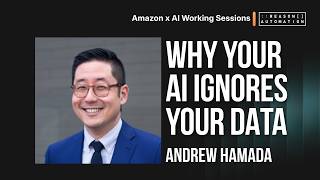
Andrew Hamada explains how to run large Amazon data analysis with AI despite LLM context limits of around 600-700k usable tokens. He shows four techniques: curate your input data carefully, provide purpose-built documentation like data dictionaries, move heavy computation to databases and APIs, and chain analyses to keep each prompt small. A live demo uses Claude to identify forecast models and predict Q3 purchase orders.
Chapters
Alright, for those of you who have not joined us previously, I'm Andrew Hamada, co-founder and CEO of Reason Automation. It's great to meet all of you joining. There's nobody joining me today, it's just me. So hopefully I'm enough to keep everybody entertained. But for this session, we're actually going to be talking about how to use AI for big strategic Amazon projects that require big data analysis. This has been a big sticking point, I think, for a lot of folks, particularly if you started your AI journey early. In a weird way, if you've been more recent in adopting AI, you have— I don't think you have as much scar tissue about how bad this used to be and how much better it is now. So we're just going to give it a minute or two for folks to finish joining. But just a couple of housekeeping things. First, yes, you will get copies of everything you're seeing today, whether that's the deck, the recording itself, et cetera. And so if you need to leave early or if any of your colleagues can't make it, they will get— you will have the ability to share that with them. The second is if you have questions or comments at any time, you can use the chat function here in Zoom. Everybody will be able to see it and respond. So whether you need to talk to me or somebody else, you can use that function. Or if you want to ask questions anonymously, you can use the Q&A tool also here in Zoom, and that allows you to choose to ask a question anonymously. If you do that, please keep in mind that I can't respond directly to you and I won't be able to, you know, do any sort of deep dive follow-ups because I won't know who you are. But if that— if that's not a problem, then we can dive right in. All right. So if you're like me, you've been using AI for a hot minute. And for some background, I've always been kind of a bleeding edge technology adopter. My time at Amazon ended in Echo and Alexa, and I was very, very bullish on the technology, perhaps a little earlier than I should have been. Uh, and so I have a lot of experience using and then being disappointed by and then finding new passion for a lot of emerging technologies. And that's basically been my, uh, journey with AI, particularly in big data and using it for actual strategic projects rather than just, you know, creating images or writing copy, et cetera. I think by this point we've all seen a lot of different people, uh, talk about how to use AI for those things. Um, and we've had a lot of other sessions here today about how to start using AI to do things like discovery, analysis, et cetera. But I specifically want to talk about using big data to perform big strategic analyses that usually exceed the confines of AI. And so what is the main thing you need to understand is that your analytical scope when you're using AI is limited by what are called context windows. And if you are not familiar with what a context window is, basically what it means is that an LLM can handle a very limited amount of information at a defined by that context window. And when you exceed the context window, you don't usually get a warning. AI just proceeds and starts forgetting things or starts ignoring data or even worse, starts trying to predict what the data would've been. And you can think of context as AI's working memory. You know how you and I have the ability to think about, you know, only so many things at once. And if somebody wants us to think about, you know, something really, really complex, we can only hold so many things in our brain at a time. And then it starts to be helpful to have notes a whiteboard, other things to be able to refer to. And AI is exactly the same. And in a normal ad hoc query where you're just opening up ChatGPT or Claude and asking a question, you typically aren't going to exceed the context window because the context windows are actually fairly large. And all these things become a part of what takes up that context window, whether it is the actual prompt, the words that you're writing and typing to the LLM, any files you've included or attached, whether that's drag and dropped or uploaded, any working instructions that you've given AI through any of the various tools that allow you to do that in addition to the prompt. AI also has a memory of all of your previous conversations that may or may not be incorporated into the context. You also have the ability to load third-party tools and capabilities and skills. So for example, with Claude, I can connect DocuSign, Canva, Google Drive, Microsoft Office, etc., or I cannot. And all of those things become part of the context window. And then finally, any additional data. And all that usually fits pretty comfortably within a context window, and we'll see why in a second. But when you start talking about a really big strategic analysis, oops, you start to have the data set that gets really, really big and starts to exceed what an AI can actually handle. And when you're dropping in, you know, individual Excel workbooks, this is not a big deal. But I think if you're working in the Amazon space, odds are good you've run run into a data problem that's big enough that you've been frustrated by Excel's million-row limitation, and AI has that cubed. So what happens when you exceed the context window is that all of the excess data gets ignored, or even worse, AI starts hallucinating and making assumptions about it. And in this visual, I've simplified it as though, oh, it's just going to ignore part of your strategic dataset, but in reality, it might ignore portions of your prompt, it might ignore portions of your instructions, it might selectively apply memory, it might forget to to use certain tools, et cetera. And so if you've ever used AI and struggled to understand why it's not listening to you and why it's not paying attention to like this very discreet limited set of inputs that you're giving it, it could be because you're blowing through the context window and it's just ignoring a bunch of the data that exceeds it. So what is the actual context window for AI? There's two ways to think about this. Every major AI platform now has a context window of approximately 1 million tokens. But if you're like me, that doesn't mean anything. And now you know exactly as much as you did before. So I translated that for you. What does a million tokens actually translate to? Well, if you're talking about just pure text, that's like a 4-meg text file, which is actually pretty big. That means, you know, whether you're opening like a .txt file or just literally typing into Notepad or some other text editor, you could get 4 megs of raw text, which is quite a bit. That's 750,000 words approximately in a word processor. It's also about 13,000 rows from a database, assuming that you have about 15 columns.. It could be 1,500 PDF pages. It could be 80 hours of meeting transcripts, not video, but actual transcripts, or about 4,000 emails with an average length of 200 words. So there's a bunch of different ways for you to kind of grok what that million token context window actually means. But as a caveat, well, one of several caveats, the first is that your usable context is actually a little bit smaller than the total. The models, to nobody's surprise, like to publish very aggressive and overpromising numbers. And of that million context, million token context window, about 600,000 to 700,000 of it is actually reliable in repeated testing. Beyond that, you still run into that recall degradation situation where AI thinks it knows but doesn't really, or is gonna maybe sometimes apply an input and not always. And you can imagine that being a problem if you are giving it very specific instructions, but an even bigger problem if you're working on a really large dataset. For example, if you're asking AI to help you forecast demand for your products and you've got a large catalog, you don't want it to just ignore randomly 20% of the data points. You want it to either use the entire dataset or tell you that it's going to do something different. And AI is not great at that today. But the bigger, scarier differentiation is that the 1 million token context window is when you're working with the API.. And I'm betting most of you are not working directly with the API for most of the LLMs because it's a pretty technical route. If you're using Claude Code or Claude Design, you may be using API burn rates. But if you are not, if you're using one of the web interfaces or the apps, your context window is actually quite a bit smaller. And don't try to, you know, write all this down. You're going to get a copy of this later on for your reference. But just to try to illustrate how much this varies here, you can see that for the top tiers of most of these tools, you're getting that full million context window, but you're also paying $200 a month for that subscription. If you're on one of the more common tiers like ChatGPT Plus for $20 a month, Claude Pro for $20 a month, your context is closer to 100 to 200K, and that is radically different. Each of the chat interfaces also has a different upload limit that separately caps how large any individual file that you give it can be. But I don't think you need to worry about this for the most part, because if you notice, look at these upload limit sizes. It's 512 megs of data, 30 megs of data here, 100 megs of data here. And if you look at what that 1 million token actually translates to, you're already blowing through a million token context window with 4 megs of text. So if you're uploading 512 megs of raw data, you're probably going to be obliterating the context window before you ever hit an upload cap. Okay, so that's a lot of background and, and context setting for why this is a problem and why you need to be thinking about it deliberately. But the goal of this session is to help give you tools for actually overcoming some of those challenges and ideally unlocking your ability to actually do some big Amazon analysis in your own ecosystems. So there are 4 main techniques that I use for controlling context, and we're gonna go through every single one individually. The first is being very deliberate about curating and editing context. This sounds like, like maybe kind of a no-duh insight, but I promise there's more to it than that. The second is to use very, very purpose-built documentation. In the case of Amazon and strategic analysis, that means not using random web sources, but actually building your own sources of truth, borrowing data dictionaries, references from other ecosystem partners like Reason or consultants or agencies out there., et cetera. Uh, third is moving work upstream to non-AI systems. So a good way to overcome context windows is to move some of that computation off of the AI system. And fourth, uh, another version of that is to actually optimize the datasets that you're working with so that they're smaller and easier to work with. And then also to chain your analyses together so that instead of trying to do everything in one giant prompt and one giant push, that you're starting to do things in pieces, um, that build on each other. All right, so first technique, curating and editing context deliberately. So, um, just to jump back really quick here, uh, when we looked at what actually goes into context, there's quite a bit that goes into it. And I think a lot of folks assume or are really focused on what they're doing with the prompt and maybe thinking about the files that they drop on. But in reality, you have the ability to really radically control how much context and exactly what context that you're giving to AI., and that allows you to radically expand your analytical capabilities. The most common flavors of this, the first is limiting your input data. Instead of going whole hog and giving AI access to every single data point that you have, choose smaller versions of it or views. For example, if you are like me and you're ex-Amazon, your mental model might be put in as much granular data as you can possibly squeeze into this tool. We would query, you know, for ASIN-level performance by day, by program, by distributor view, by country, and use that resulting 800-meg dataset to pivot into whatever aggregated insight that we want. And that works great when you have the resources of Amazon, and it doesn't work at all when you're depending on AI resources. Instead, you might decide, cool, I don't need the data for my entire catalog. Maybe I need it for just my top 10%. I don't need data for the entire 3 years of daily history that Retail Analytics gives me. Maybe I really only care about the last couple quarters. Well, limiting those in that way makes a huge difference. The second is, you know, supplying business context helps reduce the amount of context that AI spends trying to define itself. If I don't tell AI what I mean by things like shipped cogs or revenue or whatnot, then it's going to have to go and spend cycles trying to figure that out itself by using web research and thinking through our own conversations and trying to deduce whether I'm talking about a vendor or a seller and talk about whether I'm talking about sell-in or sell-out and whether I'm talking about PO revenue or PO costs, et cetera, et cetera. And you can see all that disambiguation that would need to go into that. That is all context that gets loaded and then kind of permanently anchored into AI's memory for that conversation. If instead you give it exactly what your definitions are and only for the terms that you know you're gonna use, then hey, suddenly AI is a lot sharper. You also have the ability to actually edit what AI remembers about you. In the case of Claude, you can go into your settings panel and actually go and look at what— I think there's actually a tab that says memory, and you can not only control whether AI remembers things or not, but you can actually literally click the edit button and tell Claude, hey, what do I want you to forget or add to this memory? I recently went and literally edited this to just see what was in there because I hadn't done it in a month. And it had— I'd forgotten that I'd started using Claude for random ad hoc personal things like woodworking projects and things like this. And it started incorporating all of this random other junk into there in my work Claude account. And I realized, wow, you're actually thinking about this every single time that I ask you for help with a strategy doc or marketing or what have you. So why don't we eliminate that? And that's exactly what you can do from within the interface. I told Claude, hey, that was a mistake. Forget everything personal that I've ever told you. And in the future, try not to incorporate personal stuff into your working memory. Instead, stay focused on Amazon topics. And Claude did it just like I talked to it in a normal chat. I watched it edit the AI in front of me, et cetera. Fourth way is to use projects or other groupings. The exact term changes from AI tool to AI tool. Tool. I'm a Claude person these days, so I call them projects. Basically, this is a way for you to create a subset of context for Claude. So say, for example, you know that your 3 most common use cases for Claude are Amazon strategic data analysis, writing documents, and, uh, follow— writing follow-up emails for your, uh, sales prospects. You could create separate projects for each of those workstreams and give Claude separate business context, separate memory, and separate everything for each of those work streams. Then every time you have a conversation in one of those projects, it leverages not only all of your general context, but also the project-specific context. And that way, if you know that you want AI to have really, really sharp analytical skills, specific tools, et cetera, when you're doing your weekly business review, you can have that be separate from the brain and the skills and the context that it uses when it's helping you create ideas or thinking creatively or generate editing stuff instead. Similarly, if you're working with Cowork or any of the other offline AI tools, this works exactly the same as just creating a folder and dumping stuff in that folder. It's basically just a way for you to create that folder within AI's working memory. I also really like projects for working with teams because you have the ability to invite other people from your organization to projects and give them permissions to it. And that means, for example, if I'm leading an Amazon I can create my own WBR project and say, hey everybody, I have loaded all of my 7 years of ex-Amazon knowledge into this freaking project, including all of my seeing around corners and gotchas and blah, blah, blah, blah, blah. And so anytime you non-Amazon person want to go and run a WBR and run that analysis, use this project and it will inherit all of my own background without you needing to talk to me, and potentially ask embarrassing questions of your boss or what have you. And it also works in reverse, right? I don't mean to make it sound like, you know, the ex-Amazon person in the room has all the value. You know, say you have that one person on the team who has a skill set that you're constantly knocking on their door for. They constantly have a queue of individual Slack PMs to follow up on because they're the only person that knows how to do a thing. Well, now they can dump all that in a project and you can start leveraging that context in a project specifically instead. And that all brings us to creating and editing skills. We've heard about skills a bunch in previous sessions, but for those who didn't join us before, a skill is basically just written instructions that you give to an LLM in a text file. It's— if that sounds exactly like some of these other things, it's because it is. There's a lot of overlap between a lot of these inputs, but it's good for you to understand what a skill is and a markdown file is because these are concepts that you'll use over and over again in the AI ecosystem. Generally speaking, what differentiates a skill is that it is portable. You'll see people publish skills on GitHub. You'll see people share skills around and you have the ability to install skills based on what you see live on the internet or from shared from somebody else. And in part of the webinar follow-up packs that you'll get from some of the other presentations, you'll actually get access to a lot of Amazon-specific skills. And then finally, don't boil the ocean, use precise prompts. I am super guilty of sitting there looking at my analysis and AI and in the early days saying like, I don't even know how to get started. Like what prompt should I use? And then thinking what is like the best, most badass prompt that I can go find in the public market?, and a lot of times I would go and find something from like, you know, uh, somebody from Andreessen Horowitz or something saying like, you know, here is my mega prompt and it's like, you know, 14 paragraphs and blah, blah, blah. Um, and what I didn't realize at the time is number one, those prompts are really expensive from a context perspective. But number two, of course, all of the, you know, the venture capital guys are gonna be encouraging you to use prompts and techniques that burn tokens and are accretive to their value. So I learned that you don't actually wanna do that. You want to use very precise, specific prompts. Prompts and start small. Don't try to completely capture every single thing in one giant prompt in the beginning. The joy of AI is you get to iterate, et cetera. But one last note on this slide, whether you're talking about limiting the input data, editing AI's memory, creating skills, or using projects, I'm really, I really want to call out the word deliberately here in this slide, because to me, the key technique here is not doing this once. It is remembering that you have this power and regularly taking time to revisit how you're using context, what's in your AI's memory, et cetera. I gave you the example of opening up Claude and realizing I had accidentally corrupted it with a bunch of random personal junk that wasn't relevant. Well, I don't know about you, but before that, I hadn't really opened up Claude's memory in like 6 or 8 months. And now I have a task for myself to check I check my AI memory once a month. I may need to do it more than that, but for now, once a month feels like plenty. And that's what I mean about being deliberate about it. Don't assume that AI's memory is good. It's not. It's gonna evolve. Some of it's gonna be great. Some of it's gonna be bad. You also don't have to rely on AI to be the one to summarize your thoughts and your conversations. You can literally read what it's done and say, that looks good, but that portion of it sounds bad. Let's work on that portion and improve it. It. All right, technique 2. This is a little bit of an extension of the first one. Of course, they're all kind of an extension of the first one, but using purpose-built documentation and feeding AI documentation that is as specific as possible to your needs. And so what do I mean by this? In the Amazon strategic ecosystem, I mean giving AI a lot of information about the data that it's working with, about what it all means, how it all talks to each other, what it means in an Amazon strategy context. Those of you who are Reason customers might be chuckling to yourselves because these are all things that we invest very, very heavily in. Surprise, surprise. And that's not an accident. We try very, very hard to make all of these things available to our customers as well as publicly. So I'm going to show you right now what that looks like. So if you can see my screen, I'm on an Airtable and this is a public resource. You'll get links to it afterwards. And this contains definitions definitions for every single field in every single table that we offer our customers. And so whether that is DSP advertising, retail analytics, inventory, billing, et cetera, that is all contained here. And so for example, here we're looking at retail analytics inventory and forecasting tables. I've defined every single column in these tables with data types as well as a semantic description. And this is what your analyst teams and your developer teams need in order to understand what the heck all of these random tables are. Also what AI needs in order to start creating its own analyses, writing its own queries, and doing that in the most efficient way possible. You can see here now that if AI has access to this table and it has access to a data dictionary like this, then suddenly it doesn't need to try to guess at what all of these fields are. It can actually just read it and then actually read the definition here that we've provided. Without something like this, AI is going to guess based on its own datasets, based on predictive modeling, et cetera. What does a distributor view you mean. And anybody who's worked in the Amazon ecosystem knows how much esoteric crud there is in the Amazon ecosystem and how hard it can be to disambiguate it at scale. We're also providing things like schema descriptions and other semantic help for helping AI as well as humans perform these analyses. So looking at retail analytics again as an example, we've tried to document not only the data dictionary, but also helpful guidance for humans as well as AI So anytime now you need to write a query that involves Retail Analytics sales, I tell my team, include this page, this specific page in your context because it includes things like business questions. It includes helpful validation information and granularity information. It includes the data dictionary, but it also includes things like nuances, which anybody who's tried to do their own investigation of this data has probably run into issues with. These are all Amazon-specific. So things like manufacturing versus sourcing view, what the heck does that mean and how should AI kind of incorporate that? Now you don't need to explain this to AI every single time. You can just point it to our public website and give AI this exact information and suddenly it's gonna know how to handle this stuff for Amazon forever and ever. And then last but not least, we're even giving AI things like example SQL queries where it can then ingest this And actually, you know what, I'm just going to drop this into chat right now so that if you wanted to poke around with this on your own, you have the ability to do that. You also have my data dictionary right there so you don't have to wait for me to follow up on it later. And all of these, I think, combined together help provide that kind of really specific business domain, etc., expertise that is going to allow AI to actually create custom queries, answer questions, and understand what the heck you mean when you ask things like, why is my NetPPM off? All right, third technique, and this is a critical one, moving work upstream to non-AI systems. And I went back and forth here on naming this because I used AI to help me with this presentation and AI really likes to use like pithy and quippy, like, you know, this isn't the answer, this is the answer type language. But ultimately I wanted it to be really specific that what I mean is you have to literally stop doing work in AI and move that work upstream. And what I mean by that is if you can imagine trying to work with, you know, a giant enormous dataset, like all of your retail analytics sales at a daily grain by product for 3 years and trying to upload that file directly into AI, you're going to run into the context window limitations really, really hard and fast. And that's a non-starter.. But if you actually have AI write a query and talk to a database and actually perform that computation on another system, then, uh, you actually aren't hitting that context window. AI isn't actually running this computation. Some other tool or system is. And if you're working with a SaaS partner like Reason or Intentwise or one of these other companies that gives you this access through an MCP, you're using their resources, not yours. And so this is a really good way to move all of this upstream. Oops, sorry. Somebody just pointed out that I somehow dropped links not publicly because my chat was set to only hosts and panelists. This is why I usually co-host for my, for my presenters so I can try to put this stuff to bed. But here we go. Hopefully now folks can see those. So back to my example here, if you're moving all that computation and that work upstream or off of AI tools, then suddenly your ability to ingest data radically increases and is limited only by those third-party tools. And so, for example, imagine you've got a SQL server running literally on your laptop and you have an MCP that AI says, cool, I want to talk to that dataset. Now it doesn't actually matter how long that query takes. It doesn't matter how complex that query is. All of the computation is going to be hitting that server running on your laptop on its own. And AI is going to wait patiently for that to finish up, not burning any more tokens. And your computer is going to sit there burning electricity and maybe a little resources, but way, way, way more manageable and allowing you to use way more data. When that query completes, it's going to have worked through, you know, gigs and gigs of input data, but it's going to return a small result set that your model can then perform an analysis on. And getting used to this model model is ultimately a huge help. And it's a big part of why I think BI teams and analytics teams within companies are actually not in danger even as AI makes this kind of analysis even easier and easier. Because your success with AI as an individual user is gonna depend on how well-resourced your company is in helping you set up systems like this. If you're dependent on dropping all your own stuff into chat and trying to manage context windows that way, you you are dead in the water and probably need to talk to me or somebody else who can help you, you know, start working with an MCP and an external database. But if you're an analyst on this call, feel free to quote me on that to your bosses, and I'm happy to kind of have that conversation again with them to protect your job. So why is this so important beyond the actual capabilities of expanding the context window and moving work outside Here's a huge reason. LLMs read all of your data as text. And that means that it is a non-deterministic view of analysis. And that means for anybody who is not neck deep in analytical jargon like I am, determinism versus non-determinism is basically referring to whether you're looking at 1 1 something, is a deterministic formula where there is always a consistent answer defined by the properties of math, whereas a non-deterministic answer doesn't have a formula. And so the, the analysis could be repeated in a different way and therefore have different results every time. And this is especially true when you interpret things as text and you start to use language models to interpret what that text could or should be. This is why you start to see some of those really funny gaffes in memes and whatnot around AI where it can't count the number of Rs in strawberry. And that's because it's not actually using deterministic analysis to do that. It's reading the word strawberry. It's trying to count the numbers, or I'm sorry, count the letters R, and it's doing that all through techniques that are non-deterministic. And what that means for you is that if you're using data as text, that the result might be clean, but you might not be able to recreate it. Create it. If you've ever done an analysis in AI and then given all the same inputs to a team member, had them try to repeat it and gotten different results, this could be a really big reason why, even if the data underlying it was exactly the same. Meanwhile, if you're using any sort of external tool, whether that's database, um, or some kind of Python script or other sort of external deterministic formulaic analysis, it's running on computation. And that means, you know, exactly what calculation and an analysis steps are being performed. It's going to look at every single input in every single row of data every single time. It's going to be repeatable, and that ultimately helps you defend your own analyses, present them with more confidence, and then also decompose it so that they can be repeated by other people who are more critical in the meetings. It also saves you a lot of pain. Holy cow. Yesterday we had Brett Bohannon on to talk about connecting directly to APIs through MCPs. And a big pain point of this is that the— even if you have an MCP that knows how to take care of all of this, here is all the additional tasks and context that you're asking AI to handle when you're connecting directly to a tool instead of through an MCP or some other partner-managed thing that's helping you limit context. Context. Like anytime you call the SP-API, it's doing not every single step of this, but a whole bunch of this. It needs to authenticate, it needs to potentially handle throttling, it needs to figure out what all of Amazon's errors mean, it needs to then interpret these large blobbed results, it then needs to map the JSON outputs to an actual data schema, join it across all the various endpoints that you're using, it does limit your history, and then you go through all these various fun re-authentication problems. And if you've tried to vibe code anything in the API ecosystem, you're probably smiling and nodding to yourself at the pain that this represents versus if you are working with some kind of structured data and externally stored, it ends up being a lot easier to manage and fewer steps. Final technique here, precomputing and chaining analyses. And so if you're like me again and working with, used to working with really, really big datasets from Amazon or your other corporate America experience, then you may struggle a lot with the idea of limiting data. Well, you don't have to truly limit data. What you can do is pre-compute derivative views for your most common analyses to make those even faster and easier. So instead of relying on that daily product-level fact table where every row is a product by day by marketplace and its sales, and it has a ton of rows, you can actually pre-compute that and have it create a sales summary that shows, for example, your, your sales by month and by category instead of by day, by product, by marketplace. If this is the analysis you're frequently doing, and that way you still retain access to all of that daily granular data, but you can point your AI analysis at the sales summary table instead so that you're only hitting 200 rows rows. It's not only going to help you overcome context, but it's going to make everything run a whole lot faster. And you don't have to do this just once. What we do for our clients is we convert things like daily sales fact tables into weekly, monthly variants, into multi-marketplace variants, but even into things like P&L statements, into PO statements, etc., and trying to just create the data structure that we know we need as closely as possible instead of expecting AI to write really complex 100-line SQL queries and do all the joins itself. And again, it has that benefit of being consistent, deterministic, and really repeatable and shareable for everybody else. Second technique here, or sub-technique, is chaining analyses. And what I mean by that is you don't have to do everything all at once through one giant prompt or one giant query. You can instead create a bunch of derivative daisy-chained analyses together. And so you start by saying, oh, you know, what was my sales by category by month and creating a derivative down from daily sales down to monthly sales by category. But then I maybe I want to then incorporate that into profitability by month. And in order to do that, I also need expense data from ContraCogs, etc. Well, I can do that on the server side by creating what they call views that incorporate this sales data and then incorporate all of the other sales and deduction and profitability data into these other derivative summary views. So you can start with View A, that is— oops— this daily sales fact table, then View B, that is a derivative of this, and View C, that is then combining a whole bunch of other things together.. And that way all of that can be precomputed and ready to load into AI, whether you're working with a SQL database, whether you're working with BigQuery and just trying to create datasets that are ready for Gemini to ingest or whatever it is. And then on the AI side, you can also chain analyses by resetting conversations. Not everybody has encountered this problem, but oftentimes you will know you've run into context limits because AI will stop responding or it will say, hey, we've hit the limit of this conversation. I need you to start a new conversation. Conversation. And that new conversation, it's not gonna necessarily remember anything from the last one. And what you can do in that case is give it all the context you need in one conversation, wrap up when it produces one specific deliverable, then take that deliverable and only the needed context into a second new conversation and thereby bypass a lot of the original context. And this basically allows you to put down a lot of the context you've been carrying on your shoulders, say that's not needed more and bring only what's needed into the future ones. So I left time to run through an example with RMCP, but frankly, I'd rather leave time for questions. So I'm going to skip past that. I will say as the only sales pitch portion of this whole thing that we designed RMCP to basically do exactly what I'm describing here for these techniques. RMCP only really does 3 things. It runs SQL queries, it connects to your database with all the stuff that it contains, and it automatically makes it easy for AI to read all of our various Amazon documentation together. Just 3 simple things. And just those 3 things allow it to use all 4 of the techniques that we described here in order to kind of limit context and really unlock the ability to do really big strategic analysis, whether that's inclusive of your Amazon data or your omnichannel data at scale. So as a reminder, all in, here's what we covered together. The 4 techniques that we used curating context manually and deliberately, going back and actually manually editing and reminding yourself what's in all of the instructions, the memory, the files, the projects, et cetera, that you're using in your AI tools. The second is to use purpose-built sources and documentation like our Amazon Data Dictionary and anything internal to your own team. Third, move computation upstream to a database or another non-AI system whenever possible. Possible. And then finally, pre-compute views and other data views that you need, and then daisy-chain analyses together either on the server side or by opening and starting new conversations in AI. It was a whole heck of a lot, but I would love to take your questions if you've got any about how to work with context windows and anything else more specific about performing large, big, hairy analyses in AI for Amazon. I saw we did get one question in. Do you have concerns over data privacy and security related to AI? Even personally building confidence in AI by doing a mundane task. Do I have concerns with this? And absolutely, yes, I do. So I think talking about AI security and data privacy is its own entire, conversation and probably series of sessions. But suffice it to say that I do think that there are very, very serious privacy concerns around using AI and that a big input to unlocking any of the things that I'm describing is having a blessed, vetted way to interact with AI. I don't think that there is any one best platform in terms of maximizing privacy. They all frankly are motivated by money because this is capitalism. And so they're absolutely going to try to skirt around whatever rules and restrictions that they've put into place for themselves whenever it serves their interests and whenever they think they can get away with it. So to me, it's a series of preparation that you do. The first is legal. You know, what do they actually say they're going to do and making sure you check those boxes, having your legal team check those boxes and understanding what your actual recourse is in the event that somebody breaks the rules. And that's where you start, right? A lot of the enterprise engagements for Claude and ChatGPT and whatnot all promise that they won't use your data to do training. And you gotta have that at least. Whether you believe it or not is another question, but if they're not even willing to make that promise, that's a non-starter. And then second is, you know, whether it's your tech team, your auditors, a consultancy, your data team, your CTO, or whoever, somebody needs to make a determination of whether they trust the company or not. Or not. And ultimately, that is a grit your teeth and bite the bullet and accept that there is no good perfect choice here. Whether you're using OpenAI, Anthropic, Google, X, or any of these other models, they are all going to have potential privacy concerns. I would expect to see leaks. I would expect to see blah, blah, blah, blah, blah. And it's just a part of accepting the cost of working in the AI ecosystem. System. The third is, you know, incident reports and stuff. And so even though everybody is potentially self-motivated, not everybody is in the same place. And so whenever you're thinking about making that AI decision, I would actually go and do an audit of what have been the major incidents recently, what has not been publicized really broadly, and who seems to be at the forefront of thinking about security and privacy. That seems to change every month. So you kind of need to do that analysis again every month or or so. And then finally, ultimately needing to get really, really deep into considerations like this anonymous person responded to here, that long-term, if you're gonna, if privacy is a major concern and you wanna use AI with some of the really truly sensitive data, you need to start thinking about taking stuff offline. And everything that we talked about here around context matters 10x, 100x more when you're talking about an offline model. Model. What an offline model is, for anybody who doesn't know, is instead of talking to ChatGPT or what have you through the web or through a desktop application, you literally download the entire model equivalent onto your computer and run it on your local machine, limited by your own processor and your own RAM and your own energy. Uh, to give you an idea of this, I ran a local model, a very old, not super capable local model on my machine, my M1 Max MacBook Pro with 64 gigs of RAM and it was about 1/10th the power of Claude Sonnet. So really bad. But those, that is literally the only way that you can ensure complete privacy is by running AI only through a local model on an offline computer that is not connected to the internet in any way, feeding it only the data that you want and ensuring that it never has a connection to send data anywhere else. Hope that helps. All right. Another question came in. If I do the deterministic computation inside the prompt, for example, using this Python to do this, then does that spend a lot of tokens? Good question. So in general, having AI do math does cost tokens. And I— but I don't know whether it's a lot or a little versus, you know, anything else in life. That said, I always, always try to do deterministic computation outside of the LLM. Like just trying to make AI do math is just typically asking for potential problems that don't need to be there versus, you know, running, you know, Python scripts on a normal server or, you know, running SQL queries, I feel like is a known problem with known issues and known error messages, et cetera, that you don't need to think about. You know, hallucination and context windows on top of all of that. So that's usually how I think about it. All right, we'll give it just one more second here. And if there isn't any other questions, then I will go ahead and share an example of how to kind of do this at scale through our MCP. I wasn't planning to do this because I wanted to give you guys Q&A time, but here Here we are. So what I'm gonna show you is a little bit of context handling and why and how some of the techniques that we've used today go into practice. So first, you should be able to see Claude on my screen. And some of the most immediate ways that you have the ability to start influencing what happens in AI is first, like I mentioned, your prompt, but also then if you open up your sidebar and you go into your customization and you go into your capabilities, These, this is where, for example, I mentioned memory. And right now Claude is allowed to generate memory from our chat history. But I also have the ability to view and manage that memory here. I'm not gonna click it because it's gonna show you a whole bunch of private stuff about what Claude thinks about me and, you know, what I wanna name my kids and stuff. But trust me when I say that you click this and it pops up a thing that shows you exactly what your memory is. And I wanna emphasize is that it is actually really, really easy to edit. It's not like editing some kind of crazy code file. When you open up and edit your memory, it's like reading a text document. It literally says, hey Claude, Andrew is CEO of Reason Automation. He cares about these things. He really hates it when you use this kind of language. He really likes it when you do certain things, X, Y, Z. He often asks about blank. And so because it is that easy to read, it's that easy to edit and decide whether or not you like what's contained there. This is also where things like all of your MCP connectors and skills and whatnot live. And again, skills are another area that people think, oh man, markdown files, that's gonna be something scary and code-like. If you actually look at what is in one of these skills, this one that I got from somebody else, it's just text. It's first describing what it is, what the core capabilities are, and then it's telling Claude, and therefore you, when to use it and yada yada yada, right? It's even giving it references, etc. And this is so easy to understand and read. It's like reading an SOP for somebody else, right? So being able to kind of just give yourself permission to come in, read these skills, read your memory, read the context, etc., that you've been passing to Claude and edit it is a really, really good start. But from there, I'm going to give you a couple of examples of what it looks like when you actually use some of these techniques like offloading computation, etc. So I want to ask this, which forecast model from retail analytics has historically been the most accurate for our top selling products? So, and I'm actually going to add retail analytics. And normally this question would be really, really difficult for AI to handle because in order to answer it, it needs to get forecast data by product in extremely low granularity. It needs to understand what your top-selling products are, and it needs to do all of that at once. And normally AI would get a question like this and just kind of barf and say, uh, I don't really have the ability to answer that, hopefully. Or even worse, it would then tell you, oh yeah, I can answer that, and make something up that is very confident sounding and is not actually based on your complete data set. And if you ask Claude, where did that data come from, it'll admit, oh, sorry, I made that up. My bad. Instead, what it is doing is it is thinking about what data is available and it knows from its own memory that I've connected my Reason MCP and that that has retail analytics data and that I've previously done this PO demand forecast analysis. This is all context that's being brought into this analysis that I am now benefiting from as I ask this random question. Now it is then getting the data dictionary, it's getting the schema to look for forecast-related tables in the database. And if you want, you can even click in and see all the various technical details of that stuff. But really, here's the guts, the main stuff. You can see it's found we have a bunch of different forecast tables. And because it has access to all of that Amazon documentation about what all of this means, it knows what these forecast tables are. It knows what additional data it has, and it can make a decision on which one I can actually use to perform this analysis. Then it said, cool, I actually want to use this vintage data because I don't— I'm asking about historical forecasts and that's where that data lives. It actually also includes all of the shipped unit actuals already pre-calculated because Reason does that for you. We know that forecast accuracy is a common analysis. So instead of making you run that from the ground up every single time, we've pre-calculated a bunch of it for you. For you. It's getting top product data. And again, so you can see all the proof, we can see, oh, there's the actual SQL query it wrote. And if you know SQL, then you can then actually sanity check, does that make sense to me or not? I do know SQL, so I know that this actually looks really good. If you don't, don't worry, because it's going to go back to explaining it in text. And then now it's going to give me, hey, by the way, overall, here is your total analysis on the forecasting models for, uh, your top-selling ASINs. It went and it looked at each of the forecasting statistical models—mean, P70, P80, P90—and then it found out what is the actual bias when it compares to our actual historical demand. And in this case, it actually explained it to me in plain So here the mean forecast is typically not aggressive enough. It is underforecasting actual consumer demand by 11%, but the P70 forecast is nearly unbiased, only 1.5% overstated. So now I know that generally speaking for this business, I want to use that P70 model for nearly, a nearly unbiased view. And I can, for example, start to daisy chain additional analyses to get to whatever my actual question is. So great, that we know P70 is good. Can you help me predict purchase orders for Q3 this year and any surprises? And now I'm going to again just try to to build on my initial query by using all the data that it is now holding in context to say, cool, we know P70 is the good one. Now that you know that, you've actually done all the work to perform that analysis and it's on consumer demand. I want to actually get to the question that everybody actually cares about. How can I predict purchase orders based on knowing that the P70 signal is good? And so now it's going to say, okay, cool. Now I'm going to pull those Q3 forecasts and I'm not going to just do looking at that forecast We've trained it to actually compare that against last year's actuals. It's actually now querying to understand what were the year-over-year growth rates. And like I asked, it's going to flag any surprises. And now, cool, the big picture. Amazon is forecasting aggressive growth across the board. Nearly every ASIN is projected up year-over-year, many by 50% plus. Only 2 ASINs are showing declines. And it actually called out a bunch of surprises for me. So here, 9 new ASINs that don't have forecast history. Cool. So that's important for me to understand that if I'm looking at Q3 2026 and I'm trying to understand demand, that 9 of these ASINs are basically being forecast with no year-over-year comp. I definitely want to go deeper on those and maybe make my own determination of what the actual demand will be. One of these skyrocketed. So clearly, I need to double-check what Amazon's forecast is for this, as well as what my own demand planning is for this ASIN, because that's not normal at all. And then same thing in the other direction, or I'm sorry, not the other direction, but at a slightly lower magnitude, this product here saw a smaller increase from a percentage basis, but still an enormous on an absolute units basis. I want to investigate that as well. And Claude is now even going to say, you know, what else you want validate, et cetera, and give me a lot more jumping off points to keep going on this analysis. And so all of this is possible again because underlying all of this, Claude has access to really good documentation, which you now also have access to in the form of data dictionaries, in the form of business questions, in the form of example SQL queries, et cetera, all of which we've predesigned for you so that if you want to get started immediately after this call, working with Claude and AI and Amazon Data, I would literally recommend taking our data dictionary and in a new chat saying, hey, I, for future Amazon analyses, I want you to incorporate these tools. We're using Help Center, we're using data dictionary, And I'm going to go grab that. I'm going to drop it in here and it can have that. And you can even then say, hey, I'm not a Reason customer, so my schema might be different. Help me bridge. And frankly, that lets you use one of our competitors in our data dictionary or work directly with manual downloads, et cetera. And we did that on purpose because we ultimately think that this supporting knowledge, even though A lot of people will tell you like, that's where the, you know, the value is, et cetera, and where the financial value is. We personally believe that that's not how we want to make our money in the world. We want to make our money by helping people out as much as humanly possible. So take these free documentation tools, start experimenting with your own Amazon analyses at scale, and then please, please share feedback with us so we can keep producing better and better outcomes. All right, and then one final question that I'm seeing here. Um, oh, uh, previous recordings, uh, you will again receive all the recordings, uh, at the end of the series. So towards the end of this week or at the beginning of next week. I apologize, uh, you're not going to get them right away. We're doing some processing and editing and whatnot, and I'm just one guy, so we're a little bit behind. Thank you everyone. I'm still going to answer questions live here if you want to keep sending them in, but if you are, if you have to run, thank you very much for your attention. I really appreciate it. One more question just came in anonymously. Are you using an MCP to Amazon API? How to get that? Great question. So I promised this wouldn't be a sales pitch. So just really briefly, my company Reason Automation does manage all of the actual direct connection to Amazon APIs on behalf of our customers. So in this case, what you're seeing in the example is an MCP that connects to our database, not directly to Amazon's APIs. And that way our customers don't have to deal with authorization, throttling, errors, blah, blah, blah, any of that stuff. That said, Amazon is, actually has released an MCP for the SP-API and they've promised a bunch of really significant improvements coming in the next year or so at the partner summit that they just had this month here in Seattle. They promised quite a bit more extensive capabilities, not only with getting data through their MCP, but also with pushing write data back. So things like confirming purchase orders, changing prices, blah, blah, blah, blah, blah, all seems to be on the horizon. But that said, take that with a huge, enormous heaping teaspoon of salt because Amazon really loves promising stuff at this partner conference that then takes years to materialize, if it ever does. We're still waiting waiting for them to give us search query performance by ASIN the way that they promised 2 years ago for vendors via API, and they still haven't made broadly available. Have a great rest of your day, or maybe see you tomorrow. Be well, everyone.
More from Andrew
Beyond Chatbots: AI for Cross-Channel Media Optimization | Amazon X AI Working Sessions
How we scaled 2M+ Amazon content updates without losing control | Amazon X AI Working Sessions
Connecting to Amazon’s APIs with MCP servers and Skills | Amazon X AI Working Sessions
Working directly with LLMs, code, and your Amazon data | Amazon X AI Working Sessions