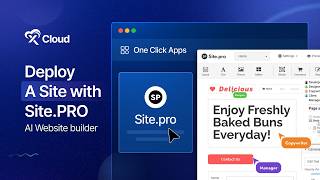
How to Deploy Site PRO Application with xCloud?

Walk through deploying a website with Xcloud's Site Pro AI Website Builder, no coding required. Create a new site from the dashboard, choose a template or start blank, customize text and colors in the builder, then publish to go live in minutes.
Chapters
Do you want to build professional websites without coding or a complex setup? With Xcloud, you can create a site using the Site Pro AI Website Builder and host it in just a few clicks. Let's get started. Open your Xcloud Dashboard and click on the new Site button. Choose one, Click Apps from the tabs and select Site Pro to get started. Now, provide a site title and add relevant tags for this site. Choose Go Live for a production ready deployment or or demo site. If you want to proceed with an Xcloud demo domain, you will see that a demo domain, site user and site SFTP password have been assigned for this site. After that, click on the Next button to start the site creation. Within a minute your Site Pro application will be created. Now, once the site has been created, you will be redirected to the Site Dashboard. Click on the Edit now button to go to the Site Pro Website Builder. You will be inside the Site Pro Dashboard instantly and and start building your website using SitePro. You can choose your preferred template or proceed with a blank template. Here you will find many components to customize your site in your preferred way. Add text, customize headings, colors and more according to your preferences. Once the customization is completed, click on the Publish button button to make the site live. Now you can visit the site from the Xcloud Dashboard and that's it. This is how easily you can deploy a Site Pro application using Xcloud. Thanks for watching. If you enjoyed this tutorial, give us a thumbs up and don't forget to like, share and subscribe for more tutorials and tips. Happy hosting.
More from M

How to Deploy EmDash CMS in One Click on xCloud: A Fast, Lightweight WordPress Alternative

Self-Host OpenPanel in One Click on xCloud: A Privacy-Friendly Google Analytics Alternative

xCloud September 2026 Release Notes: Site Security Pro, AI Caching, Docker Backups & More | xCloud

xCloud August 2026 Recap: App-First Deployment, 250+ One-Click Apps & DeepSeek Harness Hosting

Deploy Vaultwarden Password Managed on xCloud (Self-Hosted Open Source Password Manager)