How to Use PageSpeed Insights to Analyze Your Website’s Speed with xCloud
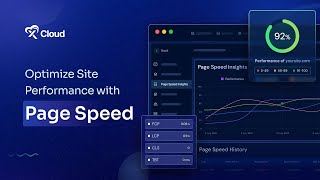
Step-by-step tutorial showing how to run PageSpeed analyses in xCloud. Covers where to find PageSpeed in the xCloud Site Dashboard, how to run an immediate analysis, how to view performance graphs for mobile and desktop, how to inspect Page Speed History by date, and how to open the Details and Insight sections to see scores (Performance, Accessibility, Best Practices, SEO) and core web vitals (lcp, cls, tbt, fcp, si, tti).
Questions this video answers
From your Site Dashboard, go to the sidebar and click on PageSpeed under the Site Monitoring menu.
lcp, cls, tbt, fcp, si, and tti.
Chapters
More from M

How to Deploy EmDash CMS in One Click on xCloud: A Fast, Lightweight WordPress Alternative

Self-Host OpenPanel in One Click on xCloud: A Privacy-Friendly Google Analytics Alternative

xCloud September 2026 Release Notes: Site Security Pro, AI Caching, Docker Backups & More | xCloud







xCloud August 2026 Recap: App-First Deployment, 250+ One-Click Apps & DeepSeek Harness Hosting

Deploy Vaultwarden Password Managed on xCloud (Self-Hosted Open Source Password Manager)