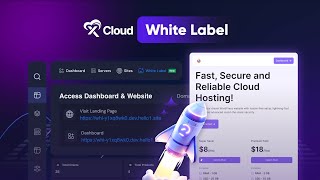
Learn how to launch a reseller hosting business with xCloud's White Label program. You'll configure your branding, connect Stripe for payments, create custom packages with profit previews, and start selling. There's a 50% off early-signup promotion running now.
Chapters
Imagine running a hosting business that's entirely your own, your brand and your prices. With xCloud White Label, you're not just reselling hosting, you're building a complete hosting empire under your name. Whether you're launching a brand new business or adding a powerful revenue stream to your company, xCloud White Label makes it simple and totally flexible. In this video, I'm gonna break down how you can set up your reseller account and start start selling hosting services like a pro. Ready to dive in. Let's go. To begin, log into your Xcloud dashboard. Once logged in, locate and click on the brand new White Label tab. This will redirect you to the White Label onboarding flow where you can start setting up your reseller hosting. Then click Start your hosting business now button. Xcloud White Label offers a range of plans from startup packages for beginners to advanced options for seasoned resellers. And here's something more exciting. Right now, Xcloud is offering White Label subscription plans with an exclusive deal at 50% off for early sign up. That's a massive discount for anyone looking to lock in long term savings. Now, two things to note here. First, White Label is set up specifically for xCloud managed servers. You cannot resell other servers outside xCloud. And second, currently all the billings are handled through Stripe. So make sure you've got a Stripe account set up and ready to go before moving forward. Okay, let's move forward. It's time to set up your seller brand information. This is where you'll make your hosting service look like it's all you. Start by adding your brand logo and fill up all the necessary details. Then go ahead. Next you have to connect your Stripe account. Click on Connect now and you will be redirected to Stripe Dashboard. Add your business details in Stripe. Or if you already have a saved business detail, select it and click Continue. Let's keep rest of the things as it is. Once Stripe is all set and verified, click next to start creating products. This is where the real fun begins. You'll be designing custom hosting plans for your clients. Select a server plan from Xcloud. You can go with general or premium plan, whatever you want. Set a custom package name and add your pricing. Now here's a cool thing. You will see how much profit you can earn from the package you've created as Stripe. Fee varies from region to region. So with this tip you can plan out your pricing with confidence. When you are all set, click Save and publish. Here it is. You can set multiple plans if needed. Next comes the domain setup. You can either set it up or skip it. For now, xCloud will give you a temporary domain with inbuilt landing page and an app URL. This is where you can manage everything, view your products, servers and even handle client accounts. Since we've just set up the white label, things might look a bit empty at first, but they'll change as clients start coming in. And speaking of clients, let's check out the landing page where they'll sign up and purchase your hosting plans. As you can see, when your clients are making a purchase, they are seeing your own brand logo and name. And from now on, your reseller white label is running. Let's see how it onboards clients to building his servers and websites. Here you go. Clients will seamlessly onboard through your branded platform, setting up their servers and websites all under your brand with no Xcloud branding in sight. That's all inside white label of xCloud. I think this is a good start for those who are about to start his first hosting business. With features like the super Fast Magic login, an automated onboarding process, and a beautifully designed landing page, you're set up for the success right from the start. Plus, Xplod White Label is packed with some serious extras built in smtp, no hidden charges for add ons, and transparent billing breakdowns for both you and your clients. It's all designed to give you full control over your business, so why wait? This is your chance to build your brand, grab your deal on white label and start your journey towards success. Until next time, happy hosting.