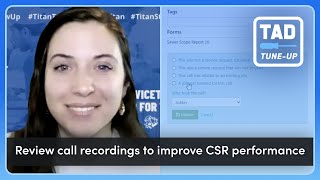
Brittany Burgess walks through Titan Advisor's tools for tracking call quality and booking performance. Set up at least four call reasons in Settings, with one marked as a lead. Then use Review Call Recordings to measure utilization and CSR Agent Scorecards to mark calls correct or reclassify them, which feeds into your Titan Advisor score.
You Hi, I'm Brittany Burgess and I'm a Senior Customer Advocacy Specialist here at Servicetitan. I'm super excited to be here to give you your next TAD tune up advice. If you're not sure what TAD stands for, it's just the shortened version of Titan Advisor and Titan Advisor is that little rocket ship in the top right hand corner of your Service Titan account. It is a great way to figure out how you can utilize ServiceTitan better to support your business goals. Today I'm really excited to talk about one of my favorite topics and it's utilizing the Call Reasons feature and checking on your CSR scorecards to make sure that your CSRs are booking calls and classifying them correctly. So let's jump into ServiceTitan. First off, as I mentioned, Titan Advisor is a little rocket ship in the top right hand corner of your screen. When you click on it, it's going to give you recommendations for features you should be using to support your goals. Also, make sure that you have your goals set up in the right hand side of the screen. Here you can prioritize which of your goals are most important to you so that these plans change again. Today we're going to talk about call booking. So I'm going to go into the Job booking and Dispatching section on the left hand side and the feature we're going to be focusing on is under Optimization. We're going to click on Review Call Recordings to improve CSR performance. Now you'll notice in most Titan Advisor features we have a couple of different blocks. One are things that you need to set up in settings to be successful using this feature, and typically if these are not set up appropriately, you're not getting any points even if you're utilizing part of the feature when you scroll down. We also have a utilization metric to let you know that even though this is set up, you may not be using it to the fullest. To start, we're going to see about completing these setup features. So number one is setting up call reasons. A call reason is basically taking the decision fatigue out of your CSRs and anytime they have a call that does not get booked into a job, it gives them a list of reasons for them to choose from to make sure that those call is classified correctly. So those can be things that are leads or not leads. Lead leads meaning maybe the customer wanted a price over the phone, maybe they didn't want to pay a dispatch fee, or not lead. Something like a telemarketer, someone looking for a job, or a spam call you'll notice that in the setup here, one is setting up call reasons and making sure that at least four call reasons are active. And in the second section it's setting up call reasons that are marked as a lead, and it's asking that there's at least one active call reason marked as a lead. Now, if you're the reading type and you prefer to look at a knowledge base article, you can click on the buttons here to take you out to that knowledge base article and you can read through and set up the walkthrough that I'm about to give you. So to set up these call reasons, I'm going to go to Settings, the gear icon, and I'm going to search call reasons. You'll notice we have a lot here already and you can really quickly at a glance see all of the call reasons that you have and whether or not they are considered a lead. Make sure that these are very specific and they're easy for your CSR to digest. So customer asked for estimates, Customer called to cancel. That way there's no question in the CSR's mind which option they should be choosing. It's also a good best practice to check in with your CSRs once in a while and make sure that there aren't any call reasons missing that should be in there. Setup is very simple. We're going to click add and we're going to put in the call reason. Again being as specific as we can, I'm going to put telemarketer and if the call reason is a lead, we're going to select the checkbox and if it's not, we're just going to leave it blank. Telemarketer is not, so I'm going to leave it blank and hit save. Now I'm going to make sure because it said I need at least four. I definitely have more than four here. So we're doing good. But we also needed at least one active that is considered a lead. And I can see right here in this column I have some trues. So that means I am going to start getting points for those. We're going to go back into Titan Advisor and just check in on what I need to be doing to get my utilization of that feature up. I'm going to click back into job booking optimization, review call recordings to improve CSR performance. So this bottom section here is basically saying that you, as a CSR manager or general manager, whatever your role may be, are going in periodically and checking in that your CSRs are classifying calls correctly. There is still room for error. This is present on the CSR Dashboard or the Modular dashboard. And the way that we are measuring utilization is taking the number of calls that you have marked correct or reclassified in the last 30 days and dividing that by the number of CSRs on your account. What we're getting at here is the more that you're reviewing these calls, the higher your points are going to go. You'll see that if you have over one point, you get one point towards your Titan Advisor score, and if you have over four, you get three points towards your Titan Advisor score. I'm going to show you where to access those scorecards. So we're going to go to the dashboard. Since this is a demo account, I'm going to stretch the date back and then I'm going to scroll down to CSR Metrics Agent Scorecards. These are also available on the CSR Manager Dashboard. And you can also create your own and add this module to any custom dashboard that you have. To review these scorecards, we're going to click into one of them. So I'm going to click into this top one and we'll see that there's going to be a few calls in here that require review and it has a little bubble over it telling me so. And I click into it, it's going to say that I need to go in and mark these as correct or reclassify them. It's saying that these may not be classified correctly. So I'm going to click on one and right out the gate it's going to pop up our call recording. Since this is a fake account, there is not one. But if you have one, make sure to listen to the call, see what happened and then read this statement and see if it's correct. So this says Service Titan determined this was a service request that Ember Demo one did not book. If that's true, I'm going to hit correct. Then we notice that it falls out of our review list and we don't have to review it anymore. It's now going to go towards our Titan Advisor metrics. If I click into the next one, let's say that this one was not identified correctly. So I'm going to go, I like to reclassify the call and then it's going to give me some options to choose. A job actually was booked and I'm able to actually go in and search for the customer name and assign the job number to it. Or maybe it was not a service request, but it was classified incorrectly with the call reason and you'll also notice these popped up with all of the call reasons that were for non service requests. If I click on this was a service request not booked, those call reasons are going to change with the ones that are considered leads. So I'm going to click this, I'm going to say customer said they would call back and update it, and now that call falls out of my queue. All right, that's it. So in summation, we want to make sure that we're making sure those call reasons are in there. It's going to make your CSR's jobs much, much easier. And we also want to make sure that we are reviewing our CSR scorecards to make sure that all of our calls are getting classified appropriately and our call booking reflate reflects that. If you have any questions, please leave them below in the comments. And I hope this was helpful for you. Happy Classifying.