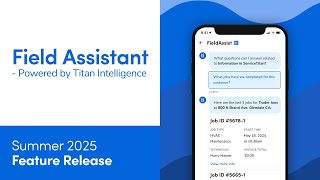
Field Assistant is an AI tool in the ServiceTitan Mobile app that lets technicians get job and customer info instantly while in the field. It speeds up work, helps them prepare better, and surfaces upsell opportunities. Some advanced features need FieldPro.
Lets take a look at how to get quick answers with Field Assistant in Servicetitan Mobile Powered by Titan Intelligence, Field Assistant is a mobile first AI assistant that helps technicians quickly find answers to job related questions while in the field. Field Assistant boosts efficiency by giving you instant access to important information. This will reduce job durations, helping you complete more jobs each day with real time AI driven support. Field Assistant streamlines workflows and reduces back and forth between technicians and dispatchers. And finally, Field Assistant helps you walk into jobs better prepared. With full access to customer information, location information, job history, invoices, estimates, equipment, memberships, service agreements and much more, you can offer the right services and upsells leading to bigger invoices and better customer outcomes. Field Assistant is only available on mobile. You can start using Field Assistant right away. There is enabled Field Assist for Technician permission that controls access to this feature. It's enabled by default for technician roles. If you not see it available, reach out to your office to have it turned on. To use Field Assistant in the Service Titan mobile app, open a current job and tap Launch Field Assist. With Field Assistant, you can only access the information in ServiceTitan module. Equipment information and troubleshooting modules will be available with FieldPro. Select the information in Service Titan module. You can type your specific question in the field at the bottom or select one of the presented options. For example, we want to take a look at customer information. Specify what exactly you want to know about the customer. For example how many open estimates do they have? You can also type in your question. If you have feedback on the Field Assistant's answers, tap thumbs up or thumbs down. The team reviews all feedback and will reach out to you for additional information. When you're finished, tap back to return to the mobile app. Now that you know how to use Field Assistant in the Service Titan Mobile app, please see our other learning resources for more information.