How Contact Center Pro Improves Booking Rates and Reduces Abandoned Calls | Podcast Ep. 86
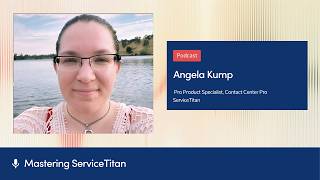
Angela Kump, a ServiceTitan product specialist, walks through Contact Center Pro's setup and impact. The system cuts abandoned calls through Second Chance Leads, auto-generates call summaries with AI, and unifies metrics across multi-company shops. She covers pre-launch prep, hardware needs, and why wired headsets matter.
Chapters
Welcome to Mastering ServiceTitan, where you get expert advice from power users. I'm your host, Josh Liu, and today I'm joined by Angela Kump, pro product specialist here at ServiceTitan focused on Contact Center Pro. She was part of the first shop to integrate Contact Center Pro and is now here at ServiceTitan helping people do the same. So super excited to have you on the podcast, Angela.
Yeah, pretty excited to be here.
For people who don't know you, maybe they missed your talks at Pantheon or missed some of your webinars that you've been on, can you tell us how you got into the trades and then also how you ended up here at ServiceTitan?
So, I come from being in the trades. I was at a shop where I started off as a CSR. I had no experience before that. Through my time at that shop, moved from being a CSR to being a lead in the call center and eventually made my way into the IT world. More than 10 years there and just loved being there, loved the people, loved the trades. As a shop in the trades, we were using ServiceTitan there in that company.
Did you always know you wanted to move into IT? Like, did you always like technology growing up?
Yeah, actually I did.
Oh, cool.
I, throughout high school, was pursuing different things in IT, stopped it for a while and getting back into like an office environment, I just couldn't stop helping people with different IT-related things. And so I ended up pursuing that for a while just 'cause I love the, I love tech.
That's awesome. It was meant to be for you to be here at ServiceTitan now. So let's rewind the clock and go all the way back to when you first heard about Contact Center Pro. Do you remember how you first heard about it?
I heard whispering somewhere. Because we at the shop I come from were on Phones Pro. We had been on there since 2019-ish. Like anyone who's been on Phones Pro, you know, it's a great product, but there is a lot of back and forth between Dialpad and ServiceTitan. As somebody who was in charge of making sure the internal questions got answered about Phones Pro and that things were working, I heard whispers on some webinar or in some of the user groups I was in that ServiceTitan was potentially designing their own phone system. Someone in a meeting somewhere said that they had a contact, you know, the back alley, only if you know it, contact of someone that might give a demo and got connected up with Henry Chang and with a group of people. He gave us a very early demo of just conceptually what was being worked on for Contact Center Pro. And initially I was so excited by what we saw and what they were working on building because the shop I come from was a multi-tenant situation. We had 4 companies under our umbrella and 1 shared call center staff. And that, for anyone who's experienced it, is not an easy thing to accomplish using Phones Pro or using most of the phone solutions out there. And from the beginning, that's something Contact Center Pro was hoping to solve. Was to allow for centralization even across this multi-company situation. So it was super exciting even from an early point to see that initial demo of it.
How did the team react from there? Like, you saw the demo, did you— where did it go from there?
So I was the only one in the demo, but pretty much immediately when the demo was done, I basically ran across the office, say to our call center manager, because I already knew It was gonna solve so many of her problems. She had one staff and she had to try to segment that one staff across these four very different brands that had different needs. Like we had brands that had a lot of call volume and then we had some brands that had barely any. But she also had to juggle that with, okay, well if I lowly staff this one brand and that person calls out sick, what am I gonna do? So I ran immediately over to her to tell her, hey, ServiceTitan's coming out with something new. Who knows when, but it has the potential to make your life a lot easier and make the experiences a lot better for your team. So even after that initial demo, even though she hadn't seen it, she also was super excited because anything was better than what she had been dealing with of, again, trying to just manage that multi-company staff.
Gotcha. So you saw the demo, start getting a little bit excited for it. And then how did you get involved from there?
ServiceTitan, as they were working on building Contact Center Pro, was trying to get as much user feedback as they could on the features they were designing. And I, I got clearance from my boss to basically sign up for anything we could sign up for. And myself and our call center manager partnered with the product team to, anytime they wanted to show us a demo on anything, we were down for it. Like, Show us what you're working on because it was an invaluable moment to, hey, yes, this looks amazing, or this doesn't work for us, or we need this specific metric, we need this specific ability. We were just so thankful and just like so honored to be a part of that process, to give that direct feedback as they were working on building it, to be involved like that.
And then when did they open it up and feel like, Do you guys wanna test it?
As the time went on, obviously things were getting to a point where they needed someone to actually test it. And as you can imagine, anything with phones, being the first is super scary. When it started to be put out there, hey, we are potentially looking for somebody to be the beta on this, we thankfully had a situation where one of the companies was super low volume. We had just one CSR assigned at the time. And so we were able to, with the blessings from our upper management, we were able to come to the team and say, hey, we have a potential, like, perfect low-risk situation to test this out on. Now, technically, somewhere out there, there was another company that went live the same day we did with another, like, small company, but we had this perfect candidate. That it was low risk. If something went wrong, sure, we knew ServiceTitan would be right there to support us, but it also wasn't going to be our main call volumes. Another big motivation for being like early adopters was we knew we would get support immediately. Sure, there's going to be issues, but they're going to fix those issues and it's going to be a really quick turnaround. And that's really what we experienced as we initially went live. Anytime there was something that popped up, they were immediately on it. Yeah.
What were the early days like? I'm sure some, all those things have been fixed now, but yeah, maybe you can paint a picture of what it was like going live, being in the call center.
It was a fun experience. You know, that first go-live day, we actually had team members fly out to the shop so they could be on site with us because sure, it was big for us, but it was also big for the service training team. You know, they'd put so much effort into this. And launching something new is such a big event. So we have people on site, and if anyone out there is onboarding Contact Center Pro, you'll know from your onboarders, we tell you to double-check your headset permissions. Part of that is because it just won't work. And we got to experience that as we initially went live. Sometime through the day, as we were going through all the prep, I didn't allow my microphone permissions. And so when we flipped the switch, everyone's really tense and waiting for that first call to come through. An error popped up they had never seen before. And that's because, of course, through all of their testing, everyone allowed their microphone permissions. And on my computer, I had not. So it was a really fun moment where everyone started stress eating candy. We had computers on different Zoom calls pointed at my computer as they all tried to figure out what went wrong. So yeah, initially it was really fun. And as time went on, like we had team members on there. They found it to be really easy to use, similar to what we were experienced already with Forms Pro as far as basic form functionality. Anytime there was weirdness, we would quickly report it and they would do their best to solve it as fast as they could. And initially that first tenant was pretty stable, stable enough that we were ready to test it out with more people on there. After our first, we onboarded our two largest tenants to see how it really was doing. I found the experience was similar. It was stable. At that point, we had multiple people able to support multiple companies back to back on phone calls. The benefits we started seeing immediately, we initially like held off on our fourth company because they had some requirements that just hadn't been built yet. As far as outbound things that are in there now. And so initially we had said we're going to hold on them, but when we started seeing the benefits from the first 3 being centralized, being having a larger staff support those phone calls, our booking rates increasing because we were the frontline more of the time and our abandoned rates decreasing because we had more bodies to answer those calls, we ended up not holding off anymore on our 4th company. So we could get them centralized as well.
What would you say is like the biggest value? Like, like if someone's listening to this and they're excited about Contact Center Pro and they want to go introduce it to their business, how would you have them frame the value that it brings?
Yeah, it really depends on the company, right? So with anything, like how big ServiceTitan is, the more things you have integrated there, the the better your data is going to be, right? So even for those single company shops, potentially getting on Contact Center Pro means your phones are now connected through ServiceTitan. Even for single company shops, there's like AI summaries and transcriptions of those calls that have come in. Your abandoned calls are now all handled in a much cleaner way than in core ServiceTitan. You get second chance leads through Contact Center Pro. So yeah, it's really value there is integration. For anybody who is in that multi-company situation, centralization, shared resources, or even if those multi-companies have their own standalone call centers, centralization of your metrics and your data. You're all in one shared Conductionr Pro environment. So pulling reports across those companies now takes half the time it used to take, right? You don't have to get into whatever third-party phone system they were using before and run the metrics there. You can just see it all in one place.
If people are getting ready to implement, what advice would you give for them or setup advice or any mistakes to watch out for?
So for people who are getting ready to implement, there's a few things. Obviously, ServiceTitan, we're going to help you through that onboarding process. We're there for you through the whole thing. Even after you're live, we're going to help you through it, but to prep for it. Things that are good to know. Knowing who you need to have in Contact Center Pro that needs phone service seems like a very basic piece of information, but knowing that ahead of time before you get on a call with us is going to help it go so much smoother. That way we know, is it just your CSR staff? Is it any office users? Potentially, if you're coming from a third-party phone system, it's good to think through, okay, who else is a member on there? If we're canceling the service, who do we need to make sure still has phone service? So that along with porting information, if you're coming from one of those third-party phone systems, porting can cause massive delays because it's all handled at the carrier level. So knowing what numbers are important for you to retain even once you've gotten on Contact Center Pro and the information to do that, it's quite the process and we'll help you through the parts of it that we can. But it is good information to know ahead of time. Who should be involved in the process? So onboarding for Contact Center Pro is handled in a few phases. We've got the initial early discovery phase where we find out about what your needs are going to be. And then the second phase of that is the setup phase. That's for your admins, anyone who's going to be maintaining it, helping to build it, setting up workflows, call flows, deciding who's in what queue or, or ring group. All of that is handled by a person or persons. Knowing who's on that team to help that configuration is fantastic to know as you go into this process. Other things would be simple things that you probably already have set up in your phone systems you're using now, but are just good to have. And sometimes it takes a few minutes to— minutes or days to put your hands on these things. And that would be any prerecorded call greetings or messages. That either you have or you want to get created, we have the ability to insert those into your call flows in Contact Center Pro, but we need the files. So having those ahead of time too is, is really good to have prepped.
Are there any other like prerequisites in terms of ServiceTitan Core setup that is required for Contact Center Pro?
Yeah, not necessarily on Core hardware type things that I would look into. Headsets, right? Contact Center Pro is best used through a computer with a headset attached there. I don't have any specific brands that I would recommend, but always, and anyone else on my team will agree with this, wired headsets, as much as we hate the wires, are going to always be best. It eliminates any weirdness between like a Bluetooth connection or oops, I forgot to charge my headset and now I don't have ability to pick up the phones. Wired headsets. Especially if you're coming from like a desk phone situation, make sure you've got those acquired as well.
You know, Contact Center Pro, it's been a long time since you went live, so I'm sure a lot has changed. Any latest updates that you want to share?
Latest updates? I think just in general, everything with Contact Center Pro, like where it's at, it's pretty solid. And they're constantly working on improving what's already been built. And they're constantly taking feedback from current customers and working to meet where there might be potential gaps. I know that they're working on things as far as potentially, you know, QA for calls. That's something that is being worked on actively. Just like the basic of getting more of your inbound leads to be in Contact Center Pro. So like bookings, SMS, things like that, all to be in a centralized place. That's also stuff that they're working on.
Gotcha. And then once people go live, what do you find is like their favorite thing or some highlight features? I know it does so much, but what are some of like key highlight ones that we can, we can call out?
Conversation history page. I love that page. You've got your full call log of the calls that have been coming into your call center. You can see who, or like agent or multiple agents were involved in those conversations. You get a fully generated summary. You get a searchable transcript, you get the recording. We now show you the call journey as well, so you can see each of the steps the call took as it routed through. And it generates currently just like a sentiment of the customer's mood during the call on either good, neutral, or bad. So I love conversation history. A recent feature that a lot of people are really enjoying is the call center monitoring page. And there it gives a really nice live summary view of any of the queues you've got built out for your company. So you can see like who's available, what calls are coming in or waiting to be answered. It gives you some basic daily stats too, as far as abandon rate, booking rate, average speed of answer and things like that. Another really big one I want to call out is the AI voice agent. Haven't really talked about it yet, but I do love our voice agent as well. With Contact Center Pro, it's integrated. And so if you do sign up and use the VA, you get to see your virtual agent follow-ups right there in Contact Center Pro. So they're very apparent to your team. And anytime where the VA has already booked the job for you, it's right there in your conversation history. Just like any of your other CSR calls, you get the full transcript and summary. So if you want to double-check your AI's work, it's all right there and you can review their conversation. They just added a new dashboard for the VA so you can see what its performance has been. Right now it is on like a per company basis, so you can filter for any of the tenants you have connected there, but you get to see some really cool stats on how its performance has been, how many jobs it's booked, how much revenue has come in from those jobs. So it's a pretty exciting new feature there.
Wow. I didn't know, uh, VA or voice agents was included in Contact Center Pro. So that's really cool. And then I also didn't know it came with Second Chance Leads.
Second Chance Leads is included for no additional cost. VA, just to like be super clear, there is a cost associated with that. Just like for anyone using VA, definitely check with your Pro Account Managers to get the specifics on that. It's connected and integrated. It does have an additional cost though.
Gotcha. Um, for people who don't know what Second Chance Leads is, that one alone I think is like a pretty amazing feature. Can you describe, uh, how that works?
Second Chance Leads, what happens is Kite Intelligence will go through and analyze your phone calls after they've been disconnected. And if a job wasn't booked, then it's analyzing the conversation to determine was this a potential bookable situation, and it'll surface those opportunities as potential leads for your team to follow up on. In Contact Center Pro, it'll have its whole conversation history. So that full summary, transcript, and recording that you already get, as well as the ability to tell it like, hey, we reviewed it and it's actually not a lead, or yeah, we did follow up and we were able to book this job.
Okay. Yeah. That Second Chance Leads is amazing. I have a few, I don't know when I say tougher questions, but I wonder, are there anyone, is there anyone who is not like good fit for Contact Center Pro out there, or is this something that really any shop should use?
Currently, and like all of this is subject to change, we don't support desk phones. So if you're a diehard desk phone fan, you don't want to be on headsets, maybe wait a little while. Desk phone support is coming, but it's not there right now. The other major thing that I would say to consider is if you have overseas agents. So if you have like after hours or overflow for people that are overseas, currently those aren't supported. So definitely thinking through solutions there before you were to onboard Contact Center Pro, because they can't be added as agents. Okay.
That's really good to know. And then you see a lot of people go live and like you said, phone systems going live is like pretty scary. It's nerve wracking. Are there any like common challenges, like if you see people who don't do it well, for example, or made mistakes, anything we can help people watch out for?
Headset settings, surprisingly or unsurprisingly, is the number one thing I see during a go-live session that goes wrong. We talk about it with your CSRs during your agent trainings. Like, that's part of the onboarding process is we do host dedicated sessions for anyone who will be using your Contact Center Pro at your company. But even though we talked through that and walked you guys through how to use or how to set up the headphone permissions, it still happens during go-live sessions. It'll come up like, hey, I can't, I can't hear anyone, or now I can't be heard. And it just comes down to simple headset settings. I would just say in general, just know, like, it is stressful changing to any phone system. And especially if you're one of the persons that's helping to be like that implementation point of contact, be aware and mindful of that, of the team that you're helping usher into this new product. It's a stressful process for them because it's changing some of the really nice muscle memory they've built up. And anytime you change that, especially for like CSRs where everything they do down to the click is something that they have got set into their routines, just know that they need a little extra love and support during those onboarding days. As they get used to the new product.
Yeah, CSRs and dispatchers, I feel like there's so much to do and you get into a flow and stuff, so when something changes, it's a big deal. Do you have any advice on people introducing new change, just like change management in general with the CSRs?
Give them the time to process, give them avenues to vent. As somebody who used to be a CSR, it very much is muscle memory. I don't want to be thinking about where I'm clicking next. I want to be focusing on the conversation I'm having with my customer. So anytime you change that muscle memory, it is a big deal and change is hard for people. So make sure they've got proper support and care during that change. Make sure during any of those agent trainings, they've got the dedicated time to focus on that. It's about an hour-long session, but it will walk them straight, like start to finish through everything they need to know on how to use the new system. And then just give them time to process, help them as they need. Some people are very much hands-on learners versus like paper learners. So acknowledge that in the different teams that you have.
What does CSR training look like for, you know, these people that are going to go live? It's nervous phone system. How does that support look like for getting them comfortable?
Yeah, for CSR training, we can host multiple sessions so that way your team has coverage to still answer your phones. It's about a 1-hour session where we walk them through start to finish on everything they'll need to know on how to use Contact Center Pro as an agent. So we walk them through the headset settings, we walk them through inbound calls, outbound calls, we walk them through how to handle abandoned calls and how to, um, follow up on those second chance leads. So we walk them through the whole system during that dedicated session.
Awesome. Any advice for, uh, go-live day, like that day in the call center? Are there any like things that just make that day better?
Keep calm. Definitely keep calm. Be that source of calm energy for your team. Know that nothing happens automatically. So as you're going through the go-live steps, your onborder will fully review your workflows with you that you've built, make sure your users are set up, and then only when you're ready and we can ensure your team gets connected. Do we actually flip the switch and take you live? And from there it's just a celebration, right? We'll do some test calls, make sure everything's flowing through the way it should, and schedule a follow-up call shortly after to make sure everything is still working out the way it should.
Perfect. That's very reassuring. Anything else I missed or any parting thoughts or words of encouragement you want to give for folks out there?
Yeah, I enjoyed Contact Center Pro. So much I had to come work for the company. If that can give you any insight into how my experience was on it. So I would, I would just say for anyone who's thinking about implementing Connexx in their pro is keep calm, come into it knowing that it is a new phone system and that's a big change to ask for a team to make, but it is, it's exciting. It's always adding new features to become better. And yeah, It's gonna be okay.
Awesome, Angela. Thank you so much for coming on the show, and thank you all so much for listening. We'll catch you on the next episode.
More from Bill




Capturing the 80%: How SmartAC’s Gen-2 Targets Non-Membership Homeowners | Podcast Ep. 296

Build better customer data with every booking in ServiceTitan | TAD Tune-Up Series

The Biggest Change for Roofers Coming From Other Roofing Software to #ServiceTitan?

