How Schedule Assistant Transforms Dispatching | Podcast Ep. 16 | Mastering ServiceTitan
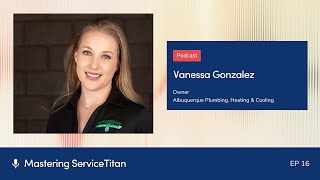
Podcast episode where host Josh Liu interviews Vanessa Gonzalez about using ServiceTitan’s Schedule Assistant to improve dispatching. Covers why Schedule Assistant matters, setup prerequisites (technician skills, job types, shifts), practical configuration choices (skill levels vs granular skills, simple job types), operational practices (live dispatch board, KPIs, hold queue rules), sandbox testing, and launch prep for peak season.
Questions this video answers
"in two weeks." (guest statement)
Welcome to Mastering Service Titan, where we get expert advice from power users. I'm your host, Josh Liu, and today we have Vanessa Gonzalez with us. Thank you so much for being here.
Hey, glad to be here. Thanks for inviting me.
I'm so happy to see you again. It's been a while. The last time I saw Vanessa was actually I was driving through Albuquerque, and I stopped by for a week, stayed in a little Airbnb, and I went to visit her shop. And I was just telling her before we started recording that her shop was, like, the largest shop that I had ever visited. And I remember walking into the warehouse and being like, wow, this is, like, so next level. And one thing I really appreciate about Vanessa and her shop was that every time we'd walk into a room, everyone, whenever they saw Vanessa, they'd be like, oh, my God, it's Vanessa. They give her a big hug. And I was just telling her how different that is. Usually, like, when the boss walks in, people are like, oh, my God, I'm so scared. I need to, like, go to work. Or, I don't know, they get nervous. But with you, everyone was so approachable, and so, yeah, you have a very family feeling, company.
Thank you. That's the goal. I mean, you spend more time at work than you do at home, so you might as well like the people you work with. And luckily, I get to choose who I work with.
That's true.
Yeah.
You get to pick all your favorite people.
Exactly. I do. I mean, it's like family. There's some people that you're like, okay, this is Bob. Bob's great. But it's Bob. But it's amazing. So I love it. I love it. We do that. So one word I don't like being called is the B word, the boss. We have that strictly from all of our vocabulary at the shop.
Wow. It shows.
Thank you.
So I'm really excited to have you on the show. Today we're gonna be diving into call booking process, how to dispatch more efficiently, and go into some specific features, like technician skills, shifts, and schedule assistant.
Yes, yes, yes.
Which I don't think a lot of people know about. Like, for people who don't know about schedule assistant, can you tell them briefly what it is?
Oh, it's a game changer. It's a game changer. And as far as I know, it's one of the features. It's not like an add on, like a pro product or anything like that. So what we're using schedule assistant for is we're getting everything ready for our upcoming peak season. Because heating season is coming and it's really busy. Right. Ara was just talking about like how many calls we did billions of calls. And revenue. Revenue and all these things. Right. So trying to figure out how to get that set up without interrupting dispatchers with getting the efficiency, maximizing the right tech for the right job. So we avoid callbacks and warranties. And so that's where schedule assistant comes in.
And how does it work?
Okay. I'm so glad you asked. So it does take a little bit to set up. So you have to make sure you have your technician skills and you have to assign the skills to the technicians and then you need to go into your job types and when you get to your job types, you assign the skills that are going to match it with that technician. Once you do that, then you get magic. Okay, so that's where the magic comes in. It takes a little bit of work, but as long as you get it done, you're good. So you set those two up and then what ends up happening is a customer calls in CSRs wanting to find out. So for my example, I'm going to use a boiler because it's getting to be heating season. Boiler techs are kind of specific. They're special guys. So we have a list for all of our CSRs and it has specific technicians that have special skill sets. So then they're going to be able to look at schedule assistant, put in the technician's name and it will tell them exactly who is available and when they're available. And it goes off of driving efficiency and it goes off of who has sold the most. It is, it's amazing and it gives you like the stats right there with the tech. It's more profitable to have this technician go instead of the other technician. So there's not really a lot of room for error. And I wish we had found this sooner and turned it on sooner because I bet our summer season would have been so, so less chaotic. But we did it. So now we're changing it, but we're fixing it so that we'll be launching our schedule assistant actually in two weeks.
In two weeks, wow. Can you give some examples of the shifts and the skills and any advice you have on getting those set up, Especially with a multi trade shop. I'm wondering, like, does it get kind of crazy with how many skills there are and whatnot?
Yes, it can get really, really, really crazy. So it depends on if you want to be simplified or if you want to get like overly detailed. Because you can put every single skill, like as a tool. And we decided just to do levels because we have electrical, plumbing and H vac and then we also have drains. So we did like level 1, 2, 3, 4, and 5. And 5 is our highest performing. They know how to do everything. There is no issues. They can do commercial, they can do bids, they can do all of it. And so that's how we kind of broke it down. And then we have kind of like a cheat matrix for like brand new dispatchers. And this also helps with dispatching because you don't have dispatchers trying to remember, okay, wait, Josh can do acs, but he can't do geothermal. Okay. And so they're not trying to remember all that. It kind of takes the guesswork out of it and makes it easier.
So, and then how about shifts? How do you organize that?
Okay, so shifts is really cool. So shifts takes the place of the old capacity board. So we used to use the capacity board, which I know very antiquated, but hey, we all learn. We all have our favorite things. And so we decided that we need to do something more and be able. So our technician shifts, we use it for our on call schedule, which is really cool because it's really easy to see. You can glance at the dispatch board and you know exactly who's on call because it's color coded. Thank you, service site. I love the color coding. So we do our on call shifts and then PTO requests, anything like that. And so basically you just go in and you say, okay, is this a regular shift? And you can set it up for, I don't know, 10 to 12, and that can be their shift. And so then it books off of a capacity percentage. So then that way you can say, well, we're only going to book to 80% capacity because we want to leave room for those emergency calls or we want to. And it's adjustable and it's easy. The only thing our CSRs had to like kind of get around with shifts is that when you're looking at it and you're getting availability on the call booking screen, 0% means that you are 0% booked, not that you have 0% availability. So that once we got that flipped, we were totally good. So that made it a lot easier.
So skills and shifts, are those the only prerequisites that you need to use schedule assistant or are there other setup things that you need?
No, as far as I know. I mean, that's how we've been doing it. So we did turn on shifts and the Jobs and job types was the longest one for us. Especially when you have. You can have a plethora of job types types, or you can keep it really simple. We like to keep ours with the jargon of the customers and just have the CSRs be able to kind of translate in the text. Translate.
Got it. How? Yeah, with job types, similar to skills, you can go crazy if you want to. Right. So did you decide to go the simpler route or what? What job types did you use?
So we've decided to keep it more simplistic, just for ease, because then you don't want your CSRs looking through a whole Google list of everything that could possibly be done to a business or a home or new construction. So we kept it really simple, and we did. So, for instance, like drains, we just did mainline or non mainline, or we did branch line. And then to make it easier for the csrs, we put what a branch line is. So that way they understood. So if they said, oh, well, my toilet's clogged, or it's my kitchen faucet, or it's my bathroom or it's my tub, okay, that's all the branch line. And we put it in the job type to help the csrs. Our csrs have some pretty lofty goals. Like, our goal is to get our call booking times under two minutes, and our dispatchers are supposed to be booking and assigning those calls as soon as they come in. So they've got some big goals to hit.
Yeah. Before we start recording, you were mentioning this emphasis on driving efficiency.
Yes.
And so it sounds like this order of operations and these new tools can really focus on that efficiency.
It's huge. It's huge because, for instance, last week we were looking at it and playing with it. My husband and I, who's also my business partner, we were trying to figure out, okay, why is it only bringing up one tech? This doesn't make any sense. And then we looked and we switched it from driving efficiency, but it was the most efficient because it's looking at the zones, it's looking at the zip codes, and saying, okay, is he gonna have to come all the way from the north and go all the way to the south end and come all the way back over to the east? And all that time, he could have done another call. And what does that do to your numbers? What does that do to your conversion rate? Like, it's all. All of these things that are part of a domino effect.
Yeah, I remember it's probably updated now, but I think when we first Launched Schedule Assistant on the call booking screen. You, like, pick a time and then it shows like a bunch of technicians that they can book that job for and it'll tell you how many minutes in addition. Like the drive time ads.
Yes.
Is it still the same?
Yes, yes. That is the cool part. So it's like I said, you gotta get the work done. But so when you're in the call booking screen and you just click get availability or schedule assistant, whichever one you're gonna use. We're using schedule Assistant. Cause, yes, I like the cheat codes. But then it brings it up and you just swap it and you assign it and dispatchers don't have to do as much. And the CSRs have booked it, customer's happy, everybody moves on.
And for you guys in Albuquerque, do you think you lean more on, like the saving cost on drive time, or do you lean more on trying to maximize revenue or how do you balance that when it comes to using schedule Assistant?
Perfect question. We try and do both. If you can maximize your drive time and get the rice tech out on the right job, it's just going to do amazing thing for your numbers. So one of the things that our dispatchers are doing is they're constantly looking at the board. So our board is fluid. It's water. It is not rocks. And so they understand that their board may be set one way before they leave for the day, but when they come in the next morning, it may go all against the wall and you got to put it back together again. So it's just one of those things. It just kind of really makes it easier for everybody because in the techsnode, they've got jobs. CSRs know that they booked it correctly. Dispatchers know that they're doing their job because we didn't send a tech all over, all over the country to do a couple of jobs. And then we spend way too much on gas and there's no profit sharing.
Right. It seems like such a delicate balance to learn, and it's such an art. I feel like every shop has their own ways of doing it. Do you have any special, like, special sauce when it comes to how you guys manage the dispatch board?
Oh. So we're actually going through a whole, whole rebirth of dispatch. So it's kind of funny that you asked me that. So we've got a couple KPIs that our dispatchers are held accountable for, and that is their hold queue. So all those tickets that are in the hold, they have to update it every 72 hours, which is important. Because as soon as a call comes in, they need to be able to put it on the board. And if it was in hold, you got to be efficient about it. The other piece is that they have to keep their board life. This is pivotal, especially for Schedule Assistant, that if the board is not kept live, you will not get accurate capacity. So it's just making sure that you're talking to the technicians, going in and looking at the ticket, seeing, did they put their notes in there? Are they. Did they get before? Did they get during? Did they get after? Where are they at? Check in with them, and then shorten up the call if they're at lunch. Like, the board being live is pivotal.
Oh, by live, do you mean, like, just updated to what is exactly happening right now or.
So if you were a technician and you were out to lunch, you're bored, should say, okay, I ended my job, lunch started. It should be one continuous line, not like stair steps. If you're looking at the daily basis and not the weekly view.
Okay, got it. Any other things that you all are revamping right now when it comes to the board?
Oh, I mean, we're going through a whole, like, renaissance at the company. So that's. That's kind of like a loaded question. But with dispatch, it's just making sure that we're routing correctly, that we're watching the callbacks, that we're tracking our recalls accurately. So that way we can get the true cost of a job. Because sending the wrong tech out is just. Oh, it's a nightmare. Yeah, well, I know you've heard the stories.
Yeah, it's crazy how impactful dispatching is on a business. Because the difference between the right tech and a wrong tech could be like, a $400 repair or $10,000, $15,000 of a. Of a replacement. And so that one decision can make a huge, huge difference.
Exactly. Because if you send the tech out, that's a lot. A little nervous about presenting purchasing options. And then he's like, I only sold him a repair. We're like, that system needed to be replaced. What did you do? You said the tech out that gives purchasing options, and then the customer gets to buy something, and they're happier. Everybody's happier. There's less callbacks. And the tech, the poor tech that was too scared doesn't have to feel like he failed.
Yeah, right. Tech, right job is very, very, hugely impactful.
Oh, yeah. Huge.
What went into your decision process for using Schedule Assistant? Did you get any pushback from anyone on the team or any advice There on like someone's listening to this podcast and they say, hey, I want to use schedule assistant. How do I go and pitch this to my team and what questions or concerns might they have that I should address?
That's a good question, Josh. It's like you kind of do this for a living. That's weird. So the best things to ask is how much of a time commitment you want to make, what you want to do with your job types and how you want to set up your skills. Once you get those questions answered, everything else is pretty much autopilot. The way that we sold it to our CSRs and our dispatchers was it's going to increase efficiency and it's going to stop the. Because we use teams for our inter office communications and the dispatchers are constantly getting pinged. Hey, what about this availability? We have this callback, this job sold. Can we do this? And it's. It causes more work in the long run because you're having to answer this question. Book the ticket. Where. If they could just book the ticket, it speeds up everything.
Yeah, I read a stat somewhere where like task switching, it eats up maybe 40% of our workday and our productivity. And so for people who use slack use teams getting pinged all the time with notifications, that little bit of attention that pulls you away and then having to come back to your main job. I heard it eats up 40% of our workday.
Dude. Okay, well then that explains where all my day goes because it's constantly being pulled off tasks. But you don't want that happening with your dispatchers. You don't want that happening with your CSRs because their job is to keep the board full for the text. Right. That's all they need to be doing. So if we're trying to make it to where they're having to do these complicated figures to try and just book the call and the dispatchers have these unrealistic expectations on what the board should look like and that once you schedule a call, you can't move it. It's impossible to be, especially during peak. Soon to be successful.
Right. Earlier you mentioned before we started recording this example of change outs and how schedule assistant has been really good for change outs and, and having it so CSRS can book. Can you share that example with our listener?
So we have change out. Sorry, I'm like, I'm trying to change the vernacular. Change outs.
Oh, wait, sorry. Is it. Was it change outs? No, it's. You're going into. Was it some season?
Oh, peak season. Our peak season. Yes. So our peak season is coming up, so it's just, it's made it easier for our. Because normally what our dispatchers and our csrs would do is if they have a tech for a special skill set. So like backflows a Spanish speaking customer. That's one of our skill sets. So it can be very, very specific or it can be very broad. So what we ended up doing is just making it to where it's just an Excel spreadsheet and it has all of our Spanish speaking text, we have our backflow text. The people that have just really specialized skills to assist the CSRs. And that's right on their desk that we don't have a lot of things that are printed, but we do have some things that are printed. And it's usually just tools for quick efficiency. So what the CSRs do is. And they just look, they never have to teams their dispatcher. They don't look at the dispatch board because csrs, in our shop, that's a no, no, you don't look at the dispatch board, you don't touch it. And so it just allows everybody to be able to stay on task not doing the 40% where you're losing part of your day. So I can't wait to see where we're gonna be at in like a month or two. Just being able to book more calls because our goal is also to do a higher booking percentage. So especially during peak season. But getting 80% during peak season is kind of impossible. So.
Got it. So you guys are all prepped two weeks out, you're gonna launch schedule Assistant. If someone's listening to this podcast and they want to start this prep, any advice for the prep process?
The prep process, I would say take, just take a look at your skills, get with your team and talk to them. If you redo your job types, talk to your csrs, because we made the mistake where we put a lot of the jargon like lav sink. Who calls a bathroom sink a lav? Techs. Techs are the ones that do that. Who calls a drain line a branch line? You know how many customers know what a French drain is like all of these other things, or know that there's a difference between low temp refrigeration and regular refrigeration, that's not their job. So that's the csrs, that's our job. That's why they're calling the experts. So I would say talk to the csrs, talk to your dispatchers, make sure that those are in alignment. Because the dispatcher is going to have to make sure that everything's right and they're signing the right tech. Once you get those pieces done, it's just kind of like autopilot.
That is. I'm so glad that you brought up that. That warning story of like, all the jargon. I feel like that's one of the biggest benefits of getting to hear from someone like you is, hey, I tried it this way and this is one thing you should watch out for. Don't do that. Do you have any other of those, like, horror stories or epic fails that people should watch out for?
Oh, I would say watch that and watch the tone. I know it sounds kind of weird, but watch your tone when you're talking to a customer, because good news delivered in, like a positive tone can still be great. But if you deliver in a bad tone, it can be really bad news, but it's a good thing and vice versa. So I would say watch the tone. Like that was. That's been one of our biggest things. And then also, don't be afraid. Like to use the sandbox if you're not sure what to do and how it's going to work. You're like, I don't want to break my service site. I get it. Because I've turned things off. We've had people click buttons and the entire capacity table disappeared. Like, oh, that's exciting. So, but play in the sandbox, playing it. Go into training mode for the tax play, try and break it. Only thing I would say is that if you're playing in the sandbox every Friday night, I think it still happens this way, but every Friday night they wipe it to load the next week's information. So sandbox always a week behind. But before we go live with anything, that's where we practice and we play with it to kind of break it first before we put it in our actual live account.
So could someone theoretically go into the sandbox account and just reconfigure all their job types, do all their shifts, turn on schedule, assistant, and just kind of run through what it would look like?
Okay, Yeah. I would say if you're doing that and you know it's going to take a. Take a little bit of time, talk to your csm, ask them if they cannot do the load, so then that way it keeps all the changes, or ask them if they can keep your changes for the next week so that way you don't spend a week's worth of work and then you're like, oh, biscuits, now I gotta do it. All over again. I'm getting really proficient at this setup process.
That is such a pro tip. I didn't know you can like pause that or save that. So yes, talk to your csm. They are on your side if you want to test it out and there's a little bit of setup. See if they can save that data so that next week it comes back fresh. Definitely sounds like you may have learned.
That the hard way once or twice. Once or twice. You've been on Service Titan since 2017. You're gonna learn a few tricks. Just a couple.
Totally. Anything else that we may have missed or any advice when it comes to shifts skills and schedule assistant, I would.
Say just be open and willing to hear the team's feedback. Just because it was your idea doesn't always mean that it's the final iteration of it. Let people collaborate and usually things get even better.
Perfect. Thank you so much for coming on today. We will link a bunch of resources in the description. I think Blue Collar Nerd has a schedule assistant video that we'll put in the description and some help articles. So if this inspired you, you can click those and get started today. And yeah, hope you enjoy the rest of your pantheon.
Thank you. Thanks for inviting me. I really enjoyed it.
More from Bill




Capturing the 80%: How SmartAC’s Gen-2 Targets Non-Membership Homeowners | Podcast Ep. 296

Build better customer data with every booking in ServiceTitan | TAD Tune-Up Series

The Biggest Change for Roofers Coming From Other Roofing Software to #ServiceTitan?

