How To AUTOMATICALLY Create Tasks In ServiceTitan
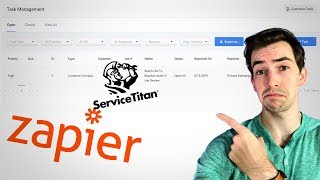
Richard Coburger shows how to set up a Zapier automation that creates a ServiceTitan task whenever a Google review drops below five stars. The workflow uses Gmail as a trigger, filters out perfect ratings, and pulls the review URL with Zapier Formatter before pushing it to ServiceTitan.
What's going on, everybody? It's Richard Coburger here, the blue collar nerd. Today I'm going to show you a technique that's a little bit more on the advanced side. Alright? So put the kids to bed, you know, put a pencil in your ear, put your glasses on. This is serious. We're getting advanced. Today I'm going to show you how to build an automation through Zapier. Now what Zapier does is it takes applications and it connects them. Something happens in application A, boom. We trigger some response in application B. So the example that we're going to build together today is, is triggering a task to automatically populate in Service Titan when we get a less than five star Google review. So the goal here is anytime we get a Google review that's less than five stars automatically in Service Titan, a task is going to populate assigned to the correct person, reach out to this client and take care of whatever issue that they had. So let me take you over to the computer, let me show you how to do this. All right, so there's a little bit more setup involved in this. I told you, it's advanced. So here we are, we're on the Zapier pricing page. So Zapier is a paid application. There's a free tier, as you can see right there on the far left, there's a free tier, but it's pretty limited. You get five total zaps and you get two step zaps. This example that I'm going to show you has three steps. So we're going to receive an email from Google that tells us what kind of review we got and then we have a filter that's another step. So the filter is going to say if it's a five star review, leave it alone. If it's for or under, then we're going to trigger the rest of this automation. Then finally, our third step is to create the task in Service Titan. So this example is a three step. So therefore the free account won't work for you. Now if you see this video and you're interested and you just want to play around a little bit, I recommend just get the free plan, do a couple of things, see if you like it, see if you get hooked and you know, decide if you want to move forward from there. But if you want to follow along and do this exact example, you're going to need at least the starter plan here. Now. Now me personally, I use the crap out of Zapier. I use it for a ton of stuff. Here's my Dashboard here you can see I've got 73 total zaps and I've run almost 7,000 tasks so far in this billing period. So I have the top tier, but I don't recommend you start with the top tier. I recommend you play on with the free, maybe move into the starter and see if you get hooked on automation. So as you can see, I've got a ton of stuff in here, you know, CSR on call reminder backup on call alerts. I use Zapier to automatically change the company profile picture on the Facebook page to holiday themed ones, pushing reviews into Slack. This one here is actually for the YouTube channel. So anytime I upload a new video, Zapier automatically posts that to my Facebook page. Anytime you see one of those new video alerts on my Facebook page, I didn't post that, I just uploaded the video. Zapier posted that. Thanks Zapier. But anyway, let's get into the example for this video. So first you have to input your step one, your trigger. For me this is going to be a Gmail based trigger because I use Gmail and I'm going to select new email matching search. Okay, so here's what I want Zapier to be searching for. In my email I'm going to put from colon and that's going to tell Zapier to search for emails that are from this address. So from googlemybusiness-noreplyoogle.com that is the email address that the reviews come from. So when Google sends their automatic email whenever we get a new review, that's the address that it's coming from. So that's what I want to search for emails that are coming from that because those are my reviews. Then it's going to run that search and it's going to give you some samples to work with. I'm going to look through these samples. Ideally I'd like one that's not a five star, just for testing purposes, but it's okay if we can't find one. So that example, that's a five star. That example also five star, that's a five star. And our last one, that's a five star too. Good. Dang it. But that's okay. I'm just gonna hit continue and move on. Okay, now for step two, I'm choosing filter. So I want to filter out all the five star reviews. This automation should only trigger for reviews that are less than five stars. So here only continue if okay. And then you get these drop so body plane and it kind of shows you what it's talking about there. So the body plane, that's the main body of the email. So I'm going to say if the body of the email does not contain five dash star, because that's how they always phrase it, five dash star. You gotta be very exact. Then I'm going to continue this automation. So only continue if you do not see five star in the body of the email. So now I'm going to hit test and continue. Now the test should say that this zap would not continue because the example that I chose was a five star review and that's exactly what we see here. Your zap would not have continued. That's what we were expecting. That's perfect. Okay, step three, I'm going to skip for now because that's a little bit of a little extra zest, a bit of an add on, bit of an optional. So I'm going to skip that for now. I'll come back to it. Okay, so this last piece is to create a task in Service Titan. Now Service Titan is not officially in the zapier catalog, so applications can put their API into zapier and give all sorts of access to all these cool tools. Service Titan has not done that so far. So a lot of my zaps have been based on webhooks. Webhooks are just a basic thing that's in zapier already and webhooks are kind of a one way. So like when something happens in Service Titan I can trigger off of that and that's how a lot of my automations are built. So when a job gets completed I can trigger things to happen. But until recently we haven't been able to make things happen in Service Titan based on other triggers. So it's been kind of one directional. But big shout out to Steve Cossette. He has been working on this kind of custom thing to bring Service Titan into zapier on a deeper level. It's still not officially in the catalog, so you have to have an invite link in order to use this. I'm going to put that invite link in the description below and that will give you access to this version that Steve has built. So big shout out to Steve. Thank you Steve. There goes my hero watching as it goes. Now when you first set this up, it's going to ask you for your Service Titan API key. That's something you have to ask Service Titan for. The best way to do that is just to email integrationservicetitan.com they're going to know what you're talking about and be able to provide that to you. If you just go to the chat and ask them for the API key, that's going to be real hit or miss. They may or may not know what you're talking about and they're not able, I don't think to provide that directly. They're just going to have to talk to the integrations team anyway. So you might as well just email the integrations team yourself. So anyway, these are the actions that Steve has put into this thing so far. We can create a non job dispatch board event, we can send a new booking event, we can create a Service Titan task management task which is what we're going to do in this example and we can also create a subtask. So then when we get to this edit template page, we get all of the options of how we want this task to look in Service Titan. So I'm going to have it show as me creating the task. I'm also going to assign the task to myself. Should this task be closed, you're probably going to want to set that to no because if you're setting a task you want to be an open task that's not completed yet. For the task name I'm going to say reach out to resolve this under five star review. Under task description I'm putting a link to the review so a URL that they can click and go to the review. And that's that step that I skipped before. So to extract that URL, I'm using something that Zapier has built in called formatter. I'm inputting the entire body of that email and I'm telling it extract URL. So the first URL it comes across, it's going to pull that out and that happens to be the link to the review. Now keep in mind if you copy my setup on this, they have to have Google my business access for that link to actually take them anywhere useful. Otherwise they're just going to get to a sign on page and if they sign on and don't have access it's still not going to show them the review. So that's what I chose to put as my description. For this example I have a link to review and then I'm able to push this button here to pull from my previous steps. So I went to text which is my formatter. So the business unit I'm going to leave as service task type is going to be customer complaints task source. I'm going to say email for this example and all of the fields that are required will be marked as such. The ones that are optional you can fill in or leave blank. I choose to leave this one blank for this example. Set the priority to high the reported date. I'm able to put in the date that the email was sent. So I can just hit that button there and date is one of the options from the Gmail that got sent to us complete by. I could do some like date math here to say it's due in five days or something. I'm going to leave that blank for now because that makes this advanced thing even more advanced and I don't want to overwhelm you here. So for now I'm going to call this done. I'm just going to hit continue. So now I can push send test to Service Titan. Now this test should go through even though this is a five star review because we're not testing the entire start to finish flow. We're only testing this one step. So let me hit send test to ServiceTitan and let's check in ServiceTitan and see what we got. Okay, so here I am in my Servicetitan account under task management and there's the task that we just created with our test. So it's a customer complaint, it's high priority. Reach out to resolve this under five star review. And then there's the link to the review that I can click and it will open up the login page for me to go in and see that review. Anyways, that's all I got for today. If you found this interesting, if this kind of sparked something in you, you'd like to see some more, let me know. This is something that I might build out an entire course on. Zapier is a really powerful tool. It does a whole lot even outside of the scope of just service type and stuff. It's a very, very handy thing to know. And so if enough people are expressing interest in it, I might build out an entire course. But that's a lot of work. That's a huge time investment for me. So if not a lot of people are interested, I'm probably not going to do that. So if you're interested, definitely let me know. Be sure to subscribe to my channel if you haven't already. That's gonna help. Make sure you don't miss any new content. Hit that little bell next to the subscribe button. That way YouTube can notify you any I upload a new video. Be sure to hit the like button. If you liked this content and you want to see some more and by the way, I am working on a service titan coaching group putting a test group together. By the time you're seeing this video, I probably closed applications for getting into the test group, but if that sounds like something you're interested in, check out the description below. I'm going to put a link to join a wait list that doesn't obligate you to anything. I'm just going to send you some more information once the thing is ready. If you've already signed up to be a part of the test group, you do not need to worry about this other form. You're on the waitlist by default. Thanks again. Leave me a comment below again. Let me know if you're interested in seeing more of this stuff. I'm thinking about building a course and I really need to know if anybody cares. Appreciate it. Peace. Dang, Sam.
More from Bill




Capturing the 80%: How SmartAC’s Gen-2 Targets Non-Membership Homeowners | Podcast Ep. 296

Build better customer data with every booking in ServiceTitan | TAD Tune-Up Series

The Biggest Change for Roofers Coming From Other Roofing Software to #ServiceTitan?

