How to Create & Reconcile Bills Without a Purchase Order
12 Mar 2026 · 1 min
1:08
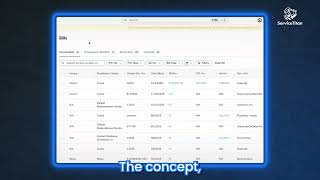
ServiceTitan's accounts payable module lets you create bills without a purchase order and reconcile them before they sync to your accounting system. Bills sort into Reviewed and Unreviewed tabs to track your workflow. Any bill that isn't marked reconciled gets blocked from exporting, keeping your data clean.
Chapters
More from Bill




youtube.com
Capturing the 80%: How SmartAC’s Gen-2 Targets Non-Membership Homeowners | Podcast Ep. 296
2w ago


youtube.com
The Biggest Change for Roofers Coming From Other Roofing Software to #ServiceTitan?
2w ago

See all content
