Match Jobs to the Right Techs with Skills in ServiceTitan
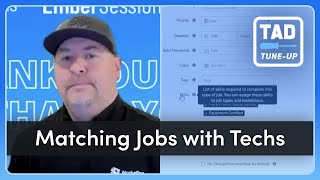
Tim Showback walks through setting up Skills in ServiceTitan to match technicians to jobs. Create skills, assign them to job types and technicians, then filter and dispatch by skill match. Titan Advisor scores you on how many jobs you book with matching skills: over 75% gets 2 points, over 90% gets 4.
Questions this video answers
1) Create one or more skills; 2) At least one job type has a required technician skill; 3) At least one technician has that skill.
Measurement = percent of jobs booked with a technician skill match over the last 30 days. Over 75% = 2 points; Over 90% = 4 points.
Create skills: Settings → Operations → Skills. Assign to job types: Settings → Operations → Job Types (skills box on job type). Assign to technicians: People → Technicians (skills box on technician profile).
Foreign welcome to another video in the Titan Advisor tuneup series, better known as Tad tuneup series. Today's feature we're going to be looking at skills and myself Tim Showback will be your guide today as we look into Titan Advisor and dig into the skills feature. Let's get busy. Let's get into Titan Advisor. That's what we do. Share my screen here. Let's go to our rocket ship in the upper right next to the gear icon. Let's go to Titan Advisors. Let's. Let's look at two ways. I'm going to show you two paths to get to this feature. The first one is my favorite. I'm going to go to customize plan and I'm going to utilize the search feature. So I'm just going to type in skills. There we can see match jobs to technicians with the right skills. Now another path to this might be to go back to our overview. We can go down to the job booking and dispatching business section. Let's bounce up to the optimization stage right here and you'll see down here match jobs to technicians with right skills. So a couple different paths that you can find this feature at. We're going to look at this. There's four points available. Love that. Open it up and let's do a quick flyby of this Titan Advisor feature. One of the first things that I always look at is the customer types to see who this applies to. I can see the business goals associated with it. A brief description and probably my Favorite what business KPIs or key performance indicators are affected by this feature. They got a pretty sweet GIF or gif, whatever you want to call that. This is from the dispatch board. It talks about assigning and reassigning. Pretty smooth that it pulls up the technicians that have the correct skills that allow us to move that. But we're going to get into that a little bit deeper. Let's first start on the Titan Advisor side. What we're going to be looking at is the what to set up. If you're not seeing this and you are following along with me, it could be under the GIF and hidden right here. So make sure to hit that drop down arrow. Let's open that up and we have three things that we're going to focus on right off the bat. The first one is creating skills. The Titan Advisor success criteria is that you have to create one or more skills. The second part of this is assigning skills to the job types. Titan Advisor success criteria right here is at least one job Type has a required technician skill. Last, we have to assign those skills to the technicians and the success criteria is listed as at least one technician has that skill. Let's go to Service Titan. Let me bounce over to our Service Titan side. Let's get to our settings. That's that gear icon in the upper right next to your profile icon. We'll open that up and the first thing we have to do is create those skills. Under operations, let's open up our skills. You can see I have a pretty extensive list of examples in here. Just from gathering information for my company as well as some of the sessions that I tend hearing your creative skill sets here. I love it. A couple different ways to do this. The easiest process is actually adding the skill. It's just a type the name and hit save and we create the skills. I think the topper part is the theory of how we're going to set up our skills within our company associated with the job types and the technicians. Once you kind of get a mapping of how you want to do that, you're just going to come in here and add the skill. The second part of this process is we got to go to our job types and assign those skills. So under Operations you're going to see job types. Let's open this up. We'll open up our first one just as an example here to see where those skills are added. A little bit way down here on the bottom we can see the skills box and a hover. Discover. Love that this is a pretty simple process. We click into the box and we're going to. All those skills that we just created are in this dropdown menu and we just select each of the skills that we want assigned to this job type. So that just leaves one last step and that's to assign the skills to the technicians. We're going to go to our people. Let's open up our technicians. We will look and see in one of our technicians how this is done. Pretty simple process. Here you can see right off the bat in the profile of the technician is the skills box. No different from our dropdown box in the job types. If we click into this box, there is our list of skills that we've already created and we're going to sign the skills that match this technician skill set. Once we've done that, let's go back to Titan Advisor and let's look at the actual behavioral side of things. So we looked, we completed that. What to set up right here. Let's minimize that below the GIF and let's look at the behavior side. This is actually what Titan Advisor is measurement. The measurement is the percent of jobs booked with a technician skill match over the last 30 days. Over 75% into earns you the two points. Over 90% will earn you the four points. And just a friendly reminder to earn points you have to complete the the setup. So you would look here to make sure that you're three of three before you can start earning those points. All right, let's go to the call booking screen in our service titan. Let's go to calls, see how this actually works. If we were to go ahead and book a job we would select that call type here. If I scroll down to let's see if I can book the job without now it's going to make me get some information here. Let me put some information. There we go. Let's do marketing campaign. Let's get some of these marked off real quick. We'll book this for tomorrow. An arrival window. Yes. Perfect. And let's assign a technician that I know does not have the skill set here. And I'm going to hit book job. Oops. Let's fill out our required fields. Yes, I'm being a lazy CSR here. There we go. We filled out the required fields. The job requires the following skills. And this is the guardrails that now have been put in place to allow the CSR to make sure that we send that right tech to the right job. These are some of the things that I love about this. This is going to speed up our process and training for a csr. They don't know, they don't have to know every skill set that every technician has. So we can improve that efficiency as well. Now if I go to the dispatch board, I love this from the dispatching side as well. One of the things that we saw in the GIF was assigning and reassigning these and making sure that we move them to the correct technician. So I love that part of it. But also a pro tip here is your dsrs can filter by skills so that's a huge impact as well. So a couple things to shout out there. The why for me on this is number one that we get the right technician to the right job. This creates a much faster training process for our CSRs. And I think last is that we make sure that the mark from the from the skill side that we have the right people in the right places. This also is a huge component as we look at when we start to utilize service Titan. More meaning if I wanted to Add Dispatch Pro or Utilize Schedule Assistant. Some of these features like skill sets or skills are going to be required to utilize those bigger parts of Service Titan. If you want to learn more stuff like this, I would recommend Embers is a great program where we focus on Titan Advisor to sign up for these free sessions. Let me go back here. I'm going to go to the Service Titan website. Yep, that's servicetitan.com you can see here there's the Customer Resource Hub. If you click on that Customer Resource Hub there's the Ember sessions right there. But if you scroll down just a little bit you'll see programs and groups and you can sign up for Ember sessions right there and learn more information about Titan Advisor and these great features in Titan Advisor for you. Thanks for joining Timmy Boy in the series Titan Advisor. Tune up and I will see you in Embers or I'll see you at the next video. Thanks for watching.
More from Bill

Capturing the 80%: How SmartAC’s Gen-2 Targets Non-Membership Homeowners | Podcast Ep. 296

Build better customer data with every booking in ServiceTitan | TAD Tune-Up Series

The Biggest Change for Roofers Coming From Other Roofing Software to #ServiceTitan?



