Maximize Efficiency with Tags, Alerts, Zaps, and Forms | Podcast Ep. 29 | Mastering ServiceTitan
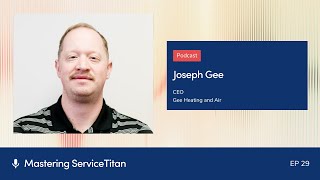
Joseph G., CEO of GE Heating & Air, walks through how ServiceTitan tags, alerts, and Zapier integrations cut HVAC install times to same-day or next-day. He runs reports every two hours, uses emoji-coded dispatch boards, stages install kits in under 10 minutes, and enforces a three-day booking window to move jobs faster.
Questions this video answers
About seven years.
Most installs are completed within 12 hours; they quote a 24-hour target as a grace window.
Every two hours.
He advises not running tune-ups or maintenances after about 2:00 PM (to preserve afternoon capacity).
Under 10 minutes (they timed it at about five minutes).
If you use the tags, you game plan well, you game plan with your dispatcher, you dispatch for profit, you use the alerts, you use the triggers. This is all built into Service Titan. Once you pick what you want, it just does it itself. It's just automated.
Welcome to Mastering Service Titan, where you get expert advice from power users. I'm your host, Josh Liu and today I'm joined by Joseph G. The CEO of GE Heating and Air. And we're diving into increasing visibility into your sales and install process with Service Titan with different tools like tags, alerts, forms and using zaps. And so Joseph, welcome to the show.
Appreciate it. Thanks for having me on.
Thank you. So first to kick us off and jump right in, could you describe your sales to install process outside of Service Titan? Just at a high level.
We knew that in our area a lot of people, there's a lot of heat and air companies in Georgia. It gets hot in Georgia. So we had to develop a system that was based on speed because that was really the only thing we could really control. Because if you're listening to this, you know, like everybody kind of sells the same units and systems and it's like everybody knows the big names and like Linux carrier Daikin Goodman, whatever. So how can we do this faster? How can we, you know, that maybe that's one thing that we could be, that's more competitive. A big thing, just to kind of give you a broad 50,000 foot view, is we have developed it. Every year we get a little bit better, a little bit better, but we can basically do an install. Our trucks are usually backing up. By the time the customer's kind of signing the paperwork and filling out the financing, we're pretty much already on site ready to start installing the unit. So that takes a lot of work. I know that sounds really cool and really easy, but there is a lot of stuff that goes on with that and we use Service Titan to be able to do it and we'll kind of dive into that, how we break that down. So our sales process, we use Service Titan to sell our equipment, to sell our proposals. Everything is triggered through Service Titan. Service Titan gives us the visibility on our dispatch board to go ahead and have like kind of a, an alert system before the cut, before our tech's even heading to that possibility of a flip or an opportunity to sell. Of course, you know, not every house is done that fast. Some people are like, oh, you know, tomorrow, or if it's like 10 o' clock at night or stuff like that, but we'll have you installed within, we like to say 24 hours gives a little grace, but most of our installs are getting installed within 12 hours. So it sounds a lot prettier and cooler, you know, just saying it out loud. But there's a lot of people, there's a lot of stuff that goes into that. So. And we can dive into each part of that. So.
Sounds good. Yeah. Just if I was saying earlier, you say it so nonchalantly like, you know, they're signing the paper trucks already backing into the driveway. But I bet it's like that duck on water analogy, right? Like it seems like everything's super dialed in the front end and then in the back end.
Yeah, it gets, it gets a little crazy sometimes, especially in the summertime trying to do that. Because that's been our biggest question is how do you maintain that speed in the summertime. And fortunately with Service Titan and the way I'm about to break this down, the way, you know we're going to talk about it today, it just takes planning and prep. And then during your slower season, your solar season is when you fix everything and make it all correct. And, and because during the summer you really don't have time to. You're just like, go, go, go, go, go. Especially in Georgia, if anybody's ever been to Georgia in the summer, we have this thing called humidity and it's an absolute, I believe it's the mark of the beast. It's an absolute sign of the devil. And so people do not like to wait because here, like, even if the temperature drops, like you're just sweating all night and it's miserable. That's really one of been one of the biggest reasons we've been able to grow so fast is because of our speed and how we're able to deliver and get people so fast. Because a lot of times other companies, they'll tell you it's going to be two or three weeks or it's going to be a month or it's going to be three days or two days or hey, we can't get you till next week when we're like, we, we can come this afternoon, we can be there tonight, we'll be there Saturday morning tomorrow, you know, kind of thing. So we can dive into all the different steps along the way as well too.
So yeah, let's do it. So let's start off from the beginning. As soon as you guys arrive, how are you using tags and alerts to kind of kick off that process?
Yeah, so that's a, yeah, that's a Big one. So it actually starts before we arrive. And I'm sure a lot of people have heard this, but if you're not filtering your calls and setting yourself up and anybody listening to this can reach out to me, I'll explain it to you more. But there needs to be a three day booking window and you need to prioritize your calls. So something that we did was crazy and we can go into that another podcast for another day. We don't run five year old or under calls. Units that are five years or under, we don't run them, we only run five plus. We just stick to our strike zone. So we get a lot of information up front. Like as far as like the age of the system, everybody's heard that stuff, like all that, you know, whatever. And our girls tag them as replacement ops and they have these little things that are tags on Service Titan you can put, right, you can see them on your board. So we have TV screens and everybody knows about all that kind of stuff. Everybody's used Service Titan for that, those reasons, right. But we had the same, let's make it look like Jurassic park because we want to see these. We have little tags that have dinosaurs on them. So it's kind of fun to play with. So literally we'll play the Jurassic park theme. We want all the, you know, the, the, the board to be full of opportunities, right? And the reason we cut out the one to four year old systems, if you think about anybody who's listening to this, like it just wears on your techs. And a lot of those calls are we don't want to void their warranties if somebody else put them in. There's a whole way we do that. But you know, your techs, when they see their board full of opportunities, five plus year old units, they know their, they know their tickets are going to be higher, they know their conversion rates are going to be higher. They rather run, run those calls. You're not having to catch as many calls, you don't have to have as many texts, you're not burning gas, burning windshield time, all that kind of stuff. So once we see the tags, we make sure that we tag them as replacement opportunities. The age of the system, we put 10 plus all that kind of stuff and it's very, very visible to see it on the whole board. We don't book for location, we assign based on profit, based on who's our best flipper. So we do conversion reports like we have who's hot and who's not, right. So if you're Converting calls. We're going to keep feeding you calls. Okay, so that's a big thing too. But we use that board, that visibility. We're going to send the best tech, who's the best flipper, along with the best supervisor behind them to flip that system. And because we're able to see it in real time on our board, we've already got the supervisor waiting in the cul de sac before the service tech even shows up. And then he does the whole flipping is like, hey, my supervisor's on a project near, close by. Let's come get a second opinion. That whole thing. So we're able to flip and sell the unit right there. Right. So he's already in the cul de sac. Because we already knew about this cul. We saw it way ahead. We already had everybody set up, right. It's already being sent out and everybody's seeing it on tv. And visibility, we're like, hey, get a crew ready, start. You know, we have crews on standby and all that kind of stuff. We also have equipment here. That's a big thing too. You got to have equipment in your, in your inventory to be ready. We have the staging areas, all that kind of stuff. Our warehouse has pre made install kits for AC80, AC90s package units, heat pumps, everything. So they literally don't have to go through the warehouse and pick and pull everything. They literally just pull the kit. Warehouse managers already sending everything. We can pretty much stage a unit within with less than 10 minutes. It takes about five. I think we actually timed it one time, it was under 10 minutes and they're out the door ready to, ready to run. So the tags let us see and go ahead and have a game plan and getting every. Get the supervisor ready, get the tech ready, get him, send him motivation. I may send a text like, hey man, let's get this unit. Let's get it solved and let's get it flipped, let's get it sold. We're making sure that we're watching. You know, we got our hawk eyes on it, whatever. The warehouse is already alerted by everything. So that's. I think that's probably step one. You mentioned something about going into how we trigger what was the next one you wanted to kind of the next part of the process?
Yeah, I wanted to go over alerts, but actually before we get there, what tags are you using? Like, I know some companies, there's always this question of like how many tags. What deserves a tag? Sometimes people get way too crazy with tags.
Yeah, yeah, that's, that's good. So, okay, so it's kind of. It's kind of both. You never can have too many tags, but you can also have too many tags. I know that makes. That doesn't sound so on the actual board, you want to have just like replacement op and the age. And what I would suggest doing is putting emojis with it because you can see those little fire and those little dinosaurs and change them to really bright colors. Make it to where they're really bright. Okay, that's. And then, you know, when you go into service time, you can say, hey, show up on the. It shows on the dispatch board. That's all you want to see. So that you can see the whole board and you see all your opportunities. Then when you get on the customer account, I mean, we have ones that tell, you know, if they're an OMG customer, the age replacement op, we tag, they have a dog. Do they have a gate code? You can have all kinds of different tags. You. You customize them. I would say if it doesn't help me sell the unit, it's not a really important tag. If it's a replacement op, that's. Those are what's going to get you. And we even, we. Even if they're five plus, whatever, you know, we're putting the age of them and then we're also putting big, big tip, big ticket opportunity. You know, if we know somebody's bought stuff in the past, those kinds of things. But on the dispatch board, keep it clean so that because you don't get bogged down by all these little, like, little things, you just want to see replacement op and the age so that you can have a game plan and say, okay. And you can. Your service manager, your dispatchers are coordinating and saying, hey, like, we need to send this person. We need to do this. And then all the guys kind of see, like, hey, we got these opportunities. We got opportunities for same days and all that kind of stuff too. But. But on the back end too, you got to make sure that you know how many spots you have available or they're open. So that's something that goes out every single day too, is we have a report that goes out every two hours that tells us how many appointments we have. And you can customize all this in service Titan. Right? So how many appointments we have, how many ops we have, our total revenue, our sales revenue or service revenue. And then a big thing is how many open spots we have. And another thing, too, I'll give a piece of advice to anybody. We don't run tune ups or maintenances after like two o' clock in a day. We leave all the afternoon late ones because think about it, that's your on demand emergency. Like hey, my heat don't work, my AC don't work, can you get me today? But if you're full till 6, 7 o', clock, 8 o' clock with maintenances and tunics with units that's working like we'll get to them, like we book them or whatever, like I'm telling you, man, that 10 to 2 window, that's good for those people. But you leave your two o' clock after, leave it open for people to call in that day and be able to have space to get them on your board board in the summertime people are like, how are you that fast? Well if you're doing, if you're not doing tune ups after 2 o', clock, if you're leaving plenty of opportunities for you guys if you're game planning and we'll get into this a minute about slack communication or teams or whatever. Every day our dispatcher is literally posting every hour what tech is assigned to what super, what location, the age of the system, where the call came from and everything. And then gives an update every single time super's on its way, flipped, sold for 12,000, whatever. And she's constantly, every hour updating it. So everybody in the call center, all the lead center, all the dispatchers, everybody are constantly updating that slack communication. And then that report goes out every two hours telling us how many spots we still have available. And we still got spots available. We haven't. We've got reports that say our goal today was to book 50 calls. We're at 35. So that means we got 15 opportunities left that we can, we could fill up and service time helps us do that so we can see all that. So that's a big thing. So that's how we use the tags.
Quick follow up question on tags to get, you know, only the right ones to show up on the dispatch board. Is that a setting of like it's.
When you create them. It says show up on the dispatch board. Yep, yep.
Okay.
I think it says display on this, on, on dispatch board or something like that. It's right there. You just click it. If you don't click it, it'll just show up on the customer. But if you click it, it will show up on the thing and like I said just do like one or two the main bright big emoji ones that you need to see.
Perfect.
That's a Big key.
Perfect. I love the Jurassic part. That, that's awesome. So that's tags. Now how does that relate to alerts and keeping everyone up to date?
Yeah. So, okay, so when you go to service titan, if you go over into the tools and there's like alerts, like all this kind of stuff, there's like all these different alerts. So a big one is you're gonna spend some time setting this up, but once you do it, it really helps. So alerts is whenever someone sells something, right? For instance, so it will send you an alert. It'll send you like an email or like a text message to your phone or whatever, right. You can send SMS or an email right. To certain people. And you, you have all your employees in there and your managers and you can pick whoever it goes to. Right. I mean, this is kind of for leading into the zaps that we have next or whatever. But setting up those alerts, you need to be setting up alerts for. Every time for some service is sold, every time a part is needed to be ordered, every time a unit is sold, every time a duck work job sold, duct cleaning sold, IQ products sold have ones about. They have to fill out part order forms. The sales guys do a job costing like a sold job form, like how many ducks and they have to do all the cat whatever. You can custom make all this stuff. And service time you can also do, you can upload PDFs like, so you can have like your duckwork designs all these stuff and you just upload it into it and do like, and it's a filler or whatever, like we did. And so when something's sold, it automatically triggers that. And then like we send it to the install coordinator, we send it to the warehouse coordinator, goes to the sales coordinator, goes to salesman. Like everybody starts getting those alerts. For instance, like when a part is sold, there's a part order form that's triggered. Because you can do triggers on service titan, right? Again, anybody that's listening to this, you're like, hey, I don't know how to do this. Just hit me up, I'll show you how to do it. If I'm a dumb redneck from Georgia that can figure out how to, how to do this, I'm telling you guys, I know it's not complicated. So every time, you know, they sell a part, there's a part order form they got to make sure the parts are in. And that goes to our warehouse. They have it pulled, put in their bin and it's sitting there waiting for Them their little specific bin in the warehouse, which is really cool. Like, this is something that people don't believe me on this. But here and there we've had to run to get stuff. Like if we're really far off on a job and there's supply house close. But I would say 99% of our installs and service work parts and everything, our technicians haven't had to go to a supply house in over two years.
Wow, that's legit. You guys are dialed in.
Yeah, we, we keep them out of supply house because anybody that's an owner that's watching this, like, what, what's gonna happen when they go to supply house? They're gonna sit there and wait. They're gonna take their time, they're gonna talk to their buddy. That's money that they're burning, that's in your pocket, whatever. So we have everything waiting for them here. If a part, I mean, I'm sitting here on my phone watching stuff come in. It sends me a text message to the right people. It sends an email, goes out to the right people. Our parts coordinator, she's already on it. She's making sure it's ordered. Or if it's a stock item on the truck, she's making sure that he's properly deducting that. Or if it's something we have already in the warehouse, we are pulling it. It's getting pulled and put into their technician bin waiting for them to pick up. What she does is she'll go on our slack communication. Or you may have teams or there's different types of inner company communications. She thumbs up when she sees it and then it's green checked once it's completed. Park order, customer satisfy, whatever, and then she'll reply to it. It's like scheduled for March 12 at from 2 to 4 on technician Trey B. PO number whatever, blah, blah, blah. And it's literally sitting right out here waiting for them. They know the part, whatever. It's already scheduled. It's old, whatever. So that, that's a big one too. So when you have those triggers, it's kind of like automating, you know. So you're using service titan to take care of a lot of that backend because that's the biggest, that's the hardest part is the, the follow up. Right. So you drop a lot of people drop the ball and stuff. So if you use the tags, you game plan well, you game plan with your dispatcher. You dispatch for profit. You use the alerts, you use the triggers. This is all built in the Service Titan, you download the, you can send automated reports. The reports just pull itself. Once you pick what you want, it just does it itself. It's just automated, right? So I'm like, I'm getting a, I'm not sitting there physically counting every call, you know, whatever, right? So it's like use what Service Titan gives you to have visibility and see how your company's doing during the day. And that's one of the reasons we exponentially grew so fast in such a short amount of time. You know, because when we tell people that how fast we grew, they're like, how did you do that? We're like, well, we just automated everything as we could, as much as we could, we deleted as much as we could, we oversimplified everything, we made it super simple, we questioned everything. And we still today like we're still deleting stuff and changing things and making it better. And like, why are we doing this? Why don't we just do this? The biggest part of that though is you don't want it just to go to an SMS or a, an email just to them. You need to be part of it too. Or I guess the next question is we use Zapier. So we zap. You go in there and you, you take that information and it says what to what? And it zaps into Slack. You have to have accountability for any of this to work. There has to be accountability. Okay, so we have to see the dispatch board. It has got to be on the TVs. We've got to make sure that the dispatchers are updating Slack with those Joses on standby for Edgar in Alpharetta, Georgia for a 20 year old unit, blah, blah, blah, blah. No heat, right? If they're not doing that, not putting on there, then we got to call them out like, hey, where's the update? What's going on? Same thing for our sales guys when they're running no charge estimates. Our sales coordinator, she's putting on every single one, everyone that gets added. Then we have that report that goes out every two hours that tells us how many calls we have, how much revenue we're generating, our profit, how many calls we have available, that's still left. What we use Zapier for is those park order forms. Every time something's sold we have different things on Slack. Like we got like just service install, you know, warranty and all this stuff. So every time a alert comes in on Service Titan it's going to come to Slack in that department and that department head and Myself and my brother and everybody, they know we're. I can be at home. And I'm just sitting there watching it going, okay, are they going to respond to this? Did they, did she thumbs up that she saw the order? Did she green arrow it that it got booked? We even zap all of our Google reviews and all of our better business reviews. We zap all of our any of that stuff. So literally it goes to all of our managers. Every time we get a one star zapped into Slack goes notifies all of our managers and they're like, hey, I'm on it. I'll take care of it. Let me call them, whatever. So to go back to our sales process, we see the tags, we set the best person up. We already have the supervisor in the, in the cul de sac ready to go. They're taking care of business. They sign the paperwork when they hit service day and they say, hey, this is the one. I want to sign it. They're filling out financing. That form is then alerted and zapped into certain, into into Slack. It's sent to our warehouse manager, our warehouse team is sent to the salesman. All these different people, it's part of their thing. They have to thumbs up, say, I see it. It's already getting pulled install kit. And then our warehouse manager is the in store coordinator. He's like PO number install kit, this, this and we also need this, this and this because he's looking at the job, making sure all the other. If there's any additional stuff, boom. And it's stage number four and they know where it's going. Then the warehouse goes and there's a whiteboard, literally whiteboard. They write PO number whatever. It's just sitting there waiting for it. And then the install manager goes, hey, I've already got it. Crew A is about to back up, load up like it's already. Because everything is alerted and zapped to those people, to those right things. And then everybody's thumbs up in it along the process. And you can just sit here and see it's getting booked and it's getting green arrowed and they'll say same day, you know, blah blah, blah, and everything. So full process, seeing the alerts, tagging the systems, the alerts happen. Then it zaps through our accountability, through our Slack, whatever. So every time a units get sold, every time a part gets sold, duct cleaning gets scheduled and you upset customers. We have a customer service issue one. Anything that comes through service titan, you can do an alert and zap it to Slack. So you literally have full accountability and visibility of your, of your company. You got to have the TV screens up, you can't hide. You got to make sure you put everything accountable, put everything out there. And then the last thing is put everybody on checklists. Everybody has to do a checklist every single day and submit it. So what did you work on? What got done? Your managers need to be putting in how many calls they ran, how much revenue they generated, their average tickets, they got to do it every day. So that's kind of the layout of the process. But you know, any questions, I know people are going to be asking me or whatever, but we use Service Titan a lot. So we've been on it now for like seven years. Wow.
Yeah, I can see how every, every slow season you've refined, refine, refine and get to this. You guys are like expert black belt level when it comes to this stuff. For all those beginners out there, when it comes to alerts and zaps, if they're not really using that like you mentioned, unit sold upset customers, there's a lot of different alerts. If someone's using no alerts and nose apps, which one or two would you start with?
Yeah, first of all, you need to get some kind of inner communication for your company. Okay. Now Service Titan communicates with my customers very well. Like we have Marketing Pro, we have like the chat and the G, all the stuff like we communicate to our customers very well. But yes, I can text my technicians and say hey so and so, Ms. Smith's there, whatever and stuff. But it's not really a teams or like a slack, like a, you know, like all these companies use these intercompany communicate and they're free. A lot of them are free especially you know what I'm saying? So make sure you download one of those. And then I would say the most important alert tag you can do is replacement opportunity and age of system. Don't run tune ups after if you don't want to do two o' clock yet. If you haven't got enough to fill that maybe after four, you know, because it's going to kill your tags. Going to an hour drive to go do a maintenance on a one year old system. Like that's how you get guys to quit. Right? So cut that out. I would just go down to replacement op and age of system because that is like the most important thing. Just focus on those two tags and then the biggest alerts I would do is do an alert when a unit is sold. When you do checklists, don't do anything over 10 because people just zone out if it sees like 50 things on there. So just do like 10 things part form, maybe like when it parts sold. So like a unit sold, part sold. And then maybe like a general follow up note one, maybe like those three. And then go to zap and figure out how to just do those three. So you have the tags, you have the alerts, and then you can zap it into whatever communication system you're guiding and then you can just add on from there. Once you figure that out, then you're just adding on. So replacement op agent system. Get some kind of intercommunication system. And I would start off with units sold, service sold, and then some generic like follow up communication, maybe like a little small checklist kind of thing.
Okay, perfect.
And figure out, you know, you should have your employees and everything and make sure they have their cell phone numbers in there or if you have company phones or whatever numbers so that you can send them a text and an email to their company. Email. And then they'll see it also on the communication thing, because if you're just sending text and emails to them, you know how many times I've gotten text and forgotten to look at it or an email and I it went got lost or whatever. But if it's getting zapped into that central communication thing, then it just increases visibility. It's accountability. And they know we're watching it. Like if, you know, like the CEO of Service Titan is watching, you know, like literally you're like, okay, yeah, let me make sure I get that done. So that's been huge. Whatever. They're making them do their checklist, but start simple. I learned something from a really good friend of mine. I'm sure y' all are familiar with him, his name Ishmael Valdez. He taught me something called the basic. Keep it basic. You book them, you assign them, you sell them, you install it and you collect it. Basic, that's, that's what we do every day and just figure out how to do that faster than everybody. So if it's not helping you book it, it's not helping you assign it, it's not helping you sell it, it's not helping you install it, it's not helping you collect it, then don't do it. I think a lot of times we create a lot of entropy and a lot of self harm and problems because we try to over communicate, we try to over complicate everything. Just keep it simple. And that's what's been the success. It's Been huge.
That is so smart. I love how the text and email alerts go to everyone, but then in the department Slack, there's like, it goes there too. And then everyone can see when someone's on.
Yeah. And when I just to clarify too, like, not every sole job form goes to every single manager because, like the warranty manager needs to just deal with warranty stuff. Right. The text and the emails go to the specific people that need to be part of that conversation. Because when we first set it up, we were realizing we were literally adding everybody to every group. We're like, we'll just send it to the whole company. And you're like, dude, that causes so much chaos. Keep it to your call center. Keep it your lead center. Keep it your sales team, Keep it your install team. Like the very key. Now, us as owners, me and my brother, we're in every one of them, of course. Right. If you have a general manager. Yeah, he should be in every single one of them and be on everybody's butt. Right. But that's just kind of the crown that we wear. Right. But keep it very specific, very targeted to those people. You can always add people later, but it's just keep it more clear, clarity, keep it simple. I'm telling you, keep it basic, book it, assign it, sell it, install and collect it. Like, if that's all you can do.
Beautiful. When. When you mentioned checklist. Is that the forms in service item?
Okay. Just create a form, make them do a checklist, and they have to submit it every day.
Got it. How does that work into this workflow? So it sounds like everybody submits a end of day checklist.
Yeah. So you can trigger it to where it automatically goes out. It's like a report. You know what they have to do is they have to do it at the eod. End of shift, end of day. Because, you know, there's different shifts. Like some people are here until 7, 10 o'. Clock. You know, we have different shifts, weekend people, all that stuff. They had to. Yeah. So. And you do it really, really, really specific to what their job is. For instance, you know, don't put stupid stuff on there that doesn't really matter to their job. You know, like call center, how many calls did you take? How many did you book? How many were 10 + how many were 5 + how many memberships did you sell? Just make it really, really, really, really simple. And because we made it when every year or two, you can ask my brother, like, we literally just make it more and more simple. I. I had when I first did the. The forms and the checklist. I think I had like, 30. It was like all these things, you know, I was like, look, like, just keep it in your strike zone. Keep it specifically what those people do. And that way, when you see those. Them doing those reports every day, it's kind of. I have reports that show me, like, our call center stuff, right? Like the booking rates and all that stuff. Like, we can go in. You know, that's another podcast for another day. But when they physically have to count them and keep accountability to it and send it to you every day and send it to the boss every day, they kind of know, like, okay, I didn't. I have to send this in every day. You know, so we have this thing, like, if you don't send your EOD report in, you don't. You don't do your checklist. You don't. It's like, you didn't work that day. Everybody asked us, like, when we tell them our story about how we grew so fast, like, how did you do it? Like, speed, efficiency, alerts, visibility, and making everything super simple.
Yeah, it's. It's so smart. How. And it's just really beautiful to see how dialed in everything is and how you guys prioritize. You really seem to, like, 80, 20 in. In each of these functions. What's the most important key thing? And then just forget all the rest, dude.
You know, it's. It's like, you just gotta be okay with breaking some china. You just gotta be okay with, like, you're not gonna get everything right, and you can't be a perfectionist about it, you know, like, you can fix it later and make it whatever, but if you get bogged down in it being perfect, you'll never do it. You'll never implement it. You know, sometimes an implemented plan is better than just a perfect plan that's never implemented, right? So once you get the train going and you start seeing how it works, then you kind of. You almost get addicted to it because you're like, I can make this better. Like, I can make this faster. I know I can. You know, and, like, there's something more here that can do. And then you start realizing that big thing is, like, probably 80% of the stuff that your workers were doing, the people in your office, was absolute minutiae and bottlenecking your company. And you're just like, well, why can't you just take this, you know, like, here and. And, you know, that kind of stuff, whatever. And I always quote that funny line. I don't know if you, you know, the movie Office Space, when he was like, well, I have to ask. When you. Not just the customers, not just take it straight to the engineers themselves, you know, it's like your eyes start kind of getting opening, and then you start realizing that, like, you know, it wasn't that you have bad processes and stuff, it's just everybody was confused on it, you know, so visibility helps to get that cleared up, and it keeps very, very specific. And I'll tell you another thing, too. Don't. Don't assign jobs to, like, departments. Sign them to people. Like, this is Megan's job. This is Yasmin's job. This is. Because when you say departments, they can be like, well, so they'll just start blaming each other in that department. But if you're like, no, this is specifically what I asked you to do, that was huge, too. That's another big thing.
Yeah, I sense the theme of, like, visibility, accountability, and ownership is just at the core of your guys's operations, especially that accountability piece. So many people are like, oh, that's cool. That's a shiny new workflow. Let me do that. And then not accountable for it, and it starts to fall to the.
None of it matters if you don't hold people accountable and ask questions and verify it. So all this stuff we talked about, like, it sounds cool. And you can spend. You can stay up, like, all night fixing service tight. You can stay up, like all weekend and not see your family and try to get all this stuff set up. But if you don't go and implement it and train the people on it and then hold them accountable to actually do it, I don't mind telling people my ideas and different stuff because 99% of people don't do them. You know, like, they're not going to. I mean, I'm just going to be honest with you. Most people that listen to this aren't going to actually implement it right there. You know, it's going to be that 1% that actually does it and then actually holds people accountable to it. That was the hardest part for me, is to learn the accountability. Because, you know, as a CEO, you know, like, sometimes I want to be everybody's friend, and I want to be the cool guy. I want to be the hype guy. It's like, no, you got to call them out. Like, you know, why did we not get the same day? Why didn't we get this? Why didn't we do that? But service time's huge on visibility, man. Know you. You can't hide it. It tracks everything and every conversation. And you should be listening to your CSRs. Like, literally, our CMO just sent a thing out and was like, send it. Blasted it to our lead center, call center. It's like, this is. This is actually unacceptable. We had a lady who was ready to buy a unit, and we just kind of dropped the ball and it just got blasted on our slack, whatever. And him sending it out and stuff. And, you know, it's like, you gotta go call people out. It's okay. You know, there's a right way to do it, but it.
Yeah, that's incredible. Thank you so much for diving into the nitty gritty of how it's all set up, because, yeah, that was an awesome line you dropped at the beginning where it's like, they're signing, they're pulling up, and then you got to share exactly how you guys broke it down.
So there's a lot of. Lot of pieces to that if anybody wants to talk to anybody, because you got to make sure your inventory. Like, a lot of times we don't even stock half tons. We just stock, like, two, three, four. Like, we keep it minimum skill skews people. It blows their mind when we tell them that, like, we keep minimum skus. We're very vanilla. Like, we're very simple. Like, just keep it. Keep it super simple. So there's a lot of process that goes into. But with automation, you don't have to hire 50 people to do something that a computer can do and helps you cut down your overhead. I'm just saying. So it's huge.
There you go. Awesome. We'll include a lot of the links to some of these features like alerts and triggers and zapier. We'll put that all in the description. So if you're inspired by Joseph and these workflow flows and you want to take the next step, just click those links. You'll see exactly how to set it up. But other than that, Joseph, thanks so much for joining us today. And we will catch you.
And guys, you can hit me up on Facebook. Joseph G. And then Joseph Timothy G. I think it's under. And then also too, people think I'm crazy for doing this, but I give out my cell phone number all the time. Every time I do a podcast, I give up my cell phone number. It's 6789-3621-1767-8936, 2117. Hit me up on Facebook, text me. I have no problem helping people to do it better. It's no problem.
You're awesome. Thank you so much for that. Thank you for supporting our customers. And we'll catch you all on the next episode.
More from Bill




Capturing the 80%: How SmartAC’s Gen-2 Targets Non-Membership Homeowners | Podcast Ep. 296

Build better customer data with every booking in ServiceTitan | TAD Tune-Up Series

The Biggest Change for Roofers Coming From Other Roofing Software to #ServiceTitan?

