Maximizing upsells with upgrades and recommendations | TAD Tune-Up
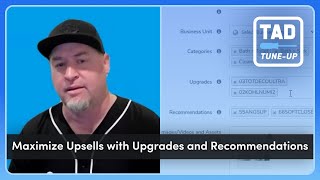
Timmy Boy walks through adding upgrades and recommendations to your Price Book in ServiceTitan. Use the good/better/best model (like American Standard to Toto to Kohler Numi toilets) and "usually bought with" suggestions (angle stop, supply line, soft-close lid) to boost technician upsells. You need 25 services with upgrades and 25 with recommendations to hit the success criteria.
Questions this video answers
At least 25 price book service items must have upgrades.
At least 25 price book service items must have recommendations.
Percent of managed sales and service technicians who have added at least five recommendations in the last 30 days.
>30% of technicians = 1 point; >70% of technicians = 3 points.
How we doing folks? Timmy Boy here with another Titan Advisor feature in our Titan Advisor Tune up series. Today's feature we're going to be covering adding upgrades and recommendations into your price book. Now if you know me, you know I always like to start with the why. And so the first place we'll start this conversation is with the customer buying experience. And what I mean by that is I think our customers are used to be or programmed from all the online buying that we do or shopping that we do. So if I go to Amazon or any of these online sites and purchase one of the things that you're going to notice when you open up that main item that you're looking at, usually right below it you will see something like usually bought with and that might be our recommendations in Service Titan. If I was to scroll down on that same item and I go a little bit lower down there, I'm going to see my item in one column and probably three or four other columns there that are going to show upgrades or other items that I might be able to purchase. And so this is the normal buying experience our customers are used to. And let's give Service Titan some props here that they're allowing us to provide upgrades and recommendations at our customer experience level. Now the other thing that I want to point out and, and I guess this would be how confident are you that your technicians are providing the right recommendations or upgrades every single call. That's a tough one to sip on. If you're not 100% sure they're doing this perfectly, then maybe upgrades and recommendations are best for you. Let's check out, let's get into our Titan Advisor. Let me share my screen here and we'll get into our Titan Advisor. That is that rocket ship up in your upper right corner up here. We're going to click into that rocket ship and usually we will search our business sections to find that. But an easy way to look for this Timmy Boy pro tip here, utilize that, customize your current plan and let's just type in upgrades. Whoops. Upgrades. There it is. Maximize upsells with upgrades and recommendations. We can see this is a quick win. It's incomplete in this account and we have three points available for us. We'll open this up just the lay of the land real quick. This will be our title here. This is the business section that it's in in price book. Our customer types that are affected, the business goals that we see. You'll see a brief description. Probably my favorite is our business goals here or our business KPI's associated with this actual feature. A great GIF or gif, whatever you prefer. There we can see the good, better, best, which is actually those upgrades that are available once they click on to the invoice. In the the old way you would see the recommendations. We have something to set up. If you're not seeing and you're following along with me in your Titan Advisor account, look for this dropdown arrow below that image. Or GIF or gif, whatever you prefer. We're going to open that up and we're going to focus on the what to set up first, that is adding upgrades to your price book. In Titan Advisor, our success criteria is that you must have at least 25 price book service items that have upgrades. Now we'll look at the recommendations side in your price book. Titan Advisor success criteria here is again that you have to have at least 25 price book service items that have recommendations. So this is the setup now we're going to focus on the how to use this is that behavioral side. But remember, to earn points down here, you have to complete the setup. So you have to meet these requirements of 25 upgrades and 25 recommendations. As we look at the how we're using it. What Titan Advisor is actually measuring is the percent of managed sales and service technicians who have added at least five recommendations in the last 30 days. So we can see here this is based off of a percentage. So over 30% gets you one point and over 70% will get you the full three points. This is a good way to manage your technician's accountability with providing these upgrades and recommendations. You want to make sure that you're above that 70% and earning the full three points. All right, let's get into our Service Titan account and actually see how we actually set these up. And I know what you're thinking, oh, more work for us. Another big job in Service Titan to do. Well, actually, this is a low to medium lift and I think the juice is definitely worth the squeeze on this one. Let's go to our price book and let's see how this is done. All right, to keep this really basic, we're going to use a service that's. How about toilets? Let's use toilets. Everybody understands the what a toilet is, what it does. And so when I think about toilets and upgrades and recommendations, let's break this down to a real easy and something we can, we can really chew on here. If I offer a basic toilet, an upgrade is going to be an improvement on that product. So maybe we look at AMERIC standard toilet, Home Depot model box store model. And then we upgrade maybe to a Toto and then another even better upgrade might be the Kohler Numi toilet, super futuristic toilet. And so that's how I would deem an upgrade now with the same analogy of a toilet. The recommendations are going to be a little bit different. These are accessories or things that are usually bought with that toilet. So in this case we might be looking at something like a let's say an angle stop and supply line or a soft close lid or maybe in a wash lit bidet. These there might be some add ons that we, that we see usually bought with that. So with that said let's start with the toilets. Let's just do a quick search in my price book for toilets. Let's see what comes up here. Oh perfect. There is that American Standard toilet. Let's open this up individually here and we'll look at this service. Now a little Timmy boy pro tip. I can do upgrades in both services and equipment and I can do upgrades and recommendations in the services. Now all below all your stuff, your pricing, your categories, your business units, your general ledger accounts, you're going to find upgrades and recommendations. And you'll notice that Hover Discover is in full effect here. You can always get the definition so you'll never forget what the difference is between an upgrade and a recommendation. In this case we are grabbing these exactly from our price book from other tasks that we've services that we've already set up. So you can see in this case I've added that toto and I've added a color now as well. In the recommendations I've added a angle stop supply line and a soft close lid. If I wanted to add something else in here as far as recommendations here, a good one that I see a lot of, a lot of people do in our sessions is a recommendation is add your membership here. And so we'll do exactly that. You can see I've added our gold membership and it showed up. Let's hit save. All right, perfect. We'll go back to our price book and now let's go check out our mobile version here. Let's minimize this and get to our mobile version. The one thing I'm going to have to do is refresh my price book, download the price book. Usually what I'll see with technicians is they forget to do this. So we send friendly reminders. Okay, perfect. We are up. Let's go down into our current job. Let's look at some estimates. I've already created A estimate template here. Let's open this up and add something to this, this estimate. There is nothing in it right now. So let's go tap some items here. We're going to go to that toilet item here. There we go. We'll scroll down there. We see that American Standard. Let's add this to our actual what we're going to be creating the estimate. You'll notice that if I'm doing this with my customer, a technician is doing this with their customer. We'll go right to it. I see my instant. This is that Home Depot model toilet. But I also can show the customer that there is a better and a best option being that total toilet and that Kohler. So we can see that. And as soon as I add this to the estimate, boom, there is those recommendations, recommended services, that membership plan, the angle stop and your technician now has the opportunity to upsell this with the angle stop supply line, maybe a soft close lid and a membership. So I love this part of it from the technician side. This is definitely going to help with improving conversion rate and for sure with that customer experience. Let's go back to the price book here. You, you saw how I did this from an individual service standpoint. Another Timmy Boy pro tip. If you go to your categories and we go to let's say, let's go down. Let's see here do I got some. We'll just grab one of these as an example. I can go down here. I'm going to hit edit additional details and you're going to see at the bottom here this default recommendations. This gives you the capability to be able to add recommendations at the category level meaning and subcategory level meaning any services that are in that category subcategory will now have this recommendation. And this is just going to grab from your price book so we can see that gold membership plan. I'm adding it right there and and I hit save and now every one of those items in there has that recommendation. Another way to do this, another Timmy Boy pro tip. One of my favorite here is if I am in this, let's. Let's get out of this is to use your filter capability and your bulk edit mode. So let's first let's filter here. And a great way to think about our memberships is anything over say like $800 is a great opportunity to sell a membership. So we're gonna filter by $800. Let's hit that and let's hit apply. Now. Everything in my book, my service, my price book here is now up. That's over $800. Let's go hit the edit mode. And the first thing we have to do is make sure that our upgrades and recommendations are, are highlighted. And they are in this case. Let's go over here and let's do some bulk edit mode. All right, so let's say that we want that recommendation to show up on anything and I'm going to check everything. Now, I could go through here and unselect a few items if I didn't feel like that was worthy or maybe a great membership opportunity. But if I go in here, I'm going to hit that edit pencil and this is where I'm going to search those things. So I'm just going to hit my gold membership here. There it is. Gold membership plan. I'm going to select that and we are going to. We like that. We're going to add that to all the recommendations. So you can see, Bam. Done. All that Gold membership is done. So this is what I say. It's a low to medium lift that we can add these to your price book. I love adding upgrades and recommendations again, I think it's going to help with our conversion rate our total revenue sales and provide a customer experience that's unbelievable. So props to Service Titan for giving this capability. That is the feature we covered today. Just a quick recap. Adding upgrades and recommendations at the price book level, in the services in the category level and bulk editing as well. So pretty easy lift there. If you want to learn more about things like this in Service Titan, be sure to check out the Embers program. Sign up for the free six one hour sessions and learn from program facilitators like myself and other great facilitators on our team. You can find the Embers. Let me show you this. I will leave you with this as my last pro tip. If you go up to your profile icon and we go to that customer resource hub right here, you're going to see at the top here featured programs and that Ember session sign up is right here. I can scroll down as well to the programs and you can see our Ember sessions, our Spark sessions and our Torch Network sessions. I hope you enjoyed this feature. Look forward to seeing you at Embers and hopefully in pantheon 2025. Be sure to leave some comments, some feedback, maybe some great recommendations or pro tips you have that you utilize with your technicians in the comments below. Thank you guys. Have a fantastic day and go easy. My.
More from Bill




Capturing the 80%: How SmartAC’s Gen-2 Targets Non-Membership Homeowners | Podcast Ep. 296

Build better customer data with every booking in ServiceTitan | TAD Tune-Up Series

The Biggest Change for Roofers Coming From Other Roofing Software to #ServiceTitan?

