Navigating the New Dispatch Board: Efficiency at Your Fingertips | Podcast Ep.84
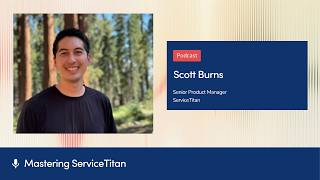
Josh Lew talks with Scott Burns, a senior product manager at ServiceTitan, about major updates to the dispatch board including new horizontal and mobile-friendly views, configurable preferences, and an Activity Center for messaging between office and technicians.
Chapters
We, from the ground up, took a look at what was working well with the dispatch board. The experience needed to be highly performant, scalable for customers of all sizes, whether you have a few technicians and you're just starting out, to customers with hundreds of technicians or even approaching, you know, 1,000 technicians.
Welcome to Mastering ServiceTitan, where you get expert advice from power users, I'm your host, Josh Lew, and today I'm joined by Scott Burns, the senior product manager here at ServiceTitan, and we are talking about all these updates to the dispatch board. And so Scott, welcome to the show.
Thank you, Josh. I'm happy to be here. Like you had said, I'm a senior product manager here at ServiceTitan and I work on our dispatch experience. So all of the things that I think folks are familiar with, like our dispatch boards and all of our kind of scheduling components are, are things that I have my hands on.
Awesome. I remember, uh, when we were planning this episode, you were telling me just how many people use the dispatch board. And, um, can you share maybe a little bit of what is it like to work on the dispatch board? This is a topic we haven't covered yet, and yet there's like so many people use it, so many people who touch it.
The dispatch board is one of those areas at ServiceTitan that I could say probably practically every single customer uses at some point or another throughout the day. So we have many users and that presents some interesting challenges for us. When we make changes, it has a big impact, even if it's just a small change that provides us with a fun opportunity to really make a positive impact on, on our users. So our dispatchers have a lot of preferences and a lot of expectations about how their dispatching workflow should operate. We get the fun part of figuring out what exactly to do and how to prioritize all of that on the, on the product management team.
Awesome. Yeah, I'm excited to talk about some of those optimizations and updates. What do you, what would you say are some of the newest updates to the dispatch board that you wish more people knew about?
The first thing I want to call out is that we've made in the last several months some of the largest changes to the dispatch board and the dispatch experience that ServiceTitan has ever had. So I think this is a really good time to, if you're not already familiar with it, hop in and learn more about our new dispatch board and all the features that we've, we've released recently. So things like the daily dispatch board has a horizontal view that you're familiar with, but we also have a new vertical view so you can see your board easier when you're on the go on a mobile device. And if you have a, a different setup at your desk with your monitors, we have a better layout of information. It's highly configurable. A new and updated job tray where all of your action happens to get your jobs ready to go for the day, for the week, as well as a new visual guide for your jobs that are unassigned. So you no longer have to use your dummy technicians and those workarounds. So I'm really excited about all of those changes and we have a lot of supporting updates that we've made as well.
So if we start with the daily dispatch board, where did this need come from? I'm guessing maybe tons of people just asked for it, or is that, is that how it came about?
Yeah, I think over time what we've really noticed is customers have started to outgrow the dispatch board that they were familiar with. What I mean by that is, is customer growth has just been in some cases exponential. And so the needs we were finding were, were kind of beyond what we could support in the existing board. So we had to look elsewhere and that elsewhere was a new dispatch board entirely. So what we did is we, from the ground up, took a look at what was working well with the dispatch board and the experience, and then applied that to a new design that we had in mind for polishing the board. The experience needed to be highly performant, scalable for customers of all sizes, whether you have a few technicians and you're just starting out, to customers with hundreds of technicians or even approaching, you know, 1,000 technicians. And so there's a wide range of needs that we were looking to support and also make it configurable. So one of the themes that we had going into all this work was that we know dispatchers have specific needs in their, their workflow and every office works a little bit differently. So when we were thinking about what we should allow or show on the board, we realized as we went through customer interviews and feedback sessions, there's a much better opportunity for us to give preferences than, you know, making one specific decision over another about information to show. When we were designing it and then ultimately developing the solution and the new dispatch board, we baked in a lot of these preferences by default. So now when you explore and set up your board, you can pick and choose what information you want to see, how condensed or how zoomed in. Information should show on the board. Ultimately make things a lot quicker for you to find the information you need without having to scroll through potentially hundreds of technicians to find what you need at the bottom of the page. Wow.
What a complex problem to solve where some people have a few, and when you said a few, some companies have upwards of close to 1,000 technicians to manage on a dispatch board. That just sounds insane to me. When you release something new like this, I know change management can be a touchy subject, especially with people who get so in a routine of doing something so many times every single day. How do you introduce these changes or how do people get access to them?
That's a really good topic because there is a lot of muscle memory involved in dispatching. And so what we've observed, whether that's through customer on-sites where we actually go in and, and talk with customers in person and, and shadow how their dispatch team works to going over designs. We know that whether you want changes or not, you know, we have to be really conscious about the decisions we make, whether that's a color change or the placement of an icon, even just if we added more information, that can sometimes also be a problem. So we wanted to give you control about when you turn on your new dispatch board and actually get introduced to new features. So one thing I want to really touch on is the settings page we've added in the last several months for enabling new features. So when you go to the— your settings pages and you go down to the dispatch board and you click into it, you'll see a new and upcoming features page. And that's a really important one to, to know about because that's where my team and I will put all of our major updates to features. So if you think about the new dispatch board being a big update or a new non-job events experience being a big update, that's where you'll be able to see information about it, really read release notes, go through just a basic explanation, and then actually toggle it on or off. And I think that's a really big win for folks who don't like calling in to have something turned on or turned off on their account. So people were, are very happy to see that as an option. But I, I don't think enough people know that it gives you that flexibility so you can pick and choose when you turn something on. When a dispatch manager is ready to turn on a feature, they can prepare ahead of time and get their feature turned on, train themselves up, understand how it works, and then relay that to their team so they know how to use it and nobody's, you know, caught off guard.
How do the permissions work for some of these, uh, toggles for some of the new features? If you turn it on, does it just affect your board, or are you allowed to turn it on for your team?
So when we turn on the feature at the settings page, it does turn it on for every user. So everybody who logs in will have, in this case, a new dispatch board. They'll still have access to their old dispatch board. I think that's real important too. You're not losing anything, we're just giving more options. When you first turn on that new dispatch board, you'll see in our navigation the option to go to the classic dispatch board, which is what you're familiar with, or our new dispatch board, which is what we're encouraging folks to learn more about and try out so that they can get familiar with these new updates we've given people to, to really supercharge their workflows. So you have the option of using either or, or both at the same time. What we've been doing and building upon his dispatcher preferences. So when a dispatcher wants to really kind of configure things to their liking, they can go into either preferences in the upper right-hand corner of their board, select the information they'd like to show. So like maybe you want to show tags on your dispatch job bubbles on the dispatch board, or you want to see the activity lines for technicians below the jobs, or maybe you don't. You can turn them on, on, on and off, and it's all particular to your account. So if somebody else logs in, they can configure it however they like, what they'd like to. So it's really kind of up to you, to each individual to pick and choose what they like the best.
Okay, that makes sense. So there's like a settings that's more of like a global settings. You turn it on, it turns it on for your whole team, but then each individual has preferences where they can set something to their liking.
Yeah, and in fact, there's another one too. I want— actually, I don't want to miss there. You can pick which dispatch board loads when you go to— when you click on dispatch. So if you're familiar with clicking on dispatch and going to the classic board, but now you want to update it to navigate to the new board by default, you can pick that too. It's just really up to your preference. Or you also can use the weekly dispatch board view and select that as your default. So there's, there's plenty of options and it's just up to you which you'd like to pick.
Can you talk a little bit about the update to the non-job events? I think you mentioned that earlier. For people who don't know what the update is, what's new and why did you guys build that?
Yeah, non-job events is a really important area that I think sometimes gets overlooked until you have to work with it and troubleshoot. What I mean by that is it's a feature that helps dispatchers create events that are unrelated to jobs such as lunch breaks or team meetings, and they can place that on their dispatch board for each individual technician or a group of them all at once. And it helps block off their capacity so you know when they're busy and when they're not, so you can better understand their schedule. With the new updates, again, something you can enable from the new and upcoming features page, you can turn it on, and what it'll do is show an update to the design, so the look and feel of the non-job events workflow should feel familiar, but now you have more options. So it should be a faster experience to creating and setting up different preferences about your non-job events for technicians. You can determine if an event repeats and how frequently it repeats. There are options for bulk editing that we didn't have before in the old experience. And it's just generally more visible because all of this shows in line with your dispatch board without having to take you to another page to do any of these changes. So I think it's, it's something that should speed up your, your day-to-day operations.
Gotcha. And to access that one, is that also in the settings in the new and upcoming features?
Yeah. Yeah. So you'll just turn it on from there and then it'll be on for everybody. One other thing that I think is really valuable out of that is that once it's enabled, you'll be able to look at your audit trail for each individual non-job event and see what changes were made, who was assigned, who was removed, if it was rescheduled or not. And that's something that people have been asking for a long time. And so I'm happy to bring that to, to everybody so they can see the specific details, whether you're just curious about a change or you're trying to find out maybe Somebody moved a meeting around. It'll tell you all of that right there.
Amazing. Uh, to me, my first thought is like, oh, it seems like a small thing, but I'm sure there are many dispatchers listening who are like, oh my gosh, we've been wanting this forever. I didn't know it was there. I can also imagine some people might be afraid to turn something on for the whole team, especially without talking to them and people getting really upset. Do you have any advice? You know, you've talked to so many dispatch managers. Any advice on that change management process or, or testing in a sandbox environment first?
Yeah, so I think there's, there's a lot of options to pursue here. So one is that you're always able to turn on the features in your practice or your Next accounts and turn it on there just to experiment and play with. You know, there's no risks there involved and you can try it out and set things up, get familiar with it before you roll it out to your, your staff. And we also have a pretty expansive set of knowledge base articles now that walk through all of the updates and what's, what's new and what's upcoming. I'm also always happy to take feedback too, or if you have questions, I know we have a pretty dedicated and knowledgeable team at ServiceTitan to help you get on board. One of the things I'm really excited about this podcast is just getting awareness. So when we have features roll out, we can improve that process and help people really understand the changes that were made so they can get prepared when they're, when they're actually ready to flip that switch themselves. Again, this is all up to each individual company to turn on or off when they need to or when they want to.
Maybe we can give some of the dispatch managers framing about like, how do they convince, like maybe they, they're checking some stuff out and they're interested in it. How should they frame this to their dispatch team in terms of what's in it for them and some of the benefits for some of those new updates that you mentioned today?
It'll be really easy for some dispatchers to get on board with the changes because they're early adopters of new changes, new software. And then you have some people who have been working on the same experience for years, and understandably, it's going to be harder to make a transition. I would recommend relaying this is that definitely getting people set up with their own account in Practice or Next and giving them enough time so each individual can have a chance to go over the, the dispatch board, play around with different settings, and generally just have a low-pressure environment for people to get familiar with what's, what's there. We've done our best to make sure that all of the old features from the classic board are available on our new board in similar locations so people don't have to go and hunt around for things. And then I think what gets people really incentivized or excited to use the new board is all those features that we've, we have released that make it more customizable and just more flexible. And things just load faster. So when you're, you're actually using the board, I think the biggest change for dispatchers is that they'll be able to get more done in less time, which I think non-dispatchers have like never a spare moment in their day. I think that's really valuable.
I think I've gotten to sit next to a dispatcher maybe 2 or 3 times, and I was just stunned by how many things that are, are just flying their way that they have to constantly manage. And there's that old adage that's just like popping up in my head of like, if it ain't broke, don't fix it. I think a lot of people can get stuck in that trap. So I think some of the new features you mentioned today might fall in that bucket where they're doing multiple clicks or something's taking a really long time, but maybe they're just used to it. Is that fair to say?
I think that's totally fair to say because people are, you know, they're, they're familiar with what works for them in, in the moment. One of the callouts I think is that for any, any dispatch managers to allow your team some extra time to actually try out the features and get comfortable with it. and they will probably pick up something that they didn't even know existed just barely by having the chance to explore. So maybe that's, um, giving your, one of your dispatchers, uh, an extra 30 minutes or an hour to, to learn about the new board and learn about the updates while you, you can cover or get, get some of your, the rest of your dispatch team to cover that individual's time and then to switch off so that each person has that opportunity. Because there, there are a lot of things that over time you get familiar with, but then we come out with updates, and if you don't have a chance to just kind of take a breath and, and look through, um, you might miss out on things that are— that could be saving you hours a day.
Totally. Oh, it's such good advice to, to just spend the time and just check it out and see what's possible. I have a note here in our, uh, in my interview notes here about the DispatchBoard Activity Center. Is that something that we covered already, or Not yet.
Yeah. So the Activity Center has been out for a little bit. I think the feature could be pretty valuable to folks who like to message their, from their office to their technicians and then see updates coming in live, real time from their technicians. This feature works particularly well for medium-sized businesses who are managing communication between maybe a few dispatchers or several, maybe a few dozen technicians. So when they are communicating from the office, a dispatcher's typically telling a technician what their next job is, or if they have to order, say, a part, or there's an equipment problem, or a customer's not home. There's a variety of different things you might have to talk about. Instead of hopping on a phone call, you can just text the technician right from the dispatch board. And that's something that's been there for a while. But one thing we've done is improves the layout of that information as well as give people an opportunity to actually send back and forth media messages. So now you can send photos, and oftentimes that's really helpful if you need to send over, say, the location of a, a particular piece of equipment, or you're trying to send over a document and you need a copy of it. So that's all housed right there on your dispatch board, and it can be linked to the job as well. And then on top of that, we also have the notifications portion of the activity center where you can see when jobs have been requested, or maybe there's an alert that's come in and it's all consolidated on one right-hand side of your screen. So, you know, this is a place you go to look for updates and you don't have to look anywhere else. So that's something that's been out for a while. You can still toggle it on, but it is rolled out and available to all customers in all tenants. So we have an expectation that that will be enabled broadly for everybody here soon.
Perfect. Any other updates that we missed?
The biggest callout is that there is a lot of change coming to Dispatch, and myself as well as my engineering team really appreciate the feedback. So as you go through and you try out different features on the new and upcoming features settings page, there's actually a form where you could submit feedback that goes directly to me about what you like or don't like. And you can also request things be added. So that's a really good way to stay in, in contact with us, inform us of what's working or not working. So you can actively help shape the product. On top of all of that, you know, there's a lot of things that we can add that are really quick for us, but we might not just be aware of because there's, there's so many things that we could do. It's a constant prioritization battle to figure out what to do next. The more we hear about something, the faster something will be built. I really value that feedback and interaction. So that's something that I, I've tried to introduce and encourage people to check out. So if you haven't already, please go there, try and turn on some of those features, click on the feedback forum, tell me how it's going, and then hopefully we'll be back on here and sharing more updates soon about, you you know, more upcoming, uh, changes or, or things that are out in life.
Awesome. Yeah, please go, uh, to the feedback form. Let Scott know that you heard this on the podcast, um, that you're checking out new features. And then of course, if there's any requests or feedback that you want to give, they will be reading all of it, I'm sure. With all these new updates, are— is there anything, um, to watch out for, be careful of, or like common mistakes you see people make?
I do think the biggest one trying to enable things too quickly. When you do enable a feature, you'll wanna make sure that your team is, is very much aware. And some of the feedback I've heard from different dispatchers across a wide variety of companies is that there's some people who are directly quickly on board with new things, and then there's some that are, are a little bit more slow to adopt updates. It can definitely create some friction. In your operations if everybody is not on the same page about the updates. I'm going to do my best here to try and share what works well and what doesn't. But then also while you're in your office, sharing down to your staff what changes have been enabled or what you're thinking about enabling and turning on is a big, big help to each individual because that's their day-to-day operations. It's what they're doing. you know, 5 days a week or 6 days a week and they need to know exactly where to, where to get things to do their job. So that's the biggest call out. Make sure everybody's on the same page before making a change. If you need more help or need more resources about training, I'm happy to be there to help guide you along and, um, you know, share what, what I can about improving that onboarding process. That's the biggest thing I think that stands out to me.
Such good advice. Uh, where can people learn more? Like if there's something, the link in the episode description, is there one great resource there or multiple that we should provide?
In the description, we'll include links for the knowledge base articles where we really highlight where to find all of these things and how to learn more about the features and what things we have, you know, cooked up in the last few releases.
Awesome. And then if you're listening and you happen to be on your computer or going to be at your computer soon, just go straight to that settings, check out the new and upcoming features, uh, and play around with some of the new stuff in your sandbox environment. And, uh, yeah, I hope one day we could do like a back to basics dispatch series where you can actually show everyone all of this. And I think a lot of people will be like, oh my gosh, I've been asking for so long and it's been out for a while. I can't believe I didn't know. So yeah, hopefully we'll get to do that soon as well. Thanks, Scott. And thanks everyone for listening. We will catch you on the next episode.
More from Bill




Capturing the 80%: How SmartAC’s Gen-2 Targets Non-Membership Homeowners | Podcast Ep. 296

Build better customer data with every booking in ServiceTitan | TAD Tune-Up Series

The Biggest Change for Roofers Coming From Other Roofing Software to #ServiceTitan?

