New ServiceTitan Dispatch Route Map | Interviewing The Product Manager
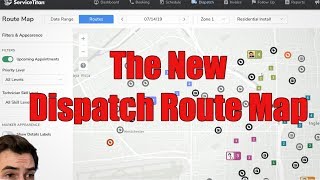
A recorded interview/demo (Oct 2019) describing ServiceTitan's new dispatch route map feature. The conversation explains how the map helps dispatchers plan technicians' days by showing assigned stops, nearby unassigned jobs, appointment types, priority color-coding, and skills-based assignment. The feature is in closed beta and available to opt-in via a CSM; the team seeks early-adopter feedback and will iterate.
What's going on everybody? It's Richard Cobra here, the blue collar nerd back here in Glendale, California with Miles. He made the mistake of mentioning a new dispatch map to me. So I actually have him chained to the chair right now. This chair is bolted to the floor. He cannot leave. He's held against his will. He's smiling, but he's terrified for his life. Miles, tell me more about this map.
Alright, so I'm really gonna try to save myself here. Let me start with an intro. So right now the map on the dispatch board is more of a tool for keeping track of of what's going on with your technicians. Right now what I'd like for the dispatch forward map to be is a tool for planning out your perfect day. So you're sending the right technicians to the right jobs every time?
Yeah. So how does this map help achieve that?
Okay, so let me break down the timeline for this first.
Sure.
This is a really heavy and complex feature and we knew right away that it wasn't going, that we weren't going to get it right the first time. So we've made it available as a closed beta. People are welcome to opt into that. All you have to do is talk to your CSM and you can see it in a very early state. So what the map is going to look like in a more complete form is something like this. You'll be able to see exactly what your technicians have assigned to them for the day and then what jobs are around them that are available to be picked up and figure out. Okay, for this high priority job, for example, who do I assign it to? Do I want to assign it to this person who's already got three stops? Probably not, because I've already got a technician who's going to be in the area for their first stop of the day anyway. That's the kind of high level decision making that we want to empower dispatchers to make.
I got you. So I'm kind of understanding the design decisions here. So that number next to the technician picture, that's the number of stops they have remaining in their day, is that correct?
It's the number of stops they have assigned to them for the total of the day.
Right.
Okay.
And then they have color coded squares kind of on the map that kind of show another number. That's the number stop that, that is for that particular technician, right?
Correct. And you can see they're all color coded so that the stops match the technician that they're assigned to.
Okay. And what about the other icons? Like let Me, kind of give me the legend here. What are these other icons I'm seeing on the screen? One of these more great outlines. Sure.
And by the way, in the final product, you'll be able to see the legend by clicking that as well. Okay, awesome. We're really trying to make sure that all of the stuff you need to get started is available right from inside the app going forward.
Well, today you're my legend. You're a legend, Miles. Tell me about it.
So kind. So these little calendar icons are appointments and the tag icons you'll probably recognize from the dispatch board that that's the icon for a job. So we've color coded them based on how high priority they are. The black ones are normal priority, these are low. And then the reds are major and urgent, depending on the color they are.
Okay. So those are kind of the unassigned jobs that we need to find a technician for. And different priority levels have different color coding. Understood.
Yeah. The way I see this being used in the future is you'll filter it down by the priority level and maybe what skills you're looking for. It's also going to be very important to restrict down the view of the map by proper business unit. So there's not too much information there. And at least in the early stages, you're going to have your dispatch board open in one screen and then the map open in another. And any changes that you make on the dispatch board are reflected over onto the map in real time.
Gotcha. And you mentioned skills. I think that's kind of a new thing. Maybe not everybody's aware of that. So you can now assign skills skills to certain technicians and assign needed skills to certain job types. Right. To make sure that those things match.
That's correct.
Okay.
Or you can even use it for pieces of equipment. Say I only have a certain number of technicians with a ladder on their truck. I would assign the ladder skill to those technicians and make sure that any jobs that required a ladder went to those technicians and those technicians only.
I actually do that when I get back home. That's a brilliant idea. Okay.
Alright.
So and you mentioned when you were going over the different icons, that calendar icon is upcoming appointments. So can you tell me more about when you say upcoming appointments? You mean like appointments that haven't yet been booked, am I right?
Yeah. So when you set up a membership, you have certain commitments to the customer. Like I'm going to come in and do a tune up once or twice a year, for example. Right. Those commitments are captured as upcoming appointments and Service tie in. Right.
And we're showing those on this map. So tell me what the driver was behind that decision.
So right now, there aren't a whole lot of tools available for making sure that you are setting up these upcoming appointments in a way that works for you and your business. So we created another screen where you can view all of your jobs and appointments for a given date range up to a month. And by doing that, you can get to the point where, you know, you see these clusters of appointments, and you start booking more appointments in that area because you know that your technicians aren't going to have to travel far.
Gotcha. So just another thing to kind of help further push for efficiency. You see somebody's already working in that cluster, and you've got three or four appointments. You might as well give those people a call, see if maybe they want to do their appointment today.
Yep, that's right.
Makes perfect sense. All right. Awesome. This looks super cool. I'm definitely looking forward to it. You said it's. It's in open beta right now?
Yeah. And I think that's actually a good segue. Okay, so let me show you what it looks like right now, because up until now, we've just been working off of the mockups.
Gotcha.
So we've got most of the foundation there, but we really prioritize getting this into people's hands as soon as possible so that we can start getting feedback as opposed to giving it the usual amount of polish. So you can see that the interface looks a little bit different. This was off of the first round of mockups that we. We didn't get around to. There's also certain elements that you wouldn't have seen in the mockups, like an alert showing you that certain technicians don't have verified addresses. You'll definitely need to start verifying addresses in order to start seeing everyone on the map, although that's something that we'll be working on addressing in a future update.
Gotcha. Okay.
But, you know, as far as stability goes, we've built this in such a way that it's completely separate from the rest of the stuff. Service 9. So it's not like this can possibly break anything else by turning it on. We've kept it in its own little sandbox. So the people who want to try it out can. And the people who want to wait for it to be more polished can let other people do that early testing.
Okay, cool. So do you have a general timeline for when all this stuff is going to be ready?
Yeah. So this is available right now in its current state. You just have to reach out to your CSM to ask them to turn it on and you'll see a plan routes button appear on the dispatch board right here so that it doesn't get in the way of anything. Okay, cool. Anyone who at that point, anyone in your organization who wants to use it can go ahead and start using it in the next release. After that, we're adding more robust filters to make sure that people can see only the right information and they don't have a bunch of extra noise on the map.
Right.
But after that it's a little bit more up in the air. Part of the reason why we pushed this out in its half finished state is because we really wanted the early adopters, the people on the cutting edge who are deeply invested in the future of service die in. We wanted them to have an opportunity to shape the future of this product. So we'll definitely be listening to all the feedback we get from it. And after that we'll figure out in which direction we want to take this map going forward.
Awesome. Sounds good. So guys, it sounds like they're looking for feedback. If you're interested in this, hit up your csm. Let them know that you would like to have this BAS beta turned on. Keep in mind when you're taking part in a beta, it's a beta, it's gonna be a little rough around the edges. There's gonna be things that don't work correctly, there's gonna be things you don't like. You gotta cut them some slack when you're working with a beta. But if you're willing to put up with some things in order to have some influence on the direction that these things take, I think it's super important to be a part of those things. So if you're interested, please help me out, help everybody out, be a part of the beta.
Alright, Miles.
Well, hey, I super appreciate it. Thank you so much for that information. You have a good rest of your day.
Wait, are you gonna let me go though? Yeah, Richard, are you gonna let me go, dude?
More from Bill




Capturing the 80%: How SmartAC’s Gen-2 Targets Non-Membership Homeowners | Podcast Ep. 296

Build better customer data with every booking in ServiceTitan | TAD Tune-Up Series

The Biggest Change for Roofers Coming From Other Roofing Software to #ServiceTitan?

