A walkthrough of how a service business tracks sales from lead to completed job. Shows how estimates become assignments, multiple technicians handle work, and revenue moves through each stage.
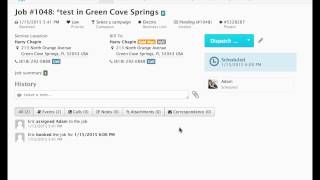
In this video, we will be going through the sales tracking report and we will be going through the whole process of flipping a lead, creating an estimate and selling it and then performing the work. And I will show you how that money is reported on this report and how you can track your sales heading to the dispatch page. You will see the display. David is already working on a job for Harry. And as we click into the job, we can see David's working and that this is a routine service. And while David is out on the job, he notices that there is a bigger problem that needs to be resolved. And he discusses with Harry that an estimator should come out to get a better sense of the work. Then David will call into the office and speak to a csr. The CSR will very easily go into the job page and select lead. And once we assign that David generated the lead and we hit create, a new job is created. And you can see that here we can reassign the time, we can reschedule the job. And we even have a green L that will go back to the original job. Now going to the first job, we will just complete that out and go back to the job. And this actually created a project. So now you can see the first job and the second job are connected. And as we click into the second job, we can assign a technician and we are going to assign Matt who is our best salesperson. And so as we dispatch him and then arrive him, we can then go to the invoice and we can create an estimate. In this scenario we are going to. Harry needs a new blower motor. So we will add the task that is connected to that blower motor. We hit save and now we have the subtotal and the tax and the total as well as the task. And now we can go back to that initial job and we can complete this job. Out hit save. Now that we've completed this job, as you can see, a couple days pass and the customer calls back and we go to the follow up page and we can locate Harry's initial estimate. And he's after giving it some thought, he's decided to go ahead with the work. And we see here that Matt is going to get credit for converting the estimate and he's going to get the sold by credit. And now all we have to do is come onto this estimate page. We can book the job, we can assign Adam, who's an install to the job as the system thinks. And now we have a third job. And as we head over to the project, you can See that is tied to the first two jobs. And we will head over to the sales tracking report where we will be able to follow the whole job here. David generated the lead, that lead ultimately was sold and that lead generated $750 in revenue. And as we look down at Matt, Matt actually created the estimate and ultimately it was able to be sold. And the next step of the process is who will perform the work. Coming back to the third job now we see that Adam is scheduled for this job. Again, this is for Harry and let's dispatch Adam and then we can arrive Adam and let's just complete the job out. Adam spent some time working on the job. Now it's completed, we can hit save. And now we're brought to the invoice where the the original task that was on the estimate is already populated on the invoice and we have a total and a subtotal. And now if we we can head back to the report and you will see as we update the report again, here we have David who flipped the lead and it was sold for $750. Matt went ahead and converted the estimate for $750. Then Adam performed the work and he's also showing $750 worth of work. So that's how the sales tracking report works. Again, if you have any questions, please feel free to email supportervicetitan.com and we'd be more than happy to help you.