This Software Removes Call Background Noise | Testing Krisp
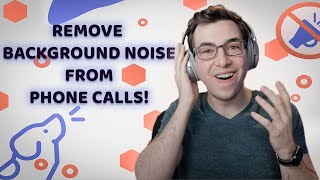
Richard Kohberger tests Krisp, a noise-canceling app that creates a virtual microphone for calls. In live tests with office noise and a speaker playing music, Krisp cuts background sound cleanly, though the processed audio has slight artifacts. The free version has time limits; the paid plan costs $5 per user per month.
Wow, that's doing a really good job. That's really impressive. What's going on, everybody? It's Richard Kohberger here, the blue collar nerd. And in this video, we're going to be exploring something called Krisp. Now, Krisp is a piece of software that basically sits between a microphone and whatever receiving party is receiving that audio. And it's supposed to filter out any background noise. So I could definitely see this being useful in a few scenarios. For example, if you're a company owner and you have your customer service reps in kind of like a bullpen type of setup, then there's probably a lot of noise, a lot of people talking at once, people using the copier, just a lot of background noise. Or if you have CSRs and dispatchers that are working from home, home can be kind of an uncontrolled environment when it comes to noise. Maybe you've got a significant other who's also working from home and they're on a meeting and they're pretty close to you. Maybe there's neighbors or landscapers outside mowing the lawn or using Leaf bl. Maybe there's dogs barking either right outside your window or in your house. And obviously background noise creates a worsened experience for both your CSRs and your customers. I'm sure we've all been in a situation where you're on the phone with somebody and they can't hear you or you can't hear them. Pretty frustrating. As I was saying, right now, we are having to talk louder. Okay. Our prices have never been lower. Son. You have to talk louder. Never been lower. Louder, son. But liquor. Our prices have never been lowered. So in this video, we're gonna test Krisp and see how well it works. Now, to be clear, I'm not affiliated with Krisp, although I will have a link in the description down below, and that probably will be an affiliate link if I can figure out if they have an affiliate program. So if after seeing this video, this is something that you're interested in and you use that link, they will kick me a few bucks. But it's not like they reached out to me and asked me to make this video or anything. And I've never tested it before, so maybe it sucks. I don't know. Okay, so here I am on the Krisp website, Krisp AI, they ask you to make an account in order to download it. You can just use a Google account if you already have one. All right. Download app. Now, while I'm installing this, by the way, I guess I should have Made it clear this is really only going to work for you as far as phone calls go, if you're using a VoIP system. Okay, so I've got Krisp installed on my MacBook here. They do have both a Mac and a Windows version available. I'll click get started here. I guess choose your app. Well, I accidentally closed out of that, but that's okay. I don't think we needed it. So. So as I understand it, the way this works is it's basically like a software microphone. So whatever it is you're using to record audio or send audio wherever the input settings are, you tell it to use the crisp microphone. So, like, if you're using Dial Pad, for example, as your VoIP system, you would just set the input microphone as the crisp microphone versus your actual physical microphone. So let's give it a shot. I'm going to test it out using GarageBand here. So here where it says input device, that's set to Blue Snowball, that's the microphone that's on my desk here. So I'm going to change that to crisp microphone. Actually, wait a minute. How does it know which one to filter? Because there's a microphone on my laptop and there's a microphone here, the Blue Snowball. So how is it going to know which one it's. It's filtering? Hang on a second. Okay, so up here there's a settings panel that I can tell it which microphone I want it to be filtering. So I'm going to tell it to filter with the Blue Snowball and speaker. Oh, yeah, I forgot to mention it can filter incoming audio as well. So, like, if your CSR doesn't have any noise going on, but the. The customer they're talking to does, it can actually filter that out as well. I'm gonna leave that toggled off for now because it's gonna mess with my test if I have that on. Okay, back in GarageBand here, I'm going to set it to Blue Snowball microphone first as my control. Right. To see how much background noise I can hear, I have this noise generator app on my phone here, and I have two HomePod minis paired in stereo on either side of the room here. So basically what I'm gonna do is I'm gonna blast office noises really loud in here and then see how much the microphone picks them up and. And then do the crisp microphone and see how much gets filtered out. So I'm going to call my audio track here, office control now. Right now, the audio you're hearing as you watch, this video is coming from a shotgun microphone that I have mounted above my head. But when I hit record on my test track here, I'm going to switch your audio over to this blue Snowball microphone that's on my desk and is then plugged into my laptop via this USB plug. And speaking of plugs, TR TR T Trades Lodge. The Trades Lodge is a Discord group where tradespeople from all over the world can come ha and trade ideas. If you've never used Discord before, it's a lot like Slack if you've ever used that. So it's broken up into different channels and those channels are typically different topics. Like there's an operations channel, a marketing channel, a software channel, and of course a dedicated channel for memes and jokes. And it's a more casual and conversational type of situation than say like a Facebook group. And fun fact, in Discord you can have voice channels where people can jump in and talk with their voices. And Discord actually has Krisp the topic of this video built right in. I just started this group not too long ago. So far it's going great and I really think this has a lot of potential. It's completely free to join and I've got nothing to sell you at all. So if that sounds interesting to you, please check out the link in the description below and it would mean a lot to me. Alright, let's get back to the video. So again, as soon as I hit record here, I'm going to switch the audio that you're hearing over from my shotgun mic up here to the blue Snowball that's on my desk. Here come the office noises and record. All right, so this is what it sounds like coming straight from the blue Snowball microphone without crisp filtering out any background noise as it sounds. Because I. I can't tell. I can't. I can't hear what you're hearing. All right, pause that noise. Thank you. Let me listen back to that and see how bad it was. All right, so this is what it sounds like coming straight from the Blue Snowball microphone. Yeah, that's pretty nasty. All right, now let's record a second test where we're using Krisp. Gonna go into my preferences here and change the input device from the Blue Snowball to the Krisp microphone. And same deal, I'm going to switch your audio over as soon as I hit record. Office sounds. Incoming. All right, now here we are using the Krisp microphone in order to filter out some of that background noise. So hopefully this should sound A lot better. Again, I can't hear what you're hearing, so I have to wait to know. All right, let's hear how that sounds. All right, now here we are using the Krisp microphone in order to filter out some background. Wow, that's, that's doing a really good job. So hopefully this should sound a lot better. Again, what's, what's funny is it's like I'm yelling over the background noise but there isn't any background noise. So it just sounds like I'm talking weird for no reason. So yeah, if you do use this for your CSRs, maybe let them know about that. Like, hey, don't, don't feel like you need to yell over the noise because you're just gonna sound like you're yelling for no reason. But wow, like that's really impressive. Alright, now here we are using the crisp microphone. Honestly, it does sound a little, a little off, a little different. Like you can tell the audio is being processed. Maybe I can, but I work with audio a lot. But it certainly doesn't sound bad by any means. I mean it sounds a heck of a lot better than just with the background noise in there. Man, that's, that's honestly better than I was expecting. Alright, so this is what it sounds like coming straight from the blue snowball microphone without crisp filtering out any background noise. All right, now here we are using the crisp microphone in order to filter out some of that background noise. All right, let's do the test again, but let's make it with like more home centric sounds like, like lawnmowers and barking dogs and things like that. So this will be home control. Let's see, let me find some house noises in my app here. Okay, back on the blue snowball, I've got some like lawnmower sounds, got some like leaf blower sounds and I've got dogs that sound like they're kind of barking in the next room over or something like that. Like maybe they're in the laundry room. So let's see how this audio sounds. We are back on the unfiltered blue snowball without Krisp. Alright, switching back to the Krisp microphone now. Get the noises going again. And now this is what it sounds like using that same blue snowball microphone but with Krisp filtering out the background noise. So if it's anything like the test before, this probably sounds a lot better. And now this is what it sounds like using that same blue snowball microphone. Yeah, that was definitely a lot better. Again, I can tell that the Audio is processed a little bit. I don't know if you can. And if you noticed right at the very end there, it wasn't quite sure if that barking dog was my voice or not. So you heard like a little bit of a yelp and then it just like cut off real quick. But again, way better than without it. Like between the two, I would take the crisp version any day. Okay. Back on the blue snowball, I've got some like lawnmower sounds, I've got some like leaf blower sounds, and I've got dogs that sound like they're kind of barking in the next room over or something like that. And now this is what it sounds like using that same blue snowball microphone, but with Krisp filtering out the background noise. So if it's anything like the test before, this probably sounds a lot better. Let's look at pricing. That's probably pretty important, huh? So they do have a free plan. That's what I was using to test just now. And it's based on time. So you can mute microphone noise for 120 minutes per week and you can mute speaker noise for 120 minutes per week. So if you're just interested in this for yourself for like the occasional zoom call or whatever, then you should be fine with just the free plan. But if you want to use this for your company, it seems like you're probably going to need at least the teams plan, which is $5 per user per month. And that breakdown is if you are paying it in a lump sum annually. But with that you're going to get centralized billing, which you're definitely going to want. If you're using it for a company, you can manage the members and there's no more time limits on that. It is unlimited. So effectively that's what you're going to be looking at if you want to use this on a company level. $5 per user per month. Is it worth it? That's entirely up to you. I would say if this is a regular problem for you and your company, if you're listening to recorded phone calls and you're noticing some people not being able to hear each other pretty regularly, and it seems like it is noticeably affecting your customer experience and your employee experience, then I'd say, yeah, that's worth it. But if background noise is not really a problem that you're having, then don't worry about it. Anyways, that's all I got for today. Be sure to join the Trades Lodge link in the description down below. Hit like, if you like this video. Please subscribe to this YouTube channel if you haven't done that already. I'll catch you guys in the next one. Appreciate it. Peace.
More from Bill




Capturing the 80%: How SmartAC’s Gen-2 Targets Non-Membership Homeowners | Podcast Ep. 296

Build better customer data with every booking in ServiceTitan | TAD Tune-Up Series

The Biggest Change for Roofers Coming From Other Roofing Software to #ServiceTitan?

