Webinar - ServiceTitan Customer Experience On The Phone
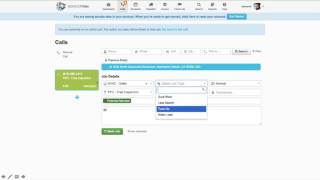
Matthew Royal walks through ServiceTitan's phone tools for service businesses. The platform tracks revenue per call, agent performance, and customer type with workflows and call recording. Royal emphasizes how visibility and feedback loops drive better employee performance.
Thank you everyone, for joining us today and welcome. My name is Matthew Royal and I'm a customer success manager here at Servicetitan. The purpose of this webinar is to talk about delivering a knockout customer experience over the phone. So let's first discuss the importance of a phone call in the service industry. There are no service calls, there are no demand calls, there's no work, there's no customers, and there's no reviews without a phone call. That being said, how do we increase the customer experience that provides those and continues to keep the phone ringing? One step, encourage employees to care. Encourage your employees to be as invested in your company as you are in them. So how does Servicetitan facilitate that? First, provide transparency. Everything that happens in Servicetitan takes place in a well lit room. Everyone is aware of their impact on the company, their impact on the metrics, their impact, the calls, the booked jobs and the revenue. Second, establish accountability. Everyone is given the steps necessary to provide the proper information for every job. Scripted questions, tagged jobs, notes, and an audit trail. Make sure that the right tech goes out at the right time. Third, shorten the feedback cycle. An immediate response time every time a call is unbooked, abandoned, a job is unsold or canceled. No, via text or email immediately to the appropriate party. And last, create results just by measuring. Here at Servicetitan, we're big fans of the Hawthorne Effect. And what that is is a study done by Hawthorne Works, a factory complex in Illinois that wanted to study how to increase employee efficiency. What they did is every day they turned up the lights, and every time the lights went up, efficiency increased. They turned up the lights every single day until people are coming in in sunglasses. Then they start turning the lights down and the efficiency continues to increase. So over the course of this experiment, they're not sure why it has no effect, whether the lights go up or down, whether they move things around or change where someone's workstation is. So they confront the employees. What did you think about what was going on with the lights? What did you think? What was going on with your desk getting moved around? And they said, our efficiency doesn't increase because you're moving things around or changing the lights. Our efficiency is increasing because we know you're watching us. That being said, Servicetitan helps you create results just by measuring, just by letting your employees know that there's no sweeping anything under the rug, that everything they do is monitored and part of an audit trail, that they're accountable at all times, that everything is transparent and that you can Know immediately what takes place, you create results. So let's move on to Servicetitan. The screen right here is home base, right? Everybody who uses Servicetitan knows this screen and everybody who's new to Servicetitan. This is going to be your high level snapshot of your business at any moment. This is live to the second. What is going on? Accessible from your computer, from your phone, or from your tablet anywhere in the world. And I like to look at it in four different sections. First section of the dashboard is the revenue. What's coming in, what you made and what you missed. How it's trending over the months, how it's trending over the weeks. A snapshot by whatever date range you choose to look at. Second section of the dashboard, your texts, your guys in the field, your comfort advisors, how they're doing as a team. These guys, 80% of their jobs, they close with the dollar amount on them. You've got their average ticket. You have how many of the jobs got canceled and of the jobs that they closed out, how many of them actually got sold them as individuals? The guy with the most revenue is on top. We are rewarding the leaders. We are creating a leaderboard that is up to date. The second he closes out that job, congratulate your guy. Last, the missed opportunities, canceled jobs, unsold jobs, any sort of issue where there is not a dollar amount or the job did not go through, highlighted for everyone to see and for everyone to look at to improve. Third section of the dashboard that we break it down into is your people in the office, your agents in the office, your dispatchers, your CSRs. There's their efforts as a team. This group, 55%, which to be fair, is around the national average for the service industry, breaks down their leads and how many of those turned into appointments and their efforts as individuals. Again, highest booking percentage ranked up at the top. You know who's doing well at an instant and last, what calls aren't going through, who's getting abandoned, who's getting unbooked. The last section of the dashboard, your marketing efforts. This is where you're putting your money. This is where the calls are coming from. And this is the investment that's returning to you. The map next door shows you where that's taking place, gives you a quick idea of where your marketing is actually being effective and where you might need to rethink it. So let's dig into a scorecard real quick. Here's one of our CSRs, right? He's one out of two right now. Industry average, as I said, 50 to 55%. He's got a booked call, an unbooked call, and one that's been deemed excused. Maybe it's someone calling in to follow up on a job. Maybe it's totally unrelated and perhaps it's a vendor or a telemarketer and that call hasn't been blocked yet. But let's dig into it. We can click on that unbooked call at any given moment, the booked call or the excused one, and we can listen to it on the dashboard from anywhere in the world. You can listen in to figure out who's doing well and how and who's dropping the ball and why. So let's talk about how easy it is to get there before we actually dig in, how we utilize this to get better customer experience, to encourage those employees to care. All we do is go to the settings, click on phone and click the link that says click here to get a new number. You got it local, toll free. Your area code or another one that you're looking to get into the zip code that you want it to be relative to so people feel comfortable picking up the phone and maybe a lucky set of numbers or numbers related to dialing your business. Next we go back to that screen and we got the option to block a number. Easy robots, fraudulent credit alerts, telemarketers, running refrigerators, however you want to do it. You can block any number at any given time and it immediately stops coming through and eating up time where your CSRs could be booking calls last. Before we get into some workflows, here's your campaigns. Be generous with your numbers, knowing that you can access your numbers and get new ones at any given point for whatever area you're looking to target, whatever zip code. Have a different number for every marketing campaign. Have a different number for every Facebook ad. Be creative. Put your numbers different on every single guy's business card so you know who's referring, who's leaving their card out. Maybe you got a radio ad and nobody is listening to the jingle and they're turning it down. Maybe that one's not working. But you know, because you're generous with your numbers and you spread them out. So let's go through some workflows. This first call is from a repeat customer. The giveaway. Right here, we've got Chuck's name and we know what number he's calling on. He got Casey's business card. Your CSR clicks that number. They click the green bubble and immediately are given Chuck's information. They are Held accountable from the get go. They know exactly who they're talking to. And the second they click that green bubble, every action they take is tracked in relation to this call. The audit trail starts. So let's assume Chuck's not pleased. Right? The first thing we're going to do is look at his history of work. All we do is click his address and we're given everything that's taken place in the recent past with Chuck. 3 no hot water calls, all performed by Casey. And let's assume that Chuck's calling because he's got no hot water again. Right. As soon as we select no hot water as the job type, ServiceTitan allows you to pre populate a summary for the job. In this instance, we've got scripted questions. But before we get into that, let's look at this blank field right here. Tags, tags. High level view of what you want everyone who sees this job on the dispatch board, on the schedule, or in the field to know without having to click a single button right away. We know Chuck's not pleased. We throw that call on there. Chuck's having a bad day. We're going to treat him with kid gloves. Second, it's been three times of no hot water. Three times we've gone out there and serviced his hot water heater without an install. We keep sending someone out, he's going to keep calling, something's wrong. There's a common denominator and it's his hot water heater. So this job, a water heater replacement. Something interesting about these tags that we can do is you can create any of these tags to be a conversion opportunity. That means that if you put this tag on that job, your technician is expected to provide a service that also carries this tag. In this instance, the CSR tags it as a water heater replacement. Your business doesn't consider it a successful conversion unless your tech provides a water heater as a service. So we move on to the script. Easy. We have all of the questions that your CSR needed to ask. Even if this is day one. They don't need to know anything about the industry other than how to be polite, how to be prompt, and how to deal with Chuck when he's upset. They realize he's got no hot water. Again, it's been six months that we serviced him three times. We've sent Casey every single time, which we know by clicking into the location. And we know how old the water heater is right here. Value every single time. If there's something that they're supposed to Say if there's something that you encourage them to address or bring up, mention your service plan. Thank the customer. Maybe you have a tagline that you include every day. How can I help you? Smile today. To start it off last, let's assume that the CSR plays the dispatcher as well. They knew that Casey went out every single time and his customer is calling him back and he's not happy. The last person he wants to see is Casey. No offense. So we're going to put Adam on there. We're going to get Adam out there and we're going to get this job done. We book the job and we're good to go immediately. Every note, every tag, and the recorded call are available to you in the office or wherever you access Servicetitan for everyone in the business to notice that has permission to see these pages. You have someone in the office that acts as the manager. They could immediately review the call. If something was to go wrong, you could immediately review the job. Let's move on to another one. In this new instance, let's assume that this is a new customer. The giveaway is that we're lacking information. We have a phone number and we have the campaign they called in on. This is a pay per click campaign you're running online. Maybe you're offering free inspections for new H vac customers. This is a great opportunity to wow somebody right off the bat, make sure that you become their go to service business. We click the green bubble and right away there is no customer information like when we dealt with Chuck. Your CSR has got to obtain the proper information to get this started off right. With this new relationship, we head over to new and we're going to take care of our girl Precious. Right now, Precious just moved in, so let's cut her some slack. But she has no idea how to pronounce the street that she lives on and she thinks it's Sepulveda. So right away we know something's wrong. We are prompted immediately. This address doesn't exist as far as we know. Our integration with Google lets you click and immediately validate the address. Sepulveda boulevard runs for 50 miles. If you put the wrong address or you didn't know that it was North Sepulveda, Manhattan beach, the proper zip code. You're going the wrong place. You wasted gas, you wasted time. You made a customer upset and you missed that opportunity. They've already gone somewhere else. Next we go back to that job and we see that immediately it's tagged with a potential member. What happens here is that ServiceTitan knows this person doesn't have an existing service agreement, right? It's looking for any service agreement that you offer throughout your system and it sees she has none. This opportunity is visible to your csr, to the owner with a searchable and reportable tag, as well as to the technician in the field. He knows this person doesn't have a service agreement. He knows that they are calling for a free inspection and if he goes out there and he sells them one when he's out there for a tune up, great opportunity. Again, we select the tune up job type. The CSR needs no background in the industry to know what to ask. They find out that her air conditioner is 14 years old. She just moved in. It worked. When she was there for the walk through, everything seemed fine, but now it is busted. She's got no cold air, she's burning that we're going to send somebody out again. Assuming that your CSR plays dispatch, they're able to assign someone from the proper business unit, in this instance from your H vac sales to go out there and get them a tune up, potentially get them a new unit and potentially make them a new member and a lifelong customer. We book that job and again that tag, those notes and that call are available to you immediately wherever you are. Let's go one more time. This last one Max is calling. Max is a legacy number customer. He has a number that you haven't advertised in years. It's on some expensive T shirts that you printed, it's on your old truck that you didn't rewrap. And Max is bread and butter. He's been around for a long time. You click onto that green bubble, you know right away that Max is a high priority customer. Not only is he calling in a legacy number, but someone took the time to tag this customer as high priority. You put on the white gloves, you make sure he's taken care of no matter what. You didn't have to be told. You don't need a list and you don't need someone to tap you on the shoulder. You are given the go from the get go. Max's deal, he's got his birthday party going on, he got a power outage, he's upset, he's not having a good one and he needs somebody right now. So the CSR heads over to the schedule, they view the capacity planner, they look for the demand that we forecast and they realize that our demand department doesn't have somebody at 10am for this odd time for a birthday party. We cannot get somebody out there to take care of Max. And what happens? Max is pissed. He hangs up, call's lost, CSR has to close out the call. This lingers until they do. So the CSR clicks that bubble and they have to let you know exactly what happened. Let's tell him Max need an electrician. And he hung up on us. But through some kind of foresight, you set up an alert. You knew that anybody calling in on your legacy number, anybody calling in who is tagged as a high priority customer is somebody that you need to know if something didn't go right, unbooked, abandoned, unsold or cancelled with a multitude of other options, you just got an email and or a text message, no matter where you were, with that customer's information to know that that job did not go through, call them back, save the sale, retain the customer and know who made the mistake. So let's head back to home base. All three calls reflect immediately, we know exactly what happened 20 minutes later at the end of the day, whenever we decide to look. Maybe you refresh it all the time. Either way, we can see here the first call to check access to the recording, access to the job, we can see that second call to precious access to the recording, access to the job. So what do you do with all of this information? You've got options, right? Maybe at the end of the day you listen into every canceled call. Maybe at the end of the day you have someone in your office do the same. Maybe you're just interested in the cancelled jobs and you want to know what happened. You want to know, maybe it wasn't the csr, but maybe there were seven additional calls where someone else made a mistake, maybe somewhere else there was a miscommunication. It's up to you. Second reporting, however you want to look at this information, it can be sliced and diced into every indicator that you're interested in. Maybe you want to know how many calls, maybe you want to know how many calls a CSR took, which campaign brought them in. Of those calls, how many were unique? The details are all at your fingertips with a list of pre made reports that is growing all the time. So we're back at the dashboard once more. And how do you deal with this information? Maybe you're the hands on owner, maybe you always take care of that and maybe you have someone in the office that acts as your champion. So like I said previously, we know that the average booking rate in the Service industry is 50 to 55%. If your average call was $500, just increasing one booked call per day, even just for one person, adds 125,000 to your yearly revenue. So a third option, maybe you need to reach out to a partner. Maybe you bring someone in to listen to these calls for you. There's plenty of people who offer this kind of service, like our partners, power selling pros. They listen to your calls, they can certify champions in the office. But the whole point is that however you deal with this information, we've provided you with transparency for everyone involved. Your techs know what they did, your agents in the office know what they did, they know what was missed. We've created accountability. We gave them the options to fill out every necessary piece of information and we can make things required. We've closed the feedback loop. You can know immediately Max's call didn't go through. You were on vacation, you got a notice, you called the office, you got it handled. We created results just by measuring. They know they're being watched. Your CSRs know that they're being measured. They know that they need to step up. There's no sweeping anything under the rug or saying that someone didn't call back or that you didn't get the right call or the right information. Every tool is in place to make sure that everyone knows they need to care. So steps to take to encourage your employees. For existing members, for existing customers who use ServiceTitan, I'd like to let you know about our training website. In addition, we're constantly adding self paced training with options like technicians, self paced in an environment that's not an actual live account, testing for your CSRs, for your dispatchers, how to sell and manage those memberships that we viewed with that potential member tag and how to maximize revenue from your estimates. So for those of you that are already existing customers with ServiceTitan, reach out to your CSM, reach out to your onboarder and let them know this is something you're interested in. And we'd love to help you learn more, dig into more value that this product can offer. In addition, we also have live daily training webinars. Our training department is always hosting webinars Monday through Friday on hot topics like getting started, all the way through mobile payroll and memberships. So back to the dashboard. And while we're looking at this, I'd like to say thank you everybody for joining us. And if anybody has any questions, I'd love to open the floor to see if there's anything I could shine some light on for you. So, Andy Wyatt, I see that you sent in a Question. Hello there. I noticed that you made a mention that we should share all blocked numbers and create a national blocked call list. And the service Titan community is something that we are very encouraging. There are features like custom forms that we allow you to import and export so that you can share them. Maybe you have a standardized three day right to cancel or a plumbing checklist and you have a friend who just got into ServiceTitan and you'd like them to know about that form without having to go through the steps of building it. That is something that we encourage you to share and that's why that feature exists. With blocked calls, there currently isn't a means for us to share that with our other users. But if there is a Facebook group or this upcoming service Titan community that we're working to develop where we have a place where you can come together, share ideas, this is something that I'd love to see happen. So I'll make sure that Casey hears about that and we can get the ball rolling and see where that's at. Andy, thank you for sending that in. So someone asked for the name of the partner who I mentioned previously and who I was speaking about is PSP Power Selling Pros. It's a company that we're partners with and as I mentioned previously, they work with someone or with companies that don't necessarily have the time to listen to calls, and not even just that, but companies who are interested in upping their conversion rates and making sure that their CSRs are delivering the most value. If that's something that anyone's interested in, feel free again to reach out to your success manager or your onboarder or even someone in support and we can get you in touch with them. So, Matt Thompson, I see a question about setting up alerts for unbooked calls. I have to break it to you that I'm on a slide show and not on a live account of Servicetitan. I have no problem telling you the truth. But it's as simple as going to Settings and hitting alerts. You have the button that says add and from there you can select form, completed, unsold, Abandoned, Unbooked, cancelled, and then you can specify maybe it's for a particular business unit, if you've separated them by industry or by the type of job that's going on, and you can choose who receives the message, whether it's an email, a text, or both. But it's a very simple process and I can even send you a link in the field where you entered the question to make sure that you have an article about that as well. So Brenda, I see your question about a list of tags and alerts. This is another one of those ones where I don't think that we've compiled a list, but we're always looking for our customers to use creative use cases for these things. Some of the ones that I featured in there were like the happy and sad face. For the calls we have customers who are using emojis as a light hearted way to make sure that people know what's going on. We can also use things like language barrier. Maybe you have someone who only speaks Spanish, maybe you have someone who only speaks French and you want your technician to be prepared for that interaction. Another common one is a dog or a senior citizen with a third party decision maker. So another one of those things. Feel free to reach out to your point of contact and we are very familiar with a lot of creative use cases for those. Dottie, I noticed that you mentioned about abandoned calls and that's something that we didn't really touch on here, but what an abandoned call is is when the green bubble is not clicked, that call does not get tied to a job. Generally whenever a call gets abandoned it sits on the dashboard until someone with the permission reassigns it or classifies it to a job or just determines that it was an unbooked call and assigns who actually took it. If you experience any sort of issue or you don't feel like that workflow is working for you, again, always reach out. A majority of the company here is customer facing and that is our main focus. We are interested in making sure that you're getting the most out of this software and if you feel like the workflow could be improved, we'd love to help you find a different way to go about it or make sure that we refine the way you're currently doing it. Perfect. I don't see any more rolling in, but if there are any that come in in the future I will be sure to reach out to you with a private message and for those of you that I mentioned I would send you a message. I'll take care of that in just a moment, but thank you all for your time and I hope that this information was useful and we'll talk to you soon. Thank you.
More from Bill




Capturing the 80%: How SmartAC’s Gen-2 Targets Non-Membership Homeowners | Podcast Ep. 296

Build better customer data with every booking in ServiceTitan | TAD Tune-Up Series

The Biggest Change for Roofers Coming From Other Roofing Software to #ServiceTitan?

