Billy Sticker shows cheap DIY rigs for shooting video on an iPhone 4: a mirror adapter to use the back camera, a tripod mount, a car cup-holder rig, and a shower-board whiteboard. Most cost around $10 to $12.
Chapters
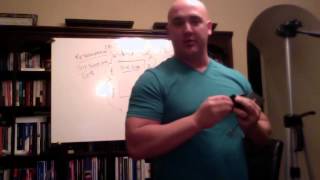
Hey, guys, excuse me. Wanted Billy here and wanted to show you some of the very inexpensive but really neat tools I use in making some of these videos. As far as the camera goes, I've used different, different things right now. This is actually the camera on my MacBook Pro laptop that I'm using for this simply because I wanted to be able to show you some of these tools and these tools I normally use with my iPhone. It's just an iPhone4. It's not an iPhone5 or anything else, just a regular iPhone. But there's some super cool tools out there that you can use. This is one that I've used. You know, you can actually just hold your camera up like this, and sometimes that's fine because it shows people that anybody can make videos. But this is a tool. I'm not even sure exactly what it's called. I'll put a link on my blog under the video on exactly which one this is. I got it on Amazon. I think it was 10 bucks, 12 bucks. But what it is is it's got the adapter on there, just like you do for a regular tripod or what have you where it'll screw in the bottom of a camera. This is something for an iPhone. I bought this in a separate kit. It was like 12 bucks. That was for using your phone to video. But this screws on here, and there's several different ones of these out on the market. What I liked about this one is it had a mirror, and I use it all the time. But this, you can slide it out and you can adjust it, and you actually put your camera on there. And so as you're holding it out, you can adjust the camera to where you can see what's on there. Now, yes, you could turn the phone backwards, just like you're doing a selfie or something, where you're actually seeing the screen. The issue is on the iPhone, that camera, the megapixels are a lot smaller, so you're going to get a more grainy. You're not going to get as clear a video as if you use the back lens on the camera. So you can put that on here, and then you have it to where the screen is showing on the mirror. You adjust the mirror to where you can see, and then you can sit here and you can hold it out and you can walk around while you're videoing. You can do whatever with it. And it's even good for, you know, taking on vacation. And you've got a big family. Heck, there's me, my wife, and three kids. And you go to take a picture. We can't hold the camera out far enough. But with this, we've got the app. It's got the timer on the camera. Put it on there, hold it out, and it's wide enough to get our whole family. Really don't use it for that. Often I use it for videoing. And actually even sometimes in the car, I can set it up when I'm in the BMW. It's got the cup holders that slide out the dash. The other day I used this. I stuck it in one of the cup holders, turned it just right, and as I'm driving down the road, it was at an angle, perfect, balanced. And I was able to shoot one of the videos like that. I did just order another tool that was like $12 that mounts on the glass anywhere in the car. Got great reviews. But I'll show you that whenever I get it. One of the other great things about this is if I'm not using this, what I'll do is this mirror slides off and I will use just a regular tripod. And there's nothing at all fancy about this tripod. Same thing. You screw this into the base and it'll hold your iPhone. And then this, you actually slide it, you know, however you want to, but you know, it'll slide right under here. And then you tighten this back up, connect it to your. To your tripod, and then you know how to work a tripod. You adjust it to whatever height you want and then just set it. You know, I typically have it sitting somewhere out here where I can see myself and I'll make sure I can see the board, so on and so forth. So that's another great thing about these tools. I really like the mirror. But something else. If you've ever priced whiteboards, they're expensive. This, you can see there's notes on it from another video I just actually recorded. This is actually just a, what, half of a four by eight sheet, whatever. I bought this at the already cut, I think they call it shower board at the hardware store. I picked it up at Lowe's. It's a lot cheaper than whiteboard. And I think one this size was maybe $8, $10, something like that. It was very, very inexpensive. And these are just some of the regular industrial clips that you would use for whatever. And I just clip it up here. And when I'm done, just take this down. And I actually slide it right behind the bookcases. And of course I clean it and then I'll put these away somewhere, because this is where I do most of the videos just behind this. I love having a library. I think everybody should have a library. But that's another very inexpensive tool that you can use for making your videos. So showed you a couple of things, Showed you this extension to be able to use the kit that actually holds the phone with the mirror on it and that. But anytime I get other little tools or something that I think will come in handy, I have labeled myself the Frugal Caucasian. Lawrence Tam's the Frugal Asian. I'm the Frugal Caucasian. So anytime I can find a really neat tool that's inexpensive, believe me, I'm going to shop around, find the cheapest price I can. So I'll share them with you and hopefully that you get some value out of that, too. Thanks.