Retargeting part 3 (Corrected)
Billy Sticker shows how to build Facebook retargeting audiences for chiropractors using saved audiences, pixel data, and video views. He walks through setting up custom audiences from page engagement and customer files, then pitches the agency's full-service marketing package including lead scripts, video production, and a referral program that gives free services for three active referrals.
Chapters
Alright guys, Billy sticker back. This is day three of the training. If you haven't watched the first two days there should be a link maybe above this video, but go back and watch the first two trainings. In day one we talked about how to build out different audiences or what you want to do is, you know, the benefit of Facebook is it allows us to dig our ponds that we want to fish in. And we talked about all the different audiences that you need to build out that you can run ads to, whether it's content or whatever to all those different audiences. Then day two in the training we actually went over videos and how to actually record the videos and then what to do once you have the videos done, you know, targeting all those different audiences. And then in this one we're going to actually get into Facebook and I'm going to show you, we're going to do a screen share video and I'm going to show you exactly how to build out these audiences then to run a retargeting ad. So let's go ahead and get on.
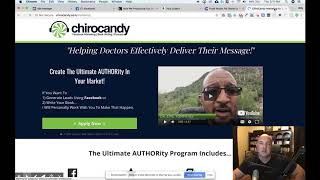
Over to the computer. So here we are inside of the ads manager, just facebook.com adsmanager manage is how you get here. I'm guessing you already know this if you've been running some ads. If you're just on Facebook you could go to here and then come down to either create ads or manage ads and that'll get you back here. Here is just a dummy campaign account that we have just for training purposes. Then we have just a sample campaign here. So the audiences are always going to be done inside of your ads, inside of the ad set level. The main thing here you do is your audiences and then also your budget. Don't put a budget. Typically we don't like doing a budget like on the whole account. We have had some people do that before. Then the ads stop running and we've trying to figure out why. We just typically set the budget and the audience and the placement are kind of the three main things that take place in the ad set. So let's do this, let's build out some audiences now. Already built one. Let's go here. We'll go down to audiences and then make sure this stays on this account. From time to time it'll switch accounts. So you have to make sure. Well you guys shouldn't have an issue with this. But since we're an agency, got 120something accounts that sometimes could rotate through here. So we got to make sure. So here's what I did. Just women 35 plus in Beaumont I did a 15 mile radius. This would be considered a saved audience. So let's just pull this up real quick and look at it and we can even make some adjustments to it. So we talked about having the first pond. So let's click here, edit. And we are close to Beaumont, Texas. So here you would typically just put in your exact address. I'm not going to put my address in here, but so we just put the city of Beaumont did a 17 mile radius. 35 and older women, we can get more specific. But this is just an example of what that initial audience would be. You know, used to. We would put in here, you know, we would type in. But that was actually information that they received. See they're actually even gone because it used to say $40,000. You know, it had a bunch of different options but this was information that they got from Axiom and now they just don't, they, they don't use any of that third party information. Personally, I think that'll change in the future. We do have access as an agency. We can still get that information from some of these companies and then use it to build out the audiences, which is what we're working on doing for some of the clients. But let's go back here. Okay, so I don't need to save this. We're just going to exit out of here. So that would be actually what's known as a saved audience is how you, if you wanted to build that out right here, that would just be a saved audience. So let's get into the custom audience because you know the first one we did was in the training on, you know, what was it the first video was your bigger audience. And then we had a post engagement. So here we would come down here, we would go to custom audiences and then we would select engagement engagement and we would go down to Facebook page. And then this isn't meets any of the following criteria. Everyone who engaged with your page in the past 365 days, we'll see. I need to pull up. Or. Okay, anyone who engaged in the past 365 days. Now you can even come down here. You know, if they clicked on a call to action button message. If they save the page. This is the one I typically like using. Anyone who engaged with any post or ads and then I do post engagement365. So in the past year that's as big as we can get. If you were doing a special campaign that you were only running for a week or so, you could say anybody that engaged with my page in the past seven days or ten days or whatever. But my goal here is we're just wanting to build an audience of people who see us over and over again and who know know what we do. Right. We're getting into the retargeting stuff so we do it for as long as we can. So they will work in the back end on creating this audience. It'll take a little bit for it to populate, but we will let this happen. And then we would get into doing one of the other audiences. Alright, we just hit done here, so now it's going to work on building out that one. Another one we want to do is we may want to upload our patient list. So that would be a custom audience and we would come down here to customer file and then you would just. Oh no, that's not what I wanted. Well actually yes, that is. Then you just upload it here and you need. We typically do, we do the, we'll do the emails and the phone numbers. The phone numbers have to be edited. We have to have the country code in there. We have to make some other changes and stuff. But we typically do those two. If we can upload it then name it, you know, patient file or customer list or patient list, whatever and then that's how you would do that one. I'm not going to upload anything right now, but just letting you know that is how you could do it. And in the future you can go back and edit it to add people to it or take some them away. You may want to upload just inactive patients. There's a bunch of things you can do here, but that's where you would do that. Another one we talked about was going to be web traffic. So if you have the Facebook pixel set up on your page in here, let's just take a look here. Or just go to the regular Cairo candy. Well, it didn't matter. They both have it. I use this right here. It says Facebook Pixel Helper on Google Chrome. It's a free little plugin or extension that you can get. And it shows here that I have two different pixels tracking pixels on here. So there's a video that's gonna play and I don't want to play that. We will stop that. Okay, so this is how one of the ways you can tell that there's a pixel on there. Another thing you can do is go to your website and double click go to View Page source. And then when this pulls up, I'm on a Mac so I hit command and F. And it brings up this little menu right here or this little search bar and then you can type in either pixel, if I can spell it. So right there it shows we have the Facebook pixel code. You can actually type in Facebook or a couple other things. But that's another way to tell if, if it's loaded on there properly. But once it is, let's come back here. See, this is a new account. So they're saying that we need to create a pixel. We'll just create it. Custom audience. Create an audience. Any website visitors. We can do 30 days. We can do 30 days. It'll let you go up to 100 CS is 180, basically six months. All website visitors in the past six months. You may want to have a separate audience like this, you know, one that's six months and one that's maybe 30 days or two weeks and run special ads to that. Especially if you're doing Google Adwords. Because what this is doing is people who go to your website, it's putting them in a new audience. So if, you know, someone goes to your website, they're typically going to be. They're interested, right? They're looking for you. So a smaller amount of days here would be a more warm, a more targeted audience for some campaigns. But once again, like we said just a minute ago, we want everybody in the community to see our stuff over and over and over again. So that's why I like to make sure we have one build out 180 days. So we'll just put web visitors. I don't know, that's 180 days. Or sometimes we'll say web traffic, whatever. And then it's red here because it's instead of green because it's saying that this particular pixel isn't set up. But that's all right. So now we have website visitors post engagement. And then we have the. Hypothetically we have the one built with our patient list and then we have the one, you know, our big one. So now we want to do one with video views. It's another audience we talked about building. So come down here to custom audience. And then we will do engagement and we click videos and we're going to say, let's say 50% choose a video. Now you have to make sure that you have the right page here. I'm going to pull up Cairo Candy and then I can look on here and look at these videos. Now this is 3 second views, which doesn't really mean anything. But I want to like some of these testimonial videos. All of these I'm just going to check come through here. 9,000 on that one. Especially these bigger ones. Anyway, I think you get the idea. We're just going to go through and select some of these videos and then confirm. Alright. And we're putting on here video views 50%. All right. And that is. It's going to take a little bit to populate that but that would be another audience. So there's four. Then we talked about the patient list. So there's five different ponds that you want to dig for those. And then let's go back to ads manager and let's say that I wanted to target all of these people. Alright. I would come here to ad set and we're not going to talk about the ads in this training. We're just talking about the audiences and stuff. So what I would do here is since this one, let's actually change that to make sure we know what we're doing. This was women 35 and older, 15 mile radius. Personally I like to have my ad sets titled as to who we're targeting. So there's that you can actually come down here whenever that's selected and it's upload publishing it. So give it a second since I changed the name. Okay. And you can actually just duplicate this for each audience you want and then you can do as many audiences you want here. Now there's some things we do because we like the same ad to show instead of building out new ads but that's training for a different day. I'm gonna come here and I'm gonna edit this and just show you where you would be looking here. So when this pulls up we come down here going to hit edit. So this is our saved audience that we have. But let's say I wanted to use one of the audience that we just built. I can click here and here's where they show up. So it's under custom audiences. Any of the custom audiences we built would show up right here now. Right now. These we know this is going to be more than a thousand I think. I mean this is close to 10,000 or so right now when are in my other campaign, maybe even more than that. But I would just select each of these and I may do one ad set that's just and name this, you know, retargeting. And then I would come down here and I would select each of these because I know all of these are people that have either engaged, watched our stuff or been to our website. So that would be a retargeting ad, and then we would build out the ad. So that's how we would fish in those ponds. So I hope that helps. But stay tuned. I got some important information.
All right, guys. Well, I hope you've enjoyed the past three days of training. We've talked about how to build out all your different audiences. We've talked about how important it is to do videos and what you do with those videos once they're done. And then in this video, we just covered how to actually get in and build out the audiences and actually make a retargeting campaign. Because it's not just about people seeing your stuff once. It's how do you become known in your community. Now, our goal with this training was to help equip you, if you're doing this on your own, to give you some pointers that are going to help. But one of the things that's helped us build one of the largest Facebook ad agencies for chiropractors is the things that we do for docs. We would love it if you would like us to do this stuff for you. We want you to schedule a call. Let's just recap some of the things that we actually help do. If you are a client of ours, we actually have online training. It's a staff portal. Your staff logs in, you log in. Now, listen, I know you're busy. A lot of the offices we're working with are seeing 500, 600 patients a week. So we know that you don't have time to sit there and just watch a bunch of training. So what this is is actually divided into two different sections. The first section is for your staff on how to effectively follow up with the leads. We give them scripts to use that you can tweak for your office. Really cool strategies on how to actually text the leads. Some really cool stuff. The clients of ours that have the most success are the ones that follow this training. And for your staff, it's six, maybe seven videos, three to five minutes apiece.
Okay.
Kind of like the book of Proverbs. Not at all saying that our stuff is biblical, or I'm not saying it's not, but it's short nuggets that you can apply immediately from watching the videos. So that's kind of how we set up that. The second half of the training is more for you on effectively recording videos. It's some great content in there, but it's six videos, three to five minutes a piece. So it doesn't take long to go through it.
So.
But it will dramatically increase the Quality of the videos that you do. We go over all kinds of content strategies. You will never ask yourself what do I make a video on? Again, we give you all kinds of ideas. So we have the online training. We have a brand new campaign we started doing for lunch and learns. This would be if you're interested in getting out into the local businesses in your area. You providing lunch, doing a 10 to 15 minute talk or whatever it is, or on health or chiropractic, whatever you're looking at. Every lead that comes in for this isn't just one lead. It's potentially 10 to 20 new patients. So it's working phenomenal. We do dinner with the doc campaigns. If you're just wanting to, you know, do stuff in your community, you buy dinner and then they come out and hear, you know, a health talk. We have reactivation campaigns to get some of the patients who hadn't been in a while back end. We talked about that in some of the other videos. Review referral campaigns to help build your reputation online. Listen, today's society, okay, I do it all the time. If I'm in the market to buy something, one of the things I do first is look on Amazon to even see the reviews. I may buy it somewhere else, but I want to see the reviews. That is so important. And listen, you are going to have negative reviews written every once in a while. It's just life. I mean some people would write a negative review about their mom. That's why it's so important for you to actually have be proactive and actually get a bunch of these. Do whatever you can to get as many reviews written as possible. You got to stay on top of it because whoever has the most reviews in your community is going to have one of the busiest offices. So we help with that. We have support. Right now we have about nine employees that are available to help you. They'll be working one on one with you and your staff to help make sure you're getting the best results possible. We do Facebook and Instagram. We also can help with YouTube, SEO stuff, your website, all kinds of things like that. We are a full service agency. We can actually even do tv, radio, print, things like that. But Facebook is the majority of what we've been talking about and it's what we're really, really good at. Also email follow up. So every lead that comes in is going to get a personalized email from your staff, from you, from your office over the next two and a half to three months. Okay. So we're going to continually be following up and it's just the chiropractic message, all kinds of stuff. So this is just some of it. Plus we offer a three for free program which what that means is if you're working with us now, our first objective is for it to be extremely beneficial for you. Alright, we want to get as much money from you as we can, but we want to do it over a long period of time. We want it to work and we want you to be with us for a long time. But if it's working and then you refer three people to us, as long as we have three active people that you've referred, we actually do all your marketing for free. Where else are you going to go that you're going to get this kind of support and the knowledge and work with a staff like we have and actually get your stuff done for free? So all you have to do is schedule a call with us. You'll get on the phone with either me or one of our team team members and see if we would be a good fit. So just click the button below, schedule a call. If you have any questions at all, reach out to us. We want to help you increase your impact in your community.
Thank you.