YouTube’s New Ads Update That’ll Change EVERYTHING.
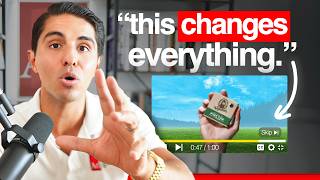
Brian Moncada breaks down YouTube's shift from video action campaigns to demand generation campaigns, plus new targeting options like lookalike audiences and keyword targeting. He shows how these changes let businesses scale their ads and offers ways to work with his agency.
We're back, baby. YouTube ads just officially rolled out. Lookalike audiences, keyword targeting again, as well as placement targeting. So if you want to scale your business past multiple seven and even eight figures and you want to add a second traffic channel, and you maybe tried YouTube ads in the past, but it stopped working, then this is the video for you. I'm going to literally show you all the updates that have happened recently and why YouTube ads are officially back better than ever. We're so back, baby. Okay, so let's jump into it now. Let me just show you actually what's happening. So there's actually a big change that's taking place in the next few months and video action campaigns are being upgraded to what's called demand gen campaigns. So long story short, video action campaigns mean YouTube ads. Okay? YouTube advertising. The problem with that is Google's now getting rid of those and they're only shifting everything to demand gen. The good thing about demand gen is it allows you to show your ads on a bunch of new platforms. Okay, so video action campaigns, again, you can really only show your ads on YouTube, YouTube shorts and the Google Display Network. With demand gen campaigns, you can show your ads on Discover, Gmail, YouTube, YouTube Shorts and the Google Display Network. So what does that mean? Well, it means that pretty soon you won't be able to actually create any more specific YouTube ad campaigns that are video action campaigns. On April 2025, you won't be able to do that. Right? And In July of 2025, all your existing video action campaigns, the ones that are currently running right now that are your YouTube ad campaigns, they will automatically be upgraded to demand gen automatically. So you have to be aware of that. But here's the good part. Okay, I'm going to walk you through how to actually create one of these and why it's so important. So I'll go ahead and blur out the obviously names and everything here to make it very simple. But, but I'm going to go here and click leads. I'll press continue. I'll go to demand gen here. So these are the ones that are the video action conversion campaigns. Everything's going to be demand gen now. So when I click on continue, you can see here that if I just go to conversions, I'll just do book appointments, for example. I'll put a daily budget of, let's say $100 a day. For the sake of the example, I'll go ahead and go to ad group number one. So now that I'm inside the ad group, I can go down and choose my targeting. And here's the cool part. When I click on add an audience, you can see that I can actually create a new audience. And you can see this new feature here called lookalike segments. Okay, so what does this mean? Lookalike segments are built from your first party customer data, which you can then use to reach new similar audiences. So I can go ahead and create a new segment here. I can add, let's say for example, website visitors. I can just go ahead and add a segment here, for example, let's just say I do all visitors on Google Ads in the last, you know, however many days, right? For the sake of this example, you'll have more than me, but let's just put that there for the example. And with these lookalike audiences, you can now narrow the reach by 2.5%, 5% or 10%, which means that again, your broad segment, for example, will aim to reach 10% of people in this campaign's targeted location, similar to people in your seed list, 5% of people, 2.5% of people. And you want to test all three of these. Okay, you want to test all three of them. But the good news is is you now have lookalike audiences. So you want to upload all your customer lists, all your email lists, all your application lists, all your book call lists. Okay, upload them and start testing this immediately. Because now with demand gen campaigns, you can actually do that. And this is something we're seeing really good results across the board for a number of clients right now, including ourselves. So you want to test this immediately. This is a huge update for YouTube ads and for you, especially if you're running ads on YouTube. Now one thing you can also do with these demand gen campaigns that we're still testing right now. So it's not a hundred percent proven, but they are spending even you can actually target keywords. Okay, so when you create a new demand gen campaign, you can actually go under the settings where it says audiences, keywords and content. You can go to content, you can actually edit content and add more keywords. You can see here, select the content you want to target. You can go to topics, you can go to actual placements. So I'll talk about placements in a second. But look at this. You got keywords available again. So you can see here, it'll give you different keywords you can target. You can see I got about 29 million impressions roughly within just these two keywords alone. You can, you can add all your competitor keywords in here. You can Add all your specific products keywords in here, all your brand keywords in here. Any keywords that are related to your business specifically, and your ads will show up on YouTube to obviously people that are watching related topics and content on the platform. Now, this is huge because again, they removed this before, but it looks like they're bringing it back. And I actually confirmed this with the Google rep literally yesterday who said, yeah, with demand gen campaigns, you can target keywords again. So we're testing this out. I would highly encourage you to do that as well. But the other cool part is placements. So check this out. Placements. You can literally target specific YouTube channels or placements. So if I wanted to target Alex Rosi, which we do. Okay, I would go ahead and enter Alex Hormozi. Boom. Alex. What's up, dog? You're seeing my ads now. Hopefully you and Layla want to run some ads. I can also target someone like Cole Gordon. Yo, check this out. So where's Cole at? Oh, yo. No, it brought up Jeremy Miner's channel. I'll target Jeremy. Jeremy. I can also target someone like Charlie Morgan. Let's see where you at. Charlie, Charlie, Charlie, Charlie. Boom. There he is. I can target whoever. I can target anybody, anybody, anybody. And my ads will show up before their next YouTube video plays when someone watches their channel. But not only placements. Okay, I can go to YouTube videos. I can actually specifically put his specific videos that I want to target. Boom. Charlie Morgan's videos here. Boom, boom, boom, boom, boom. So again, placements are now back, keywords are now back, and lookalike audiences are now available. This is huge. So one thing that can make it super easy for you to upload lookalike audiences to your YouTube ads campaign is very simple. You want to go to your tool section, you want to go to shared library, and then audience manager, and then you want to go ahead and click this blue plus icon. And you want to go to customer lists. Once you've done that, you want to be able to sync an existing data source. Okay, you can see we have HubSpot here. We got Zapier. Any one of those work. And if you don't have that yet, you can go to HubSpot right here, or you can do Google Sheets. So if you have HubSpot, you can literally just upload a list from your HubSpot of all your contacts or all your deals you've closed or all your customers and have it synced right to your Google Ads account. And Google will automatically add anybody who's in your HubSpot pipeline or list to your Google Ads account automatically. So your lookalike audience will just continue growing and building and building and building. If you don't have HubSpot, you can upload that same list to Google Sheets and every single time you upload a new customer or deal or lead to that Google Sheet, which you can do with zapier pretty easily, that every single time a new entry happens on that Google Sheet, it will automatically be zapped and imported into your Google Ads audience where you can then have more lookalike audiences created of that same list. This is key. And so you want to do this immediately so you can continue growing your list and have them be similar to this. Six million people you can reach with people that have visited your website or opted in or for example are on your email list and you want to make sure you do this immediately. So now with these changes you're going to be able to reach more of your qualified buyers that you actually want to get into your sales funnel and going to actually be able to use first party data like customer lists, emails and upload them to your ads account and create lookalike audiences to target with 2.5 reach, 5% reach or even 10% reach. And you can now target keywords, topics, placements on YouTube channels and specific videos as well, again, which is huge. And demand gen campaigns will now be showing your ads across multiple different platforms. And you can also still go ahead and only select YouTube if you want to, so you don't have to show up on these if you don't want to. You can still select just YouTube platform very specifically if that's what you want to do. So I really hope you enjoyed this video because this is breaking news for us advertisers and business owners who want to make more money in our business. And if you're a business owner who's already running ads on Facebook and you want to leverage some of these strategies, but you don't know how to do it yourself, nor do you want to. I would encourage you to click the link in the description and apply to work with my agency. So we can just do this all for you. And if you're a business owner who already has a team in house, or you're a marketer who's running ads for other businesses and you want to leverage these strategies and stay up to date on what's working right now for our clients and our company spending $2 million a month on YouTube ads, then I would encourage you to click the link in the description to apply to join our mastermind. My name is Brian Moncada. I'm the founder of ad spend.com and if you want to watch another video just like this on how to master YouTube advertising, you can watch this one right here. It shows you how to leverage AI to create videos without you having to film anything for YouTube ads. Click this video and I'll see you there. Cheers.
More from Brian







CASE STUDY: How Usman scaled to $200k+/month after joining The Ad Men Mastermind