Walk through booking a private firearms lesson on the Great Start Shooting School website. Choose your date and time from the calendar, pick whether to rent a gun or bring your own, enter your info, and pay by card or PayPal.
Chapters
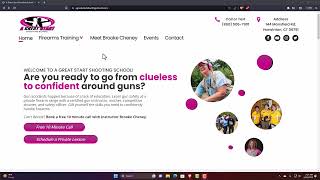
Welcome to Great Start Shooting School. In this video, I'm going to teach you how to book a single one-on-one lesson. So this is our home page. If we go up to firearms training, we then click on private one-on-one training. Click on that. Once it brings you to private one-on-one training, you will see over on the side there are all these pink buttons. Click on One Lesson, and it's going to bring you to our calendar page. If you need to rent a gun, if you do not have your own, you simply click on Gun Rental. If you do not, if you're bringing your own, you do not need to rent a gun. For May, we only have one day left, so let's try June. Any of the dates that are in bold have available time. You pick the day that works for you to see what times are available. You'll see that there are different times available on different days. If it is grayed out, then that means that there's nothing available on that day. So once you pick a day, pick your time, select and continue, then fill in your information. When you get to the bottom, if you have a gift certificate or a coupon code click on that. If you're going to pay with credit card or PayPal, click on these. And that is all that it takes. Have a great day.