AI in Virtual Meetings
Healthcare attorney Hillary Bowman breaks down three types of AI meeting tools for lawyers: generic note-takers like Otter.ai, legal platforms like Querious, and assistants like Copilot. She walks through privacy concerns, state wiretapping laws, ABA ethics rules, and a vendor-diligence checklist to keep client data safe while adopting AI.
Chapters
Okay, so welcome everybody to today's learning objectives webinar, and I'm very excited to introduce our guest speaker, who is Hillary Bowman. Hillary was a healthcare attorney with a startup, but also a couple of big firms, and she's actually in North Carolina, and I was thrilled to find that out because I actually met her at the ABA Tech Show this year, and her company, Querious, was the winner of Startup Alley, which is a big deal. So it's always exciting to see a fellow North Carolinian winning prizes for startup companies. And Hillary has a JD from Case Western, but she lives here now, but she's barred in North Carolina and Massachusetts. And so without further ado, I will let her get into this topic, which I think everybody— we have a pretty big crowd today, and I think it's because everybody is really interested in how do we deal with and what are the pitfalls and the benefits of having AI in our virtual rooms as we converse, and what are the, you know, what are the things that can do and what are the things we need to be worried about?
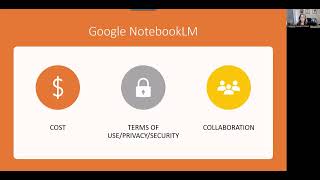
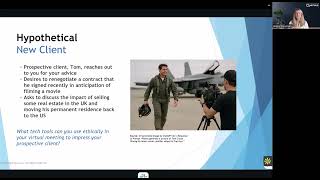
Yeah, great. Catherine, thank you so much for having me today. It was really great to connect with you at the ABA Tech Show. I know We've had several conversations since then, and I think this topic about leveraging AI in virtual attorney-client conversations, it seems to be resonating with a lot of folks. They're interested in it. There's a lot of questions about the professional and ethical implications of it. So I'm glad to have an hour or so today to, to talk through it. I would love, though, to make it more of a discussion. So while I do have some slides and a presentation, please put a question in the chat or virtually raise your hand and would love to have a dialogue about what we're covering today. So, I'll just jump right in here. I'm going to advance the slides. All right. So, here's what we're going to cover today. I'll give you a brief overview of the legal tech landscape. I think it actually helps to provide context about the topic that we're covering today. And then I will give you a little fun hypothetical about, client scenario and then talk through different types of virtual meeting tools that you could leverage in your practice. And that'll just enable us to talk about the legal issues, the ethical issues, and what type of due diligence you can do as an attorney who's thinking about adopting new technologies. So let's get started. All right. So if you've Googled or asked ChatGPT about legal tech options recently, you were probably overwhelmed by by the number of options of tools that you could leverage in your practice. So a lot of legal tech tools today fall in this middle category of legal analysis and drafting. So you see legal tech tools, including ones that leverage AI that are focused on helping you do more effective legal research, summarizing lots of, you know, volumes of documents, helping you with e-discovery if you're in litigation, analyzing cases, or maybe even predicting outcomes with certain judges. All of those tools sort of fit in that general category of the legal analysis and drafting part of our practice. Another area that's really popular too in legal tech and that has also started to leverage AI is in the practice management part. So, you know, sometimes referred to as the back office, it's, you know, where do we store our documents? How do we capture our time? How do we manage our relationships? So that's another really popular area for legal tech. A new category though that Querious has embarked on and that we're seeing a little bit more activity, especially in other industries, is actually at kind of the top of the workflow. It's when you're engaging with your clients, it's at the conversational level. And so Querious is actually the first legal conversational intelligence tool that can join your virtual meeting. We'll talk more about the functionality in a second, but essentially it's helping you or accompanying you in real time in spotting issues asking questions and making the most of the time that you have with your client and then reducing the administrative burdens of those client conversations afterwards. So let's just talk about the attorney-client conversation for a second. So I was practicing as in-house counsel when I started to experiment with ChatGPT, not in my work, but just, you know, off to the side. And what occurred to me is that the strengths of a tool like ChatGPT, where you open it up, you can ask it questions, you can have sort of a conversation back and forth. What I realized about an AI tool like that is that its strengths are creativity and conversation. So that is a really unique functionality for a legal tech product. And so this really started me off down the path of how could I leverage a technology like this in my professional life where I could have more productive conversations. One particular scenario stands out in my mind. So I was talking to the startup, a healthcare startup. The CEO asked a question like, how could I use AI to summarize medical records? And this was several years ago at this point. And I was a healthcare attorney, had been practicing for a decade, know HIPAA very well forwards and backwards at that time. And this new novel set of facts stopped me in my tracks. And I thought, I wish there was a tool that I could have used in the moment. And I was actually telling a friend about the story. And I said, I wish I could have had technology to at least ask better questions, even if I didn't know the answer in the moment, how could I have seen prompts or thought of things that I could have asked, well, what do you mean by AI? How do you want to apply that AI to medical records? What part of the medical record? Or what do you want to do once you summarize it? What do you want to do with it? In the moment in that conversation, unfortunately, those questions weren't top of mind, but it set me off on this path of did a technology like this exist that applied to conversations? And so I have spent a lot of time thinking about how to leverage AI in these important conversations because of course, I don't have to tell this audience, but, you know, client relationships are really at the heart of legal practice. It's where you earn your client's trust. It's where you win their business. And other professions have this. Medical professionals have clinical decision support. Sales professionals have similar support and analytics tools about sales conversations. And so this inspired what became Curious. All right, so for the next few minutes of the presentation, this will be our hypothetical client scenario. So imagine when you woke up this morning, you checked your inbox and you saw an email from someone named Tom who is reaching out to you for your advice. He says, I have two questions for you. One, I need some help renegotiating a contract that I recently signed in anticipation of filming a movie. Some changes have happened on the set and I want to see if there's an opportunity to renegotiate. And secondly, by the way, I'd like to move from the UK back to the US where I'd like to permanently reside. So that's the set of facts that we'll use to talk about how you could leverage different tools in your first meeting with this client. So one option you have for this prospective client meeting with the guy named Tom is a characteristic, is, excuse me, a general purpose note-taker tool. So you may have been in multiple meetings in the past year or so where someone brings a note-taker Some of the names are listed here: Otter.ai, Firefly, Fathom. There's tons that sort of fit this description. So these are tools that do not require you to prompt it to do anything. You don't have to give it any instructions. It meets you in your meeting, it listens to the audio from the conversation, and then after the meeting, it sends you— in some cases, it'll send you a whole transcript of the conversation. In other cases, maybe it's just a summarization. Of the key points and follow-up steps. They all sort of have their own varying features or functionalities. In this space, what we have seen over the summer is that some malpractice insurance carriers in the legal space have weighed in and just, you know, expressed caution for attorneys using these products. And you'll see in a second when you start looking into the terms and conditions why that might be the case. But essentially, these are products that are capturing every word. You know, if you used it in a client conversation, they're capturing every word you've ever said. And in a lot of cases, it's difficult to go and delete that transcript or know exactly how your data is being used. So I'll give you a little bit more detail on this. So each— for each of the 3 options of tools that we're going to cover,. I'll also give you some example terms and conditions. So this is just an example from one of the products. I actually went to their website, looked at their terms and conditions, and I looked at data deletion. So if I wanted to delete my data after using this product for a certain period of time, how would I do it? And it says, um, it talks specifically about, uh, you can delete it from your account. This was a manual option. Again, it's not an ongoing process. You would have to reach out to them. And this also, I think, was referenced in relation to closing your account too. So there was a manual process. It was certainly possible to delete them, but it would require active steps on your part. From a privacy and security perspective, it does say that you can restrict access to certain content, but note it doesn't guarantee that that content will never be accessible by others. And then in terms of training AI, I sort of looked at all of these tools and what they say about use of AI. It does say that in this particular case with this vendor, that nothing in the terms prohibit the company from using your data for machine learning, testing, tuning, optimization, validating, et cetera. So just wanted to provide, like, here's an example of, you know, key terms and conditions that are related to general purpose note takers. If you've also been following following in the news recently, there was actually a class action lawsuit against this note-taker by plaintiffs who are not the customers of this note-taker. They're actually the attendees of the meetings who never consented to their conversations being recorded and that data being used to train AI. So that headline unfortunately was not surprising when I saw it given what I knew about how the tools worked and the terms and conditions. The section, the second option that I'll just cover is Querious, is the product that I've been working on. So a little bit different from a general purpose note taker, it does join your meeting in the same way as a general purpose note taker, but a key differentiator is that there's insights in the meeting. So everyone in the meeting sees this bot that's visible here, the branded bot. However, only the attorney sees the information that's on the right-hand side of the screen. And so similar to Notetakers, we integrate with Zoom meetings, Teams meetings, Google meetings. So the product joins meetings in all of those virtual platforms. Similar to Notetakers, we don't require the attorney to tell the product to do anything. It simply accompanies you to your meeting. But our key differentiator, as I mentioned, is that we do analyze the conversation, we flag potential issues, we suggest questions that you can use to navigate the conversation. Another key differentiator is that because this is a tool that was designed by attorneys for attorneys, we don't create a full audio or transcript file of the conversations. We're really just focused on providing the real-time insights, providing some notes and summarization afterwards. So you can just see a different approach with, you know, a tool that's taken broadly and has a lot of efficacy, like a general purpose note-taker. It's certainly, you know, cost-effective for capturing notes, but has some challenges in terms of, you know, applying it to the legal industry. So when we look at the terms and conditions for a tool like Querious, we see that in the data deletion option, you can actually control deletion and retention from your profile. That customization has been really important. We know that from speaking with lots of attorneys that it really runs the gamut of, you know, how long people want to keep their notes from meetings. And so we wanted to provide that flexibility. And then similar to other note takers, you can manually request confirmation that all of your records have been deleted if you do choose to stop using the product. From a privacy and security standpoint, we've gone through the SOC 2 Type 1 process, and we're almost done with the SOC 2 Type 2 security certification. So if you're not familiar with that, that is an industry-wide security certification that demonstrates that this software— so the, the Type 1 certification requires that you have certain policies, procedures in place at your organization that protect the security of the software that's being evaluated. So it's like a single point in time about how your organization is set up. And within those policies and procedures, there's certain standards you have to follow when you create your software. The SOC 2 Type 2 audit means that we are also secure over an audit period, over several month period. And so there's ongoing evaluation that you're following the policies and procedures, that your software hasn't been susceptible from attacks from the outside. They actually do something called penetration testing where they inject code, they try to break into your software. And so one morning, we— our team actually woke up to hundreds of emails of the auditor trying to set up accounts and inject like malicious code into our software. So luckily we passed that. But if you don't know about the SOC 2 process, it's a good thing to know about just when you are evaluating software tools that you should look for that certification. And then the last thing I'll just mention about artificial intelligence and how we think about it. So With Querious, we do not use any customer data, client data to train models. And the reason we can do that, we don't need it to train the AI models that we use in our product. The reason for that is we are able to periodically update the models that we're using. So if you picture kind of Legos or blocks, Right, our software is made up of about 6 models at this given time. Each model has their own specific task about, you know, listening to conversation, summarizing the conversation, retrieving research. They each have their own purpose. And each of those models are copies of larger foundational models that you've probably heard about in the news. But we deploy almost all of them in our own private cloud environment. So picture a backyard, there's a fence around it, there's a tree, there's a playhouse, there's a picnic table. Each of those things in that backyard example, you can think of them as a model that we use to leverage to, as I mentioned, process conversations, summarize conversation, retrieve research. And so when you're evaluating tech tools, you can start by asking things like, you know, what models do you leverage and are they private models, right? Are they the ones that are fenced in where our, you know, a particular vendor controls the traffic in and out of those models? Or are they models that are publicly available, right? Lots of different customers, vendors are using the same model. So if you've ever experimented with ChatGPT, you've gone to the website you're using the free version, that's a public large language model where you're testing AI and using it. We actually, for summarization, use a version of ChatGPT, but it is a privately deployed version. It's a copy of that larger model that exists in our, in our cloud environment. So hopefully that was helpful just from a terms and conditions standpoint, but also a little bit of background on AI models. The last area that— the last option that I wanted to cover in terms of leveraging AI in a virtual meeting is option 3 here, which I refer to as a platform AI assistant. So if you've experimented with things on your computer or, you know, at your organizations like Microsoft Copilot, Google Gemini, these are very powerful uses of AI that can search a lot of your files, like whether it's on your computer, in a cloud environment, across your organization. There's ways that you prompt it to do that. So you can either type it in, some of them are voice activated. So these are really broad, powerful tools that definitely have value. In terms of summary, you know, summarizing very large amounts of data and even, you know, kind of helping you decide on what are your next steps. I know Katherine, you've done some education on just like how to leverage Copilot in law. So there's a lot of amazing use cases for products like these. We've also heard that you also, before you start using tools like this, you really do have to think about where does my data live, who has access to the data. In working with lots of different law firms, we have heard that inadvertently, you know, data that wasn't supposed to be visible to a certain group of people became visible through searches like this, but it really, that just goes back to data governance. So, you know, how is your data stored? Who has access to it? And if you do that work ahead of time, you can still leverage these tools effectively in legal practice. So a few things to call out just about these specific tools. So they, they tend to be ecosystem-specific, meaning, you know, if you're on a PC, you're using Microsoft Copilot, they will only work in the Microsoft Teams environment. So if you're on a Zoom meeting or a Google meeting, they won't necessarily necessarily be able to pull insights from those conversations. And they are general purpose tools, incredibly powerful tools, but general purpose tools that, you know, with the right guardrails can be leveraged in law. Alright, so if we dive into the terms and conditions from these platform assistants, looking at those 3 categories, again, about data deletion rights, privacy, security, AI, in that first category, it does say if you go to the Services Agreement, they will delete your data and content and disassociate it with your account. So there is a way to go about doing that. On a privacy and security perspective, of course, you're dealing with Microsoft that, you know, honestly sets the industry standard for privacy and security. So this actually, I think I pulled this, this wasn't actually in the contract itself, but is a privacy statement issued by Microsoft at itself. And then this last section here, it addresses the AI. So can you, can Microsoft use your data to train models? It says specifically about Copilot that it leverages pre-trained models. That's what I was talking about earlier. We also leverage pre-trained models. We're not using your data to train models actively through use of the product. And so there's, you know, there's some of that protection as well in the Microsoft terms and conditions for Copilot. All right, so this is just one slide that sort of puts together everything else that I previously covered. Again, here's the 3 categories. You can bring a general-purpose note-taker to your meeting with a client. There are some limitations from a privacy and security perspective, just depending on the vendor. You really have to dig into the terms and conditions. You don't have the benefit of real-time insights. But, you know, there are broad integrations and obviously the cost of a tool like this is compelling from just a financial perspective. The legal conversational intelligence is the newer category of legal tech tools that we're actively, you know, we are working to build out. And so we do provide that real-time insight. We do, I don't think I mentioned this previously, but in order to further protect the privacy and security of your data, so when we analyze conversation from a virtual meeting and it's transcribed into parts of the conversation, we actually pull out names of people, of organizations, of identifying information like a phone number or Social Security number so that even before that information touches a privately deployed large language model in our cloud environment, remember in that backyard fence example, it has already been stripped of personal information. So that was just like an extra step that we wanted to take from an architecture standpoint to make sure that this was secure for attorneys to use. And in designing that architecture, I also looked at the ABA Model Rules just at a national level as As Katherine mentioned, I'm licensed in North Carolina and Massachusetts, so looked at those that directly apply to me and to my practice. And so I proved to myself in a white paper that's been updated now several times that you can actually bring AI into a meeting with a product like Querious in a way that is done in a way that's in accordance with the model rules. So I think that's noteworthy that even a single line of code was written, we, we thought about these, these ethical issues, and I'll talk about those in a little bit more detail. And then again, last part here is just about the platform assistance. Okay, so I wanted to give you a practical takeaway from this conversation. Even if you're not in the market for a product like AI to use in your virtual meetings, here's a framework that you can just generally keep in your mind, keep in a file, about how to look at new legal tech. I actually developed this over time just as an in-house counsel. I was often asked to quickly review a procurement contract, right? The business team wanted to buy a new piece of software and they said, hey, can you look at these terms and conditions, make sure they're okay before we sign it? And so I think these are the big buckets or the big categories that I would think of whenever I was evaluating a new vendor tool. So that includes just the vendor's expertise, kind of origin story, right? Is this something that's general purpose? Is this industry-specific? Generally, do I understand how the product works? It always amazed me that I could be asked to review a contract but not have someone explain, like, in simplest terms how the product worked. That's like the first question you should ask or try to understand. Because from that, of course, it flows to whether or not the terms and conditions make sense based on that architecture. So naturally, the next part of the review would be look at the actual terms and conditions. You could go through those 3 categories that I just, you know, previously highlighted with the other options. What does it say about data storage, data deletion? What does it say about privacy and security standards? What does it say about using AI? And can, can this product use my data to train AI? Then kind of once you've satisfied that first layer, I would dig a little deeper, right? So if you're in the legal practice, you're thinking, okay, what ethical implications are there for me adopting this? I'll kind of illustrate those in a second with the tools we've already covered. And then digging in more on privacy and security standards. This, you know, this answer varies based on how sensitive the data is that a particular vendor has access to. So you might not scrutinize it as much if it's, you know, general, general data, but the more and more you give it access to your firm's data, your client's data, obviously you want to look for more stringent standards. And that SOC 2 Type 1, Type 2, those are types of questions that are worth asking. And then lastly, just industry reputation. What are people saying about the product? I think that should always be a part of the diligence. So I went briefly through the North Carolina Rules of Professional Conduct. It was a good refresher for my own memory. And then North Carolina was ahead on, ahead of the country really on issuing one of the first or the first AI ethics opinion. I know Catherine and I, we had a really great conversation about this a few months ago. I really do like how North Carolina structures the opinions. It's like a question and answer format, and they're based on actual questions that practicing attorneys submit to the bar. I thought it was really well done. Just kind of, you know, to call out a few takeaways here. Nothing in the model rules, nothing in the opinions say whether or not you can use AI. It's basically, you know, if you're going to adopt a new technology like AI, you need to think of all these existing obligations. That you have. And so something like competence, it's, you know, do you understand competence about, you know, do you understand legal representation? But in that, if you are leveraging technology, do you understand the technology that you're using in legal representation? Communication is about, you know, when it's related to technology, are you communicating to your client that you're using technology? Fortunately, in a lot of those examples, those tools I mentioned earlier, they're very transparent, right? If you have a note-taker, you have Querious, something like that showing up to a meeting, by design they are transparent. So that really helps you communicate with your client that you're using these tools. But maybe something like Copilot isn't as transparent. And so you just have to think about to what extent are you using that to represent your client and should they be aware of it? Fees is on here. This is, this comes up more in a tool where it is reducing the amount of time that you're spending doing work for your client. So if you're using an AI tool to draft a contract faster or do research faster, you can't charge the same amount you would have charged before, before you were using the tool. This isn't as relevant in a situation like the note-takers or real-time insights, but wanted to call it out nonetheless. Confidentiality obviously is very important. I've talked a lot about the privacy and security standards and things that we've done at least related to Querious to ensure the privacy and security. Related to that, I always get asked the question about attorney-client privilege. So does Querious breach attorney-client privilege? And so both from the ethical obligation of confidentiality and the evidentiary concept of attorney-client privilege, I've looked at the opinions, I've looked at the case law, and I think a really great illustration of kind of where we are with Querious is like, do you remember having to think about adopting email, cloud storage, virtual meetings in COVID, at each of those points where we adopted new technology, we had to consider whether or not we thought those technologies would affect the privacy of the confidential client communications that we were having. And in each of those instances, as a profession, we became comfortable that that those technologies did not breach confidentiality, waive privilege when two things happened. One, there was an expectation of privacy between the parties, and two, there were reasonable security safeguards in place. And so when you look at those two factors, the analysis then comes down to, have I done the due diligence to understand that there are reasonable security safeguards in place with this technology. And so that's why I spent a lot of time in the previous few minutes talking about, you know, what are the questions you could be asking in diligence to better understand whether or not a tool is secure or not. And then candor towards the tribunals, just, you know, not submitting something false to a court. Not as, again, not as relevant. That comes up more in drafting. Like, I'm sure you've seen the headlines of, people using AI like ChatGPT to draft a motion or a brief, and then it's supported by a case that was hallucinated that doesn't actually exist. So that rule generally comes up in those scenarios. And then Rule 5.3 is about your non-lawyers who are assisting you. So it could be a paralegal, it could even be technology itself. And so just this idea of when you're adopting technology, when you're asking your colleagues to adopt technology and you're responsible for supervising them, to ensure that you are giving them good guidance on how it can be— how technology can be leveraged responsibly. And then lastly, the unauthorized practice of law. So there's two ways, of course, that this can arise. One is, you know, you just have an unlicensed individual practicing law, but with technology, it's specifically, you know, is technology replacing the independent judgment of the attorney? That's actually UPL for the technology space. And so I can speak to, at least in the case of Quorus, like we're providing these real-time insights, we're flagging issues in real time for the attorney, but all of that is hidden from the client, right? The attorney stays in control of those prompts and that is by design, that is deliberate because of a a rule like Rule 5.5. We don't— we want the attorney to remain in control of whether or not they share those prompts. And we also give the attorney access to all of that information after the meeting too, to similarly make an educated decision about, you know, and exercise their professional judgment on whether to mention those issues and questions and sources to the client. And then I just referenced two other ethics opinions here that if you haven't read them, they're worth taking a look. This one, 477R, was about, I believe that was the cloud storage, all of the kind of like privacy security considerations when we adopted cloud storage. And then 512 is the AI ethics opinion that came out last summer and talks about when you need to give notice to your clients about using AI versus is consent. And so the punchline of that one is you need consent from your clients when informed consent when the AI tool you are using leverages client data and there's a possibility that that client data could be revealed in like another, another matter. So what that actually means practically, I know that's a little confusing, but what that means practically is the tool you're using trains AI based on your client data. And so there's the remote, even remote possibility that your data could be revealed in the results of, of someone else using the tool. So if that's not the case with your tool, like a tool with Querious where we don't train, notice according to the American Bar Association is sufficient. I completely admit that the American Bar Association, those ethics opinions are not, you know, obviously controlling, but they are informative for all of us in this very rapidly changing environment. All right, so I won't spend a ton of time. I do want to leave an opportunity for questions and answers, but but if you really want to dig into, okay, so now you've gone through all of the rules of professional conduct that apply to me selecting a new technology tool, what does it practically mean to satisfy those rules? And so I just came up with a whole list of questions that, you know, so you don't even have to think about it. You know, you have a busy practice, you're looking at new technology. I just wanted to kind of capture here all the questions that I would be asking if I was trying to satisfy my professional obligations when I was purchasing new technology. So, you know, on the competence level, just again, understanding how does the tool work? Does it integrate with other tools? What does it do with my data, right? You don't have to have a computer science degree. I know it's intimidating at first, but you don't have to have a computer science degree to ask these basic questions. I will also say, if you can't get like plain language answers from vendors about this, that would also be a red flag to me. You really want, you want to be able to understand at a basic level how the technology works. Communication, this is this notice versus informed consent that I just talked about. I actually put the page number reference here if you want to just jump to the, the core of that opinion after, after the session. And then I think, think through too, right, how am I going to explain this product to the client? And what if they object? You know, what if they say, no, I don't feel comfortable using it? How are you still, are you going to be able to still serve the client? What alternatives do you have? On the confidentiality front, this kind of just recaps the privacy and security safeguards You know, how is the data used? How is it stored? Is there encryption? Encryption is just like protection of data and like visibility to outside parties, I think, at its core level. And so data can be moving and data can be at rest. And so you want to make sure that a tool uses encryption, that protection, you know, in certain circumstances related to data. And then this last point is just about the independent judgment. You know, is there, is there at any point where this technology would replace my independent judgment? That would obviously be a red flag. And so you can solve a lot of that with workflows or just with the design of the product itself. All right, so at this point I will just pause. You don't have to answer in the chat, but just think to yourself, okay, I've heard of 3 different options for leveraging AI in a virtual meeting or after a virtual meeting: note-takers, legal conversational intelligence, platform tools. Hopefully you have a better sense of their relative features, the pros and cons of leveraging each, so you can think about to yourself, you know, what might I consider leveraging going forward in in this new perspective meeting with, with Tom. All right, so I will just quickly wrap up before opening it up to questions and answers. You know, I think it is perfectly normal, and I've heard it from lots of people, if you are stressed or, you know, kind of overwhelmed by the idea of adopting legal tech, of trying to to, you know, catch up or get up to speed on adopting AI in law. We have really demanding workloads. We are responsible, right? We have the trust of our clients and the responsibility of maintaining sensitive information. So I hear this from people all of the time that, you know, they want to move slowly. And that is a responsible answer. I do think though that over time we will have an obligation to use some of these technologies as a standard part of our practice. And I just think back to, I was reading an article about how Google, like how search engines changed the practice of law. And if you didn't use a search engine at this point, that it, you know, you could argue it's almost, well, maybe that's not the best example. If you didn't use like an electronic search for legal content, so thinking tools like Lexis Westlaw, right, and you were only relying on books, at this point, some might say, ah, you could be missing something that actually is, you know, potential exposure for your client. I think at a certain point, we're not there yet, AI tools could be the same thing, right? If you're not using something, if you're not leveraging the latest technology that over time with vetted products that, you know, you could be exposing your client, maybe you're missing something, maybe you're not not catching all of the critical details. So, so wanted to throw that out there as, you know, this is a great time to kind of start learning to ask all the questions that I suggested earlier in the presentation about data storage, privacy and security, how does the tool work, just, just basic questions like that. So I, you know, definitely feel free that you can ask vendors these questions, you can press on them. And as I mentioned before, you don't need a computer science degree to ask all of the critical questions. And then I also think that I've been, you know, over the past year, year and a half of working on this with Querious, I've always enjoyed the folks that, you know, they might not have a technical background, but when they start using the tool, they really see the vision for it and the possibilities that maybe it's not there today, but there's so many more ways, there's different use cases for a product, There's different ways to enhance it. And so I sort of invite everyone to be a part of that conversation. I think it would be foolish to think that a small group of people who are legal tech experts, who maybe you hear a lot in conferences or on social media, that they should be the ones that drive legal tech products. I don't think that's true at all. I think that it requires people from, Lots of different parts of the country, different practice areas. Everyone has to weigh in on what works, what doesn't work, what is an acceptable risk of AI versus not. And so I do really want to encourage everyone to be a part of the conversation. I was a healthcare attorney. I never imagined that I would be in this spot, but I'm so glad that I have gone down this path. It has just been incredibly rewarding. And so I hope whether it's after this presentation or maybe a few months from now, please reach out to me. My email address is here. Connect with me on LinkedIn. Would love to hear your thoughts about adopting AI in legal practice. So I will just pause there. Catherine, you've been monitoring the chat.
I haven't seen any questions pop up. I have been, for the sake of the recording, throwing in links and other things. While you were talking to add a little bit of extra information, which I'll then put into the, the email follow-up for everybody. For instance, you know, the Copilot thing. Yeah, the terms are conducive to use by firms. There is the issue of if you're dumping everything in SharePoint and you haven't well protected information, then it can inadvertently unearth information within the firm depending on the size of the firm. If you have ethical walls or something, that could be hugely problematic. Automatic or HR records or something like that, pay, payroll, things like that. But then also in both Google and in Copilot, if you, if you rank or rate a response with a thumbs up or thumbs down, it actually has an automatic checkbox to say you will share the chat itself, the results with a screenshot and everything. And so it actually null and voids a lot of the privacy to share with the product development team. So it's, you know, there's, it's, it's kind of, um, I mean, you want to be able to use this stuff effectively. And, and also I'm sitting here looking up the RingCentral terms of service because RingCentral now, anytime I get a phone call, unless I quickly turn it off the default, and I can change the default, it's actually really super convenient. And that's where we kind of have this, this weighing thing. We're weighing convenience with security. And so with RingCentral, when someone calls me, it automatically starts transcribing the call, and then it sends me notes from the call, which again, super convenient for me. Um, but should I be concerned? For me, not so much. Um, but for lawyers, yeah, it may be a big deal. So, um, there is a lot to consider And that's not even the part where you're letting it think for you, which is where I think where the headlines tend to go.
Yeah, the conversation does raise a lot of issues. I know North Carolina is not a two-party consent state for wiretapping, so it's not necessarily a wiretapping consideration here. But there are 14 states, I believe, that do require both parties to consent to any recording or interception of audio. And so we did work with privacy counsel about that as well, like recognizing that Querious could be used all over the country. And so we didn't want to create a scenario where by using this product, you're inadvertently creating liabilities under wiretapping. So that's why we have super transparent language in the meeting on the bot itself saying, we do access your audio, we do not record it. And if you don't consent to this, please notify the organizer. So that was all deliberate. And it— I remember telling the engineers actually that they needed to put this on the bot a while back and they were like, that is so clunky. Like, why do we need this? And it's like, because there's actual real, you know, legal issues. And yeah, they were just like, well, other products don't do that. I was like, well, this is not for other products. This is for lawyers, and we cannot, you know, we need to make sure we're buttoned up.
So absolutely. And for what it's worth, we have a follow-up article coming from a privacy attorney that's going to discuss some more issues around this. So if anybody has any questions, what I'm going to do is I'm going to stop the recording because I like to make everybody feel free to not have the chilling effect effect of having a permanent recording of questions. So thank you so much, Hillary. I'm gonna stop the recording, and then if anybody has questions, you can chat them or open up your mic.