Marketing with AI

Catherine Sanders Reach shows lawyers how to use AI tools like ChatGPT, HubSpot, and Descript for content marketing without losing their voice. She walks through live demos of brainstorming, SEO optimization, email automation, and video editing, then stresses picking one or two tactics, refining the output by hand, and reusing it across blogs, newsletters, and social posts.
Chapters
So welcome everybody to today's learning objectives. And today we are going to talk about, um, using AI tools to market your firm. And again, focusing on content marketing and thought leadership, where I feel like that is something that more lawyers are comfortable with and, and is more on the DIY spectrum. So when you get into Google AdWords and optimizing your website for SEO and all those kinds of things, there are definitely people who are experts at that. That is a whole study in and of itself and absolutely worth the time and money to work with someone to get you those kinds of results. What we're really talking about is generating the content, which, yes, you can pay people to generate content for you, but the reality is it's not going to have your voice, it's not going to have your knowledge. And so I think that looking at really establishing your, your brand and your name and what you know and communicating effectively with your potential clients and your current clients, you're always great sources. And also thinking about, I mean, this morning I got a message from Um, a former colleague of mine who lives in Wisconsin, who has a friend who's in Durham who needs an estate planning attorney. So top of mind is really important. Uh, and, you know, so it's being top of mind with your colleagues, your peers, and even your competitors, because sometimes they can't take on a matter., and they may look at you. So kind of being, having presence and having people be able to find you and then having something to say to them is all kind of what we're gonna focus on. So all that said, I thought we would start out with an exercise with ChatGPT, something that can help you get started. So while you can use all these generative AI tools to create content for you, as you are probably all aware, and some of the content's actually pretty good. Made, but you're gonna have to edit it. You're gonna have to think about, um, whether it's accurate and timely. And they also have all these tells that you can tell that it was created by Gen AI, and people are getting more and more savvy to that. So spending the time to create the content, I think, is where, where your time is best spent. Using the tools to repurpose content, however, I think is fair game. And that's one of the things I'm going to focus on is, okay, I've got a PowerPoint presentation or I've done this, I've created an article. How can we take that and turn that into multiple types of media that can go into different areas to get exposure to that? Because people, some people like to watch videos, some people like to read articles, some people want an infographic, some people are visual. So trying to meet all those needs without you having to create individual pieces of content to fit all those different types of marketing channels. So I'm just in ChatGPT, and I thought we would just start out with how getting ChatGPT— and you could use Gemini or Claude or your— the tool of your choice. How can ChatGPT or any large language model kind of help you brainstorming? And so if we're going to brainstorm with the AI, we're gonna give it a persona. So I'm gonna just go in and say you are a legal marketing expert. You helps a lot. So how should— who should we have as our target market? So, so far I'm building out my prompt. And because I have not, um, interfaced with ChatGPT from this persona before, I'm giving it a persona that you're a legal marketing expert who helps law firms with content strategy, brand awareness, and thought leadership. I'm the managing partner, small firm with a marketing budget of about $10,000 annually. What are the best strategies to reach my target market? Um, which is, uh, Later life.
Divorce. Yeah, gray divorce, Katherine. Now I have a question when you're done with that.
Okay. Okay, what's your question?
Have you played with many GPTs or GPTs within ChatGPT.
So that's— we are actually gonna talk about that. So that's what this is over here. These are a couple. So we've got the AI for Lawyers GPT. I was gonna say this Generate Alt Text GPT, cuz it's really helpful. You can upload an image and it creates alt text for you because, you know, from an SEO perspective and from an accessibility perspective on your website, you should have alt text for any images that you have. So Yes, I have, and we can talk about this. Is this query to ChatGPT public? Can other people see that you sent this query and the results you got? So this is a good question. And so this is— this should not be a public query, but if you're worried about this being public and you wanna just double-check and make sure, you can turn on temporary Chat. This will not appear in your history. Use or update GPT's memory. Use to train the models. All that kind of stuff. So because I'm using free GPT and I don't want this to ever be, you know, available to anybody, I've just turned it onto temporary chat. In this case though, I don't care, so I'll leave it. And you can also go in and see whether your queries are public by going in and looking at data controls and managing your chats, looking at security, all those kinds of things. It just depends on whether you're paying for this. So I'm going to run this. So it starts out with stuff that's not particularly genius, and I'm happy to share this with y'all for what it's worth. Now that I'm hitting share, this is making it public, for what it's worth. And as is often the case, live demonstrations, um, point out the failables in any technology. So, um, I will stick this in the chat for y'all. So then, you know, you can go through and see what it says. Local SEO, Google Business Profile optimization. If you don't have a Google Business Profile, I think every firm needs one. Um, but it says build high-quality local backlinks. Well, that, that is a strategy best left to, I think, marketing experts. Um, I mean, you could ask. I, I often find that people ask for backlinks and I ignore them. So I don't know. That's an old-school strategy. I don't know how effective it is, but you can, you know, you can reject anything that says micro-targeted local advertising. So a lot of this is advertising, and so it ignored the fact that I said thought leadership. But there are probably some things that you can look through— strategic partnerships and referral networks. So you can go through here, decide which ones work for you, um, and then get it to elaborate and ultimately say we're going to do an email drip and nurture campaign. So So you keep querying, taking what it's told you. So I wanted to build a, a 3-month email marketing cycle for an email drip campaign, um, and ultimately you can get it to generate, uh, a marketing plan so you can actually put it into your calendar. And so one of the things I find with marketing is if you're not intentional with it and you're accidental with it, then it doesn't happen. So I tend to say pick something that you want to focus on and get good at doing that, um, rather than trying to do all of these things. So this is giving me this huge, you know, a bunch of different suggestions, but we really want to focus on one or two things to get started because we want it to be doable. Again, if you're hiring out for this. They'll do lots and lots of things for you, but for the things that you control, um, building up a following and doing a newsletter and doing a blog, that's enough in and of itself. But then taking some of that content, repurposing it, um, is where some of these tools come in play. So use ChatGPT or Gemini or any of these tools to kind of brainstorm about different opportunities, different ideas, and how you can move forward. Then I wanted to talk about looking at where we are today with some of the, uh, the assets that you have for your firm. Um, so for instance, if you have a website and you've been working on search engine optimization, one of the big things that's being discussed in marketing world is that it's not about SEO, it's now about AIO. And so it's answer image optimization, being that now Google and ChatGPT and Perplexity and all of those are giving us generative answers to our queries. So somebody goes into Google and they type in a search string Bing and Yahoo and all the search engines are now giving us a generated response. So where do we show up in that? Because that's different than the list of, you know, local businesses or response websites that answer a question or whatever. It's a different, different strategy, um, and this is new. And so HubSpot has created this thing called the AEO grader so that you can put in your, uh, your website and— or actually you don't even put your website in, you put in your company name, your location, the product or service, and the industry, and you see where you show up in the AEO. So let me hop over to that and I'll show you what that looks like.
Catherine, go ahead and put us in there.
Oh, you want me to? Okay. Yeah. All right. So what's the name of your firm?
Siemens Family Law Group.
And you're in Asheville? Yes. And you are legal services?
We hope so.
We'll see if that comes up. And you're in. All right, so let's see how you do. And I've done NC Board as my example, so thank you for being brave. It says according to the Wall Street Journal, publishers estimate that they will lose 20 to 30% of their Google visibility, um, because of the new way people are searching. So they looked across 3 large language models in Asheville, large language services and law. You're on track for ChatGPT. You're doing great with Perplexity. You doing on track for Gemini. And so it goes through brand recognition, market score, presence, brand sentiment, share of voice. And then you can go down and This is free, so you can unlock your insights. You can download that and, um, really investigate like where you're showing up. So again, SEO, still important, but AEO now another thing that you need to pay attention to. How are you showing up? Um, when someone gets that generated response to a query in advance of the, the link list. So that is a fun tool, and I'm going to send y'all, of course, the slides, and in the slides I have links to all these different tools that we're going to go through. Thank you. So the next tool is for those of you who either don't have a website or your website was built a really long time ago. And you feel like you need a fresh start. Um, and I've worked with attorneys who retired from big practice and, you know, went on their own, or they just wanted to start a website and get up to speed fast when they started their firm, and they didn't have, um, a lot of extra funds to get someone to develop a website for them. Um, or just to see what this looks like if you got the AI to build it. And so this is a, a Wix, which is a long-term website platform, but they have an AI assistant. And so I like to say you can build a website in 3 hours or less. So I was just going to show you this. So if we go to the Wix AI builder, you get a Wix account. You start the chat. Tell me what your site is all about. And you can say, I am— and I'm just going to build a site for myself. Well, I'll build a site for some— one of you. Let's see. Okay. I'm a law lawyer in the Raleigh area who focuses my practice on complex estate plans for high-worth individuals. We'll see what it does. What is your business site name? Estate plans for the rich and famous. What type of content will you feature on your site? Blog posts, events, and newsletters. And you can go through, so, um, The nice thing is you just sit there and brainstorm with this tool and it starts building out your site profile. It adds elements to it. So it's, it's already identified because I said I wanted to do blog posts, events, and newsletters that it's going to have, um, bookings, events, blog forms. So it's pulling all those different elements into it. What are my unique selling points? Um, And it also has some— it makes you think, what is it that I'm selling? So, okay, y'all help me out. If I'm a high-worth complex estate planning, understanding complex tax structures, Multinational Holdings and massive invest. Okay. I want to— well, and I'll end the chat and continue, but you can continue to go on with that. And then, um, okay, yay. And then it's going to create the website for me. And it's added all the apps that I need. It's gonna try to upsell me anyway. So if you've never built a website, you can just chat it your way into a new website, and it'll let you, uh, there's tools to create images, you know, design the site, create, uh, your brand kit, all that kind of stuff if you don't already have that stuff. So Wix, um, and I think it's $17 a month for the Pro plan, so not expensive. So if you're a little bit more DIY or you're just starting out, this is a great way to do this. WordPress is the de facto standard for websites, but I have not found something as friendly as Wix for building a website with no, no real knowledge of how to build a website. WordPress is a PHP base system, and it's not, it's not all that easy. It's, it's really helpful if you get someone to set it up for you, but, um, if you're just starting out or you just need a fresh look and you don't want to pay somebody, you could always play around. You could even play around with a free version and say, I like these elements, I like what it's done, can you go to your developer and say, can you do some of this? So then Perplexity, which we saw from the AO perspective, um, as one of the things that it's looking for. Perplexity is an AI search engine. It's also good for things like where I was gonna— is, is market research. So one of the things that's very helpful, I think, is to understand your market. Um, has anyone ever created a client persona? So this, this is something that we talk about in, in marketing is where you create a client persona and you really think about who's my client? What do they read? What do they watch? Where do they go? What do they do? What problems do they have to solve? All, all the kinds of things to get inside their heads and think, what kind of information do I need to put out for them and to also what can be helpful for them once they find it. So Perplexity can do research and analysis and creative content generation. So if we go into Perplexity, we can ask it how to do some market research for us. So let me find Perplexity. And so one of the things I wanna do is pick pick which model we're gonna use. So this is the search. So it defaults to search, and then you've got deep search, and then you've got, projects. So we're just gonna go into deep search, and we're gonna say, So I'm going to do estate planning for military families in Fayetteville, or you could say businesses that support aeronautics in Greensboro or whatever. Kind of think through who you want to help and then start figuring out. It's looking at its sources and then it will start giving me. So I'm using kind of the deep research model, so it goes through a lot of steps. It takes longer to generate this information. Um, it also— Perplexity grounds the resources and links that you can click on. I have tried to use ChatGPT and Gemini, and sometimes it makes up the links, which is not all that helpful. So this is more like a combination of ChatGPT with the, the search engine elements to it. So again, It's, it's got 1 minute remaining, but it's going through all these steps. And this is just another tool to kind of dig into what does my market look like? How do I reach them? And you can continue to ask it, you know, what do they read? What do— what are the local— I mean, Do you advertise on billboards? Do you, you know, do you do radio spots? What industry groups can you get in front of? Is there, um, lead generation that you could do that isn't, isn't exactly what, um, that aligns with your target market but gets to your target market? Um, so kind of that, uh, the concept of going into a group And in one case, I worked with an attorney and she was in Chicago and she would go do talks to families whose kids had just entered college and do these little talks at the local library about, you know, the trouble your kids can get into in college once they've left, left the nest, you know, landlord-tenant issues, DUI, minor, minor, you know, infractions, stuff like that. She did, um, you know, estate planning practice, but her target market was this, you know, the family where they're becoming empty nesters and they need to reevaluate their estate plan. So she wanted to get in front of them, but she had this kind of, uh, other thing as her lead generation. And so you can get creative with how you think about how do I reach my target market. And especially with estate planning, estate planning can be, um, kind of a harsh reality. People don't always want to talk about their impending death, so she chose to go at this a different way. So anyway, you get comprehensive market report. You can get, you know, demographics, key military population concentration. Obviously this is something I knew. It gives you, um, specific percentages, uh, the economic strength of the area. Can they even afford me? What do I— what is affordability for my services? Um, you know, the market dynamics, growth drivers, all this kind of stuff. Just getting a lot of insights into your target market in the area that you're, you're planning to focus on.. So all of that, again, good information. So as you're developing your plan, you need to understand your market as, as you're developing that plan. Okay, so email newsletters. I have an email newsletter. I spend way too much time on it. It is not a marketing newsletter. It's an information newsletter. Um, I think marketing with email is harder, but some people do a really good job of it and some people don't. So I think using email newsletters, um, that are full of content and helpful information is better than the ones that kind of beckon you to contact someone for business. So to give you an example, when I lived in Chicago, I was the condo board president. We— I signed up for a management company's newsletter because even though we didn't use the management company, their newsletter was full of useful information. So if you can figure out what is useful for people, they're going to open it. HoppyCopy is a product that lets you work with AIs to write and sell, stay top of mind, and it's kind of an all-in-one product. And there's copywriting. It will do copywriting, newsletters, email sequences, um, train it on your brand, marketing automation, analytics. So if you're using Constant Contact or MailChimp or something like that, and want to get, I think, a little bit more of the AI involvement in that and some help with the content, this may be something to look at. Just, just as you know, I've used Mailchimp and Constant Contact and currently Salesforce Marketing Cloud. And I I do a lot of work and it doesn't help me that much at all. Um, so I feel like platforms like this are kind of next level in thinking about how to— like, it has a whole forums and LinkedIn bio and how to grow your list. Well, growing your list is really important. Organic growth for a newsletter is really hard. So coming, you know, if it's going to help me figure out how to grow my list, Fantastic, because I'm not getting that help from my current platform. Um, this is a tool— has anybody— if, if you play with Grammarly, um, this is similar to Grammarly. It's called Hemingway Editor, and this is one of those tools that I think is super helpful in terms of just passing your copy through it to get help correcting for passive voice, weak phrases, overly complex sentences, simplifying the language, focusing on a particular— so, you know, if we were talking about a 9th grade reading level, review this content and, you know, suggest edits for a 9th grade reading level, things like that., and I've used this, uh, let's see, where is it? But it's very similar to Grammarly, um, but you can actually just paste your content in here. So this says readability grade 8, so it'll give you a grade. So you could take copy from your newsletter, your website, your blog post, things like that, drop it into Hemingway, um, ask it for readability scores. You know, 13, 1 of 13 sentences starts hard to read. It's nice and color-coded, and then you can say, you know, fix your sentence, um, and so on and so forth. So you can either get the little add-in that, like Grammarly, sits in your, um, on your screen and kind of suggests things to you all the time, which is what this thing is, is my Grammarly editor, or Hemingway, which I think does a really fantastic job of—
Catherine? Yeah. Is this better than Copilot? I haven't used Copilot to know.
So I use Copilot for my 365. And yes, I think Hemingway is actually better than Copilot for marketing copy. Okay. My, my, I, when I try to get it to get Copilot to help me with my newsletter, it's, it's not really that great. I feel like Hemingway is better at helping me focus on simplifying my language and making it better to read. Grammarly is very similar, and I, I think Grammarly is better and the suggestions are better than what I'm getting out of Copilot.
Should I be opting into Copilot?
Generally speaking, I use Copilot for, especially in Outlook, asking it to do things like help me prepare for this upcoming consultation, review all the emails and find the documents. Or, you know, I'm, I'm going to a conference next week. Help me, you know, review all the emails that we've had and create an itinerary for me and, you know, that kind of stuff. I find that very helpful. It's really helpful in Excel. If you have a big Excel spreadsheet and you go, okay, I want to know this about the information, instead of having to figure out what the formula is, you just type in, you know, I'm really interested in how many attorneys are offering a parking benefit. And then it'll go through and create a pivot chart and you don't have to know how to do any of that. So it's really great in Excel., and then it's useful for finding work that you've already done. Like if I'm gonna do a presentation for law students, I'll say, you know, out of everything I've done, what are some great tips that I've talked about for law students? And I'll go through all my content and make suggestions. So there's a lot of use cases for Copilot in the 365 system, but I think for simplifying your language for marketing purposes, Hemingway and Grammarly are better. Okay, thank you. To Jim's point about the GPTs and what a GPT is. So a GPT is in ChatGPT. They have— you have the ability to add, GPTs. And so you can go and click explore. And so if you say, okay, I want to see what kind of GPTs are developed for marketing and copyright, uh, or copywriter, uh, marketing, branding, and ads, marketing research and competitive analysis. And these are just tools that are pre- restructured to do a specific thing. So from a prompting perspective, you don't have to give it the full monty and kind of get it up to speed with what you want it to do. It's developed and already designed to kind of help you do a particular thing. In the Copilot world, they're called agents. So you can go through and say, you know, what, what, what do you wanna do?, and there's tons of GPTs that are built. So I've got, uh, this generate alt text, and all it is is find an image. I'll find an image. I'll find an image off screen. Um, Yes, this is my cat. My cat gets highlighted in many programs. But you can upload an image and it will give you a full description. Again, helpful for SEO. Um, for anything where you're adding an image, you always want alt tags because that gives the search engines, it gives, um, screen readers, it gives other, other reasons to describe the image where the computer itself doesn't necessarily know. Um, so if you're struggling to define or create a description. David Collaruso created this. He's a lawyer, and he just did it to show how you can use GPTs, which you can build your own GPT. I've built agents in Copilot, but I haven't created any GPTs. But anyway, That was just an example to show you. Um, this is a tool that if you're into or interested in video content, um, this is really an amazing tool for a variety of reasons. So, um, it's called Descript. So Descript lets you basically edit videos, create avatars, edit podcasts, create social clips, translate and dub videos, turn slides into videos, generate animated videos, transcribe files. It does a whole lot of stuff. And so I will show you a couple of the projects that I have. So In this case, I did a video interview through Zoom with a CPA who does exclusively work with law firms. And we talked about, you know, financial statements and what, what does a financial statement tell you about a firm. So I took the video, I upload it into Descript, it created the transcript, and then I go over here to the AI tools and you can edit for clarity, you can remove filler words. This one's fun. You click on Create, Remove Filler Words, it removes all the ums and pauses. It edits the video and the transcript at the same time. Which is amazing. Um, and then other things that you can do with this, uh, you can remove retakes, shorten word gaps, add chapters, um, you know, green screen, generate images, create clips, highlight reels. Draft the YouTube description, create a social post, draft a blog post. So there's all sorts of tools in Descript. So if you have video content, you can repurpose it, you can optimize it, you can do all sorts of things with Descript without having to be a video editing genius. So I've found, and I like, I had this draft of blog posts from the transcript, which I will use next week, and post this all for y'all. But that's the kind of thing where, so I have a conversation with an expert, I have all this information, but you could just film yourself talking about something in Zoom, and then generate multiple assets with this one product, plus edit out any mistakes without having to go back and recut. If you've ever filmed a video and you realize, I've lost my train of thought, or I started saying um a lot, and then you try to refilm it, every time you try to retake it, it gets worse and worse because you become conscious. So I kind of like to do it all at once and then go back and make the edits and descriptions great video editor and companion tool for video. Then there is Gamma, and I think Pagene is with us, not to call you out. Pagene, at Tech Show, did y'all use Gamma for any of your presentations?
I did. Yeah, it was, it was great. It, the, the Creation of the presentation was awesome. The, the actual presenting ran— we ran into a little bit of an issue. As with most technology presentations, you always run into an issue with the live, with the live piece because the way that they had screen, like they had extended the screen, I— they cut my notes out so I couldn't see the— now granted what I did because it had to be in PowerPoint, I took it from Gamma, downloaded it. Into PowerPoint and just the way it formatted it in PowerPoint, because that's what ABA Tech Show required, was it in PowerPoint, and it converted beautifully. So it was stellar, but just there was some hiccup with the formatting where I couldn't see my notes, and that caused just a little bit of stress.
Often the case. So what Gamma does is— so one of the things is PowerPoint, de facto standard for presentations, and PowerPoint now has all these AI tools built in with Copilot and all that stuff. They all still look like PowerPoint. They're boring. The slide design is the same. So if you're sitting in a conference and Everybody's used PowerPoint. Even if they're really good at PowerPoint, it still looks like PowerPoint. So Gamma is a tool that lets you take an article, um, or an existing PowerPoint presentation or, you know, other, other assets and turn it into a presentation. So if you go to create a new one, you can paste in text. So if you wrote your outline, You can paste it in. You can give it a prompt to create it from, from prompts, which probably is not how most people are gonna do it. Take an existing document, presentation, or webpage, remix. And so I imported a slide deck that from PowerPoint into this to give Gamma the ability to rework the PowerPoint so it wouldn't look so boring. And slide by slide, you can go through and use AI. So you can say, I want this to be less text-heavy and, you know, have more images. I want an image that looks like this, blah, blah, blah, blah. So instead of mechanically doing all this stuff, you're chatting with each, um, slide to tell it what you want it to look like, what you wanted to do. But you know, it's, um, all right, so that, that finished.
So it, you know, and then with each one of those, I can click in here and say, um, Yeah, I, I actually asked it to incorporate more women because I'm doing a technology presentation. So incorporate more women in your, in the images and with one click it like update and it included women and like as a team and in technology. So it was, it was just, it took like 5 minutes to create a presentation, which no matter what you do in PowerPoint, you can't create it. And I— we had a— we had an outline and it took it and it was 5 minutes.
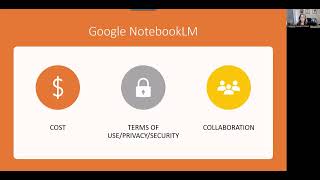
Yeah. And it's just, it's just fresh looking. And then once you do that, you can export it to PowerPoint or you can leave it on here and share it or whatever. So there's— Gamma was just one of those tools where It's like, okay, if we're all gonna be— if we're gonna wanna stand out, um, you can also tell it what your brand colors are. So, you know, my brand colors are, um, this color blue and white. So focus, you know, my brand colors in this blah, blah, blah. So you can just keep prompting and telling it what to do with each slide. And there is a free version, but it's pretty limited. So if you're— if you find that you are doing a lot of presentations, it's probably something you want to pay for just to get the full monty out of it. But it's certainly worth, worth testing out. This one is a simple tool, the Blog Title Generator. So I can write a good blog post, but sometimes I struggle with a title. And so coming up with a title that is keyword-packed and is attractive, because no one's gonna read your blog post if you don't have a title that resonates. So I'll come up with a working title, but then I'll actually go to the blog title generator and get it to help me with ideas, cuz Titles and conclusions are probably my— where I get stuck with. So this one is pretty simple. Trying to get back to my— anyway, I think you get the point. So if I'm going to write something about Did you know the optimal blog post is 2,500 words? I'm sorry, I disagree with that wholeheartedly. 2,500 words is a book to most people, so keep your blog post between 800 and 1,200 words if you actually expect people to read it. If you've got more to write, do a part 2. And then actually write the part 2. Um, so it just gives you some ideas, um, which are completely wrong. Top 10 tools to speed up legal research. This is the problem with AI. It can get it wrong. So you can't check your brain out, um, when you do things. Um, and then you can do a meta title. Generator. Meta titles are a little bit different because that's what you put in the background for the search engines to read. Um, so meta tags, meta titles, um, and then this has more tools, keyword tools, article writers, um, YouTube video to blog post, grammar fixers, all sorts of other things. But I've, really only, only used it to kind of check a blog title when I'm stuck. Okay, this is another really interesting tool for video creation, and it's called Pictory. Um, So you can create video from text, a URL. You can edit your videos, you can summarize videos, you can convert audio to video, PowerPoint to video. So I thought, I'm gonna take a PowerPoint and convert it into a video. So I just took an existing PowerPoint and it took my speaker's notes and that's what it turned into, um, because I had it— I told it take my speaker's notes and turn that into the script. Unfortunately, again, it's not 100% seamless because it read out this URL, so I'll have to go back and edit the script, but it attempted to script it for me, um, based on my notes. And you can go through and remove things, uh, add things, change the script, um, do all that sort of stuff. So it's just an interesting way to take existing content, whether it's a blog post or a PowerPoint or something else, and convert it into video content, something like that. Then we've got more. I'm going to just put this in your, your materials. It's an article from HubSpot called Generative AI Tools Every Marketing Team Should Use, and it's some of these tools, but it's also got other tools. So I think it's a useful article for you to have. And then we have Copilot. So for those of you who are paying for Microsoft 365, the Copilot add-on, it's actually got pretty decent marketing tools in there, which I don't think anybody probably looks at Copilot for marketing tools, but they are there. So let me show you where they are, kind of what they do. So if you go into Copilot, which if you just go into m365cloud.microsoft, or you can just go to office.com, you're usually looking at, you know, all the apps that you have. So you get all these apps, but if you get the Copilot add-on, then you get all this other stuff. You get agents and you get notebooks and you get this. Anyway, there's a button called Create, and this is an image creation tool like DALL-E or ChatGPT or whatever. So you can go in and tell it, create an image, but it also lets you create videos, design infographics, create storyboards, uh, posters. So if you're paying for Canva and you're also paying for 365 Copilot, you may find that you don't need the Canva subscription because you're able to generate these kinds of assets in Copilot, which is kind of an unexpected thing. You can edit images, banners, documents, presentations, brand templates, brand kits. So again, this is when you start going, well, Copilot as an add-on is $30 a month, but that's kind of expensive, but it's not when you think about you get a whole kind of Canva Lite product. So, and then I will show you my images. So you know that content does better with images. So whether that's a blog post or a social media post or whatever, having an image is always going to get more eyeballs to it. So I just use— and these are copyright-free and they're license-free, um, and so I can create an image that fits exactly the content that I'm developing. And then it saves all of the, uh, images that you've created. And I'm starting to develop kind of a style that I want it to do. So focusing on kind of these pencil drawings so that the images that I put on my blog posts all start looking the same. I'm also the president of my condo board, so we are the HOA board. So I have other marketing needs that I use this for. But at any rate, and then you can see that it keeps your, it creates the alt text for you because that's, that's the actual prompt that I use. I can go back to images, edit the images, all that kind of stuff. So Again, an unexpected tool in Microsoft Copilot. If you have the subscription and you're looking for creating brand assets and images and infographics and stuff like that, it's all built in there. And the last thing that I'm going to talk to you about, just because we are really out of time, but if you'll indulge me, one more thing as a use case for this tool that I hadn't really thought about. So NotebookLM is the Google Notebook product. And it's got a lot of use cases, one of which is for students. They use it for study, so they add a bunch of their notes from class, and then they can create blog posts— or not blog posts, audio overviews like podcasts, videos, mind maps, reports, things like that, flashcards. So it, it's kind of pushed out as a study aid, which is definitely something that it's good at doing, but I think that one of the use cases that I thought this is an opportunity since so many people are looking at this is when you go into NotebookLM on the home page. When I log into Notebook LM, see all these featured notebooks? Those aren't notebooks I created. Those are notebooks that people created and shared. So Parenting Advice for the Digital Age and Secrets of the SuperAgers and How Does Science Link Genetics to Health. You can create a notebook and share it so that it becomes part of the shared notebooks. So while you can use this for internal work, like, so I took this one, the Agentic AI Revolution: Legal and Beyond, and I put in a bunch of resources about Agentic AI, and then I created a video overview and an audio overview. And if I wanted to add that to the collection of freely available AI notebooks that people are sharing. And this is just another way to get content in front of people. Then I can go up to share, and I can make it public and submit it as, as a notebook or share it with my, my constituents, or in your case, with clients, potential clients, put it on your website, and people can go in and they, you know, the audio overview, um, is a little podcast. Once you create this as a shared, anyone with a link notebook, then you can share, um, just the podcast or the video, uh, that it created and all that. So it's crazy what this thing does, and all you're doing is putting together a bunch of resources and sharing it with people. So I thought, huh, I didn't really think about making this, um, into a, uh, a shared resource. But I think as a, you know, again, there's a ton of featured notebooks and you can go and look for titles, um, and search through the featured notebooks to find out what other people are doing. And it's just another, another marketing opportunity. Um, so that's, that's kind of what I plan to cover today. There are obviously lots of opportunities and every firm has different needs, but I guess don't ignore either getting help brainstorming what you want to do, using these tools that don't require any graphic development or design know-how., using the AI, the GenAI tools to chat with, your work versus learning how to, use Photoshop or Illustrator or something else. This puts a lot of the work into your own hands, versus having to hire out for every little thing. Now, I'm not saying let's put these people out of jobs. There's definitely reasons why you would still want to hire people, to develop your brand kit. But if that is not where you want to spend your dollar, you can give it a shot yourself.