This is a YouTube video titled "HOW TO CF SECTIONS" containing a conversation between Dave and Chad Thibodeaux recorded in September 2019. The discussion focuses on managing and duplicating lesson templates within a membership site, specifically how to move lessons between sections efficiently. Chad provides a step-by-step explanation to Dave's question about lesson organization in an online coaching platform.
Hey Chad, just a quick question or if anyone else in the group can answer, this is so for the membership site, I know you can duplicate these each lesson so you don't have to go and recreate the template that you're using. But is there a way to duplicate that lesson but then take it down to like another six section? Whenever I try and bring it down to another section it just kind of goes back up to the top. So I don't know if you have to go and recreate a new template for each section, but it would be super handy if you could just go and use the one template for each section. Anyway, thanks.
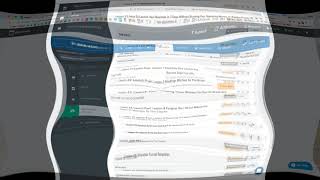
Alright, great question Dave. Appreciate it. Hey, pretty simple answer to that one. Let me just show you. I'll just open up a a version of my Launchfield online coaching academy. As you'll see, there's multiple lessons here. If I cloned one, it would look just like this. And you want to get this lesson down here to this section. Well, you can't just drag it. You can drag it and reorder this lesson in the same section if you want to. But in order to get this lesson into the next section, you just simply go right here to this little edit button. Click the button and all you got to do is just click on the lesson section and select whichever section you want it in and it will move automatically. So that's how you do it. Hope it helps.