This is a YouTube video titled "HOW TO URL" created on September 16, 2019, providing a detailed tutorial on how to set up a domain in Clickfunnels and properly name funnel pages to avoid errors. The content is a single-speaker instructional guide explaining step-by-step domain configuration and funnel path settings for users.
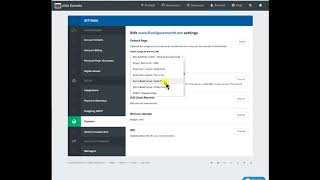
Alright everybody, hey, it's time for another how to Saturday I want to show you how to set up your domain in clickfunnels and then I want to show you three incredibly important steps to naming your pages that you need to do to make sure that your funnel does not break. So first thing you want to do is you're going to go to. You're going to select the funnel that you're going to use. So for this situation we're going to choose this sohe Book funnel. It's just a sample funnel that we created on a training a while back. Notice it's in my CF Design Academy folder and the name of it is Sod Book Funnel. And when I click on this funnel, the very first page is Sales page. So what I'm going to do is I'm going to go show you how to make the domain point to that sales page. So the first thing you do is you go to account, then you go to domains and I'm just going to select a random one. Okay? And the random one I'm going to do is I'm going to come all the way down. I've got this five figure month net that we're going to be using for an upcoming training. But for right now we're going to set it up. So all I'm going to do is hit the expand button and I'm going to go here and I'm going to find. Now I've got hundreds of funnels so you probably don't have this many, but if you do, the nice thing about clickfunnels is they keep them all in alphabetical order so you can just scroll down till you find it. And remember, this was sohe. So we're just going to come here and we're going to find sohe. It was the sohe Book funnel and it was the sales page. We're going to click that now. So when people go to 5FigureMonth.net, they're going to be redirected to that particular page. So what I do is I save that and then now I go back to the funnel itself and I'll show you what we need to do here. So you go back to the funnel, you come inside sop and there's a couple things. First you go to the settings and then you want to take the domain which will probably be blank. I've used this for a couple of trainings, so it's got a URL in here, so hopefully it doesn't break on me. But you come to the domain. Yours will probably be blank. And you scroll down and you put it where it was. Now this says setup not completed. So that's great. It's probably not going to go live on me because it's got to take some time. Once you do this, it takes a little bit of time, but we'll put five figuremonth.com in there. And then now something that you want to do. Now, I've already done this for training earlier, but I want to show you. But this path right here, it needs to be unique. Okay? So for this training, I put how to test URL. But let's say that I'm going to make it something else just for the sake of our training. I'm going to put test 123. Okay? So that's what we want the path to go, that unique path to be. So when you go to five figure month.com it'll automatically forward it to fivefiguremonth.net excuse me, test123. Now what you have to do, it's not enough just to put it there, but you come here and you save it. You have to do that path two other places you go to publishing and right here in the path, you go ahead and paste that path right there and you update the funnel step. And then you come here to the edit page settings and you do the same thing right there and you update that page settings. So now you'll notice that it's my pathway is nice and clean. So it's five figure month.net test one, test 123. So it is all set. Now, there's something wrong with that. URI obviously haven't done enough set up that domain correctly. So it's not going to work for you because it already gave me the warning that it's not set up right. But this is how you set up the domain. When you go in there, it's already in clickfunnels. You've set it up, you point it to this page and when you're on this page, you change it in settings and publishing and on that little icon. And so hope that helps. Oh, look at that. It did work. So now when you go here, five figure month. Net, you've got the page that we have in there. Now this was just a simple little edit thing that we were doing. So there's nothing on that funnel, but you can see that it did work. Okay, so hope that helps.