ChatFBP walks through Clear, a to-do app for iPhone, iPad, and desktop. He creates a list, adds tasks like checking email and clearing your desktop, checks items off with a satisfying sound, and drags tasks to reorder them. The app strips away clutter and keeps you focused.
Chapters
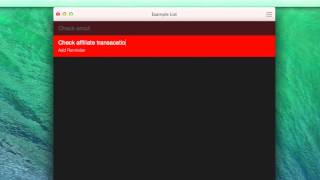
I love the app Clear. And what I love about it is that it doesn't claim to do much, but what it does do, it does really well. And I want to show you just the basics of how Clear works. So I clicked on Clear. It opens up. This would work in an iPhone, an iPad. It would also work on your desktop. What I want to do is create a new list. So I'm just going to say file new list. It pops that in there and I'm just going to call it example list. Now I use Clear for kind of the basic things in my day and I'm not going to keep it as like the storage tank for all of my big projects and ideas. Just really simple things that I want to keep track of. So for example, I might create this list and I'm going to start by saying check email. I'm going to do that. After I check email, I'm going to say check affiliate transactions, something that I like to do every day, transactions. Then I'm going to say clear off desktop. That's one of the things that I like to do. If I shrink this down, you can see I have a nice clear desktop. Every morning I like to make sure that I'm starting with the clear desktop. So I'm going to clean that off and then for the last thing I'm going to say check and I'll check for and run updates. I just like to check for updates on my computer just to make sure that I'm running on the most up to date software. Then what would happen is every day when I would get up, I would move through this list. Now my actual list is a lot longer than this, but this is just an example and it's really simple. Once you get done something, you just go and you check it off. Has that nice little feedback sound that it gives you. And let's say that I was getting towards the end and I ran updates, I'd be done with my list. Now if the next day, if I wanted to build it again, I would just go in and I would swipe to the right again and I would build that list out again if I wanted to, I could also go in and add another item, an example there. And it's also really easy to drag and drop these list items into other places. Now this obviously is a really simple app, but like I said, what it says it does, it actually does. And it does it really well. And that's why I love Clear as a to do list app. SA.