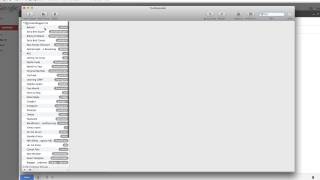
ChatFBP shows how TextExpander saves time on email with snippets that expand from abbreviations. Type ",WordPress" and it pastes a full explanation of .com vs .org. ",lmk" becomes "let me know if you have any other questions." The comma prefix keeps snippets from triggering by accident.
Chapters
Let's take a look at textexpander. Now this is the textexpander window. But usually you aren't gonna see this. You're just gonna be using textexpander snippets when you are writing emails or really in any type of document. So what I'm gonna do is I'm gonna click out of this, I'm gonna come back to it in a little bit. But I want to show you how textexpander works. Now let's say that I was responding to an email about a really common question that I get. And a lot of times people ask me, bjork, what is the difference between WordPress.com and WordPress.org I know there are these two different things, but which one should I use it'? And I used to just write the response out. But eventually I thought, man, this is taking a lot of time writing the almost exactly same response to everybody. So I use textexpander now to have a pre written response that I use a text expander snippet for. And this is how I do it. So when I'm writing that email, I might say let's say hey Joe. And then I would go ahead and write my text expander snippet. And for this it is comma, WordPress. And then when I press spacebar, it populates an entire text expander snippet into the email. Now it's really slick because this is exactly what I want to say to this person. I can go ahead and just add my signature and then I can go ahead and send that. Now I have it for really long phrases or really long groups of text like this. But I also have it for shorter ones like let me know if you have any other questions. And for that it's comma lmk, press enter and it will populate that sentence in for that little snippet that I have. So that's the basics of how textexpander works. And in order to enter those in, you would just go in and you would add those as a snippet. So let's say that I wanted to add a new snippet and that snippet was, hope you have a great weekend. I'm only going to use this on Fridays when I'm sending people a message and I want to end it by saying, hope you have a great weekend. So this is going to be the content. What is populated? When we type our abbreviation, the label is just for me to keep track of. And I'm just going to say great weekend. And then the abbreviation is what I'm going to type that will eventually create this longer sentence. So I'm just going to say weekend. And I use comma here, because I don't want that to populate every time I type weekend. I only want it to populate when I type comma, weekend, because that's a phrase that or that's a word that I'll never use. I'll never say comma, weekend like that. I'll say comma, space, weekend, but I'll never say comma weekend. So that's how you create a text expander snippet. And now when I say weekend, it'll populate into hope you had a great weekend. So that's a really basic overview of how textexpander works, but it's a great time saver, and it's a tool I'd really recommend you use, especially if you're emailing a lot.