How Editing Can Transform Your Food Photography with Roberta Dall’Alba
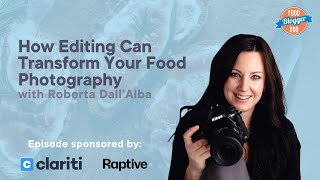
Roberta Dall'Alba talks through her Lightroom workflow for food photography, including how she uses AI tools without losing authenticity. She covers editing techniques that transform raw shots and why the process matters as much as the camera.
Chapters
Roberta, welcome to the podcast.
Thank you. Yeah, very excited.
We had a quick conversation here. I was like, so you're tuning in from Italy. It's nine o' clock there. I was like, I know that you're the R in. Your name has a. Has a trill to it. I live in Minnesota. And that is, we are never going to attempt that. Because if I did, people would immediately call me out. They'd be like, you can't do that. For those who are listening, pronounce your name the way that you would pronounce your name in Italy.
Roberta.
Roberta. Close enough. Well, thank you for joining. Thank you for staying up late with us. I'm really excited to have a conversation with you about Lightroom. And it's something that we talked about on this podcast a lot in the early stages. And we kind of moved away from having a conversation around photography, which is one of the most important things for us to be talking about as creators who are creating visual forward types of content. So, you know, we're not necessarily, we're journalists in some sense, but we're not necessarily people who are writing long form articles that people read, you know, like you would in New York Times or whatever. It's really visual forward content. It's photographs, it's video. And what really brings people in is the photography. And what's becoming increasingly important is having your own style that people can look at and they know, hey, this is you. And I see that when I look at your work, I can see that you have a specific style. People will often tell my wife, Lindsay, so she has a food site, it's called Pinch of Yum. People will often go to Lindsey and say, hey, I saw a picture on Pinterest and I knew it was one that you took. Because they know that she has a certain style, a certain aesthetic, and it kind of becomes part of your brand. And building a brand is also a moat. So all of this is me building the case for the importance of photography. Some of that comes from styling. A lot of that comes from styling. A lot of that comes from, you know, how you're laying a picture out. But a lot of that comes from what happens once you bring it into an editing software. And your experience, your deep experience is in Lightroom. So tell us how you got into Lightroom. I know that you're, you're like an ambassador for Lightroom. This is something that you really understand well and you've really gone deep on the tool of Lightroom. So what, where did that come from and how did you get into it.
So you will laugh about it, but it's probably the only thing that I didn't study. You know, you take courses for photography, composition, lighting, etc. Lightroom, I edited and edited and edited and experimented, and it took me time. That's why, you know, learning from others is important, because otherwise it takes you a lot of time. It's either, you know, monetary resource, meaning you spend a little bit to invest in a course, or you spend the time. But yeah, for me, it was literally going and editing and just experimenting. See where I was going, what I was doing with the sliders, see what changed. Yeah, so I started. I also started in Photoshop, not really Lightroom. So years ago, before Lightroom, I was editing in Photoshop. And then after a workshop, a photography workshop, I started with Lightroom. And again I spent time and time and time until I perfected my workflow. And I know every single thing that is in Lightroom. And that helps because when you know the software, of course it helps because you know where to go, what to do immediately, and it doesn't take a lot of time. Yeah, I was a lightroom ambassador in 2023 because they have yearly ambassadorship programs. And I just love editing. People know that. I just love also my free time to go into Lightroom and edit also other people's photos, because not everyone knows. But Lightroom has a community page, and into the community page, you have a page that is remixes. And if you click on remix, you can remix other people's photos. And that's very useful when you, you know, maybe you only do food, but instead you want to practice also in other niches of photography genres. I don't know if that's the right pronunciation. So, you know, it's. It really helps with practice. And again, if I have a little bit of free time and I don't have dozens of my photos to edit, I go and edit and experiment with other people's photos.
Oh, that's cool. So it's almost like Lightroom has a feed of other content that people have. Pub. You can take that and create your version of that photograph, which is like any of it, what I hear you saying. A lot of it comes down to practice and learning. And we talk about this idea of all the time on the podcast a tiny bit better every day, forever. And so much of the work that we do as creators has to do with showing up every day, creating, but not just showing up and creating within the context of the creating, thinking. How do I get what's a way That I could improve What's a. What's a way that I could learn something new and then apply that thing that I'm learning? And it sounds like that's the approach that you took with Lightroom. Before we get too far away from it, can you talk about the difference between Lightroom and Photoshop? Because when people think about image editing, if they're not familiar with the world of image editing, my guess is they think about Photoshop. But I think a lot of times what happens is people start with Photoshop and then they transition into, at least in our world, transition into Lightroom as the primary tool that they're using. So what is the difference between those two tools and how you use them?
Well, I can speak for myself, at least how I use the tool. I still use Photoshop, of course, mainly now I use Lightroom to do the whole editing of the image. And then when I need to retouch the image to maybe remove some parts, I go straight into Photoshop. There's the remove tool in Lightroom, but Photoshop is still much more precise, of course, and for food bloggers as well, it's really helpful to learn a little bit of retouching because it can literally save you hours of your work. And I'm going to give an example because I'm going to talk more about client work. But there are several times when, you know, maybe a recipe is not really pretty, it's not super perfect, it's still photo worthy, but not. It has some imprecisions. I don't know if that's the word in English, but it can literally, you can import it into Photoshop. And at that point with the new AI tools, so the generative AI, you can do wonders, truly. And because of that, you can save hours because at that point you don't have to remake the recipe, reshoot style again. And it saved me so much time. So currently Photoshop, I use it to retouch mainly. You can also edit because there's the camera row, you know, interface that you can use. But then Lightroom mainly for the whole color correction and color grading of the image.
Yeah, it almost feels like. Let me know if this is fair. Lightroom would almost be cosmetic. It's colors. It's.
Light as well.
Light, which makes sense, given the name. And not that it's entirely this, but it feels more holistic to the image itself as opposed to specific areas of the image. I know within Lightroom you can do some kind of light, you know, removal and editing and stuff, but Photoshop almost Feels more surgical, like you're going in. You could potentially remove a thing or you could add a thing, and you're able to maybe manipulate the. You're manipulating the image in different ways.
Yeah.
With each platform. Can you talk about. One of the questions I wanted to talk about was AI, Like, AI within the context of photography and an editing tool. I remember way back, like, when I was in middle school, digital cameras started to become a thing. And there's all these questions around, like, well, is it. It's a digital photo. Like, is it real? Like, does it count? And now we've fully made that transition, and My guess is 99.5% of the pictures that are taken on any given day are digital. And it seems like we're starting to have another conversation now around generative images. And what you're talking about isn't a complete generative image, but it's looking at a tool like Photoshop and looking at an image where maybe something is there that you don't want to be there, or maybe something isn't there that you do want to be there. And you generate that with Photoshop. Can you talk a little bit about how you're using that and maybe where the line is for you right now? Do you. If somebody's in, and if you're taking a street photo and there's a person, do you add a person in the background? Like, where's that line for you? And how do people find where that line is?
I love this question. And somehow it always comes up, you know, it's the conversation right now. AI, there's a fine line. You use the right words. And I think so for me personally, authenticity is still very important. I use AI, generative AI, to retouch again. So if there's. Let's say I make a cake, but it's not super perfect or, yeah, I need to deliver that result to the client. So the photos need to be a certain way as well. Then at that point, I go and retouch and maybe adjust that part of the cake. But then I don't like to add things. I rarely go and expand the image. I think, you know that you can also expand the image right now in Photoshop. But, for example, from my travel photos, street photos, I don't like to add things because at that point you can say goodbye to the authenticity, to the spontaneous moment that you captured. And if you travel, if you capture street photos, the good thing is also authenticity again. So the spontaneous moment. So what is the point? You know, it's pointless to Add a person or. I don't know. There are a few chances where I remove people. And that's when I had a composition in mind for that precise photo. And I'm still talking about travel and street and maybe a person walks, so I have that person in the corner at that point. If it's a small part of the image, I will remove it if I cannot crop it out of the photo. But with food photos, I never generate other elements, and I use it mainly for retouching again. So I think it can still be considered authentic at that point. But you're right, there's a really fine line, and it's easy to cross as well.
Sure. And part of it is probably making a decision for you as a creator, what do you feel comfortable with? And I also think there's the art of what we're doing, and then there's a little bit of. Not the science necessarily, but it's like, what is the purpose in what we're doing? And for us as food creators who are creating recipe content, the purpose is almost always number one, to help people have success with the recipe. And so I think about that as a leading indicator for the decisions that we are making. Is the change you are making going to make it easier for somebody to understand? Is it going to be more helpful that as kind of the North Star? Secondarily, is it going to make a more beautiful image? Kind of from the marketing perspective, that brings people in, that is compelling for people. And then third, these are maybe not in order of importance, but third would be, does it align with how you want to be showing up as a creator, morally, ethically, with your audience? Would you be embarrassed if somebody found out that, you know, all of your images were AI generated? My guess is a lot of us as creators would be if we were doing that, would you be embarrassed if they found out that you edited out a crumb that you didn't want in there? Probably not like that would be expected behavior. Yeah, but that might be different for everybody there. Everybody's kind of line as a creator probably looks a little bit different. So one of the things that you talked about is when you are editing, one of the things that. That you are doing is you are. I forget the word that you used. It was like, you are with AI. What was. Do you remember the word that it was.
Expanding?
No, it's what you are doing. Like, it's like, oh, the retouching.
Retouching?
Yeah. Retouching?
Yeah.
When you say retouching, what. What falls under retouching? What is that involve?
Good question. Yeah, so I mainly removing or adjusting an area. Again, I can make the cake example because, you know, if you think about a cake and the texture on the surface, sometimes it's not super precise when you take it out of the. The cake pan. So maybe some of the butter is still on the pan, you know, so at that point you go and select the area and regenerate it and it kind of takes the elements from the surrounding and at that point it makes it a little bit more even. But again, very small things. So at least it's still authentic. Because I think you said before that we are almost not journalists. What did you say before? But we are picturing the reality, you know, especially with food blogs, if you're.
Maybe photojournalist would be, you know, photojournalist would be somebody who's out on the street, obviously, like capturing a news event and with that, you know, want to be capturing it for what it is. I think for us as creators, we are, you know, creating and documenting our process and then sharing it. It's. It's not journalism necessarily, but it's a version of, you know, capturing an event in real time for us. It's like the process of creating a recipe and then sharing that.
Exactly. It's almost a reportage of the recipe, at least for food bloggers. That again, if you are like, if you love your blog and you're a serious blogger and you don't generate again the images with AI, you really want to document what you have done with that cake, with that salad. So I think at that point you have to make it realistic, like what did you make when you were making the recipe? And that is exactly what you're going to capture. So that is why I'm saying when I use AI, I use it to retouch again, so to remove the little things. And I'm not saying, by the way, the imperfections are bad because I like the little mess in photos, organic mess, you know, but then again, if the cake can be a little bit more perfect, maybe I can correct. That's the word. Correct. Maybe that part. Yeah. But not making it like, you know, for example, if I have a naked cake and I have no decoration on top, I'm not going to select the top and generate cherries or blueberries. That would be very weird. And again, we are documenting the process, so it would be. Yeah, weird, right.
And you want to have something that people go through the process and get as close to the end result as you do. And I Think it's one of the issues with a lot of recipe content that's AI generated, both the images and the instructions is, you know, there's this concept, I'm trying to remember the name of it, but it's within the ad. Within the advertising world, there's this idea that if you are on one website and you see an ad like, let's say it's a traditional display ad and you click on it, it's really important that the landing page that it brings you to matches the ad that you've clicked on. It's just like this marketing principle where you want to have a connection between those two things. If you click on the ad and then you go to landing page and it doesn't look like the ad that you clicked on, there's going to be cognitive dissonance. I think in our world, the same is true for the process of developing a recipe. If you can have a finished result photo that is replicable for the actual person that is creating that recipe, they are going to get to the end and it's going to feel satisfying for them to get something that looks like what they were sold with the ad. Right. We are marketing content. We are creating images and recipes as marketing material. And if people can get the end result that we are advertising to them that looks the same, there's going to be a really positive feedback loop that exists within that. The point with it is it's a knock against AI generated images because if it's an AI generated recipe and an AI generated image, the likelihood that it's going to look the same is pretty low. But even in the case that, you know, you have a recipe that you're creating that's an actual recipe and an AI generated image, or an image that is not AI generated but like super highly stylized and not achievable for somebody, there's going to be some dissonance that exists within that. So I think there's some almost like marketing or advertising type behavior that we can think about as creators when we want to have people have success with our recipes.
Yeah.
One of the questions that I wanted to talk to you about, and you kind of alluded to it a couple times, you know, talking about the editing process that you go through. But I want to zoom out and talk about kind of your entire workflow. I think one of the things that we are always looking for as creators, photographers is efficiencies to do less of the things that aren't important and more of the things that are important. And one of the ways that we can create efficiencies is within our workflows. Can you talk a little bit about from the moment that you are done photographing, so you've finished a shoot until the moment that you are archiving your pictures? Like whatever. The last step is at a high level. What does your workflow look like? And where are some ways that we can be thinking about efficiencies as creators?
So that's another question that I love, because I found out that I have an extremely simplified workflow. That doesn't mean it's less professional. It's just that for how my brain works, I need to simplify a lot of things. And instead I found out because I was invited in San Francisco at the Adobe offices a few months ago and there were other photographers like me, and I found out that they actually have another complete different workflow that was much more complicated, maybe, but that worked for them.
Sure.
The workflow that I usually share with my students is very. The goal is efficiency. Like you said, we need to be quick. If you're working with clients, you need to be quick at delivering the results. If you work as a food blogger, if you're fast at uploading the photos to your blog post, that is also going to be another efficient thing. Of course, for me, my workflow, I developed it throughout the years, I would say. But in the last couple years I started using not Lightroom Classic, but another version here. I'm open to explain a little bit because there are a few versions of Lightroom and I know that it can confuse people. So most of the people start with Lightroom Classic. And then there's the desktop version. They are very similar. The desktop version is just, in my opinion, much more user friendly. What you see when you enter Lightroom is just that. There are no hidden things that can confuse you. So it's much more, again, user friendly. The interface is much easier. That also changed my workflow. One thing that changed my workflow again was that in that version of Lightroom, there's folders and albums. Again, you can understand that it really simplifies the workflow because at that point, to organize your own pictures, you have either folders or albums. Albums can go inside folders. Inside folders, you can create other folders. So I don't want to complicate things here. It's really not complicated, but to go back a few steps immediately. Almost immediately when I shoot, I upload my photos. I don't have the adapter here, but using an adapter with the USB C, I Upload them either on my phone, on my laptop, or on my iPad, and they get synced synchronized between the devices with the cloud. Using the desktop version of Lightroom allows you to again use the cloud and sync all the devices that you have, which is extremely handful, especially if you, like me, you do food, but also travel street. So maybe you're out traveling. So again, sorry to take a step back. When I upload the photos immediately, I organize them into folders or albums. Here you really have to find a way that works for you. So if you work as a food blogger, for example, you can have, I don't know, the savory album or the Savory folder. Inside the Savory folder, you can have soup, salads, whatever you want. It has to work for you. So the workflow is also something that you can personalize. Then after I import my photos, I add them, like I organize them. At that point, I like to go and review the photos because like today I had a job and I shot 400 photos. Probably it was a reportage, so it was different than food photos. But you know how with 400 photos, the risk is that you edit for the whole day. But instead if you take the bunch of photos that you have and you start reviewing, meaning you can assign 1, 2, 3, 4 stars to the image, or you can flag it or reject the image. So there's a way to select, you know, and that is also there is already a first, I don't know the word in English, but filtering or yes, filtering selection that you do. So for example, 400 images, you can go down to 300 or 200. For example, if I know that I have to deliver 50 images at that point, the flag images can go, I can give 1, 2, 3, 4, 5 stars. So you can do the selection of the selection. That is just the first step. And then you start editing. I also have a free PDF for my students and for people that follow me if your listeners are interested. It's really, again, really simple. And the goal is efficiency. So import, organize, and then you correct the photo. And that is essential, especially also for food bloggers, because we said it's a reportage of your recipe. So you need to have a photo that is corrected, that is realistic, you know, and the whites need to be white, the colors need to be realistic. There's also a second phase that is the color grading, that is the creative editing that you make. And I wouldn't say that you have to necessarily do it with food blog images, because again, it's more like What a photojournalist would do. So capturing the reality. But there's still a little bit of things that you can do. For example, if you're capturing a fresh salad, you can make your colors look more on the blue side so they look fresher. Or if you take a photo of a cake, so baked goods, they can go more on the warm side. Never too much. That is also one mistake that I see that people do. They over edit. But yeah, there's these two phases that I like to differentiate before you correct. And then you go and do a little bit more of the creative stuff if it's needed again, then you sync all the edits that you've made. I always invite people to take a break, leave your laptop, and then in a second moment, in 30 minutes, one hour, even the day after, you go back and see what you did. Because there is a high chance that you over edit while editing. And if you go back with new eyes, usually you are more neutral, let's say. And then you export, of course, based on the destination of the image. So your food blog has certain parameters, let's say. So the size, the quality. Yeah.
Yep, that was great. One of the, one of the takeaways for me and I, you know, it's been a while since I've explored the Adobe products. Lindsay is in in them all the time in Lightroom. I think she uses Lightroom Classic still. But I didn't realize I had always thought of this Lightroom cc, but it sounds like that was a rebrand. They don't call it Lightroom CC anymore. Is that right? And now it's just called like Lightroom or sometimes it would be known as, like you talked about it, Lightroom for desktop. But with Lightroom, I think the really important takeaway for me here as I learn about Lightroom is that Lightroom period, like the version that is called Lightroom, that works on web, it works on desktop, it works on mobile.
Mobile, yeah.
And the important takeaway within that is I think it allows you to, if you are using that to open up portability to your photography process. Even if you're not editing on your phone, what you would be able to do is to go through that filtering process on your phone. That to me feels like a great efficiency where you import on your desktop, probably wouldn't have to be, but it could be. And then it's. If you are using Lightroom, just the Lightroom, you know, for desktop, or like the Lightroom period version, it syncs across all of the different devices, then you can if you want, go through that filtering process, you could technically, I think, edit on your phone as well. Yeah, but that to me feels like a great learning for anybody who's still using Lightroom Classic, which can't be synced. That's all local. Is that right? Like it's on your computer or it's on the hard drive that's connected. If you're using Lightroom Classic, you can.
From what I remember, because again, I've been using the other Lightroom, this desktop version for a while, but from what I remember, you can still sync, but it's almost a double, like, you know, double. Double step, like double phase. If you use the desktop version and the mobile, like it's all synced because there's the cloud. That's how it works. Like that's what is founded on. I don't know the term in English again, but that's the ecosystem. So what I do usually, and that is also why I started using that version of Lightroom, because I was on a trip in Japan and I was editing on my phone, I was importing into my phone and I was editing in the subway on the train. And it was much quicker for me to then upload the story or upload a post on Instagram. And I was doing all on my phone. And I'm going to take it a step further and make it a little bit more, you know, pro. Consider that your monitor is also different from what you see here. So if you're going to post on in on Instagram, for example, I usually like to take the photo. So I edit, maybe on my desktop version, but then I look at the image here in my phone and then I export the image with Lightroom Mobile. So on my phone and then I post it on Instagram when years ago, for example, when I was using Lightroom Classic, I was exporting the photo on my laptop and then airdrop it to my phone. But again, you have to consider that this monitor is different from what you see here. And unless you calibrate your monitor with the device, you know that monitor, you will see different colors on that monitor.
So yeah, it's another great point. It's one of the things any project that I'm involved with now, I'm always reminding people on a phone, on a phone, never review the version of a desktop. It's always on a phone. And that's not entirely true. Like our desktop traffic for pinch of yum to the website is probably, I don't haven't looked recently. 20, 25% desktop visitors but at one point it was 75% desktop and 25% mobile. It's more mobile and becoming more mobile. But if you think about Instagram, it's 99.8% mobile. And so to your point, we should always be having the last edit, the last review, the last look of an email, of a website design, of a photograph on our phone. And this is something for both Lindsey and I that we have now. We each have a work phone because we want to be able to use that in a way where we would our computer. We're using it as a device to understand how people are interacting with our content, which is almost always through their phone. And it's just a really good reminder in the world of photography that we need to. Not that we need to be editing everything on our phone, although it sounds like. But your last review of it, maybe your last edit, where you are exporting potentially can be from your phone because that's going to be the closest version to what other people are going to be seeing. That's. That's a great takeaway.
Yeah. Unless it's for client work, which I do. Maybe I upload on my phone like I did today for the reportage job. I uploaded, so I needed to do less work now. Tonight, of course, I uploaded half of the images, but then I review everything on my laptop and I deliver everything from my laptop. I export on my laptop again, but it's for my own work or for a blog. I would check on my phone how it looks, because that's like you said, most people are going to, you know, find, look for a recipe on Google on their phone. That's what I do personally. So never quite. Never on desktop.
Yeah, that's great. How about, you know, talking about your workflow? So kind of at a high level, there's the process of importing. You're importing directly into Lightroom, is that right? Yep. So importing. And then once you've imported, you filter and you pick the photos that you like the best.
Yes.
From there you are. Once you have the photos that you've selected, you're going through the process of editing those photos. I want to double tap on that one to get a little bit more insight into what that process is like. You know, you think about it within the context of client work, but think about it within the context of, let's say you are a creator who has a brand aesthetic. How can you create efficiencies within Lightroom around your brand, your colors, your style that allow you to more quickly get to A picture that you like that feels aligned with your brand. And what are the different tools within Lightroom that allow you to do that more easily?
So, yeah, I think here we could differentiate between, you know, the images that maybe you share on your Instagram versus what you shared on your food blog. Like we said before, the food blog is more a reportage. So at that point, I wouldn't necessarily do the color grading, but the color grading is actually what will make the image, the editing style, a little bit more recognizable. And that's how again, you recognize maybe my photos from another photographer's photos. And so what I do usually is I use presets. But so I'm not a big fan of presets. I don't like the idea that people spend a lot of money on presets just because, of course, people can do whatever they want. But it's, you know, you have to consider that it's a bunch of settings that another creator of photographers developed on their own images that you will never know if they were shot with artificial lighting in a neutral environment, let's say, or outside maybe. So those presets you're gonna edit, you're gonna change the settings anyway. The risk is that you use those presets and then you spend time adjusting and readjusting because they don't look good. I didn't buy, I downloaded some free presets in the past and I was just clicking on them and they were not, they were not looking good.
So your point isn't necessarily around the tool of a preset within Lightroom. It's around the concept of buying somebody else's pre made presets and then just applying those to your photos. Because the point that we made earlier, which is your brand, your style, your aesthetic for your photographs, is really important. Once you get to that point, would there be an opportunity to create a preset around your preferences? But it's custom to you. It's not one that you've bought off the shelf and just applied.
Yeah, that's what I wanted to say. When first of all, let me also say, you know, it's good if you want to download those presets again. But in my opinion, when you are already, you have already a lot of knowledge of the software and what you can achieve. Because at that point, even though you have to adjust those, set those settings, you also know very quickly what you can change in order to get the result that you want, if that makes sense. Plastic can be sometimes a good starting point to then edit that preset. That you bought and make it your own. So make your own version. But the other thing that I like to use again is my own presets that again, work on my photos. And it really depends on my environment. And I have several that I created. I have some for travel photos, travel photos that I took, for example, in a very sunny day, summer day, and I want to evoke the summer feeling, warm vibes, you know. So if I'm in a very similar environment, if I apply that preset, there's a high chance that it will also work well because again, the idea is that they are similar environments. But maybe my travel presets, they don't look good without. Maybe they don't look good if I apply them to my food photos that I take in my studio. So, yeah, that's my point. Create your own presets, especially if you use artificial lighting, like a flash or continuous light. At that point, again, you have a neutral environment, neutral lighting. And maybe you can create a preset for, like we said before, fresh food, so a salad or something more again, refreshing, like an ice cream. So at least you know that the colors could go more on the cool side. You can make them slightly, not too much, not over edit, but slightly cool. Or maybe if you have cakes or cinnamon rolls, etc. You can make the warm preset. So that's good because you already know that your lighting is neutral. So the edits that you're going to make to your own preset are going to be mini, mini adjustments. And of course it really depends on the colors that you have in that image because if you photograph a colorful cake, again, it's going to be different from chocolate cinnamon rolls, which have brown and orange. So yeah, that's my point on presets.
So you can create custom, from the ground up, your own preset. You could also buy a preset, download a preset that's available, tweak it a little bit to make it a good fit for what you want. Like it could be used as the inspiration, but you're not going to use it as the default. And so the process, then after you've imported your photos, you've filtered through them, maybe you go on your mobile and filter through, you have some portability there. If you're using the Lightroom regular Lightroom version as opposed to Lightroom Classic. And then you apply the presets, you have maybe do some tweaks along with that. You get to the point where you are exporting those. In our case, it would be sharing on social media uploading to a blog. I'm interested after you do the export process. One of the things I often think about is every time we do a shoot, we are gathering some assets, and those are digital assets similar to a currency. We've kind of created something valuable in the world that we may use again or we may not use again, but we want to preserve that. I'm interested to hear a little bit about your process for preserving some of those digital assets that we've created to make sure that, let's say this happened to Lindsey two decades ago, her computer crashed and she lost all the pictures she had from a trip to Spain. Like, that was for us. We learned, like, we always want to have a backup of everything that we're doing. So can you talk about. It's kind of in the weeds and it's a little bit nerdy, but even, like, organizationally, what do the folders look like that you are putting things in in order for you to easily get into a certain shoot that you did two years ago to know right where it is. And then how do you make sure that you have some redundancy with the photos that you've taken through the years and backups of those?
So the thing about that version of Lightroom, again, is that it heavily relies on the cloud, so all the edits, so you import the photos, and even though you disconnect your adapter and your sd, the photos are still here on the desktop like you see them. They don't disappear because you removed the hard drive or the sd. So again, it highly relies on the cloud. But it's always important again, to have your backup on an external hard drive, maybe a couple of backups. I have to be honest, I'm very not technical and I heavily rely on the cloud, so hopefully nothing is going to happen. But again, even though I import the photos, so I have them on the cloud, a lot of space on the cloud. Again, I also have my hard drive where I organize all the photos mainly by year and month. Or I give myself kind of like a keyword, you know, to remember what's inside that folder. Let's say trip to London, let's say, you know, it really depends on you and how you. I guess it's how your brain works as well. Because like I said before, I like to keep it very simple and I know that it works for me. You know how, like those people that are very not tidy at home, it's not that word. You're kind of. You look disorganized, but they can find everything in that mess. Exact same thing. So it has to work for you. That's what I'm saying. But always have a backup. Yeah.
You're mapping your brain to a file system, and if it works for you, then you'll know where it is. I think where that opens up when you start to work the team, too. I can share what we do to your point. It's all very different depending on how you work, how your team is. For us, one of the things that we do is we use the Google Workspace suite and we have Google Drive, we pay for extra space on Google Drive, and we actually put all of our photos from all of our shoots into Google Drive so they're accessible to our team because we're a remote team. But then the hard part with that is if somebody deletes it, I think it's available for maybe 30 or 60 days within Google, but we also then pay for a backup service that backs up the Google Drive that Drive accounts. And so let's say somebody deleted it, we didn't notice it for, you know, months and months. Then we would have a backup of that. I'm trying to remember the name of the backup service that we use. I don't remember it, but we can put it. We can put it in the show notes if anybody wants to see what Google Drive backup service we use.
Yeah. If you. Sorry to interrupt. If you work like me, that you have the cloud and then the backup on your hard drive, the Google Drive could be an extra step and you could do it. I have extra space too, that I pay for on Google Drive, and that could be another idea for me to do as well.
Add it to the list of all the things that we could do. Yeah.
So you made me think about something when you talked about the team that on that version, I don't remember about Classic, but on that version of Lightroom that I use, which, by the way, it's very easy to differentiate because if you look at the icons on your computer, the version that I use is just lr. The Lightroom Classic is lrc. Then there's the web, then there's the Mobile, but those are the two versions. And in my version, the albums and folders can be shared, and if you share it with your team, you can also give them permission to edit, to comment on those images. So it's highly interactive as well. And they're also improving. I know that the Lightroom team is also improving the whole sharing experience because they think about the teams again. So. And that is also helpful when You, I don't know, you go on a trip and you want to share photos with your people, your friends, and you know, they can apply their edits if they want, or you can create your own version and album and beautiful edited photos and then you can share them with your friends and then they can export it. So yeah.
Yeah, that's great. I almost think of that version of Lightroom as comparable to the photos app for macOS and iOS, where I know that if I add a photo on my computer, it's going to show up on my iPad, it's going to show up on my phone. If I log into iCloud.com, it's going to be there. That is the version of Lightroom that we are talking about. There's also the version of Lightroom that operates almost more like the old school Microsoft Word where it just is on your computer, the files are on your computer, you know, you interact with it on your computer. Not necessarily good or bad, it's just two different ways to use tools.
Yes.
As we come to the end here, is there anything that we didn't talk about that you think is important that we mentioned? Obviously we could talk for hours and hours about Lightroom. The tool itself is deep. You have a course that people can dive deep on. And I know you work with folks to kind of coach as well, but for this podcast, is there anything else that we didn't talk about that you think is important to at least mention for people who are wanting to level up Lightroom?
Yeah, I think again, kind of analyze your workflow and make it efficient for yourself. And there are tools that can be extremely helpful and things that are kind of a trap for you. And the first mistake or trap could be to over edit your image. And, and that is also when coming back, like abandoning your laptop and coming back the next day or after one hour could be helpful. And over editing is not helpful with your food blog because, you know, like we said before, it's really about keeping it realistic and realistic colors, realistic lighting. So the other thing that is probably underrated and you say, yeah, I'm going to correct that anyways, the white balance. So the white balance is something that is useful not to make your photo look warmer or cooler. You have to make your whites look white. And again we go back to the making it realistic point. Right. So that's the first thing that you should do, like make sure that your whites are white, especially if you like the light and bright, airy style. Make sure that they are white.
Yeah. Can you talk about how people can do that. Like, what's the quick way to do.
That within Lightroom, in my opinion. Well, there. I always say that in Lightroom, if you think about something, there's at least two ways to do the exact same thing. So, for example, adjusting the white balance. You can do it manually with the slider, or you can take the selector. There's a mini selector. You can click on it and then you click on a neutral point of the image that in reality, when you capture that image was a neutral area, meaning a dark, not a dark, sorry, a middle gray. So it's neutral, neutral gray. If you click on it, the image should have realistic colors. Realistic white and white. Whites again in black blacks. Or there's a menu so you can select like Cloudy Daylight. You know, you have three ways already to do the exact same thing, but also rely on your eyes. You know, do you see that white or not? And it's also helpful to set your background on white. Most people edit on a dark gray background in Lightroom, but if you set it to white, you will see if the whites are white again.
Oh, interesting. Sure. Do you ever use the cards like, I know sometimes people will take a picture with, you know, white, gray, black card, and then use that as a selector to get what would be a true color.
I tried, I tried. No, I have it in my, my bag probably somewhere, but I tried a couple times and then I thought, it's just an extra step for me. I know that they work for sure because otherwise, you know, they wouldn't make them. But it's an extra step for me again. And it has to work like you said before for you, and that was not working for me. Plus I never shoot tethered, which is actually what a lot of people do. And that's also perfect, but it's also nice if you don't tether the message they usually want to spread. Is that what works for you? Well, what works well for you? That's perfect.
Yep. So much I think with any of these. These are tools. And what we need to do is we think we need to think about how are we going to use tools to create the art that we want to create. And one of the best ways to do that is to actually use the tool. And the other best way to do that is to observe people who have used the tool longer than us, using the tool to inform how we want to then use it. It doesn't mean that we have to be an exact replica of how that person did it, but all of it is informing our process on how we want to use that tool moving forward. I know that you, we mentioned this. Do coaching work with students. You have resources. So as we close out, can you share a little bit about where people can find those and how people can work with you or learn from you?
Yeah. So before doing that, I wanted to go back for a second because in my course, for example, in my Lightroom course, I teach the. The how and the what, because all three elements are important. And with those three elements, I mean, the why is the storytelling. So the message that you're spreading with your own photos. So the, the, I don't know, maybe the image is the food is really yummy, or again, like we said before, is more fresh or indulgent. You know, you. You have to think about the message that you're sending, and then the what and the how are the software itself. Do you know it? Like, do you know when you launch Lightroom, where to go? Exactly? And that is why it's really important to know the panels, what they do, exactly what they do so you don't get lost. Because that's what most people do. And I did too, at the beginning, like, it was experimenting, like I said before, and then the workflow again. So knowing the exact steps that you have to make. So correcting and then doing the color grading. So the. All these three things, I teach them inside my Lightroom course. And I'm very proud of that course because it's really. I had great reviews and people like it, Especially the color grading part is what confuses most people. So I know that we mentioned keeping it realistic for the food photos, but then there's the whole creative side, which is color grading. And I'm very passionate about that. And the main advice that I would give people is to photographers is to deepen your knowledge about colors, like the meaning of colors and color psychology, because at that point, you can apply that knowledge to your color grading. So again, like you said before, you can make a photo warmer or cooler, but based on that, the meaning will change because again, if you. I know that I go back to the same examples, but a cool image will be more refreshing than a warmer image. Or yeah, we could make a lot of examples, but truly deepen your knowledge about colors. So, yeah, I have the Lightroom course, and then I do one on one. I have a free PDF for people with the workflow that I use. And then you can take a look and adapt it, like we said to what you do. But yeah, that's great.
And if people want to check those out, we'll link to those in the show notes. But for anybody just listening, what's the best way to learn more about that?
So my website, again, the link will be probably somewhere. My website has a page where I describe what the course is about. My main goal with the course is to make people edit in a more professional way, also in a more creative way, but also faster. And at that point you can deliver results faster to yourself, meaning if you upload on Instagram on your blog, or also to clients. And then you can find me on Instagram, Roberta Dalalva, which is my name and surname. And I always reply to messages so they can find me there. Absolutely.
That's great. And your website is your name as well. R O B E R T dash a dash A L L B a dot com. So people should check that out as well.
Yeah.
And that has links to all the things that we've mentioned here. Roberto, it was so great to talk to you. Thanks for sharing your insights and expertise. It's a fun and important conversation for me to kind of put a bookend on it. Photography really is, along with video, the two driving visual elements in our world. And so it's important that even if we aren't the ones that are in lightroom editing it, that we understand the tools and understand the importance of developing our brand. And that as a differentiator in a world where a lot of people are creating content and where content is getting easier for people to generate, we want to come up with a distinctive style that can be attributed to us. And it's one of the ways that we can move forward in a really human way in a world where there's starting to be other ways to create content and we want to differentiate ourselves from that. So this is a great conversation. Really appreciate you coming on and sharing your expertise.
We could talk about it for hours, literally. I talked about one tool, the white balance, but there are others. So many.
Many.
Yeah. We could literally talk for eight hours. My course has a lot of that material, so. Yeah, but it's really important that you deepen your knowledge, like you said, to differentiate yourself, because there's a lot out there. And personally, I don't know about you, but when I look for recipes, the images are the first element, together with the reviews, but it's the images first. So if it's yummy, it looks yummy, the right level of saturation, it's not over edited again and it's realistic. I'm more inclined as well to click and try that recipe.
Yep. That's great. Roberto, thanks so much for coming on. Really appreciate it. And I know folks will get a lot out of it, so thanks for coming on.
Thank you very much.
More from ChatFBP

One more reminder to tune in here to the latest podcast! https://pod.link/1014116331



One more reminder to tune into this week’s podcast! https://pod.link/1014116331

A glimpse at our October coaching call all about returning to your blog. Replay on FBP!