Hide an image in a WordPress post using display:none CSS so it won't show on the page but stays pinnable to Pinterest. Edit the alt text to control what description appears when someone pins it.
Chapters
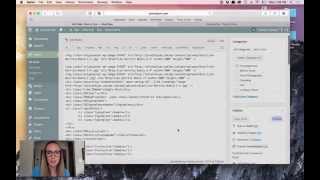
Okay, in this video, I'm gonna show you how to hide an Image in a WordPress post. And the reason that I use this and that I'm making this tutorial is because sometimes food bloggers specifically want to hide a long image for Pinterest. They don't want it to show up in their post, but they want people to be able to pin it. And that's what we're gonna do today. So you can see I'm in a. In a post here in WordPress, and I already put three images in, just like I would for a regular post. Then at the end of the post, I have a recipe, and then this would be where I would put in the long image and hide it. So let's go ahead and grab that image that we made in the other tutorial, which looks like this, and let's just upload that and then put that into the post. I'm just going to put that right in the post like it were a regular image, but it's way too big and awkward and we want to hide that right now. So I'm going to switch over to the text side scary code. Okay. At the end of that little section in my. In my text editor, you can see the. The code for the image with the image tag. And that's down here. It starts with img and that is the image. What we're going to do is basically wrap that image in a piece of code, and that piece of code looks like this. We're going to start with the little left caret and we're going to go div style equals display none. And then we'll do an ending caret. And then I have my image code right here. So this is what I just put in that little div style piece. And here's the image. And now I'm just gonna end that little div tag. So I'll put a backslash and div and then wrap that in each of those little carrots. So I think of it in two parts. We have the first part, div style display none, and then this last little part, which is just the ending div. And when I switch back over to the visual editor, I should see that that is not visible anymore, which it's not, which is good. Let's save that. And then let's take a look at what that looks like as an actual post preview and make sure that that's still visible to pin. Right, here's my sample post. We've got 1, 2, 3 images, the recipe, and no long image. Which is exactly what we wanted. Up at the top, if I click on the main pin it button, I should be seeing four images, which I do. Success. This is very good. The last thing, though, that I want to mention is that this says sample Pinterest image, which we don't really want that to say. So let's come back over to WordPress, and since I can't see the image from the visual side, let's switch back into the text and let me just get rid of this. And then if I go back down to where that code is, here it is right here. It's at the very end of the post if I find the part that says alt, that refers to the alt tag for the image or the alt text. And we're going to change that text to make it say whatever we want it to say. So here it is right here. It says alt. And then right now it says sample Pinterest image. But we want to change that. So let's go ahead and just grab and say these are spicy Brazilian burrito bowls. And I'll just say really delicious. Super yum. Wow. Okay, I'm just being kind of ridiculous. Let's save that and take a look at how that changed our actual image when people might try to pin that. All right, here's the post. With the update made, I'm going to click on Pin it. And now I should see that new description popping up with that long image. So that is how you hide a image, any kind of image, but specifically maybe a long image. Maybe a long image for food in a post for your blog.