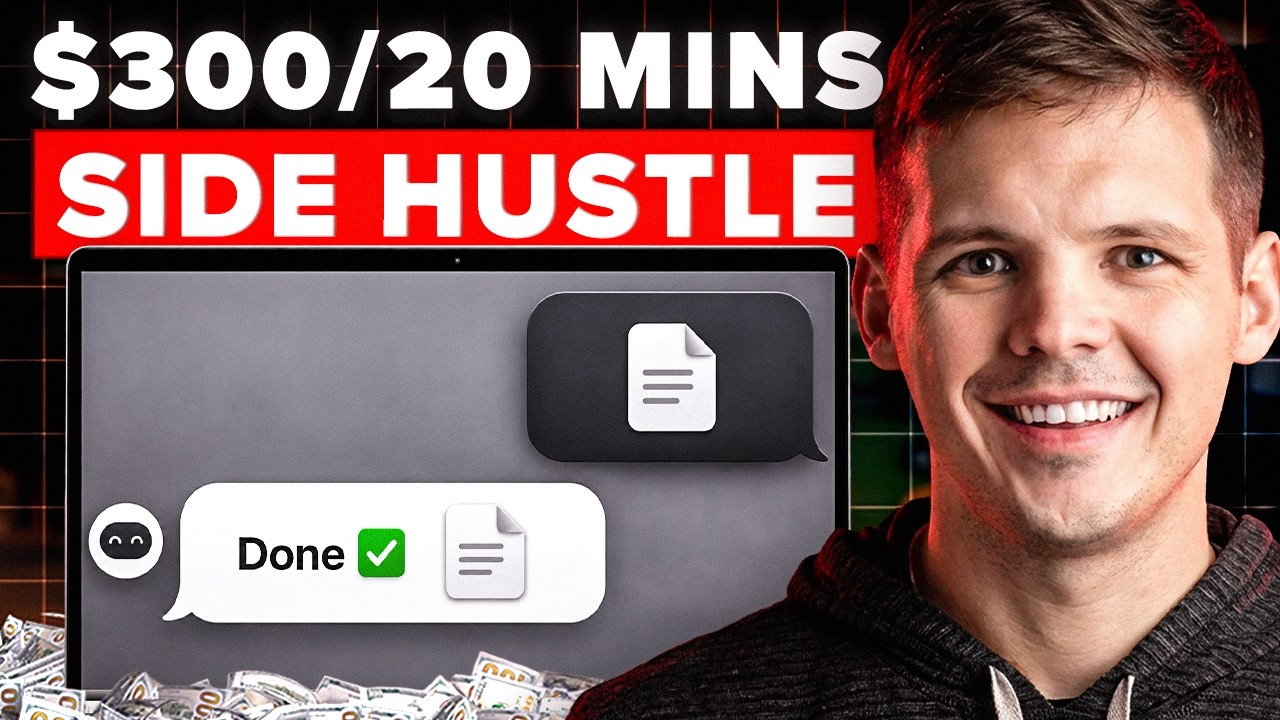
The Laziest AI Side Hustle Just Got Even Easier

In this step‑by‑step tutorial Chris Koerner demonstrates how to create a fully automated, faceless YouTube channel using Claude’s MCP (custom connector) to hook into the AI media platform Higgsfield. He explains why faceless channels are lucrative, outlines four monetization streams (AdSense, affiliate links, selling products/services, and channel flipping), and introduces the concept of an MCP as a bridge that lets Claude generate scripts, thumbnails, video shots, and audio without manual copy‑pasting. Koerner walks through setting up the Higgsfield connector, selecting a high‑paying niche (dark business history, mythology, AI tools, weird science, true crime), prompting Claude for channel names, titles, scripts, and thumbnail designs, and then using Higgsfield’s SeaDance 2.0 model to generate 12 cinematic shots and a thumbnail. He covers voice‑over options (Higgsfield Speak 2.0, ElevenLabs), editing in CapCut, uploading to YouTube Studio, and A/B testing titles/thumbnails. Throughout, he compares the AI workflow’s cost (credits, modest subscriptions) to traditional production costs ($1‑1.5k per video) and shows how scaling volume can turn modest CPM earnings into six‑figure channel sales. The video ends with a recap of tools, workflow, and encouragement to start a faceless channel or similar AI‑driven content platform.
Chapters
Faceless YouTube channels are making people 5, 10, even 30 grand a month right now. This is no camera, no face, no team, just a laptop with the right tools. So today I'm gonna build one from scratch on camera using two different AI tools, Claude and Higgsfield. And by the end of this video, you're gonna have the exact prompts, the exact niche list, and the exact workflow to copy it. And at the end, I'm gonna tell you how people are flipping these channels for six figures right now. Before we touch any of these tools, I wanna show you why this matters. Faceless channels make money in 4 different ways. Number 1, AdSense. YouTube pays you per 1,000 views. A finance channel is gonna make you between $15 and $30 per 1,000 views. A storytelling channel might be $3 to $8 per 1,000 views, but even small channels with the right niche will at least pay your rent. The second way you can make money, affiliate links. You point your audience to a tool or a product, when they buy, you take a cut. Number 3, selling your own stuff, a course, a template, physical product, a newsletter subscription. That's where the real money is. But number 4, if you want to make a big chunk of money all at once, you sell the entire channel. A faceless channel doing $3,000 a month in just YouTube AdSense revenue will sell for about $100,000. So about 3 times annual profits. And you can sell this on sites like BizBuySell, Flippa, acquire.com, et cetera. But we'll get back to that at the end. So yes, faceless channels can be a great side hustle, but it's also an asset that you can build in your spare time. But before we start, you're gonna hear me say the letters MCP a few times in this video. Here's what an MCP is. Picture Claude, which is just like ChatGPT. Picture Claude as the brain. Claude can think, it can write, it can plan, but Claude can't make a video by itself. It doesn't have that capability. An MCP is like an HDMI cable that connects a TV to something else useful. An MCP is that power cord. It plugs Claude into other tools, which makes them incredibly powerful. So today we're going to be using an MCP in Claude to plug into Higgsfield, which is an AI media creation tool. So now Claude can use all of its superpowers to write your script, make your clips, your images, your animations, and everything, all within the same Claude chat window. It's convenient, it's efficient. You can do all this in one tab. You don't have to copy and paste between 5 different apps. That's an MCP, so don't overthink it. I'm gonna set up the MCP right now. It's gonna take 30 seconds. Okay, so we got the Claude chat window right here. We're gonna go settings, then we're gonna go to connectors, then we're gonna click customize right here, then click the plus button right here, add custom connector. Okay, we're gonna call it Higgs field, and then we're gonna add a URL, and that is the URL. Well, I'll put this in the description, but otherwise you can just pause it and type that in. Okay, so we are in the very, very early innings of this Higgsfield MCP, which means that other people have not yet tuned into this yet. That's it. That's all you gotta do. Click add, then click connect. We'll click it. Allow. Boom. Now we go back to that original chat window, click the plus, click connectors right there, Higgsfield, and it is toggled on. And you can see all these other MCPs that I use on a daily basis. I can ask questions about my newsletter analytics, or I can ask questions about, a previously recorded Zoom that I had. I can even have it draft emails for me in my voice because Claude will go read all of my sent emails and know exactly how I talk and how I negotiate and how I think. It's incredible. Stripe, Mercury for bank accounts, et cetera. You get the idea. Cool. Okay, now we gotta pick the niche. We want to pick a niche that does two things. Number one, it pays well. And number two, it will look good as an AI video 'cause they don't all look good. I'm a wrestling fan. I wrestled in high school. I used to coach wrestling. And there's a faceless YouTube channel that covers like wrestling documentaries. And I know the scripts are AI generated, and I know that the clips are AI generated, but I watch them because it's really good. Just because you, you ask ChatGPT a question and it gives you an answer, you don't not read the answer because, oh, this is AI generated. Like, no, we need questions answered. And if that's answered with AI, fine. We might prefer for a human to answer it, but if they're not there to do it, then we're We're happy to have AI answer that question for us. And the same is said with entertainment. I'm happy to be entertained by a faceless channel or an AI-generated channel if it's actually entertaining, if it's good, just like a Pixar video is good, even though those aren't hand-drawn animations. So here are some of the 5 best niches for an AI faceless YouTube channel right now. Number 1, dark business history. You ever see American Greed on CNBC? That's the type of stuff I'm talking about. Stories about scams, billionaire empires, companies that crashed. You can even use an AI agent to go find like local news articles that never make Netflix or CNBC about a local scammer, and you can make documentaries about them. Another niche that's great right now is mythology and lost civilizations. They get massive views, and AI video is perfect for this kind of stuff. Okay? The third best niche that I like right now, AI tools and tech predictions. These don't get as many views, but it pays way, way more per view. It could be the difference between $5 and $25 per thousand views. Number 4, weird science, quirky topics. These channels have insanely loyal audiences and it's great for a newsletter conversion. And number 5, true crime, cold case crimes, right? Massive demand. AI can handle all the dramatic recreation visuals perfectly. But for the purposes of this video and for what I love the most, dark business history. I love learning about a good business scam, but you can swap whatever I'm doing with whatever niche that you end up picking. The workflow is going to be identical. Okay, but enough talking. Let's start prompting. Let's start making a video with this Higgsfield/Cloud MCP. Okay, act as a faceless YouTube strategist. My niche is dark business history. Give me a channel name, a 10-word description, 10 video title ideas built to get clicks, then write the full script for video 1, cinematic tone, 8 minutes long, built for retention. Why 8 minutes long? Hmm. Well, you'll notice that none of my videos are under 8 minutes long. You know why? Because YouTube does not let you put mid-roll ads on videos that are less than 8 minutes. You can put a pre-roll and a post-roll, AKA an ad before the video starts and after the video ends, but you can't put ads in the middle. But if it's over 8 minutes, you can. That's why you'll see a lot of videos on YouTube that are like 8 minutes and 1 second, because you can make more money from that YouTube video. More ads equal more money. And I don't know if you've noticed, but I try to be very intentional about not allowing YouTube to put too many ads in my videos. They automatically add them, but I can go in and remove them, which I try to do. Okay, so before I hit enter on this prompt, I almost forgot the last sentence there. Use my Higgsfield MCP to do this. Claude is not in my head, right? It might have done that anyway, but just to be sure, I want to point it towards the right connector and we'll hit enter. You can see I'm using Opus 4.7, with adaptive thinking. Now, when it spits out the script, if you don't love what you see, push back. I always push back on Claude, and I tell Claude in my master instructions to push back on what I tell it to do. You can tell it to make the first paragraph punchier or to cut the boring middle out. You're the editor. Claude is the writer. Claude works for you. Okay, here we go. Took about 90 seconds. Claude wants to use generate_image_from_higgs_field. I'm just gonna press always allow. It's making a thumbnail. It's pretty cool. Also guys, faceless YouTube channel might not be for everyone. There's a hundred other things you can use this Higgsfield MCP for that are not faceless YouTube channel creation or scripting. Go wild with it. Okay, looks like I am out of credits on Higgsfield. Okay, I'm gonna buy some more credits. Okay, we've got 10 titles here. We've got a description. I like these. How one family tricked the world into buying worthless rocks. They poison babies to steal Africa's market. Okay, there's our script, man. That's really good. I just told it that I added more credits and to try the thumbnail again. Boom, it's making the thumbnail. It's giving me tips for the thumbnail strategy. Very clickbaity, very MrBeasty, very good. Okay, looks like it's going with the title for fake diamonds one. I'm asking it to add 'they fooled you' to the title in bold red letters. Suddenly you don't have to know how to make thumbnails anymore. Okay, there it is. It's telling me that I can open this in Photoshop or Canva to make it better, but I don't know how to use either of those tools. So we're gonna go with this. Okay, that's cool. I wasn't super happy with how that font looked, so I asked if it's able to use ChatGPT Image 2, which I know is amazing for thumbnails. It has no issue with text whatsoever. And it said, yeah, oh, let me do that real quick. So it's redoing the thumbnail with a different model, which I I honestly didn't know you could do that through the MCP. So super cool. Okay, next prompt. Take the script you just wrote, break it into 12 cinematic shots. For each shot, write a detailed visual prompt, then use Higgsfield to generate every shot. Keep the visual style consistent, dark, cinematic, slow camera movement. All right, I just want this thumbnail to generate real quick. All right, let's see what this comes up with. Okay, so as this processes, I wanna explain what's happening behind the scenes. What's happening is that Claude is reading your script and splitting it into 12 different scenes. Then it's sending each of those scenes to Higgsfield one by one. Then Higgsfield is using a video model on the backend called SeaDance 2.0, which is one of the best AI video models that exists right now. Each clip is gonna take like 30 to 60 seconds each to render. So, you know, it'll take a minute. Also, by the way, here's the thumbnail that GPT Image 2 generated for me. The table looks a little more crisp, the background's more crisp, there's a little gradient on the font. I think it's maybe 10 to 30% better. Not a huge upgrade, but definitely worth spending 4 cents or whatever it is in credits. Okay, looks like it went with something called Soul Cinema for all 12 of these scenes. Full prompts, images, everything. Young exhausted woman at vintage 1940s wooden desk at night. Single brass desk lamp pulls warm amber light over scattered papers. Yada, yada, yada. Okay, super cool. It's just about 8 minutes long. Generating all 12 now in parallel. There's the image. Look at that. Oh, that is awesome. Holy crap. I'm floored right now. That does not look like AI at all. It looks like a real picture. Okay, so let's see what this shot would look like as a video, as an image. Okay, so I click animate and it auto-loads that prompt for me. Animate this reference image into a short video. Boom, boom, boom. And then I'm gonna paste in this prompt. Thousands of diamond prospectors swarming a massive open mine pit in South Africa. Cool. Paste that in there, hit enter, and we wait. So while this is loading, um, there's also a feature on Higgsfield called Face Lock where if you upload one image of a character, even if it's AI-generated, real, whatever avatar, Higgsfield will extract the face and keep it consistent across all shots and scenes throughout the whole video or movie. That picture, that person becomes a recurring guest. So just because it's faceless doesn't mean it doesn't have a face. It just doesn't have your face. And a lot of people prefer that, right? They're introverts, they don't want their face to be everywhere, and nowadays they don't have to. But we still got to nail the voice, right? So you can do one of a couple things here for the voice. You can use Higgsfield Speak 2.0 where you can write out your text like a script where if you want something to have emphasis, a word, you put it in all caps. If you want there to be a pause, you just put a dot, dot, dot, and it will do it for you. It will make audio based on what your text shows. Or you can use something like ElevenLabs, which will clone your voice or other people's voices. I actually use that to dub all of my YouTube videos into other languages in my same voice. It's kind of wild hearing myself talk in German when I don't speak German. Then you can use something like CapCut, which is a very user-friendly video editor, both for desktop and for iPhone or Android. And you can add in background music and stuff like that. It's free. So just to recap, the scenes from Higgsfield, you convert those into videos, shots in Higgsfield. You can use Higgsfield for the audio, or you can use ElevenLabs for the audio, especially if you want to clone your own voice, probably better off using ElevenLabs for that. And then background music, you can use CapCut, just use royalty-free. And you can knock out your first video without any experience in about an hour or so, depending on how long it is. Whereas before all these tools existed, the same thing would take you 5, 10, 20 hours. Especially if you don't know anything about video editing or video creation. Okay, here's the scene, here's the shot. That's incredible. That looks awesome. Predict virality. So I've never used this. Let's see what that does. And if I don't really like that, just click recreate, but we're gonna wait for this one prompt to finish first. Now virality might not be the most relevant thing to ask here because this is simply a 5-second shot from an 8-minute video. It's not gonna be a standalone clip that we post to TikTok or whatever. But theoretically, if we could assemble an 8-minute video out of shots that have the highest virality potential, then why wouldn't the entire thing have a higher than average virality potential? Think of it this way. The old way of doing this, you were gonna have to hire a writer for like $200 to $400 a script. An editor's gonna be like $300 to $500 per video. Then a voice actor for $150 to $300 for a video. Thumbnail designer at $50 a pop. If you want to A/B test it, that could be hundreds of dollars just on thumbnails. We're looking at $1,000 to $1,500 per video, and you don't even know if it will be any good or perform well or not. So to knock out 24 videos, which is probably a good idea to find some winners in there, you'd have to spend $30,000, $35,000 to get that done. Out of reach for the vast majority of people. But now you can do it just for some credits, for a couple subscriptions, and you can learn some incredibly valuable skills in the process. And if your videos don't take off, then you can still charge to do this for other people as a service. If you have a video hit 100,000 views in any given niche, that's gonna be between $500 and $2,000 from one video. It's probably not gonna happen from your first, maybe not even your 10th video, but it's just a numbers game. If you throw enough volume at it and you keep learning and improving with each video, it will happen eventually. If you don't like any of the 5 niches I already gave you, prompt around in Claude or ChatGPT to come up with more. Now let me show you what it would look like if we wanted to go ahead and upload this video. We would just go to YouTube Studio. You would create a free account. You would click create up here on the top right, upload videos, select files. Okay, we'll put that in there. Cool, cool, cool. And then you would just click A/B testing and you would put 3 different titles, 3 different thumbnails, titles and thumbnails, and then YouTube will automatically start showing those versions of your video with those titles and thumbnails to different people. And then it will show you what percentage of people clicked on which version. And then either after a certain amount of time, YouTube will automatically choose the winner or you can choose the winner yourself at any given point. You can AI generate a thumbnail right inside YouTube if you want, upload your own from Higgsfield or Claude or whatever, and you just upload it and now you have a YouTube video. Okay, let's go ahead and regenerate that 5-second video and see what we can get next. So this time it's using SeedDance 2.0, which I referred to earlier. It's a brilliant video generation model. By the way, I'm gonna go ahead and put all these prompts in a free Google Doc in the comments below. When you get to CapCut, you just take all of these clips together and you just upload all of them to your CapCut project. And then right over it, you upload your voiceover or the ElevenLabs-generated voiceover. And then within CapCut itself, you choose background music should you want to include that, which I would. Okay, here's, uh, the regenerated scene. Oh, a lot more hacking going on in this one. Very cool. Okay, so you should have everything you need to start a faceless YouTube channel or face less, uh, TikTok or Instagram page. Doesn't have to be YouTube, but it's just the highest likelihood of getting monetized and making more money quicker. So Higgsfield supports this channel. I support Higgsfield. I use them. They're awesome. I don't know of a better content creation AI tool out there. And now with Claude's MCP, you just got like two superpowers put together equals mega superpower. Thanks for hanging out on the Koerner office.