Christina Haftman (CreatingDigitalAssets.com) reviews the Calendly homepage, describing its purpose (self-serve scheduling) and evaluating design choices that support conversion. She narrates the page structure—logo and navigation, prominent call-to-action (sign up with email, no credit card), demo video, three-step how-it-works, features (calendar integrations, buffers, time-zone intelligence, app integrations, team support), social proof (logos, user-count claim), and footer links—while noting UX signals like CTA color, minimal friction sign-up, and integration opportunities (Zapier). The review briefly compares Calendly to competing scheduling tools (Vasita, ScheduleOnce, Acuity) and closes with a marketing-oriented recommendation.
Chapters
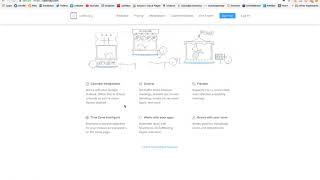
Hey there, it's Christina, president and founder of CreatingDigitalAssets.com and always a student of marketing. So tonight I'm making a video to feature a really well designed homepage and brand and product called Calendly. And this is@calendly.com and this is a calendar functionality that you can have on your website. And, and it's software that you configure, you can configure your availability for each month and different appointment types and then it's out there and people can kind of self serve and schedule an appointment with you and you get a notification, they get reminders, you get reminders and all that kind of good stuff. So it's really great product. But tonight's video is more about the home page. So let's take a look. It is really streamlined and I'm going to show you a couple things. So we have the brand logo up here in the top left corner and then we have some navigation about seven different things up here. Login is for existing customers. There is pricing for teams, more like an enterprise pricing model, probably customer stories, probably testimonials in different use cases in different roles integrations. This integrates with a lot of different other. This integrates with a lot of other different software and CRMs and things like that through Zapier. And then it has pricing and features and then on the page makes it really simple. It has a very simple promise that Calendly helps you schedule meetings without the back and forth emails. So it kind of highlights the problem. It makes it really easy for you to. It makes lead capture really easy for them by only asking for your email. One click and you can sign up and you can get started for free with no credit card required. So that makes things easier. One click. Don't have to give your payment card information if you're risk averse and it really encourages you to take a trial. And another thing right here is called action button sign up. And as you can see it's inverted from all the other things. And it's also another instance of it up here that matches this one with a blue background. Blue is a nice color for trust and it pops because it's different from all the other things on the page that it has a solid blue background on the call to action button. Okay, so that is intentional. And if we scroll down here they have a demo video that you can watch. And then here's a three step how it works. And sometimes this is featured horizontally across this site. Decided to do it vertically which is A little different, but it's very simple. It tells you that you can create rules on your calendar and availability preferences that work for you and then share your link. You can use the embed code to put it on your website or you can share the link by email or any, by text or any other digital means of sharing. And then they schedule the individual who wants to meet with you. They pick a time and an event type and they put themselves on your calendar and you get notified that about it. And then the day comes and you meet with them. And it can be like a phone call or it can be a zoom meeting. It can be 15 minute consultation or an hour. It can have payment attached to it. And remember if it has payment attached to it or lead capture that you want to go to your email marketing system or your CRM. You can take advantage of their integrations through zapier. Okay, here are the features and the benefits and, and there's six of them. Calendar integrations. It can integrate with your Google Calendar or Outlook or icloud ical control. It enables you to set times in between your meetings. So you have a buffer. You don't want to be back to back. And it's kind of exhausting. And let's see, flexible and time zone intelligent. That is great because there's, you know, this is a global economy. We're on the Internet. We might have customers all across the United States, across different time zones, in different countries even. And it adjusts that for you and it adjusts that for them so it knows where they are probably by their IP address with a confirmation too because sometimes people are traveling and that's a transient IP address. But anyway. And then it's time zone intelligent on both sides. So the appointment is scheduled at the right time and it's not like someone showing up earlier, one hour earlier, late and missing the meeting. All right, works with your apps. So salesforce gotomeeting and different things and great for teams. So if you have a sales team or something and here on the next block is social proof you're in good company. We're already connecting a million people. They have a million monthly users. They probably have a little less or a little more than this number, but where they could say like over a million monthly users, but quantifiable. And then here are some other elements of trust which these are brand logos of other companies that are already doing business with them that are recognizable, like LinkedIn, Zendesk E myth, which is the book and the company. And then a university and again another call to action for people who've scrolled all the way down here, get started today for free. Just enter your email, sign up, no credit card required and then in the bottom here is the footer where everything else goes. There's social media icons here and some of this navigation was on the header. It's repeated down here. They have a blog. This is their management team. They have jobs posted for career careers with the company, privacy policy and terms of Use. You click those. Behind these links are their legal documents help center with FAQs and a contact Us page. And pricing, different tier pricing. They probably have three types. Three, three types like a free, an intermediate and an advanced for larger teams. So that is calendly and I have not used this one. I have used Vasita and Schedule once and a lot of people like Acuity scheduling too and Calendly. So those are the players in the market tonight. I was just reviewing this site but check them all out. This is a good way to have people schedule time with you and you don't have to go back and forth about trying to make your schedules, trying to coordinate your schedules and get them to line up. So thank you for watching and I'll see you on one of my future videos where we always are talking about digital marketing.