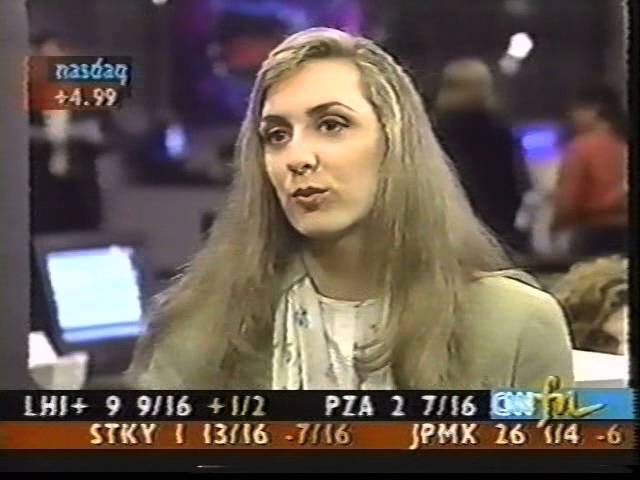
In this Metrobyte segment, host [Speaker A] interviews Courtney Pulitzer, publisher of the Cyber Scene newsletter, about Zing, a standalone push‑technology application released in 1999. Pulitzer explains that Zing runs independently while web pages load, delivering entertainment through customizable channels such as quotes, photography, music, trivia, language lessons, and user‑uploaded images. The interview includes a brief on‑screen demo showing a resizable pop‑up box that can display French audio lessons, trivia quizzes, and other media, then disappears once the page finishes loading. Pulitzer assures that Zing does not noticeably slow page loading because it operates on its own. The conversation highlights Zing’s focus on keeping users occupied during wait times, its variety of content, and its integration model that does not interfere with the primary web experience.
Chapters
Joining me now is Courtney Pulitzer, publisher of the Cyber Scene newsletter. She's here to tell us all about Zing. Zing. That's right. I love that name.
Zingaling. That's great.
What's Zing all about?
Well, Zing is a standalone application that you can download off the internet, and then it's a small push technology that provides entertainment while you're waiting for your website pages to download. Oh, that's fantastic. Yeah, it's very nice because instead of having to wait and watch images download, You can get quotes from famous people. There's all sorts of different channels that you can customize. Ah. You can upload pictures of your own to share with the rest of the people on the Zing channel. So there's all sorts of neat things, all entertainment-focused.
That's great. Well, let's check it out. OK. We've got some tape of it here, so we want to sort of take a look at what it looks like.
Yeah, let's see what it looks like.
Coming up on the screen now.
So you'll see it starts as like a little box that pops up on your screen. Here you can learn French, for instance. Looks very fun. There's audio.
And you can resize the box, it looks like. That's great.
As soon as the page downloads, it'll go up in the corner and then go away completely. Completely. And then you see here all the different channels. Uh-huh. There's music trivia. Quiz trivia. So you can see if you're right.
Oh, that looks very fun.
Yeah, there's beautiful photography from famous photographers around the world.
And meanwhile, while you're doing this, the web pages are loading up in the background?
That's right. That's right. Or you can just surf through Zing, see quotes, read movie reviews. Here's sports tips and things like that.
But isn't this kind of slowing things down though when this is loading? Do you find that it slows up things? It doesn't really. It stands on its own.
On its own, and it's, um, I mean, you're being entertained during the whole wait, so it doesn't matter really.
And you actually heard that little cartoon sort of speak French. That's great.
Right. Yeah, it's pretty handy.
Terrific. Well, Courtney, thanks a lot. That's a very, very cool website.
Yeah, it is.
Thanks for coming on. Well, we gotta take a break, but when we come back, we'll learn how to provide a safe web experience for your kids. And later, I'll be answering your frequently asked questions, so stick around.