In this concise tutorial, the presenter walks beginners through the essential steps to start live streaming with minimal hassle. He begins by emphasizing the importance of defining the type of stream—interview, gaming, tutorial, entertainment, or education—as this determines the appropriate software and workflow. He then compares two primary broadcasting tools: OBS, a feature‑rich but slightly steeper‑learning option suited for multi‑scene, multi‑screen productions, and Restream.io, a plug‑and‑play browser‑based solution ideal for simple talking‑head or interview formats. Next, he advises creators to set up a dedicated, undisturbed streaming space, preferably with natural lighting, and explains why a consistent environment reduces distractions. Finally, he stresses the need to test all hardware—camera, microphone, lighting—through trial runs before going live to avoid technical hiccups. Throughout, he encourages viewers to take these preparatory steps, assuring them that livestreaming is accessible once the plan and tools are in place, and invites questions in the comments.
Chapters
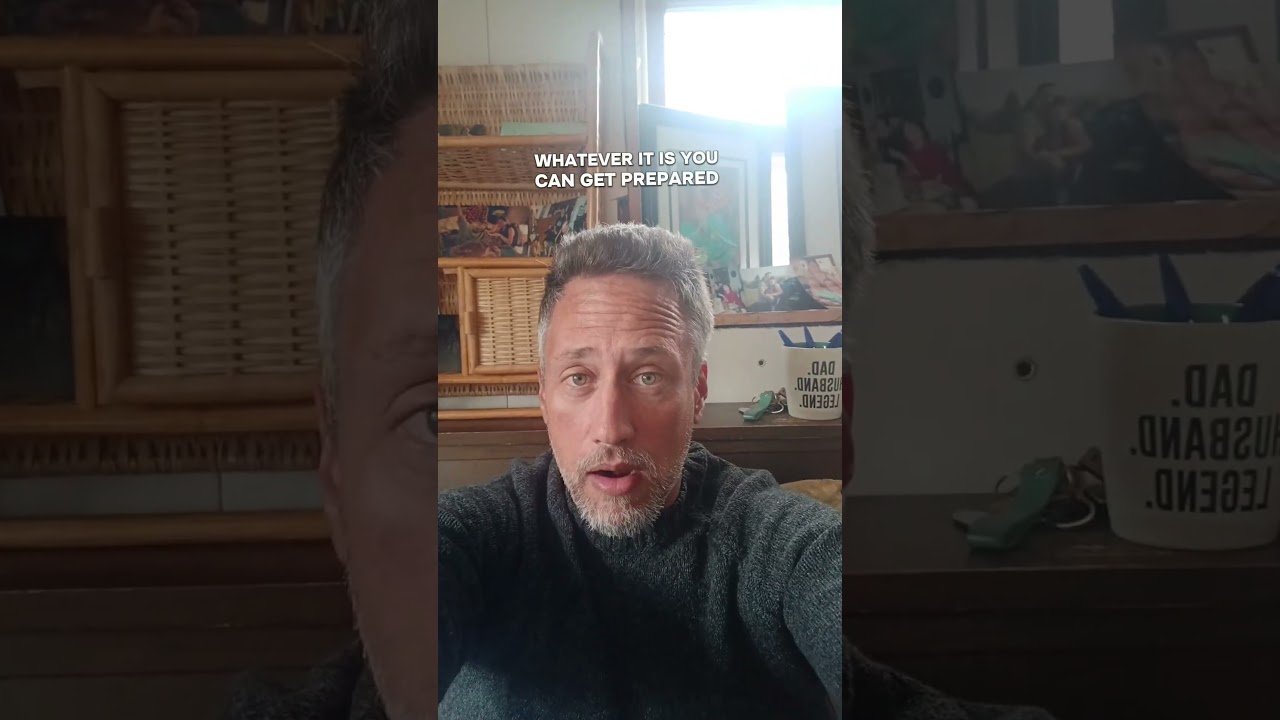
Live streaming is taking— stream is taking content creation by storm, guys. Before you get started though, you want to make sure that you have a couple of things in place. It's gonna make your life a lot easier. We're just gonna dive right into this, guys. I'm gonna give you the tools, software, tips and tricks that are gonna help you get started live streaming a lot faster with a lot fewer headaches. Let's do it. First and foremost, guys, when you're heading into live streaming, make sure you understand what kind of live stream you're gonna create. There are a lot of different platforms, a lot of different communities, and a lot of different styles of programs. And depending on what you're doing, it's gonna greatly affect what kind of software you're using, tools, et cetera. So make sure that you really have it nailed down. Is it going to be an interview style program? Is it going to be something that is capturing gaming? Are you going to be doing live editing? Depending on what you're doing, guys, tutorial, entertainment, education, it really makes a huge difference. So if you're going to be live streaming, make sure that you have that really dialed out. What is it that I'm looking to create here? Now, uh, depending on where you're going to go, I'm going to make sure to outline a couple of different tools that vary depending on what style of program you're trying to put on with live. So the first thing that you really need to get settled on, guys, is what tool you're gonna broadcast with. And there's 2 that I'm a huge fan of. One is a little bit more intensive, but it gives you a lot more customization, whereas the other one that I'm gonna suggest is gonna be very simple plug and play, off and running kind of deal, okay? So first up, you've got OBS. OBS is a tool that has been a longstanding piece of software in the live streaming community. Most people that have started on Twitch using their gaming know OBS. They know OBS because it is the bread and butter of the industry. Now, there are a lot of other competitors that have come out over time that have an easier access to them. They're simpler to use. But for me, I'm always going to recommend OBS to anybody that's trying to do really complicated streaming. So you're trying to capture multiple screens and you're, you're switching through from one scene to another. You're trying to get a lot done and really demonstrate things. So this would be a great tool for anybody that does tutorials, anybody that does live demonstrations, anybody that's doing gaming, maybe even music, depending on what you're trying to do. In showing a soundboard or multiple screens at once, I highly recommend OBS as a tool that you take a look at. It's gonna have a bit of a learning curve, but there are tons of great tutorials here on YouTube that you can go into and really get a quick feel for what OBS is doing. Now, if you're not looking to do really intense multiple screen different layouts, if you're just looking to do something simple where you're coming on like this, it's a simple camera talking head kind of video, or you're doing simple interviews between you and one or multiple parties, then no problem. I highly recommend you guys take a look at restream.io. Okay. And the reason why I recommend Restream is this. Typically when you're doing these interview style talking head pieces, it's simple. It's, you just want to pop in, turn on the camera, start talking to the audience, right? Restream lets you do that. And it lets you do that in a really simple way. You can even just hop into a browser and Bam, there it is. You can have Restream as software on your desktop, but it lets you plug and play and go really quickly. One of the other features that I really like about Restream, as far as you're gonna dive in, you start peeling things apart, is it's so easy to invite people to use the tool. I find often when you're using things like Skype or you're trying to use Zoom or you're trying to use any of the other kind of live interview capture tools, it can be a bit of a pain in the butt. People have to either download software or they've got to have a link that's a approved somewhere else. With Restream, it's super simple. You just give them the link. They don't even have to have a Restream account. You pull them in and you're off and running, guys. I highly recommend if you haven't checked out Restream, check out the link down below, give it a click. They have done some amazing upgrades lately and it's by far the easiest plug-and-play livestream tool that I can suggest to you. Okay guys, so you have your software nailed down. You're using OBS or using Restream. You've got your video already. It's set up to go. What else do you guys need when you're going to head into that livestream? Well, the reality is, guys, I highly recommend you take the time to get a space that you can actually sit down in. It's undisturbed. It doesn't need to be an official studio with all kinds of gear or whatever. It can be something simple like this, but make sure it's a designated space. So for those of us with families, or even if you're just in a crowded environment, you've got roommates, maybe you've got significant others in the building. Heck, even pets can be a disturbance when you're trying to livestream. So make sure you've got a dedicated space. I cannot recommend this enough. Now, Ideally, what you're looking for is a space that has natural lighting as well. So as you guys can see here, I save a little bit on having a fancy lighting setup because I've got a window right smack dab here. If possible, guys, whenever possible, try to set up your livestream studio somewhere where there's natural lighting. It's the best way that you can ever go. It's the cheapest, most effective way to get the most effective lighting that you've got. The last thing that I'm going to recommend when you go into livestream, guys, is make sure that you have tested your hardware ahead of time. So Depending on what you're doing, maybe you're using a camera setup or you've got an HD camera like I'm using here, make sure your audio setup— do a trial run first before you go live. Just recorded content directly to your desktop, directly on whatever you're streaming from. Make sure that you do a test run to make sure everything sounds good, it looks good, it feels right before you go live. There is nothing worse than going live and immediately having technical issues with cameras, microphones, lighting if you're using supplemental lighting, really nail that down, guys. So that's it, guys. Make sure that you take the time. You're gonna have a great amount of success with live streaming if you take those steps and know what kind of live stream you're doing. Use the appropriate software, make it as easy as possible on yourself depending on the style of stream that you're using. Again, guys, OBS, Restream, fantastic tools. And last but not least, guys, make sure you're set up for success. Know that you've got your camera ready to go, your audio ready to go. Make sure you've got that natural lighting, it's crisp, it's clear, and it makes a It is this simple to get started, guys. And if you are questioning whether or not to get started, you don't know if you have the time to start live streaming, it's not overly difficult. The biggest problem is getting it down, having the plan, having the tools for success, and then just clicking the button and going. So hopefully this helped you guys out. Let me know in the comments down below whether or not you guys are live streamers, whether you're looking to live stream, any other questions you might have, and I'm more than happy to do a follow-up video. Hope this helps, guys. Can't wait to see your live streams. Take it easy.