Is a smartphone enough to start a Youtube channel?
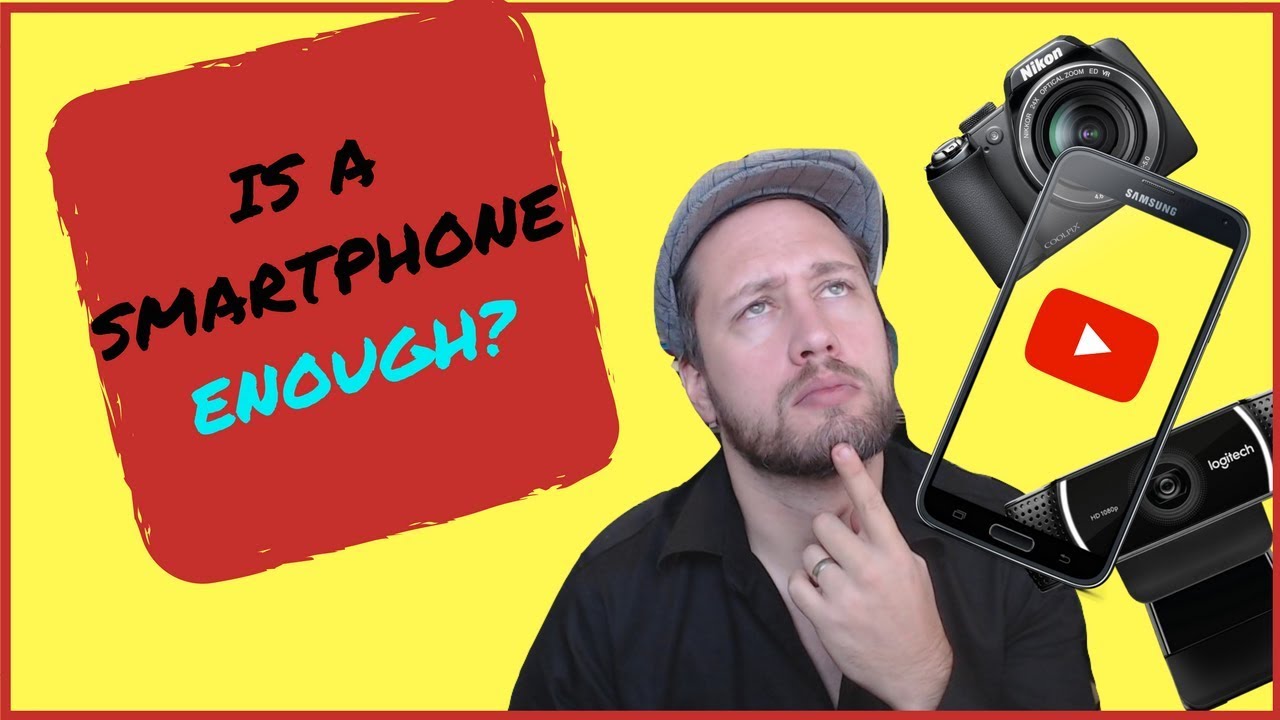
Dan Willis tests a smartphone, point-and-shoot camera, and webcam for YouTube. The LG G5 smartphone wins on video and audio quality plus portability, making it a viable way to start a channel without expensive gear.
Chapters
Most new YouTubers are starting on a budget, and a question that I get a lot is, is a smartphone enough to get started on YouTube? Stick around guys, we're gonna do a bit of a comparison here and see what you need to get started on your YouTube channel today. Welcome back guys, I'm Dan from millennialmotivator.ca, helping you learn how to create, engage, and Inspire. Today, guys, what we're taking a look at is all of you guys out there, much like myself, who are just getting started on YouTube. I see a lot of great videos out there from guys that are phenomenal creators, but often what I see happen is they turn around, they go back to a room that's got hundreds of lenses and cameras and gadgets, and they're able to produce a much higher quality style of video here on YouTube. And the question that I ask myself, and I see a lot of people asking either on Quora or through social media, is what do you need to get started on YouTube? What do you need to record? Oftentimes, guys, this is the suggestion, that a smartphone is enough. And I know that this is one that I've given in the past, but I've never actually compared a desktop web camera, a smartphone, and a point-and-click. So today what we're gonna do, guys, is we're gonna take a look at all 3 of these and decide which one delivers the best quality out of the 3. I'm not gonna go into this whole techie in-depth to look at it, it's gonna be plain. I'm gonna make it clear how easy it is to set up, how easy it is to use, how easy it is to get on the computer, process it, and edit with it. Okay guys, so if you're new to the channel, I put out videos Monday through Saturday helping businesses learn how to engage online using digital marketing, community marketing, content marketing, and social media. So if you're new, click that subscribe button down there and the little bell. You get a notification when my next video goes live. But without further ado, let's take a look at these 3 tools and decide which one we think is the best way to go for a new YouTuber. Do you need to go smartphone, point-and-click, or desktop? Let's go! Okay guys, so first up, to be fair on this comparison, what we're gonna do is just use the hardware that comes with the device. So, for the smartphone, I'm not gonna be adding any mics, any peripherals, any camera add-ons. Whatever comes with the phone comes with the phone. So this is the LG G5. Smartphone. It's got the Android OS on it. I'm gonna give this a shot just as is, as you see it. I'm gonna pop it in the little Ubrus stand here. This thing I love. It makes it a lot easier when you just— you're out on the go and you just want to pop your webcam into something. This is not one of those super high-priced ones. I think this one may have actually come off of Wish, but there's lots of really simple cheap ones that you can get like this. And as long as you've got the OtterBox, it makes it pretty easy to just clip on, clip it in there, and And it stays. So we'll be shooting with just this, guys. Nothing fancy, just what comes with the camera. Next up, we've got the Nikon Coolpix, and we're just gonna be shooting as is. So it's the Coolpix L320. Okay, and again, not gonna add a mic to this, no fancy lens. It's whatever comes with it. This is a simple point-and-click camera, guys. It's gonna be, you know, I think you can find it on eBay for $100, maybe $150. It's not super expensive. It is the simplest point-and-shoot camera that you can get. So perfect for beginners, people that don't have a huge budget that are looking to get started on YouTube. This is the camera that you would be starting with, something similar to this, a Coolpix or QuickShot, any of those really simple cameras that are out there. And then I've got a Logitech webcam. You guys can't see it because I'm shooting on it right now, but we're gonna make sure that to be fair, we are using just the mic, just the video from that. So what we've got right now, guys, this is the video being shot on the Logitech HD 1080p camera. We're getting a decent quality from this. You guys can judge on the sound. We'll put all 3 side by side afterwards and take a review of, at the very end, how we feel each of them compare. So this is the first one. This is the Logitech 1080p HD. Hear the audio, see the video quality, its ability to focus as I move in and out. We've got a bit of that there. Whether or not it zooms in takes a little while, but there it is, guys. This is a— so this is just something simple. You plug in USB to the back of your computer or to your laptop. Oh, that's nice. You fix it, it's there, you can use it. So far for me, this has been where I shoot the— predominantly this is where I shoot the video for my channel. I am trying to get a little bit more mobile, and that's one of the biggest issues I find with the HD PC cameras is you've got to plug it into a computer to have it work. It doesn't have a storage right on it. So one of the downsides for sure is it reduces kind of where you set up and where you can shoot. But at the same time, it has been pretty easy. It's been pretty good to me. as far as setup, quality of video, simplicity. And if you're getting started, maybe that's all you need, right? You've got your computer, you've got your office, you shoot, you turn this on, it's really simple, it's really easy. And then exporting this into, or importing this into Adobe Premiere has also been super, super simple. So this is the Logitech, guys. Let's move on and check out what the Coolpix is capable of doing. Okay guys, so this is the image from the Nikon camera. And as you guys can see, we're a little more mobile. I can move around with this. This might be something that I bring with me if I go to a convention or a conference. It's not super obnoxious, it's a small enough camera, there's not a lot of fancy gizmos and gadgets attached to it. This is a simple camera, the mic that's on it is there. I do notice that the mic is on top of the camera instead of in front, so I don't know how great the audio's gonna be on this. The lighting, again, you've gotta make sure you've got that in place ahead of time, that you're able to see clearly. But the reality is this camera is a bottom basement, very cheap, very affordable, let's get started shooting videos. So as you can see, it allows for mobility, this is the quality of the image, This is the quality of the audio. Let's compare it to the other 2 and see what we've— All right guys, here we are. We've got just the LG5 camera. As you can see, it's nothing fancy, nothing super high-tech. It's just on the Ubru tripod, that tiny little stand there. So this is the quality that you see. This is the sound of the mic. You guys can hear, again, no add-ons, no plug-ons, no little handles or, or camera improvements on this. I do hear a lot of people saying that That just the smartphone alone, the quality of that is enough for us to take a look and see, you know, can I be walking around with this? How simple is that? Again, with the OtterBox, I find just to get that safety in case you do drop it. But as you can see, makes it a lot easier to move around. This is how it adjusts as I move in and out as compared to the other camera. It's quite clear. I'm able to see as I'm recording, which is a benefit over one of those cheap point-and-shoot cameras. So far, as far as mobility goes, I do see the advantage to having this Having the smartphone being the primary source of shooting. So there is some value to that concept. I can see it. And this is not something that I've done yet, but as we, you know, as I continue to make videos, I plan to bring this with me to conferences and events moving forward so that I can actually do some recording live, see how it does as far as ambient noise, background noise, just to see what that's like. But this in reality is what a run-of-the-mill, this is not some super state-of-the-art, top-of-the-line phone, guys. This is a simple phone. That you, you know, I just went and got whatever was the free phone with plan kind of deal. So what most people would be able to have their hands on in their back pocket on the go. It doesn't need a camera bag. I don't need to carry that around with me. This would be in my pocket anyway. I could take it out. It's got a decent enough memory size on it, especially since I can just upload it to Dropbox or to the Drive. So this is it, guys. This is the quality. The Ubrastand makes it a little bit easier. So let's take a look at all 3. Pros and cons and come to a decision. Is the smartphone enough for you to get started on YouTube, or do you need to maybe make an investment in some other things before you get going? Let's take a look and see. Okay guys, so now we've had a chance to take a look at the LG 5, the Coolpix camera, and the webcam. I just want to do a quick breakdown here, guys. For me as a YouTuber just getting started with a small channel, the 3 things I'm looking for for a camera are Is it easy to use? Can I use it on the go? And what is the quality of the picture and the audio without me having to play around with it or buy extra stuff? So let's break down the 3 of those for each of the things, and I will give you guys the winner as far as I feel it for each. So as far as simplicity and setup goes, guys, for me it's a dead tie. Uh, the, the camera setup on my desktop is super easy. It's plugged into a USB, it sits there, it doesn't move. It's very simple for me to use. I don't have to adjust it. The audio and the video are both 1080p. It's a great quality, simple setup. Same thing with the phone though, okay? So the LG 5, I would say, also gave me very good picture quality and also allowed me very much to have a decent level of audio. I can alter it a little bit. Obviously, I'm looking for just straight out of the box, no editing, no whatever. Just what comes with it, I found the audio was a little bit more controlled with the PC Logitech, and this one, it was just very loud. The mic was almost better on this. But again, once you start to learn a little bit about editing, I'm sure that could be fixed. But right out the package, I'm gonna give the simplicity of the setup to the PC webcam. Now, in regards to quality of picture and audio, In the long run, I would probably choose the LG 5. It definitely was not the bottom-of-basement model phone. I would not give it to this. This only shoots in 720p. It was not a 1080p. So right away, the picture quality, there's a clear difference between the two. And the audio as well, I found, got very distorted on the highs. Maybe if you added a travel mic onto that or a secondary audio system, The Coolpix would be an option, but again, I'm not sure why you would go through that hassle when your phone serves as a much better way of doing that. So, who wins as far as simplicity of setup? I'm gonna give it to the desktop Logitech, okay? Who wins as far as the quality of the audio and video? I'm gonna give it to the phone, okay? As far as mobility goes, desktop loses badly, very badly. It's gotta be plugged into a computer. It's pretty much stationary. That's all you're getting out of it. For mobility, I mean, it, it's all right. You can travel it around. It doesn't have a massive camera bag with it, right? This is not something that's very huge that can be carried around for sure. Um, but ultimately, this is pocket-sized. This goes in your pocket and you've got a portable camera set right here with you. So overall, guys, is a smartphone enough? It looks like it. It looks like the audio and video quality on this is Right up there with a 1080p HD Logitech desktop camera. In regards to mobility, it's simple, it's in your pocket, it's easy to grab and use. There are simple peripherals like this that you can get. I mean, as far as stability of holding it, there are some little gadgets and gizmos that you can get as well. But ultimately, guys, I think that if you were looking to get started on YouTube, my recommendation wouldn't be to go get the HD 1080p Logitech. It wouldn't be to go get a simple bottom-of-the-basement eBay special Facebook Marketplace camera. It would literally be to go grab your smartphone and head out. Now, if any of these 3 things are of interest to you guys, I am gonna put links down to them below so you can see what it is that I was using today in the video: the LG 5, the Logitech HD 1080p, and the Coolpix with the Ubrus stand. So if you're interested in any of that stuff, feel free to click below. There will be affiliate links, so it's a small way that you guys can help the channel. But hopefully that helps you guys that are getting started that aren't sure whether you should make the investment in a camera setup, whether it's a desktop, point-and-shoot, mirrorless, any of that stuff, or whether a phone is enough to get started. I would say pretty conclusively the cell phone is enough to get going, especially if you're just getting started. Shoot the video a day, put it on your phone, and then whether you use Adobe Clip on your phone to edit the video and upload to YouTube, or you You bring it over to your PC, edit it there using iMovie or Premiere Pro, whatever. But definitely, guys, today I would say the smartphone is sufficient. It's enough. Have a great day. Hopefully that's good enough. Let's go.
More from Dan




ready and prepared are not the same thing. #motivation #dothingsyoudontwanttodo #pushharder
Solitude is your mind gym. Never skip brain day!#fitness #motivation #fitnessmotivation




The Key to Lasting Change: Why Sustainable Growth Always Beats Monumental Leaps