Use Canva to Make Your Quotes Pop in the Feed
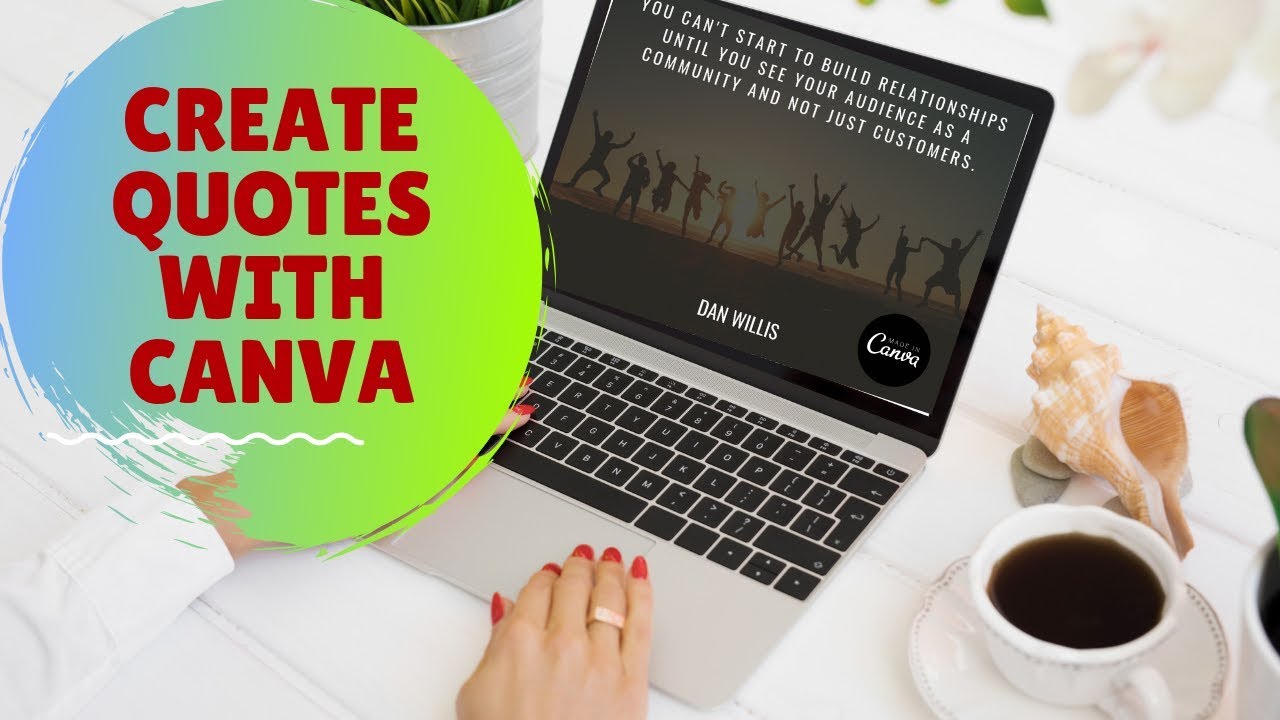
Dan Willis shows how to build eye-catching quote graphics in Canva for Twitter and Instagram. Pick a template, add your quote, apply brand colors and fonts, drop in a background image, then export and resize for each platform. Visual quotes get more feed visibility than plain text.
Chapters
All right, guys, good morning. We are back at it again. Another fantastic day today. I hope everybody who's at CM World and Inbound, you guys got some sleep. I'm sure things are just nuts there right now. Today, this is gonna be a quick one. It's gonna be 5 minutes in and out showing you guys how to create some motivational material for your Twitter feed, Instagram feed, whatever it may be. A lot of people, I see a lot more quotes coming in, just people that are getting inspiration from their daily readings or they hear something at a great conference. And they want to create some motivational materials for the day where they just put out the quote. Now, obviously, just a quote in the feed gets lost pretty quickly. So I want to show you guys how you can kind of spice it up a little bit, add a little bit of flavor to it. So without further ado, we're going to head over to Canva. We'll do this one for Twitter. But for those of you that are unfamiliar with Canva, when you go in, you do have the option from the home screen to create pretty much anything for anywhere. So if you wanted to do Instagram, let's say, Instagram post comes up, you can select that. YouTube thumbnail, Facebook post, general social media. There's all kinds of different options here. We're going to do Twitter for today because that's mainly where I play. And you'll see right here that there's a whole bunch of different options. These are templates that you can use ahead of time, and this is where you're going to save a bunch of time instead of you having to really arrange things, make things go. Oftentimes there's enough selection here in these options for you to just pick one and get to work on it. So for today, quote Twitter posts. So they actually have a whole section of these that are built for quotes. Let's go ahead and grab this. Sure, we'll use this one. This looks great. Okay, now in here we're gonna have to have a quote of some kind. You can find a quote, like I said, you can go to sites like Brainy Quotes. It's a big one. And this is just filled with quotes that you guys can use. You can see that they already have some of these templates created for you, but I always find it's a little bit more genuine when you take the time to do it yourself. So if that's the way you want to go, so be it. For me, I'll just— I usually just throw one in from myself. So Okay, great. So you just throw that quote in there. One of the things that I really, really love about Canva is you can actually put your brand colors in there that you like to frequently use, and that makes it have a very familiar feel to it if you're doing this daily. Fonts typically don't like to use— yeah, there we go. I've got certain fonts that I like to use, some that I don't. So we'll go here, we'll make this the same red. Whoop, made a mistake. No problem, just undo that. Okay, great. So we've got the text set up, we've got our font set up, everything looks pretty good as far as that goes. The next step, the next thing that we wanna be doing is we want to take the, we wanna take this background picture. I don't know who this guy is, I'm sure he's a nice guy, but the reality is I wanna make sure that this really conveys the message that we've got going on here. So a couple of different options for what you can do here. You can upload photos directly from your own computer, which we'll take a look at after. Photos, you can actually go into their photos, and for this one I want something like community. Let's type community and see what comes in. So there's that, there's that, there's that, there's that. Some of these could work, it's just drag and drop, but you can see that most of this isn't gonna work. So if I was to do that, I'd probably shift it over, but I'm not quite settled on that image. This one's kinda cool. Still not sure if that's quite right, but there's lots of different options here. The other option from earlier in the week, if you guys remember, you guys can head over to pexels.com and you can do the same thing here. Now these are all common use, so all of these photos are free for you to use. There's tons of great stuff here. I kind of like this one actually, so let's Download that. And sure. So we'll download that photo, head back over here, and it's literally drag and drop. I can just take that download, drag it right in there. Um, it doesn't take too long to upload it, so bam, it's there. Put that in here. Go ahead and flip this horizontally so people can see the community a little bit better. And that's it. It didn't take a lot to get that done. I think that was about 5 minutes start to finish to get this whole thing done. You've got a photo that, I mean, it does a great job. I could probably— oh, not that. This. I could probably shift this and make it not as massive. So people can just see more of what's going on. Let's make that a little bit smaller, adjust the size a little bit, make this go center, pull the quote thing up. Make that just a little bit smaller. And I've essentially ruined everything that I had there. So I'm gonna go back in and let's just swap this around pretty quickly. Okay, there's that. The image that we used before, just throw that in as the background. Come on. There you go. Spread this out a little bit so people can see the people and bam, that's it. We're done. It was that simple again. So just completely switched around the entire template that I had. But this was quick. It was pretty easy, relatively painless. If you don't like losing the color, you can head up here to the filter. And just adjust accordingly as to what you want. I think I'll probably go with that. And there you go. All done. Now you can post it directly to Twitter. I often don't do that. I like to download it and have it there for reuse down the road should I desire, or I can actually take it and prep it to be used elsewhere. And that's kind of a cool feature with Canva that I want to leave you guys with. A lot of people create content and then they're frustrated that it doesn't transition well from one platform to another to another. So another option that you can have here is now that I've built this, I can go, okay, well, I also want to put this on, let's say, Instagram. And Instagram's got a little bit of a different layout and I may not know those dimensions off by hand, so I can just select it and it's going to show me, okay, well, this is what this looks like now. Obviously very different on Instagram. By double-clicking it, I can change the layout. I can make this a little bit— well, let's— yeah, let's do that. And then we will make it bigger, move it into the center again, move this stuff down, and we're done. So there's an Instagram one done, resized, ready to roll. Again, you just download that, and that's it, guys. It's that quick. It's that easy. It honestly takes 5 minutes to get it out there. This goes a lot further as far as popping out in the feed, especially with Twitter. If you see so many motivational quotes during the day, you go in here and go. You put in your own custom font, and another cool thing with this is now that you are putting a picture up instead. Instead of just a general quote, you can put this in and now you can tag people. You can just go through here and tag people that you feel would engage or might find this relevant. So you can just go through here, select a bunch of folks, done, add a description here. Almost every day on Twitter in the morning, the day and motivation. Make sure that we've got that in here as well, and we're done. So I just want to show you guys how much more that pops from the feed. So when you go home and you're looking at this feed, obviously the images stand out a lot more than just the text. With the, with the ones that just have text, they, they're almost not in the feed whatsoever. Ones like this don't stand out unless there's an image attached to them or video attached to them. Even these ones that just have the link, they lack that pop. It's always more important to have that photo, even if it's just for the real estate that you're taking up. So I hope that helped, guys. If you know somebody that needs some help with something like this, please tag them in this, reshare it out. I hope you had a great day. I will catch you guys Monday with more of these every morning, 9:00 AM. I am gonna be going live doing something to help you guys out. So if you have suggestions, feel free to let me know, reply to this, let me know what you'd like to see, and I will do my best to help you guys out. Have an amazing day, guys. Uh, for those of you at CM World and Inbound, I hope you are well rested after today. Later!
More from Dan

ready and prepared are not the same thing. #motivation #dothingsyoudontwanttodo #pushharder
Solitude is your mind gym. Never skip brain day!#fitness #motivation #fitnessmotivation




The Key to Lasting Change: Why Sustainable Growth Always Beats Monumental Leaps