Gear Talk - This Could LAUNCH Your Podcast...
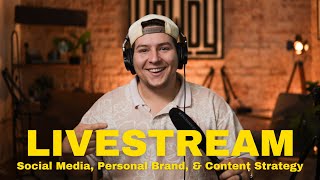
Darren Pacheco breaks down podcast launch essentials: microphones like the Samson Q9U ($110) or Shure SM7B ($500), lighting with Amaran 100DS fixtures ($125 each), and distribution across YouTube, Spotify, and Apple Podcasts. He covers gear, video setup, editing software from free tools to Adobe, and why lighting matters more than most people think.
Chapters
Yes, sir. All right, we are live, boys and girls. Oh my goodness, we are live in the Howdy Media Insiders group. Say what up to Mike in the background. Hope y'all are doing good, hope y'all are doing good. We put up a poll earlier And today we're going to be talking about podcast gear, specifically what you need, how much money that you might have to spend in order to get this stuff going, right? So I want to know, what have you been up to today? What have you been posting? What have you been creating this week? Do you have a podcast? Are you planning on starting a podcast? We're coming at you live from the Howdy Studio today. Hope y'all are doing good, hope y'all are doing good. So let's just get right into it, okay? So the gear that you need to start a podcast, it can vary, okay? It can vary depending on how much money you're able to spend, what kind of space you're in, right? Um, and how you want it to be set up, okay? So you can have a solo podcast, you You can have a podcast where there's guests that come on. And by the way, we're going to be live for like maybe 10 to 15 minutes today. So you can have a solo one, you can have one with guests, you can have, um, a straight audio one, which I don't recommend. I recommend if you're going to do it, make sure it's video and audio. But some of the gear that you're going to need are Let's start with the microphones because obviously the podcast, um, the biggest place that people watch and listen podcasts are on audio-only platforms like Spotify, Apple Podcasts. Um, those are the big two. Another one is YouTube. So what I always recommend people, if you're gonna be doing a podcast, might as well do video and audio. Because you're going to be spending the same amount of time recording as you would if you were just doing audio. What up, Nico? Welcome to the stream. Today we're talking about podcast stuff, man. What you need to buy if you're wanting to start one. Okay, so the microphone is going to be very important. Now you can get a good microphone for around $75 to $100. Okay, the ones we use here in the studio, they're called the Samson not Samsung, Samson Q9U condenser microphones. Okay, and I don't know if you can see— Mike, could you hear me? There's a microphone— well, there was. Could you go get one of the microphones off the stands? I'll show you guys on the stream what it's gonna be looking like. Fsm7DB. So are those like the $400 or $500 ones, Nico? Yeah, here we go. Perfect. All right, so check it out. Mike's our assistant. Okay. All right, so this is the Samson Q9U condenser microphone. Okay, this runs, I think, about $110. That is it. Put this down over here. But that's about $110. The, uh, the one that everybody uses is about $500. It's, it's the Shure, um, I think it's an SM7B microphone. But there's more that goes into that, right? You have to have what's called a cloud lifter in order to power the microphone microphone as well. With these microphones, you don't have to have one. Um, pretty much if you use a Samsung Q9U or there's a Rode Podcaster mic, you don't have to use a cloudlifter. Okay, so that's going to be your first step. Next step is going to be finding a mount for it, or if you're gonna have a stand for it on your desk or table or wherever you're talking, something to hold the microphone up. So once you have those two things figured out, you're gonna need some cables, including an XLR cable, which is what I'm running here. Now, every podcast setup is different, okay? So I am running an XLR directly to my camera, okay? Some people have audio interfaces, then they merge the audio and video after, but I like to send it all to my camera. That way, by the time I go to edit, it's all already merged together. What's up, Yelly? We're talking about podcast equipment today. Um, but yeah, there are ways you can do like USB connections if you're just using your computer. That's what I would probably recommend for majority of people. Find a microphone that has a USB-C input on the bottom, which the Samson Q9U microphones also have a USB-C, so you can eliminate the XLR need in general, right? So you can do that. You can find one that's within your budget that has USB-C or an XLR input, okay? And let me know if you have any questions. I can send you a couple options. Just give me your budget, I'll, I'll help you out. So once you have the audio figured out, right, you're gonna have to figure out the camera side of things. Now you can do this in multiple ways, okay? You can have one camera set up just like this, like you're talking to the camera. This works good with one, maybe two people sometimes, okay? There's another way that you can do it, which is called a multicam setup. It gets a little bit more complex, a little bit more complicated. You'll have like 2 to 3 cameras running at one time, then you're gonna have to merge it all. It can get pretty complex pretty quick. If you're just starting out, I would say straight up use your phone. Pull out your phone. There's software, there's, there's a software called OBS that's a good resource. It's completely free, anybody can get it on your computer, but you can hook up your phone, you can hook up a camera that you have directly USB into this, plug in a microphone USB into this, hit record, and you're going. Okay, that's going to be your quickest way into podcasting. If you want to go any further than that and have a whole setup like we do, that's going to be a little bit more involved. And if you don't want to do that research and you're like, this is overwhelming, let us come help you. Like, that is one of our services. We, we We help people set up their home studios or office studios, wherever it's at. So let us come help you, man. Um, but yeah, so you got your camera. You can use a traditional camera, uh, which is like a mirrorless Sony camera or a mirrorless Canon camera, or you can use your iPhone. Okay. It doesn't take that much to get a good looking picture. When you have good lighting, you can make pretty much any camera look good. So the next thing is the lighting, which is, exactly what we're going to talk about right now. It's probably the most important thing, okay? This lighting back here— I have two of these guys. One of them you can't see because it's right in front of me, but there's two. They're called Amaran, uh, 100DS lights, okay? So these run for about $125, I believe, that just for the light. And then you have to buy the, what we call, lantern, which which is a soft box type thing. Um, even if you get one of these, it'll be perfect. We have two because we have multiple sets going on and there's usually 3 to 4 people sitting in one set at a time. So it just evenly disperses all of your light, makes it look nice and soft. You don't want any harsh shadows whenever you're filming this stuff. That's the only downfall about the ring lights. I know they are mobile and they are easy to use. So like, if it doesn't matter to you, if you don't care, like, continue to use a ring light. But if you're wanting to take it to the next level, you're going to have to find something to diffuse the light, okay? And we use these lanterns. We also have a bigger softbox that does a rectangle type thing. So do you currently have any lighting setups? Let me know in the comments below. Um, if you're watching on YouTube, make sure to join our Howdy Media Insiders Group by clicking the link in the description. It should be working. If it's not, go on Facebook and type in Howdy Media Insiders Group and request to join, man. It's exclusive, it's private. We're putting free stuff up all the time. We got an ebook out right now that is completely free to the people in the Insiders Group. Um, it should be one of the pinned posts at the top. So make sure to go download it, make sure to read it. It's only about 14 pages, so it's super quick read. So once we have the microphone, which is the audio, and your camera picked out and your lighting, the last thing is going to be your set design. So where are you going to be filming it? Wow, a free book! Mike hasn't even read it. Don't even listen to that. But the last thing you're gonna worry about is your setting, okay? Your studio setup, how the space looks, because you can make pretty much any, any set look good with the right lighting, okay? So what was that? Mike's editing over here, tripping me out. But you can have any set look good with if you have good lighting. Okay, that is probably the most important thing. Uh, the lenses that you use and the lighting is massive when it comes to video and photo stuff. So pick a spot, it doesn't have to be huge, but if you can set yourself up a little bit away from the background— just see how I'm pretty far from the background right now— it creates a good separation. Okay, it gives you more of a professional look. It gives you a higher production value look with simply adding depth to your shot. That's one thing we study with videography. It's like, how do you make this shot interesting? Okay, so like for me, I have a light here, I got a light here, we got a brick wall back there, the Howdy sign, right? Right? And it just makes the shot look great. And then you combine that with cool lighting, a good key light that's in front of you on your face. So like, this light is only about 1 foot from my face right now, but you would never know, okay? So lighting is important. Once you combine all of these things, right, you're pretty much on your way to having a successful, high-quality looking podcast, and then you're gonna have to worry about, okay, how do you edit it? How do you distribute it? Okay, whenever you edit it, there's a couple options you can use, free and paid. You can use CapCut, you can use— there's an app called Adobe Premiere Rush you can use, it's free, or you can use paid options like Adobe Premiere Pro, DaVinci Resolve, which they're all pretty intimidating whenever you to start. So yeah, start simple. Even iMovie— iMovie works great if you have a MacBook or an Apple computer. So once you get it edited exactly how you want, you can cut it up, do multicam editing. Then you're going to have to think about where are you putting it, where are you distributing it. Now we recommend putting it at least on YouTube, Spotify, and Apple Podcasts. There are other platforms that you can put it on, but those are the 3 main ones that you want to make sure and hit. Also, another fun fact, um, if you're watching this after the live stream, let me know in the comments below: do you have a podcast? Have you attempted a podcast before? Or are you wanting to start one? And if so, what is it going to be about? Because I'm just curious. Podcasts are definitely on the rise, like in 2024. And everybody is going in that direction because it builds authenticity, authenticity, it builds trust. But one of the distribution platforms that you can use, and which what we use all the time, is called Red Circle. Okay. This platform allows you to have as many shows as you want. So you can have a show on sports, you can have a show on business, which we don't, I don't recommend, but it's an option. We use it because we can have as many shows as we want for all of our clients, and we can see everything there. We upload everything from this one platform. It's great. There's even an ad option where once you hit a certain amount of monthly listeners, you can turn it on and you can start making ads from like Spotify ads and, um, Apple Podcast ads. So, and a gist, that is start to finish how you need to go about starting your podcast. You got to get the gear, you got to get the software, and you got to get your distribution platforms figured out. If you don't want to use Red Circle, there's also one called Spotify for Podcasters. It's just for a single show. It's, it's great. And honestly, you could probably do a little bit more, but you're stuck to doing one episode or one show. You can also upload your video through that as well and have your video on Spotify. If you ever, ever seen Joe Rogan's podcast, that's how they do it. But oh, hope that wasn't too much or too overbearing. I know it's a lot of information, but if you have any questions, like, this is what this group is for. And if you're new here, thanks for joining. The Insiders Group. I hope you found some sort of value from this today. If you did, let me know, leave a like, make sure to go subscribe to our YouTube channel. It's just Darren Pacheco. We're putting out more content there every single week, including podcasts, tutorials, all of the above. So if you found value, make sure to invite a friend who you think would find value as well, and we will see you— what is today? We'll see you next week. Okay, hope you have a good weekend. We're gonna be off traveling, me and Katie. Um, it's gonna be a good time, so we'll see you guys next week. Thanks, guys.
More from Daron



Entitled Woman Tries Suing Man For LEAVING Her Mid Date, Instantly Regrets It

This Is Why More People REGRET Buying Their Electric Vehicle Than Ever Before


