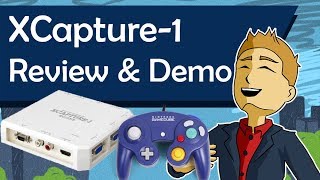
David reviews the Micomsoft XCapture-1 capture card, which handles HDMI, VGA, component, composite, and S-Video inputs at up to 60 fps (composite capped at 30 fps). At $330, it's more versatile than Elgato or Dazzle cards for streamers capturing from multiple console generations.
Chapters
Hello everybody, this is David, and today I would like to go over the XCapture One and do an in-depth analysis/review of this capture card. It is very versatile, also very expensive, but if you plan on doing a lot of different kinds of game capture with a lot of different kinds of consoles, that's really your go-to device. It has all sorts of ports. It has HDMI, it has VGA, it has component, it has composite. Well, through d-terminal, but we'll get to that in a second. Really, really big fan of this product, and if you're, again, seriously considering streaming on a lot of different kinds of consoles, you should definitely give the XCapture One a look. And so now we'll jump into the video and I'll show you a little bit about my findings. As far as I'm concerned, Micomsoft's XCapture One is the best external capture card you can get. It uses a 3.0 USB connection to connect to a Windows 7 or newer PC. And supports both PAL and NTSC. Its main limitation is that it only captures 60 FPS in VGA, component, or HDMI, and not in the S-Video or composite area. Unlike Elgato's capture cards, however, which either has the ports you need or 60 FPS in HD, the XCapture One has both. For example, the standard Elgato Game Capture HD has options for composite or HDMI, but only supports up to 30 FPS, whereas with the 60 FPS model you obviously get 60 FPS in HD, but you lose the compatibility with composite cables. Right now the XCapture One is right about $330 on the Solaris Japan website, which is quite a lot of money, and it hasn't really gone down since I purchased it a few years ago. The bundled software Video Keeper 2 probably won't be something that you use, but the drivers are a requisite to use the card. But don't worry, if you don't have a CD drive, you can just download the drivers from their website. You might just need to translate the webpage to do that. Here I'll demonstrate some captured footage and initial required setup from each port option on the card. I used OBS and the same exact settings for each one to demonstrate the differences in quality. First, I'll show you HDMI with Splatoon 2, a 1080p 60fps game. As you can see, it's pretty straightforward. HDMI from the console and HDMI out to your TV. Here's some gameplay. Enjoy! For these next demonstrations, I'll be playing Super Smash Bros. Melee, which is a 60 FPS PS game, and works in both 480i and 480p with progressive scan. I'll demonstrate component via the D-terminal converters you can also purchase from Solaris Japan. You'll also need to split the audio from your device to the audio in the ports on the card to your TV. Keep in mind whether you need male or female ends to the converters you purchase. The D-terminal side should both be male so that it fits into the capture card, and the component end will vary depending on your setup. As you can see here, I have this side which is male, and there's another one which is female.
Here's the VGA setup. You'll need the audio in ports here too, with a splitter to your TV. For this particular example, I'm actually using an old PC CRT with VGA, and a VGA Wii video adapter cable. Again, depending on setup, you may need a VGA cable depending on male/female ends. For some reason, I've only gotten audio out of one side with this setup. I'm not sure if I'm doing something wrong or if that's just how it is. If you have an idea of what's going on, you might leave me a comment and point me in the right direction.
Lastly, here's the composite setup. You'll notice S-Video is also possible if your CRT TV supports that. This is by far the worst looking option though, since you're limited to 30 FPS and you're essentially converting analog from digital. And yes, the signal is lagless. Going through the card from console to TV is not an issue and you won't detect any kind of latency. There is, however, a small delay in it appearing on your PC, for example in OBS's preview. So make sure you use the TV for gameplay.
[Japanese] 2, 2, 2, 2, 2, 2, 2, 2, 2.
All in all, I'm very satisfied with this product, especially after comparing it to several Dazzle and Elgato capture cards. If you're looking for 60 FPS for composite video in 480i, however, you may want to look at some of the internal capture cards, which will require adding the card to a custom PC. Finally, I want to say thank you for 10,000 subscribers. The sheer excitement from that helped push this video out, and in fact, I plan on making more videos about tech and lifestyle, so make sure you stop by again real soon. Cheers!