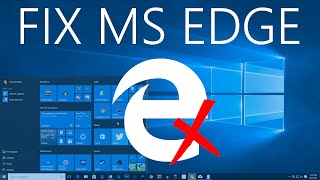
David reviews Microsoft Edge on Windows 10, finding promise but listing eight specific fixes needed. The browser lacks customization on the start page, has missing right-click options like "Save Target As", and suffers from slow typing on Twitter. Edge also needs a better bookmarks manager, more taskbar options, and restored pinned site apps with proper favicons.
Chapters
Hey guys, it's David again here to talk a little bit about Microsoft Edge, which is Microsoft's new browser found in Windows 10. I really do like the browser, but I think there's a lot of room for improvement. Now I should mention add-ons for Microsoft Edge are coming, so I'm not including them in this list. So anyway, I'm just going to start here on the Start page, and I really like the top sites section that you can customize it. However, there's not a lot of customization options. What I'd really like to see is being able to customize this top bar. True, you could just make bookmarks for it, but I think that would be a nice touch that would certainly add a lot. This area, News Feed, is pretty cool. I'd like some more Cortana-esque integration. I think that'd be really neat. So the first thing I'd like to get to is the right-click issue. While I really, really do like the right-click options that are there, in fact, I like that they're simplified, they really need to add a few. In particular, they need to add a "Save Target As" option. So let's say I want to add the title theme. I want to save this MP3 file. Um, it says, "Remember to use right-click 'Save Target As' instead of opening the link." So if I open it, it doesn't do anything. So the idea is you right-click and you save it, but There's no option to do that in Microsoft Edge right now, so I actually have to go to Internet Explorer, right-click, Save Target As that way, and that works just fine. So we need to add that right-click menu, and there's probably a few other things that I'm missing as far as right-click context menu goes. So another strange issue is direct messages on Twitter strangely take a long time to type and it's extremely slow. I'm not really sure why. That affects other websites as well, so that's probably just a compatibility issue that will be saved in the future. But what I'd really like is a full-on bookmarks manager because I use bookmarks a lot and I really enjoy features like being able to right-click and open it in a new tab. I love bookmarks management, like really heavy bookmarks management. What we have right now is alright. I mean, you can open folders and even move them, change the order around. You can even rename items, so that's good. But I'm really looking for a full-on, fully featured bookmark editor like you see in Google Chrome, for example. That's something that might come with time. But another really good thing I'd also like Opening the taskbar is a little very lacking as well in Microsoft Edge. There are only 3 basic options. In Internet Explorer, you're able to open a new private browser, open a new tab, you can even pin frequent web pages if you'd like, and that was very useful. I use that a lot. In Edge, you just have the 3 general options, so they really need to change that. Another feature I like to see is the return of pinned sites. So if you don't recall what that is, in Internet Explorer you're basically able to go to a web page and add it to Site Apps. And what that did was sort of create a shortcut on the taskbar on the Start menu. So if I click Add to Site Apps, click Add, check it out, it made a browser that's specifically intended to use a certain website. Made a nice little favicon there. So for example, if you ever navigated away from the page, let's say you went to a different website, you can always click this button and return back to that page. In fact, you could pin the site like that so that if you went to All Apps, there it is. It actually appears in your list of applications. So I can pin to Start and I can pin to taskbar. So now it's one click away from getting to the place you want to be, which is really neat. I really like that a lot. But for some reason in Microsoft Edge, you're not willing, you're not able to do that. You can't add a site app. What you can do, however, is pin to Start. But you have limited functionality there as it's just a blank generic tile. It just has the Microsoft Edge logo instead of a customized, really neat logo. So if you open it, it does open Edge to the website you want, but as soon as you resize the tile to something like small, you don't even know what it's for. Whereas if you resize it to small here, Here, you know very distinctly what it's for. So I really like to see them bring this functionality back to Microsoft Edge. The one last thing I'll bring up is that— actually, it's sort of a two-part deal. When you're in a new tab, I need to be able to immediately type in a URL. So for example, I hit Ctrl+T, start typing, it's gotta be on it. Sometimes Edge doesn't pick it up and I'm in no man's land. I actually have to click the box. I'm also not entirely sure what they mean to do with these two areas. So if you do, for example, new tab, you have this area to type in, but really this is the address bar. So you have to click twice to type up here. And I mean, I understand that they do the same thing, but it's a little bit kind of strange and disorienting for some people. But anyway, I can't articulate enough how much I really do like Microsoft Edge and how much promise it shows as a browser. There are other things I want to get used to like adding this reading list, adding queues, and also inking. I want to get more into that and utilize that more because they do have really functional features. Another thing I'm happy to report is now Twitter is an option when you want to share a webpage, which is very cool. So if you enjoyed this video, please give it a thumbs up or hit the subscribe button. Thanks so much everyone. Take care.