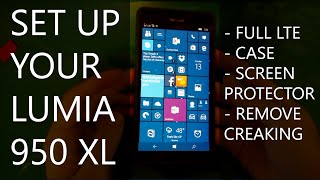
David shows how to set up a Lumia 950 XL on AT&T, including a workaround to unlock full LTE speeds by giving AT&T the IMEI of a regular Lumia 950 instead. He covers inserting the nano SIM and SD card, recommends the O-Motion tempered-glass screen protector and Tudia matte case, and explains how to fix a squeaky case back with tape.
Chapters
Hey guys, this is David, and this is going to be a quick video on how to set up your Lumia 950 XL. When you're all finished and all is said and done, it should look something like this. But there are a few steps that you'll need to know, especially if you're getting started with AT&T before you buy your Lumia 950 XL, and so I'll be leading you through that process now. So you may remember in a previous video I made that the bottom area, bottom back area of the case, squeaks and creaks sometimes when you hold it. And Windows Central actually posted a fix for this, and that's by using Scotch tape or Post-it notes and padding those areas. And I found mixed, mixed fix for it. It didn't always work, but I'm assuming that if I applied even more Post-it notes, it would probably work eventually. But all that to say, you honestly don't really even need this. The creaking and all that is not really an issue after several weeks of having it. I haven't really noticed it at all. It's only when you like press down on this area do you really even notice it. And here is what the back of your phone will look like. This is where you put your SD card, and this is where you put SIM 1, and this is where you put SIM 2. Ignore this, this pink Post-it note here, that's just to cover up some information. So you want to put your main SIM card right there. Now, make sure you get a nano SIM card because that is the kind that will fit. That is the only kind that will fit. You can get it on a card that looks like this. You can get it for free from AT&T. But when you get this SIM card and pop it in, AT&T will ask for the SIM card number, which is right here, which I'm covering up. And it will also ask for your phone's IMEI number. Now here's the thing: you need to go to an AT&T store, find a Lumia 950, not a 950 XL, and find its IMEI number. And I'll explain why in a second. To find your device's IMEI number on Windows 10 Mobile, in this case it'll be on a Lumia 950, just drag down from the top for the Action Center, go to All Settings, Go to System, go to About, and then where it shows Device Information, go to More Info, and you'll see the IMEI number right there. Now record that number down, write it down or something, and even though it's a Lumia 950 IMEI number, give it to the AT&T rep as your 950XL IMEI number because you will not receive full LTE speed downloads and uploads on your cellular data unless you tell AT&T you have a Lumia 950. Because as of now, for some reason, the Lumia 950 XL doesn't register as a device. It is assigned a generic IMEI number and doesn't get the full download speeds. The next thing you'll want for your Lumia 950 XL are a screen protector and a— some sort of COVID for it. Because the backplates are nice, especially the Mozo backplates that have wireless charging and have the sort of leather background and everything. However, you might want to protect it with something so that you won't harm it if you dropped it or something. And what I recommend for the screen protector is called the O-Motion tempered glass Microsoft Lumia 950 XL screen protector. And it's very heavy-duty, comes in a great— this great case, comes with a bunch of cleaning cloths, and comes with this really clever hinge system where you take the screen protector and you put stickers on the side and it just lays down perfectly. And it's very, very seamless compared to other screen protectors I've used in the past. Here is an example of what it looks like, and you just sort of take these stickers and you put it here You line it up, making sure it works, and then— I have it backwards— you make sure it works, and then you just unpeel the back and lay it down and it sticks. And again, very seamless. I don't really have any sort of bubbles or anything. And again, very, very, very good. So I recommend that for that. For now, I don't have a big solution for a case But what I am enjoying for now is the Tudia cover. It's matte, which I like a lot. I got the blue one. There's also other colors. There's black. And it fits on very well, and it's not very hard to put on at all. And, um, yeah. I mean, it works well, it protects it well, and it feels very nice. It adds a slight bit of bulk to it, but that's what you expect for something that really does protect your phone. So that's what I'm using for now, and I'd recommend it, although the one caveat is these buttons are not— are completely covered, so it's very hard to sort of feel where the buttons are if you're just reaching for it on the side. Other than that though, it's a very, very good protective case for now. And another thing I'd like to mention is that I just want to do a quick size comparison. Here's something like the Lumia 1520, which is this phone right here. It's comparative in size, a little bit smaller, but when you add all the cases and all that, it does— it is quite a bit bulkier than the 1520 and how it feels and its weight and everything. It's a little bit heavier with all this on it. But yeah, after you give your AT&T person the SIM card number and the IMEI number of a Lumia 950, you should be good to go and be getting the best Lumia 950 XL experience you can possibly have. Make sure you get a screen protector and sort of— some sort of backplate protector if you like and you're afraid that you might wreck it. Those are important as well. And after all is said and done, you will have a premium, non-carrier locked Windows Microsoft mobile device. Thanks very much for watching. If you want more Lumia, Windows, or Microsoft related videos, please consider subscribing.