Windows 10 Mobile - Initial Impressions from a Windows Phone user
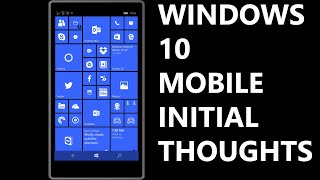
David upgrades to Windows 10 Mobile and finds it solid despite early doubts. The Maps app is much better, Cortana regressed, and Office apps shine, especially PowerPoint's presenter view with ink. Windows Hello's iris scanner feels clunky.
Chapters
Hello everyone, this is David and this is going to be a video about my initial impressions of Windows 10 Mobile. Now I have to say overall I'm very pleased with it. I was a little bit skeptical at first just because some of the Insider builds weren't the most stable things around, and of course they were Insider builds. So now that the full version is here, I'm mostly happy with the changes, and I think you'll find that you will be too if you are a Windows Phone user. So first thing I'm gonna go to is messaging. Now if you notice here, you see pictures of the contacts next to their names, which is actually pretty awesome. But I think my favorite part of messaging is actually that Skype is built right in. So I can send my brother a message. Also, the keyboard is very strong. I have to It's like the best of 8.1. So you'll notice there's two different colors here. One's for Skype and one is for the phone. You can easily change that by tapping up here. And I happen to have a dual SIM device, so that's what this purple is, and it just— it'll give me an error if I try to send a message since there's no SIM card in the second slot. And then Skype is another color, and you'll notice there's Skype specific emoticon options right there. And when you send it with Skype, it changes the send button to a lighter blue. So that's pretty neat. One issue I'm having though is sometimes the PeopleHub is having a tough time linking contacts. So for example, here I have my friend Vernon, and here he is on Skype, and I'm actually not able to send him messages. Because it thinks that it's not Skype for some reason. So if I go to the contact, hit save, it gives me this error. So there's a few quirks right now, but overall I like the direction that it's going. And it's just really strong. One thing I'm a bit disappointed by is the fact that you still need RapDialer, because you can type in a number and previous calls you've made will come up, but it doesn't search all of your contacts. They have a speed dial option and then of course history like they did before, but really nothing too exciting there. So I was a little bit disappointed with that. The alarms, however, is a lot stronger. So if you'll notice on the live tile here, it gives you a little mark that lets you know that it's on. In fact, if you make it small, the mark is still there. In previous versions of Windows Phone, it would not give you any sort of live tile functionality with the smallest tile. You also have things like a world clock. You have a timer and a stopwatch built right in. So much more fully featured. App. And this brings me to my next point. I'm very reliant on the turn-by-turn navigation and maps application in Windows Phone, and I'm happy to report that this new one is even better than before. In fact, you almost might describe it as a marriage between Here Drive and Here Maps. It's really the best of both worlds because, as you can see here at the top, you can toggle the kind of transportation, whether it is transit or walking or driving. But check this out, you actually have several routes to choose, and you actually have a full direction list as well, which is very, very awesome. So yeah, really could not be more pleased with the Maps application. Now next, I'd like to go over a few complaints I have about Windows 10 Mobile, and I will start with some of the icons on the Start menu. And by that, I mean the icons in relation to the tile size. So for example, this tile here you'll notice that a certain margin around the icon, and the other ones like this Exchange and this Gmail one do not match the same size. So that's kind of a small little complaint, but something that was more detail-oriented and focused in Windows Phone 7. And then another thing I have to bring up here is Cortana. Now Cortana herself is great, but this UI doesn't really make much sense. It's white on black, and I just don't go for the whole cards thing so much. It was a lot more polished in Windows Phone 8.1, to be honest. But beyond that, when you do like a search for a result, I'll do just an example here. It's just a web wrapper. In Windows Phone 8.1, you had this clean, nice pivot-enabled room, and now it's not quite as good. Now here it will give you some sort of local— it will give you a localization option, but there's no local pivot tab or anything. So it has really taken a hit in my opinion. It's not nearly as good as it was in prior versions of Windows Phone. The next thing is something that users of on-screen navigation buttons will already be used to, but if you're used to the capacitive buttons on the bottom of the screen, which are the navigation keys like the back arrow, the Start button, and Search button, here's a little tip that tripped me up in the beginning at first that I didn't know. If you ever at some time do not see the keys, simply drag up from the bottom of the screen and it will toggle the visibility of these navigation keys. Because sometimes applications go full screen and it completely vanishes and you do not know how to escape or go back to your home menu. So in order to do that, just again swipe up from the bottom of the screen and you should be good. Also, check this out. Yeah, that's how quickly Windows Hello worked, which of course is the Iris scanner, which recognizes your face and signs you into your device. But I will say it's a bit convoluted to get it to work, only because you have to kind of hold the phone in front of you to get it to unlock, and it really isn't much faster than just typing in a PIN or swiping up. Now, the podcast application built into the operating system again is sort of the lackluster Xbox Music application, which could really use a facelift and more features. So I would recommend another application like Pocket Casts or Podcast Lounge if you want a more fully featured podcast application. Groove Music has given me some slight issues, and that is it won't let me play music that's in my own personal cloud. So I'll give you an example that I found, and this is a Weird Al song called Bedrock Anthem. And mysteriously, it duplicates the songs I have and does not let me play these two up here. It says, "This has been removed at the request of the copyright holder," but it does let me play these two versions. So I don't know what's up with that, and until Groove Music gets its act together, I'm gonna keep using my Zune HD for my music. And yes, I still use a Zune HD for my music. The Office applications are incredible though, and I'd like to demo one really quickly just to show you the power of it. So here is a PowerPoint I have, and I'm just gonna start the presentation. Here you have an amazing presenter view, but if you hold it sideways, you actually get a full preview of what the PowerPoint looks like, including all of the animations. And this is amazing because these are created in Office 2016, and even Office 2010 can't render some of these animations and effects and transitions. but this little application can. And again, in the presenter view, you just have so many strong options. You can view your notes that you took, you can skip around in slides, and you can also ink it up. So I'm gonna choose Ink, and when it's done animating, I'm gonna circle the guitar. When you're finished with the presentation, you can back out of it or close it by tapping that, and it says, "Would you like to keep the ink annotations?" You can actually keep them. Which is really, really neat. And the other Office applications are just as powerful. And with Continuum, of course, it's even better. Continuum is amazing, and I'm really excited to see how they improve Continuum because right now it's really strong and this is just the beginning. I'm really excited to see where it goes from here. So yeah, overall very pleased with Windows 10 Mobile. If you would like more Windows 10 information, you can subscribe to my channel. Thank you so much for watching this video. I should have a Microsoft Lumia 950 XL review up very soon. Take care, everybody.